SFTP for logistics: manifests, BOLs, and PODs
The short version
- Logistics runs on documents as much as on trucks: manifests, bills of lading, proof-of-delivery files, and freight invoices move between shippers, carriers, and warehouses every day, on schedules both sides know in advance. Email attachments and a scatter of carrier portals were never built for that rhythm at volume.
- With SFTP, every carrier and every 3PL gets its own credentials and its own folders on a single endpoint. Every transfer rides an encrypted channel, every partner's reach is scoped to its own folders and can be revoked in minutes, and any arrival can trip an event that starts a downstream process.
- One boundary belongs up front: a file lane carries the document layer of logistics. Realtime track and trace, telematics, and API-native TMS integrations ride their own rails, and a carrier that mandates its own portal sets the terms for those documents.
- On DANIAN, a managed SFTPGo instance runs €9 flat a month and includes the first 30 GB of storage, which is the reason freight brokers and mid-size shippers run carrier document exchange on it instead of per-credential transfer services.
The document lanes between shippers, carriers, and 3PLs
Nearly all logistics file traffic sorts into five repeating lanes, and every one of them is a directed flow between named parties on a known cadence. Mapping them first is what turns a scatter of portal logins and attachments into an exchange one person can operate.
| Lane | Direction | Typical files | Who connects |
|---|---|---|---|
| Tenders and manifests | Shipper or broker to carrier | Tender files, load manifests, rate confirmations | Carrier dispatch systems on a schedule |
| Bills of lading | Shipper to carrier, per shipment | BOL PDFs, shipping instructions, hazmat documents | Warehouse and dock staff at departure |
| Proof of delivery | Carrier to shipper | POD PDFs, signed delivery receipts, delivery photos | Carrier drivers or end-of-day batch jobs |
| Status and exception files | Carrier to shipper | Shipment status events and delay notices as flat files | Carrier tracking exports, hourly or nightly |
| Warehouse and 3PL documents | Both directions | Advance ship notices, receipt confirmations, order files | 3PL warehouse systems and EDI translators |
No lane needs a shared drive where every partner sees everything. Each one is a single sender, a single receiver, and a known file shape, which is precisely the access model SFTP was built around.
A folder and a login for every carrier
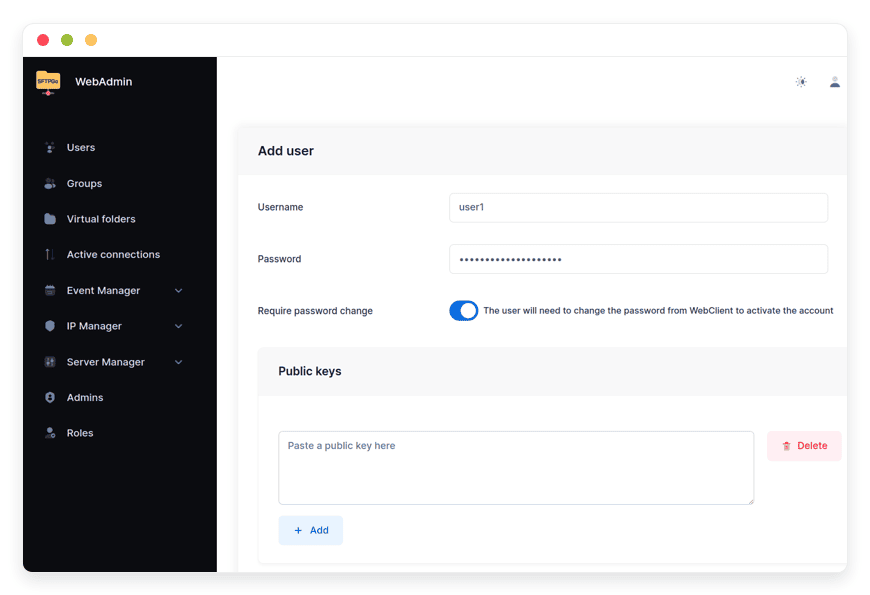
Carrier intake becomes orderly the moment each carrier holds credentials scoped to its own upload folder. PODs arrive already attributed, quotas keep one carrier's image-heavy week from crowding the rest, and a leaked dispatch login exposes a single folder instead of the whole exchange.
SFTPGo handles this with a home directory and a quota per user, and a directory can appear inside several user spaces simultaneously when a dispatcher wants one view over every carrier's uploads; the walkthrough is in the guide to mapping directories into user spaces. Connections land on whichever port the instance designates, logins can be locked to key files instead of passwords, and a source hammering failed attempts runs into the instance's brute-force protection.
PODs for people who never open a file-transfer client
The receiver of a POD is often a billing clerk, a customer service rep, or the customer, and none of them should need SFTP software to get it. SFTPGo's WebClient answers that: staff sign in with a browser to pull documents, and a one-off delivery can go out as a secure download link with an expiry, no account on the endpoint required.
That link path is how a POD reaches a disputing customer without riding an email thread. Sending those links from the web interface is covered in the secure-link walkthrough for the WebClient.
Manifest arrival as a trigger, not a queue
The classic pattern is a nightly sweep: a job walks every folder at two in the morning and imports whatever it finds. SFTPGo event rules replace the wait. An upload fires a webhook or a filesystem action at arrival time, so a tender file enters dispatch while the truck is still bookable, a POD lands in billing the hour it is signed, and an exception file alerts the service desk while the load is still recoverable.
The pairing with an automation platform is where this pays: the workflow picks up the webhook, puts the document where it belongs, and pings the desk that owns it. The end-to-end version is mapped in the walkthrough that wires SFTPGo events into n8n, and the instance-side mechanics are documented in the webhook-on-arrival article.
Where the file lane ends and other rails begin
An honest design states its edges. Live track and trace belongs to carrier APIs and telematics platforms, freight EDI transaction sets such as 204, 214, and 210 often ride a value-added network or a mandated AS2 line, and parcel carriers increasingly push their own portal workflows. The document layer is what SFTP carries: the bill of lading, the POD, the manifest, the invoice copy, the advance ship notice. That layer is large, auditable, and still overwhelmingly file-shaped.
The practical read: where a partner's system already speaks file transfer, and most carrier and 3PL systems still do, the endpoint meets them where they are. Where a partner mandates a different rail, that mandate wins for those documents, and the two coexist on the same roster.
What a 38-connection document exchange costs
Picture a regional freight operation: 35 contracted carriers, two 3PL warehouses, and one parcel manifest feed, so 38 partner connections in all. Logins are not metered on a managed instance, so a roster of 38 costs the same as a roster of three.
Say the document archive, PODs and bills of lading kept for audit windows, holds 140 GB. On managed SFTPGo hosting the month adds up like this:
| Component | Amount |
|---|---|
| Instance, unlimited carrier and 3PL logins | €9 per month |
| Storage: 30 GB included, additional gigabytes at €0.50 monthly | 110 GB extra, so €55 |
| Traffic: a monthly terabyte included, then €0.03 per gigabyte | Document traffic far inside the included amount |
| Total for the entire carrier roster | €64 a month, roughly €1.70 per carrier connection |
The contrast with per-credential services is sharpest on rosters like this one. A 20-credential entry plan on SFTP To Go, verified at $150 per month in our October 2026 pricing check, cannot hold 38 logins at all, and its 50-credential tier runs $325 per month. Document-heavy partner networks are exactly the shape per-credential pricing punishes and flat-instance pricing ignores.
Backups run daily to another region and restore from a dashboard tab without a support ticket; monitoring and updates of the unmodified community edition come with the instance. A seven-day trial opens with no card on file, and operator walkthroughs for each mechanism named here live in the SFTPGo knowledge base.
Carriers that still speak plain FTP
Plenty of carrier integrations still terminate on an FTP box that was set up before the dispatcher now maintaining it joined. Nobody has to flip the switch on a single night: carriers reconnect in waves, the old endpoint stays up through the transition, and each lane switches when its carrier's schedule allows. The sequencing and the rollback thinking are laid out in the staged migration guide.
Carriers locked to FTP with TLS keep working through the move and after it, because the same instance answers FTPS alongside SFTP; enabling it takes one configuration change, documented in the FTPS setup article.
The same pattern across neighboring trades
Nothing in this architecture is freight-specific. It is the same partner-folder logic wholesale distributors use for price lists and order files, mapped in the wholesale distribution guide, and the same two-direction exchange ecommerce brands run with fulfillment partners, mapped in the ecommerce exchange guide. A team that learns the folder-per-carrier shape once reuses it for every document lane it inherits.
Frequently asked questions
Which logistics documents travel over SFTP?
The recurring document set: load manifests and tenders from shippers or brokers, bills of lading per shipment, proof-of-delivery files and signed receipts from carriers, shipment status exports, and the advance-ship-notice and receipt traffic that flows with 3PL warehouses. Anything that repeats between named parties on a schedule fits the lane; one-off ad hoc sends do not.
Can a shipper collect PODs from every carrier in one place?
Yes, and it is the lane that pays for the rest. Each carrier uploads into its own folder with its own credentials, so documents arrive attributed and complete, and the billing desk stops chasing a dozen carrier portals for the same paper.
How do carriers receive manifests and bills of lading?
The shipper's system writes files into per-carrier folders, and carrier dispatch pulls on its own schedule or receives them on connection. Either way each carrier sees only its own lane, and every delivery is attributable to one credential.
Why give each carrier its own folder and login?
Attribution, quotas, and blast radius. Files land already tied to their sender, one partner's heavy week cannot crowd the others, and a compromised dispatch login reaches a single carrier folder rather than the entire exchange. Retiring a carrier is a minute of work.
Does SFTP replace EDI for freight?
No, and the honest framing is coexistence. Freight EDI transaction sets often ride a value-added network or a mandated AS2 line, especially where a large shipper dictates terms, and realtime visibility belongs to carrier APIs. The document layer, bills of lading, PODs, manifests, and invoice copies, moves comfortably over file transfer, and many carrier and 3PL systems still standardize on it.
How do 3PL warehouses fit into the same exchange?
As two-direction lanes. Advance ship notices and order files go out, receipt confirmations and shipment files come back, and the warehouse system connects like any other partner with its own credentials. The pattern is identical to the fulfillment exchange ecommerce brands run with their 3PLs.
Can a customer receive a POD without an account?
Yes. Staff send a secure download link with an expiry from the web interface, so the recipient opens a browser page and nothing else. The document stays on the endpoint instead of traveling as an attachment.
Is the transport encrypted between us and each carrier?
Yes, by protocol: SSH carries SFTP, TLS carries FTPS, and HTTPS carries web client downloads, so every channel the instance speaks encrypts files in transit. Backups run daily to another region.
What stops repeated password guessing against carrier logins?
Brute-force protection watches failed attempts and throttles the source before blocking it outright, and requiring key files shuts the password-guessing door entirely. With folders scoped per carrier, an attacker who persists gets a locked-out login and a narrow view.
Can a delivered POD trigger billing on its own?
Yes. Event rules monitor the tree and fire a webhook or a filesystem action the instant a file appears, which turns arrival itself into the trigger. Any HTTP endpoint can receive the handoff, automation platforms included.
Where do years of delivery documents accumulate?
On the same endpoint, billed at €0.50 per gigabyte per month beyond the included 30 GB, or in an S3-compatible bucket attached as a storage backend while the same credentials keep working. Multi-year audit windows stop being a capacity worry on either path.
How is an endpoint like this billed?
One flat instance price plus storage. The 38-connection example above with a 140 GB archive lands at €64 a month, logins unmetered. A monthly terabyte of traffic is included, and gigabytes beyond it cost €0.03 each.
Our carrier documents sit on an FTP server older than the team. Is a one-night cut-over required?
No. Carriers can reconnect in waves while the old endpoint keeps running, and partners whose only dialect is FTP with TLS keep going through FTPS once they switch. The wave-by-wave plan, rollback included, is in the migration guide linked above.
Do carriers connect to us, or do we push files to them?
Both patterns are normal and usually coexist. Pull lanes have carrier systems connecting on their own schedule with scoped credentials; push lanes have your system delivering into per-carrier folders on connection. The same per-partner folder structure serves both.
Sources
- SFTPGo protocols, WebClient sharing, event rules, and storage backends: SFTPGo official documentation, docs.sftpgo.com (viewed November 2026)
- Per-user folders, quotas, brute-force protection, and FTPS setup: danian.co knowledge base articles in the SFTPGo category (viewed November 2026)
- Managed instance inclusions, pricing, and trial terms: danian.co/sftpgo and danian.co/pricing (viewed November 23, 2026)
- SFTP To Go plan tiers and credential limits: verified October 2026 in the managed file transfer pricing comparison at danian.co/articles/post/managed-file-transfer-small-business