
Mattermost AI features on the free version
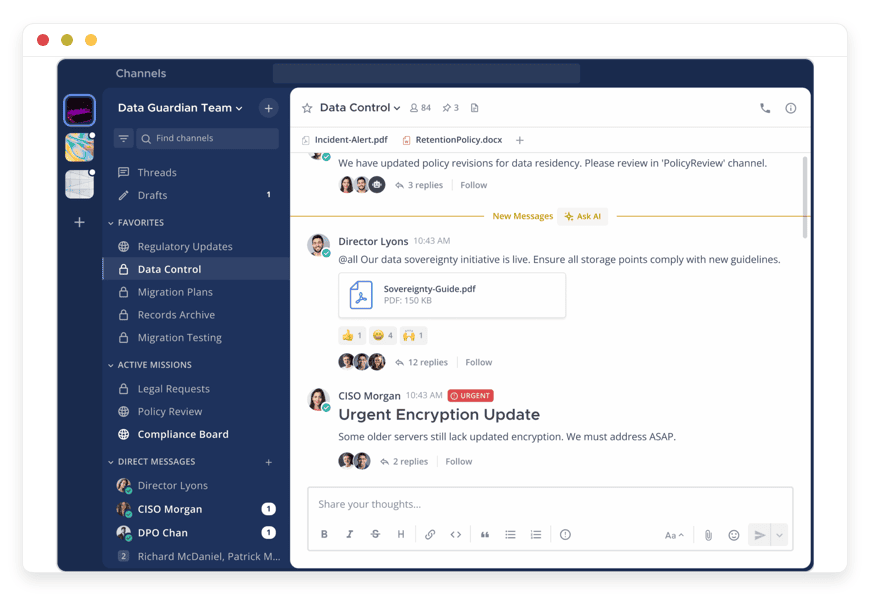
Mattermost has an AI story now: a built-in agent, meeting summaries, semantic search, and an MCP server for connecting AI tools to your workspace. Almost none of the explanations you will find say which parts run on the free community version, because most of them are written for Enterprise customers. If you run the open-source Team Edition build, the honest answer is that a useful slice of the AI feature set is included, a bigger slice requires a license from Mattermost, and the most powerful path of all needs no license from anyone. This guide lists every capability, tier by tier, using Mattermost's own license documentation, so you know exactly what you get before you deploy.
TL;DR
- The free community version includes Mattermost Agents in a free tier: one agent, one LLM service (a self-hosted model counts), direct messages, file and image understanding, personal skills, and read-only built-in tools.
- Channel mentions, summaries, web search, semantic search, meeting summaries, access controls and nearly all of the MCP surface, the write tools and remote servers, requires a paid Mattermost license. The MCP server is not part of the free version.
- Switching the build to Enterprise mode without a license runs Mattermost Entry, which behaves like Enterprise but applies usage rate limits. That is a commercial license from Mattermost, your choice to make directly with them.
- Your own agents (Hermes Agent, OpenClaw, Pi) connecting as bots over the open API need no Mattermost license at all: full read and write, unlimited agents, channels, threads and DMs.
- DANIAN hosts the MIT-licensed Team Edition build from €9 per month, with a week-long free trial that asks for no card.
What the free community version really is
When we say free community version, we mean Mattermost Team Edition: the compiled open-source build distributed under an MIT license, the one DANIAN deploys for every managed Mattermost instance. It is the complete chat platform: channels, threads, calls, file sharing, search, webhooks, slash commands, bot accounts, and the full REST and WebSocket API. Nothing in the core chat product is held back from this build; the same binary family that large organizations license is what you compile against, and the license file, not the code, is what separates the editions.
The v11 release lowered this build's user ceiling from 1,000 activated users to 250 and removed the bundled GitLab single sign-on, two changes Mattermost published openly as part of a push to keep oversized, unsupported deployments off the free build. For a team, a family, a solo operator with a fleet of agents, or a small company, the ceiling is generous: 250 activated accounts means people who logged in, not every bot or dormant account. If you ever outgrow it, the upgrade is a configuration change on the same database rather than a migration, which is a theme that repeats through every tier of this stack.
Two things are easily confused with it. Mattermost Entry is a separate free offering: the Enterprise build running without a license key, under Mattermost's own commercial terms, with usage rate limits. And the paid Professional, Enterprise and Enterprise Advanced subscriptions switch features on by license key on the same server. The AI features below are gated across exactly these tiers, so knowing which build you run is the first step to knowing which AI features you have.
The built-in agent: exactly what the free tier includes
Mattermost Agents is the official AI plugin (the mattermost-ai plugin, formerly called Copilot). It ships with modern Mattermost servers and activates on Team Edition without any license key. On a server with no license, Mattermost's own documentation defines the free tier precisely, and it is more generous than most people assume:
- One AI agent, backed by a bot account you configure
- One LLM service, and it can point at a self-hosted model on your own hardware, not just a commercial API
- Conversations in direct messages, with vision and document attachment understanding
- Personal skills that each user defines for themselves
- The built-in Mattermost tools in read-only mode: the agent can look things up for you, but not change anything
That is a real assistant, not a demo. Point the single LLM service at a local model, and you have a private chat-integrated assistant whose entire pipeline, model included, sits on infrastructure you control. Mattermost brands this the sovereign deployment pattern, and it is the quiet headline of the free tier: the chat server, the database, the transcripts and now the language model can all live inside one perimeter you own. For a solo operator or a small team that wants one helper inside the workspace, this free tier is often all that is needed.
Read-only tools deserve a concrete explanation, because the phrase undersells them. On the free tier the agent can search and read the workspace material your permissions allow: looking up a channel's recent history, fetching a file's contents, finding a message from last quarter. What it cannot do is act: no posting on your behalf, no reactions, no creating channels or playbooks. Those write actions exist in the tool set, but below an Enterprise license they are hidden from the agent entirely, so it will not offer them and cannot be coaxed into them. For lookup-and-summarize work, question answering, and drafting text in the conversation, the boundary rarely shows.
There are operational requirements worth knowing: the plugin needs Mattermost server v12.0 or later, a PostgreSQL database (which modern Mattermost uses exclusively), and a Site URL configured in the system console, or it will not activate. Semantic search adds one more dependency, the pgvector extension in PostgreSQL, but only if you eventually license that feature; the base agent does not need it. Model traffic also follows the server's proxy environment variables, so an air-gapped or egress-filtered deployment keeps working with the right network plumbing. On a managed instance these are configuration details rather than projects: the database, the URL and the version are already in place the day the app is deployed.
What needs a paid license from Mattermost
Everything else in the official AI feature set is gated behind Mattermost's commercial licenses. Reading a licensing page as a buyer, the question is never what a tier contains in total, it is which two or three capabilities you would genuinely use weekly and what they cost you in architecture if they are absent. The table below is taken from Mattermost's license documentation, condensed to the rows that shape real decisions. Entry is not shown as a column because it behaves as Enterprise for capabilities; its difference is usage rate limits, covered in the next section.
| Capability | Free | Professional | Enterprise |
|---|---|---|---|
| AI agents | 1 | 3 | Unlimited |
| Agents in channels (mentions) | No | Yes | Yes |
| Built-in Mattermost tools | Read-only | Read-only | Read and write |
| Remote and external MCP servers | No | No | Yes |
| HTTP MCP endpoint for AI clients | No | No | Yes |
| Thread and channel summaries | No | Yes | Yes |
| Meeting summaries | No | No | Yes |
| Built-in web search | No | No | Yes |
| Semantic search | No | No | Yes |
| Agent access controls | No | Yes | Yes |
| Tool approval policies | No | No | Yes |
Reading the table as a story: Professional is about scale and reach, three agents instead of one, plus channel mentions, conversation summaries and access controls. Enterprise is about power: the tools become read-and-write, and the whole integration surface opens up, web search, semantic search, meeting summaries, approval workflows, and everything MCP. Two capabilities sit above Enterprise in the top Advanced tier: automatic channel replies and attribute-based access control.
Below Enterprise, one subtlety matters: write actions are hidden, not merely blocked. An agent on the free tier will not show you tools that post, react or create; the read-only set is the complete set it knows about.
The MCP question, answered precisely
The Model Context Protocol, introduced by Anthropic as an open standard for connecting AI systems to data sources, has become the way modern agents reach external tools. Mattermost ships an official MCP server, and the question we get most is whether it works on the free community version. The precise answer, straight from Mattermost's documentation:
- The HTTP MCP endpoint that lets external AI clients such as Claude Code, Claude Desktop, Cursor or VS Code connect into Mattermost requires an Enterprise license to switch on.
- Connecting the built-in agents to remote MCP servers also requires Enterprise.
- The endpoint lives at a plugin path on your server, authenticates each user through OAuth or a personal access token, and every request runs with the permissions of the signed-in user, with first use recorded in the audit log.
So on the unlicensed community build, the external endpoint and the remote-server lane are off the table; what remains free is the built-in server's read-only tool set for agents inside Mattermost, 74 tools, a split the MCP guide covers tool by tool. What still works freely is the other direction: your agents running MCP clients of their own, connecting out to MCP servers anywhere on your network, with Mattermost simply being the chat surface those agents report through. If MCP matters to your setup, that distinction between Mattermost hosting an MCP server and your agents using MCP elsewhere decides your architecture.
Two design details explain why Mattermost gated the endpoint where it did. First, the MCP server is permission-complete: every request executes with the identity and permissions of the signed-in user, so an Enterprise deployment hands external AI clients real write power inside the workspace. Second, the integration surface is broad by design: the built-in tools cover reading, searching and creating content, other plugins can register additional MCP tools, and admins can attach approval policies so dangerous actions wait for a human. That combination, identity, write access and policy, is genuinely Enterprise-grade machinery. When the endpoint is licensed and enabled, the first use of each session lands in the audit log, authentication runs through OAuth 2.0 or a personal access token, and clients connect over streamable HTTP, with the older SSE and stdio transports not supported on this endpoint.
The Entry route: Enterprise features, rate-limited, licensed from Mattermost
There is a third path between the free tier and a paid subscription. The Mattermost binary can run in Enterprise mode without a license key; without one it operates as Mattermost Entry, a free offering under Mattermost's commercial terms. Entry behaves as Enterprise for capabilities, which means the MCP endpoint, read-and-write tools, unlimited agents and the rest of the Enterprise column all activate. The trade is a set of usage rate limits that Mattermost documents alongside its editions:
- 250 agent queries per month
- 40-minute calls
- 10,000 push notifications per month
- 5 active playbook runs per month, and 1,000 board cards
- Messages older than one year are not viewable or searchable
Mechanically, the switch is small: one setting in the instance configuration selects the edition, the server restarts on the same database, and the Enterprise feature set activates in Entry mode without any key. Your channels, accounts, history, integrations and custom configuration are untouched, and switching back is the same setting in reverse. If you later buy a license, applying it upgrades the running Entry deployment in place; there is no export, no reinstallation, no downtime project.
DANIAN ships the MIT-licensed Team Edition build as the default. Switching a deployment to Enterprise mode is a client-initiated configuration change, documented in our knowledge base, and any license relationship that follows is directly between you and Mattermost. We state this plainly because it is the honest boundary of what our managed service includes: the community build, fully managed, with every upgrade path open to you.
The lane that needs no license from anyone
Here is the part most licensing discussions miss. Every gating rule above applies to Mattermost's own AI features. The open API that Mattermost has always shipped, bot accounts, webhooks, slash commands, REST and WebSocket, has no AI licensing attached to it at all. Any agent framework that speaks to chat platforms through bot accounts runs on the free community version with full read and write, unlimited agents, in channels, threads and direct messages.
What does read and write mean in practice? An agent-as-bot can open a thread and post a running log of a long task, drop the finished report in the channel, react to confirm a step, answer a slash command with live data, and file attachments alongside text. Multi-agent setups organize naturally: one channel per agent, private channels for agents that see sensitive material, a shared town-square channel where everything reports. Because every action is a message, your channel history doubles as the audit trail for what your automation did and when, which is an observability property most agent platforms charge for.
In practice that means Hermes Agent connects through its native Mattermost channel, OpenClaw through its official plugin, and the Pi coding agent through its community bridge, and none of them touch the licensed feature set. You can run five agents across a dozen channels on the free build, each with write access to post results, and the license matrix is never consulted. We keep step-by-step connection guides for all three in the knowledge base: Hermes Agent, OpenClaw and Pi. The wider reasoning behind this architecture is in our guide to a private chat platform for AI agents.
Which path fits you
Three honest recommendations, one per profile. If you want a single assistant inside your workspace and privacy matters more than horsepower, use the free built-in agent with a self-hosted model: zero additional cost, zero licenses, and the whole pipeline stays on your server. This profile covers more people than it first appears, since most individuals and most two-person teams only ever talk to one assistant anyway.
If your team wants the organizational features, channel agents, summaries, semantic search, the MCP endpoint, evaluate Entry's rate limits against your real usage before spending anything: 250 agent queries per month divides fast across a team, but a small group that leans on summaries may never feel it. Buy from Mattermost directly if the numbers fit; the same server, same data, upgrades without migration.
And if you are running serious agent tooling, multiple agents, long-running tasks, code work, automations, build on the bot lane from the previous section. It is the most capable option on this page, it is entirely license-free, and it keeps every future choice open, because the day you want Mattermost's own features too, the license key slots into the same instance beside your bots.
Running it private, on your own region
Whichever tier you land on, the hosting argument is the same. The instance, its database and every AI transcript live on a server you rent in a region you choose from 21 datacenter options, with Germany, Finland and the Netherlands among the choices when data must stay in Europe. Backups run daily to a separate location, security patches land without you tracking release notes, and the platform team notices resource pressure before you do. All of it is included in the flat €9 per month, the trial runs 7 days without a credit card, and a full export of the workspace is always a command away: the exit test that matters passes on day one and on day one thousand alike. Details on the managed Mattermost page and in the pricing.
Questions people ask before deciding
Is Mattermost AI free to use?
Partly. The built-in agent runs on the free community version with one agent, one model connection, direct messages and read-only tools. The wider AI feature set, including everything MCP, is part of Mattermost's paid editions, or of the free Entry mode with its rate limits.
How many AI agents does the free version include?
One. The license documentation sets the free tier at a single agent and a single LLM service. Professional raises the count to three, and Enterprise removes the cap.
Can the free built-in agent answer in channels?
No. On the free tier the agent converses in direct messages only. Channel mentions arrive with the Professional license, and the free-tier workaround is simply to open a DM with the agent, which works the same way for daily use.
Can I connect a self-hosted model to the free agent?
Yes. The LLM service on the free tier can point at a model running on your own hardware, which keeps the entire chain, chat server and model together, inside infrastructure you control. Mattermost documents this as its sovereign deployment pattern.
Does the Mattermost MCP server work on the free version?
No. The HTTP endpoint that external AI clients connect to, and the ability to attach remote MCP servers to the built-in agents, both require an Enterprise license. The free tier has no MCP surface of its own.
What is the difference between Team Edition and Mattermost Entry?
Team Edition is the MIT-licensed open-source compiled build with the free tier of AI features. Entry is the Enterprise build running without a license key: it enables the Enterprise feature set under Mattermost's commercial terms, with monthly usage caps on agent queries, calls and notifications.
What rate limits does Entry apply?
The documented caps are 250 agent queries per month, 40-minute calls, 10,000 push notifications per month, five active playbook runs, 1,000 board cards, and message visibility limited to one year.
Do Hermes Agent, OpenClaw or Pi need a Mattermost license?
No. They connect as bot accounts through the open REST and WebSocket API, which carries no AI licensing. That lane gives them full read and write access in channels, threads and DMs on the free community build.
Are bot accounts limited on the free version?
Not in any way that matters here. Bot accounts, personal access tokens, webhooks and slash commands are core platform features, not licensed AI features, so you can run as many agents-as-bots as your server can carry.
What is the difference between the built-in agent and my own agent as a bot?
The built-in agent is Mattermost's plugin: configured in the system console, tier-limited by the license matrix. Your own agent is software you run that logs in as a bot: it answers to you, uses whichever model and tools you give it, and is bounded only by the API. The built-in path is quicker to set up; the bot path is stronger and license-free.
Does semantic search need a license?
Yes, it arrives at the Enterprise level. It also needs the pgvector extension in PostgreSQL. The standard full-text search that Mattermost has always had works on every edition, including the free one.
Do meeting summaries need a license?
Yes, meeting summaries are an Enterprise feature. Thread and channel summaries arrive one tier earlier, with Professional; on the free tier neither is available.
Can I move up later without reinstalling?
Yes. The editions share one server and one database. Switching the build or applying a license key changes which features activate, with your channels, history and configuration left intact.
Where would I buy a Mattermost license if I want one?
Directly from Mattermost. DANIAN is not a reseller and includes no license; we host the community build, and any commercial license you choose is your own relationship with the vendor.
Does DANIAN include a Mattermost license in the €9 plan?
No, and that is deliberate. The €9 covers the fully managed community build. Everything in the free tier of the AI plugin is included at that price, the bot lane is unlimited at that price, and paid-license features are simply not part of what we bundle.
I only need one assistant. Which path should I pick?
The free built-in agent. One agent, one model connection, direct messages: exactly the free tier. Pair it with a self-hosted model if privacy is the priority, or a hosted model if convenience is.
How do I set up the free built-in agent?
In the system console, open the Plugins section and enable the Agents plugin if it is not already on, add an AI service with your model credentials, then create an agent on the Agents page and send it a direct message to test. The plugin needs server v12 or later, PostgreSQL, and a configured Site URL.
Try managed Mattermost hosting for 7 days
Sources
- Mattermost documentation, Agents admin guide and license requirements
- Mattermost documentation, the Mattermost MCP server
- Mattermost documentation, MCP integrations and the external client endpoint
- Mattermost documentation, Editions and Offerings
- Mattermost forum, v11 changes in free offerings
- Mattermost documentation, AI Agents for users
- Mattermost documentation, Sovereign AI deployments
- Anthropic, introducing the Model Context Protocol
- DANIAN, managed Mattermost Team Edition
- DANIAN pricing


