
SFTP for ecommerce brands: feeds, marketplaces, and fulfillment
The short version
- An ecommerce brand's week is file traffic: product feeds pushed to marketplaces and shopping channels, order and settlement files pulled back, inventory and shipment files exchanged with the 3PL, and gigabytes of product photography moving between the brand, its agencies, and its freelancers.
- One SFTP endpoint structures all of it: a folder per marketplace and per partner, scheduled feed uploads, webhooks when reports land, and per-partner credentials so the photographer never sees the settlement files.
- On managed SFTPGo hosting the endpoint is €9 a month with unlimited accounts: every marketplace, the 3PL, each agency, and the whole roster of freelancers on one flat price, where per-user file services would bill the roster.
- The same instance serves the media side: multi-gigabyte asset archives travel over the same lanes as the CSVs, with resumable transfers that browser upload forms still cannot offer in 2026.
The file traffic behind a storefront
Look past the storefront and an ecommerce operation is a small integration hub sitting between marketplaces, fulfillment partners, and the wholesale distributors behind the shelves. Product data flows outward: a feed file per marketplace and shopping channel, refreshed on schedule, because a stale feed means a stale price live on a marketplace. Order traffic flows back: order files, settlement reports, and return notices arriving on the channel's schedule, not yours. The fulfillment partner exchanges inventory truth and shipment confirmations twice a day. And around all of it moves the media: this season's product photography going from agency to brand to marketplace, video masters to the editor, lifestyle assets to affiliates.
Small brands run this on a spreadsheet of portal logins, a shared drive, and a lot of email. It fails in the ways every operator knows: the feed someone forgot to upload, the settlement file trapped in a portal behind a session that expired, the 4 GB photo archive that no upload form will accept and no mailbox will carry. The pattern that fixes it is the same one marketplaces, fulfillers, and enterprise retailers standardized on years ago: scheduled files over SFTP.
The brand's exchange map
| Exchange | Direction | Counterparty | Shape |
|---|---|---|---|
| Product and price feeds | Out, per channel | Marketplaces, shopping channels, feed tools | Scheduled CSV or XML |
| Order and settlement files | In, per channel | Marketplace platforms | Scheduled reports |
| Inventory and shipments | Both, with the 3PL | Fulfillment partner | Twice-daily files |
| Product photography and video | Both, per project | Agencies, freelancers, marketplaces | Multi-GB archives |
| Supplier and compliance docs | In, per supplier | Manufacturers, labs | PDFs on cadence |
Each row has a counterparty that either already speaks SFTP, because their enterprise customers demanded it, or can be handed a browser login that behaves identically. The endpoint models the whole map with one account per counterparty and one folder structure nobody has to relearn when a marketplace is added. For brands whose suppliers carry batch certificates and compliance packs, certificate of analysis intake is the dedicated walkthrough of that lane.
Feeds out, on schedule, without a human
The feed lane is the one that punishes manual work most, because freshness is money: a price or availability change that reaches the marketplace tonight instead of Friday. The standard mechanism is a scheduled export from the brand's product system, pushed to the channel's or feed tool's SFTP intake, and most feed management platforms and marketplace integrations accept exactly that. On your own side, the same pattern reversed: channels that deliver reports to you, rather than making you log in, post them into your endpoint's inbound folder, and a webhook can notify your bookkeeping the moment a settlement file lands.
The 3PL lane, the one that never sleeps
Outsourced fulfillment runs on file exchange: an inventory export to the fulfiller, order files flowing out, shipment confirmations and low-stock alerts flowing back. The cadence is daily or faster, the files are structured, and both sides already have the machinery, because 3PLs standardized on scheduled file transfer with their enterprise clients long ago. What the brand supplies is a stable lane: one host, one credential set, folders the fulfiller maps once, and an audit trail that answers "did we actually send Tuesday's orders?" without archaeology.
The media lane: where email goes to die
Product launches live or die on asset delivery, and the assets are enormous. A season's photography is tens of gigabytes; a video master does not fit any upload form; and the freelancer's mail client will quietly refuse the archive. This is where SFTP's boring superpowers matter in 2026: resumable transfers that survive hotel wifi, no size ceiling but the quota you set, per-project folders with per-person credentials, and checksum-grade confidence that what arrived is what was sent.
For the one-off send to a partner who should not get an account, the web client's secure share links carry a password, an expiry, and a download cap, covering the send-the-lookbook case without creating permanent access. The dividing line is simple: recurring exchange gets a folder, one-off delivery gets a link, and the wider toolkit for ad-hoc sends is its own discussion.
What it costs a brand
The account math again: a brand trading with four marketplaces, one 3PL, two agencies, and a rotating cast of freelancers needs a dozen or more lanes, and per-user file services price exactly that roster. The flat lane prices the instance: €9 a month, unlimited accounts, 30 GB included with storage metered beyond it, and the feed-and-report traffic that makes up 95 percent of the volume is measured in megabytes. The photography months meter; the ordinary months do not. The market's pricing models compared tier by tier live in managed file transfer pricing compared, and what the underlying server costs on every path is the real cost of running SFTPGo.
The same endpoint slots into the open-source ecommerce back office: storefront, inventory, and marketing tools already have a managed lane, and the file-exchange layer is the missing neighbor. The stack walkthrough is in the open-source stack for ecommerce operators, and hands-on setup for every folder pattern in this piece is in the SFTPGo knowledge base.
Frequently asked questions
What does SFTP solve for an ecommerce operation?
Because the brand's entire operation is scheduled file exchange with marketplaces, feed tools, a fulfillment partner, agencies, and suppliers. SFTP gives each counterparty a stable lane with its own credentials, automates the scheduled pushes and pulls, and moves the multi-gigabyte asset archives that email and upload forms cannot carry.
Can product feeds upload automatically?
Yes. Product systems and feed management tools export on a schedule to an SFTP destination; that intake pattern is the standard for marketplaces, shopping channels, and the feed platforms that fan a feed out to many channels. The brand side sets the schedule once, and freshness stops depending on somebody remembering.
How do marketplace order and settlement files arrive?
Channels that offer report delivery to your own destination post them into your endpoint's inbound folder on their schedule, and a webhook notifies your order or bookkeeping process the moment a file lands. Channels without outbound delivery keep their portals, and the files you do pull land in the same structure.
How does a 3PL connect?
The fulfiller maps your folder structure once: outbound orders, inbound confirmations, inventory snapshots. Both sides schedule their transfers, and the audit log answers delivery disputes with timestamps. Fulfillment providers standardized on this pattern with their enterprise clients years ago.
How do large photo and video files move?
Over the same endpoint as everything else: SFTP transfers are resumable, survive interrupted connections, and have no size ceiling beyond the quota you set. Agencies and freelancers get their own project folders and credentials; for one-off sends, secure share links from the web client carry password, expiry, and download limits.
Should every freelancer get an account?
Recurring collaborators, yes: an account with access scoped to their project folder costs nothing extra on the flat lane and gives both sides a log. Truly one-off recipients get a share link instead, which expires, so the roster stays clean.
Can marketplaces see each other's files?
No. Isolation is per account and enforced by the server: each channel, partner, and person sees only their own folders. The brand's side sees everything through one virtual-folder view with exactly the permissions it assigns.
What happens when a feed fails mid-upload?
Nothing downstream fires: events trigger on completed transfers only, so a half-written feed never reaches your automation. The resumable protocol means the upload continues rather than restarts, and the transfer log shows exactly which attempts completed.
How does this fit a small brand with one marketplace?
Start with the lanes you have: one folder for the channel, one for the fulfiller, one for the agency. The structure absorbs the second marketplace, the affiliate program, and the new supplier without redesign, which is the point of modeling the exchange map from day one.
What customer data actually touches the file endpoint?
Order files ride encrypted transport with per-account credentials and full per-user logging. The endpoint carries the operational files, not the storefront's customer database, so the security conversation stays proportionate: strong credentials, two-factor on admin access, and isolation between counterparties.
What does the file backbone cost for a growing brand?
On the flat managed lane, €9 a month with unlimited counterparty accounts and 30 GB included. Feed and report traffic stays in megabytes; photography-heavy months meter storage beyond the included amount. Per-user services instead bill the brand's growing roster of partners, which is the wrong axis.
Can it replace the shared drive for assets?
For exchange, yes: assets travel lane to lane, logged and resumable, instead of living in a link that expires. For long-term browsing and sharing, a private cloud drive is the better tool, and the two coexist in the open-source stack, with the endpoint as the transport and the drive as the library.
Who runs the server for a brand without an ops person?
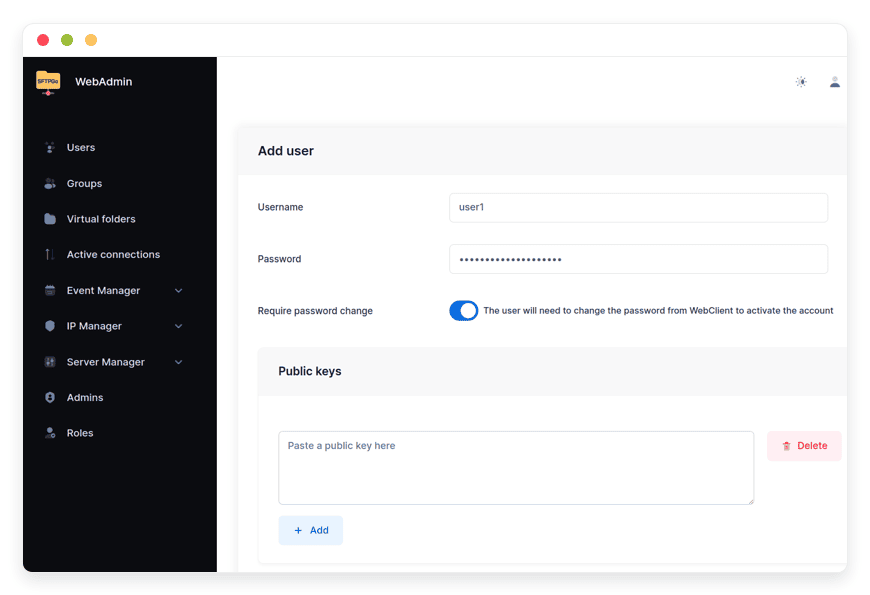
That is the managed lane's reason to exist: updates, backups, monitoring, and support included, with folders and accounts managed from a web admin. Self-hosting the same open-source software is free but makes the brand its own operations team; every path is priced in the linked comparison.
Sources
- Feature set: scheduled transfers, per-user isolation, resumable protocol, web client sharing, event webhooks: github.com/drakkan/sftpgo README (viewed October 2026)
- Ecommerce file-exchange pattern (scheduled feeds to channels, 3PL file exchange, agency asset delivery): standard ecommerce integration practice, observed October 2026
- Pricing and inclusions: danian.co/sftpgo and danian.co/pricing


