SFTP upload automation with SFTPGo and n8n
The short version
- Most SFTP setups end where the transfer does: a file lands, then a person renames it, drags it into the business system, and confirms it by email. SFTPGo's event rules delete that human hop by announcing every file the moment it arrives.
- The engine is already inside the server. Pick a trigger such as File Uploaded, narrow it with conditions like a target folder or a filename pattern, and attach an HTTP action. Every matching upload then POSTs a JSON payload with the file name, path, size, and uploading account to any URL you choose.
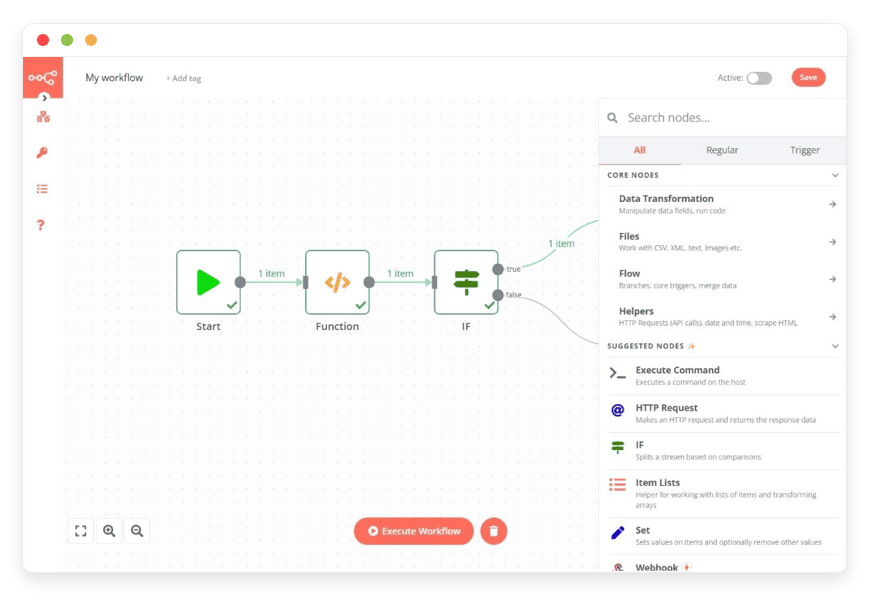
- n8n is the natural receiver. Its webhook node starts a workflow that reads the payload, routes by partner folder, calls your APIs, writes database rows, and pings the right channel. One workflow can treat every partner differently because the payload carries the account and the path.
- Both apps run as managed single-tenant instances at DANIAN, €9 each. A complete file-to-workflow backbone for €18 a month, with updates, backups, monitoring, and support on both sides.
What event-driven file automation changes
The moment a file finishes writing, the server itself reports it. No polling loop, no scan interval, no shared mailbox sitting between the transfer and the system of record. The upload and the business reaction become one continuous chain, and every step can point back to the exact file event that started it.
The default at most small companies is indirect. A partner drops a file, and either a scheduled job wakes up every few minutes to diff the directory or a person notices it in the morning. Both add delay; both blur the trail. Event rules invert the arrangement: the transfer tool pushes the news, so processing starts in seconds and the trigger data travels with it. When something misfires, you are reading one log line with a user, a path, a size, and a timestamp, not reconstructing a timeline from folder mtimes.
What the event engine can watch
SFTPGo ships an Event Manager, exposed as Event Rules in the web admin, that turns server occurrences into actions. Triggers cover file events such as uploads, downloads, deletes, and renames, account events when users are added or updated, schedules on a UTC clock, IP blocks raised by the built-in defender, certificate renewals, and manual on-demand runs for testing.
Conditions narrow a rule to the cases you care about: only uploads, only into a given folder, only files matching a name pattern, only from a particular account or protocol. That last pair matters for automation, because it lets one rule serve one integration cleanly instead of catching every file that moves.
Actions come in two families. HTTP notifications hand the event to an external system, which is the webhook this piece is about. Filesystem actions, renaming, copying, deleting, creating directories, compressing to zip, let the server tidy up on its own, with no external dependency at all. Both families sit in the free community edition; deeper multi-step orchestration inside SFTPGo belongs to the Enterprise edition. DANIAN runs the unmodified community edition, so what the upstream documentation describes is what your instance has.
The click path on a managed instance is written out step by step in the knowledge base article trigger a webhook when a file arrives, part of the SFTPGo knowledge base.
What the webhook delivers
The HTTP action POSTs a small JSON document your workflow can trust: which file, where it sits, how big it is, who put it there, over which protocol, from which address, and when. The body is built from template placeholders, so you control the exact shape the receiving end sees.
| Placeholder | What your workflow receives |
|---|---|
| {{.ObjectName}} | The file name, for example invoice-4821.pdf |
| {{.VirtualPath}} | The path as the uploading user sees it |
| {{.FileSize}} | The size in bytes |
| {{.Name}} | The account that performed the upload |
| {{.Protocol}} | The protocol used, such as SFTP or FTPS |
| {{.IP}} | The client IP address |
| {{.DateTime}} | The event timestamp |
| {{.Status}} | OK or KO, so failures can route separately |
Two details are worth knowing before you design around them. First, the webhook carries the file's identity, not its bytes: the payload tells the workflow what arrived and where, and the workflow fetches the content itself over SFTP or the REST API when it needs it. Second, the engine has a stricter mode: rules can fire before an operation completes, and a synchronous action that runs before an upload can check the file first. If that check fails, the client receives a permission denied error and the transfer never lands. That is how you reject a malformed file at the door instead of cleaning up after it.
The n8n half of the pipeline
n8n's webhook node receives the POST, and everything after that is ordinary workflow building: switch on the uploading account, fetch the file, call an API, write a row, notify a channel. The same editor that automates marketing and internal ops now automates file intake, with the trigger arriving on its own instead of being polled for.
The payload's account and path fields do the routing. One workflow can sort drops from many partner folders: files from the accounting lane go to the ledger integration, files from the media lane to storage, anything unrecognized to a review queue. n8n contributes the branching, the integrations, and the error handling; SFTPGo contributes the event, the file, and, if you like, the cleanup, since its own filesystem actions can rename a processed file into an archive folder without the workflow lifting a finger.
n8n itself runs as a managed n8n instance at DANIAN too: €9 a month, single-tenant, with automated updates, daily backups, monitoring, a custom domain for the webhook URL, and no per-execution metering from our side. The two instances do not need to know about each other's existence beyond one HTTPS call.
A worked example: invoice intake without the human hop
Take a wholesale distributor whose trading partners drop around 300 files a month, invoices, order confirmations, and price lists, into per-partner folders on one endpoint. The event-to-workflow chain handles all of them for a fixed €18 a month, which works out to roughly six cents per automated handoff. Here is the chain, end to end.
One event rule watches the partners' folders for uploads. Each arrival POSTs its payload to the n8n webhook. The workflow switches on the uploading account, so every partner's files take that partner's path: fetch the file, check the format, post the invoice into the accounting system's API, and write a row that ties the file name to the ledger entry. On success, SFTPGo's rename action moves the file into a processed folder organized by month, which is the archive the year-end audit will want. On failure, the workflow alerts a channel and leaves the file exactly where it landed, so nothing is ever lost to a half-run process.
The same skeleton serves other lanes with only the rule conditions changed. A SaaS product can turn each customer drop into an onboarding event, the pattern described in the structured ingest endpoint guide. Distribution file flows like the ones above are mapped lane by lane in the wholesale distribution exchange map; this piece adds the motor that reacts to them.
Three ways to run it, and what each costs
The pattern is portable; the operating bill is not. Self-hosting both tools trades money for hours, a SaaS pair trades a flat bill for meters that grow with every partner and every event, and the managed pair fixes the monthly number with the operations included.
| Path | What you operate | How the bill behaves | Where the 2 a.m. burden lands |
|---|---|---|---|
| Self-hosted pair | Two cloud servers, two update cadences, TLS certificates, the monitoring for both | Two small servers plus your hours, every month | On you |
| SaaS pair | Nothing, but two vendors to integrate | Per-user and per-task meters that grow with partner count and event volume | On the vendors, within plan limits |
| Managed pair at DANIAN | Two web admins and your workflows | €9 + €9 = €18 flat; SFTPGo includes 30 GB, storage beyond metered at €0.50/GB | On the provider's support and monitoring |
The full cost picture for the SFTPGo side, including what the free self-hosted path really spends, is laid out in the real cost of running SFTPGo. Both DANIAN apps start with a 7-day trial and no card, so the chain can be built and tested before anything bills.
Where the pattern stops
Event rules are a notification and file-action engine, not an orchestrator. Parsing file contents, branching logic, retries with backoff, and every third-party call belong in n8n. If the receiving endpoint is unreachable, the HTTP action fails and the file stays exactly where it landed; the rule does not retry the delivery for you.
Two habits close that gap. Design workflows to be idempotent, keyed on the file path and timestamp, so a re-run never books the same invoice twice. And use the rule engine's own flexibility for reconciliation: a second rule on a schedule, or a manual on-demand run, can re-fire processing for anything that missed its webhook. The boundary inside SFTPGo is equally plain: advanced multi-step orchestration is the Enterprise edition's lane. On the community edition DANIAN runs, you get the triggers, conditions, and actions exactly as the upstream documentation ships them.
Turning it on
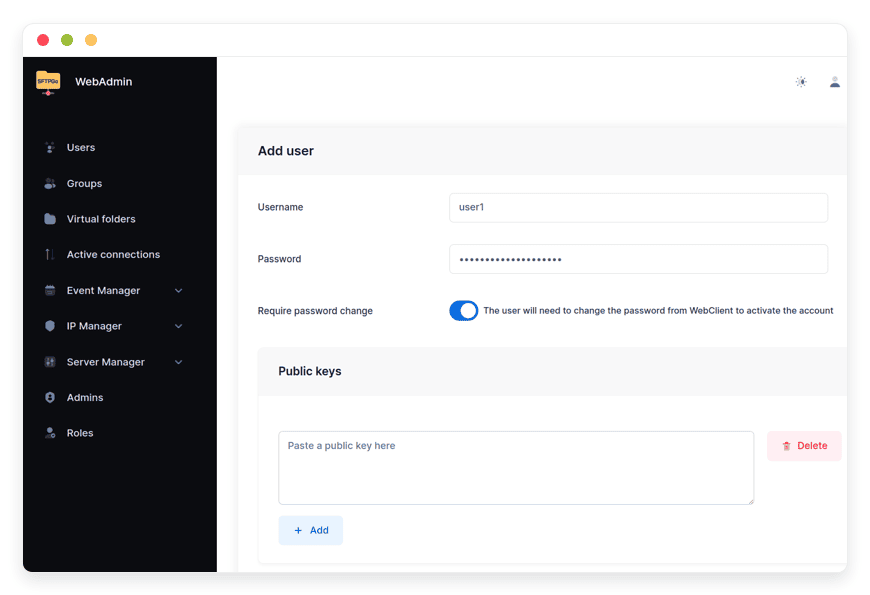
Setup lives entirely in the web admin and touches no config file. Open Event Rules, add a rule with the File Uploaded trigger, narrow it with a condition, and attach an HTTP action pointing at your n8n webhook URL, with the placeholder template as the body. Conditions, actions, and template variables are all available without server-side configuration.
Test before you trust it: n8n's webhook node exposes a test URL while you build, and the rule engine can be fired on demand from the web admin, so the first end-to-end run can happen with a file you dropped yourself. When the pattern graduates, the knowledge base article linked above carries the exact field-by-field walkthrough, and the DANIAN team handles anything on the instance side.
The starting point is managed SFTPGo hosting at €9 a month; add n8n for another €9 when the files deserve a motor.
Frequently asked questions
How do I make an upload trigger a webhook?
In the web admin, open Event Rules and create a rule. Set the trigger to the upload filesystem event, add conditions such as a target folder or filename pattern, and attach an HTTP action whose endpoint is your webhook URL and whose body is built from the template placeholders. Every matching upload then POSTs its payload once.
Can I set up event rules without touching a config file?
Yes. Rules, conditions, actions, and template variables are all configured from the web admin with no server-side configuration and no restart. Only rarer settings, like the SMTP server behind email actions, live in the instance configuration, and on a managed instance the team handles that side.
How do I test a rule before pointing it at production?
Two safe lanes exist. The rule engine can be fired on demand from the web admin, which runs the actions for a chosen case without waiting for a real upload, and n8n's webhook node exposes a test URL while you build the flow. Point the rule at the test URL, drop a file, watch the execution, then switch the action to the production URL.
Does the webhook carry the file bytes or just the details?
Just the details: file name, path, size, uploading account, protocol, source address, timestamp, and status. The file itself stays on the server. When a workflow needs the content, it fetches it by path over SFTP or the REST API, which keeps webhooks small and fast even for multi-gigabyte media.
Can rules fire on a timer as well as on events?
Yes. Schedules are a first-class trigger, evaluated on a UTC clock, and a rule can carry multiple actions in sequence. A common shape is the event rule for instant processing plus a nightly scheduled rule as a reconciliation sweep for anything the instant lane missed.
Which file actions can the server perform on its own?
The filesystem actions cover rename, copy, delete, create directories, compress to zip, and path checks, enough to archive, tidy, and gate without external tools. The same engine also handles email notifications, backups, quota recalculations, and retention sweeps on a schedule.
Can a workflow veto an upload in progress?
Yes. Rules can run before an operation completes, and a synchronous action executed before the upload can validate the file first. If that action fails, the client receives a permission denied error and the transfer never lands, so malformed files are rejected at the door instead of cleaned up afterward.
Can a single n8n workflow handle every partner folder?
Yes, because the payload names the uploading account and the virtual path. A switch node routes on either field, so each partner's files take that partner's branch of the same workflow. Adding a partner usually means a folder and an account, not another workflow.
What happens when the webhook endpoint is down?
The HTTP action fails, and the rule's designated failure action, if you configured one, runs to alert you. The uploaded file is unaffected and stays where it landed. Because rules can also fire on demand or on a schedule, you can re-process the gap once the endpoint is back.
Do webhooks and event rules need the Enterprise edition?
No. Triggers, conditions, and the full action set, including HTTP notifications and filesystem operations, are in the free community edition that DANIAN runs. Advanced multi-step orchestration inside the server is what the Enterprise edition adds; until you need that, the external workflow tool carries the logic.
What does the two-app stack cost per month?
€18: €9 for the SFTPGo instance and €9 for the n8n instance, both flat and single-tenant. SFTPGo includes 30 GB of storage with €0.50 per GB beyond it; the n8n plan lists unlimited usage with no per-execution metering from DANIAN.
Can I point the webhook at something other than n8n?
Anything that accepts an HTTP request works: the action supports POST, PUT, GET, and DELETE with custom headers and query parameters. A small internal service, a monitoring endpoint, or another automation platform all receive the same JSON; n8n is simply the most comfortable place to build the logic.
Do SFTPGo and n8n need to sit on the same network?
No. The HTTP action reaches any URL the server can address, and the natural shape is two public HTTPS endpoints, one per app, each with its own domain. On managed instances both run single-tenant with their own addresses; no private networking is required.
Why is an event webhook better than a cron job scanning folders?
Latency and evidence. Processing starts the second the file closes rather than at the next scan, and the payload carries the account, path, size, and timestamp that a directory diff has to reconstruct. The cron pattern still earns its keep as a reconciliation sweep; it just stops being the motor.
Can an agency run this stack for multiple clients?
Yes, and it is an established reseller pattern: one SFTPGo instance per client keeps every tenant's files isolated, with a shared n8n orchestrating the logic. The per-app flat pricing keeps unit costs predictable as the roster grows; the multi-client n8n pattern is covered in the managed n8n reseller guide, and the Partner Program covers the commercial side.
Sources
- Event Manager triggers, conditions, actions, placeholders, and synchronous pre-operation actions: SFTPGo official documentation, docs.sftpgo.com, 2.7 edition (viewed October 2026)
- Webhook rule walkthrough on managed instances, edition coverage, and platform behavior: danian.co knowledge base, trigger a webhook when a file arrives (viewed October 2026)
- Pricing and inclusions for both apps: danian.co/sftpgo and danian.co/n8n (viewed October 2026)