SFTP for wholesale distribution: price lists, invoices, and orders
The short version
- A wholesale distributor lives on supplier file exchange: price lists going out to customers, invoices and confirmations from the ERP, purchase orders coming in from retailers, product and stock feeds arriving from brands and agencies. Email was never built for any of this.
- One SFTP endpoint structures all of it: a folder per customer for their price lists and documents, a drop folder per customer for their orders, a lane in from each brand and agency, and webhooks that hand every arriving file to the ERP.
- On managed SFTPGo hosting the endpoint is €9 a month with unlimited accounts, so every customer and supplier gets their own login without a per-connection fee ladder.
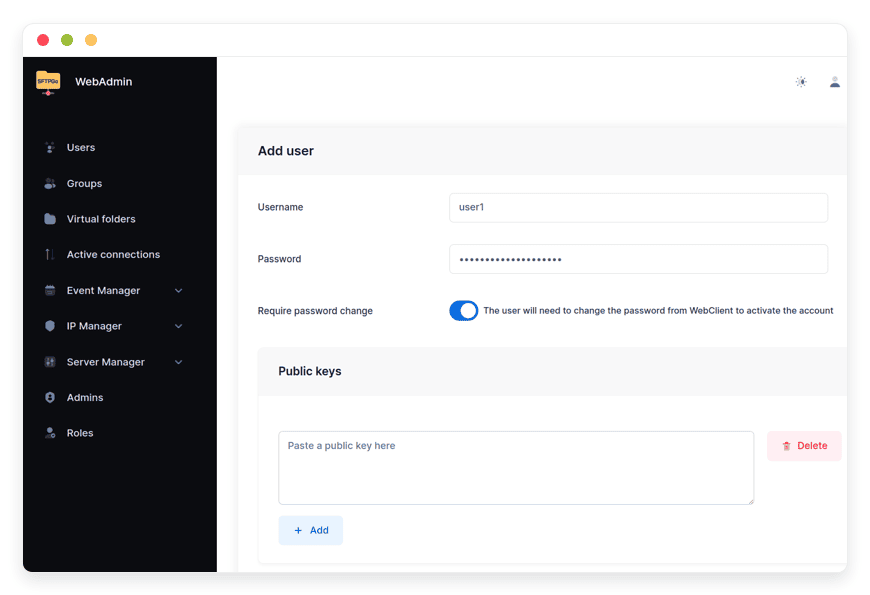
- For the small retailers on the other end who cannot run an SFTP client, the same instance serves them a browser upload page: they log into the web client and drop their order file in a folder, no software, no training.
The five file lanes of a distribution business
Strip a wholesale business to its data flows and five lanes remain, each with a direction, a partner type, and a cadence that has been stable for decades:
| Lane | Direction | Partner | Typical cadence |
|---|---|---|---|
| Price lists and stock availability | Out, per customer or tier | Retail and trade customers | Weekly or on change |
| Purchase orders | In, one folder per customer | Retail and trade customers | Daily |
| Invoices, confirmations, credits | Out, per customer | Accounts payable inboxes | Per order |
| Brand and agency feeds | In, per supplier | Brands, importers, agencies | Weekly to daily |
| Branch stock and transfer files | Between branches | Your own locations | Nightly |
Most distributors run these lanes on a mix of email attachments, portal logins, rep-mediated PDFs, and the occasional fax. The failure modes compound quietly: a customer ordering from a stale price list, an invoice lost in a spam folder, a brand's stock feed sitting in somebody's inbox over the weekend. Structuring the five lanes onto one endpoint turns each of those into a logged, automated event.
Orders in: the lane that pays for everything
Purchase-order intake is where distributors feel the most pain and gain the most. The pattern is one drop folder per customer: their ordering system, their purchasing clerk, or their scheduled export pushes the order file in, and a webhook hands it to your ERP the moment it lands, complete with customer and filename, ready for import. No inbox to monitor, no rep to transcribe, and a per-customer audit trail of exactly what was sent and when. The brands on the other side of the counter see the mirror image, and the ecommerce brand's exchange map is that view.
The uncomfortable truth about customer order intake is that customers vary wildly in sophistication. A national chain can schedule an SFTP export tonight; a two-location shop cannot configure anything. This is where the two-interface design earns its keep: the technical customers connect with SFTP clients and automation, and the small ones open the web client in a browser, see their own drop folder, and upload the same order file by hand. One endpoint, every customer, no exceptions, and the same pattern SaaS vendors use for customer ingest, pointed at your order desk.
Documents out: price lists that are actually current
Emailed price lists have a half-life measured in forwarded replies. On the endpoint, each customer has a documents folder their systems or staff read: the current price list, terms, promotions, availability. When prices change, the new file lands in one place, and the old one is gone; nobody orders against last month's sheet because last month's sheet no longer exists where they look.
Price lists are commercially sensitive, and the isolation is per customer: tier-specific pricing goes to tier-specific folders, and no customer can see another's folder or another's prices. Invoices and credit notes ride the same lane into each customer's documents folder, which their accounts-payable side can pull automatically, turning "we never got the invoice" into a lookup in the transfer log.
Feeds in from brands and agencies
The upstream side mirrors the downstream: each brand, importer, or agency that supplies product data, images, or stock feeds gets their own inbound lane with their own credentials. The files land where the ERP's import job expects them, on schedule, and a missing feed is visible as a missing feed rather than as a mysterious gap in next week's product data. Suppliers transitioning from email delivery can be moved over one at a time; the folder structure does not change when the last one joins.
The EDI question, answered honestly
Large retail partners sometimes demand EDI over AS2, with formal message standards and VAN contracts. SFTP does not replace that: AS2 is a different protocol with different guarantees, and if a partner contractually requires it, that requirement stands. What SFTP-based file exchange covers is everything around the EDI core: the hundreds of smaller partners for whom a scheduled CSV over SFTP is the entire integration, and for whom a VAN would be cost and ceremony without benefit. Most distributor networks are exactly that shape: a few EDI anchors and a long tail of file-based partners, and the long tail is what this endpoint serves.
The multi-branch reality
Distribution runs from multiple branches, and the endpoint models that natively: a folder per branch for stock and transfer files, a head-office view that maps every branch and partner folder into one pane, and credentials that respect the boundary. Branch managers see their branch; the head office sees the network. The nightly stock sync between branches becomes a scheduled copy into a folder instead of an email with an attachment named final_v3.
What it costs a distributor
The account-count math that punishes distributors on per-credential services: a distributor with 200 active file-exchange customers needs 200 logins, plus branches, plus suppliers, and per-connection pricing scales with the size of the network the distributor spent years building. The flat lane prices the instance, not the relationships: €9 a month base, unlimited accounts, storage metered beyond the included 30 GB, and order files with price lists hold that envelope almost indefinitely. The market's per-credential and per-user tiers, compared tier by tier, are in managed file transfer pricing compared, and the full cost of every way to run the underlying server is in the real cost of running SFTPGo.
Restaurants and their distributors meet on exactly this lane from the other side, and the restaurant group's view of the same exchange is the companion read. For hands-on setup, per-customer folders to ERP-arriving webhooks, the SFTPGo knowledge base carries the step-by-step.
Frequently asked questions
Why do wholesale distributors use SFTP?
Because their entire business is file exchange with hundreds of partners at mixed sophistication: price lists out, orders in, invoices out, brand feeds in. SFTP structures all five lanes on one host with per-partner credentials, logging, and automation, at a cost that does not scale with the number of trading relationships.
How do customers send purchase orders over SFTP?
Each customer gets a login and a drop folder. Technical customers schedule their ordering system to push the order file automatically; small customers open the web client in a browser and upload the file by hand. Either way it lands in the same folder, and a webhook hands it to the ERP the moment it completes.
How are price lists delivered without email?
Each customer has a documents folder the distributor publishes to: the current price list and terms live there, tier-specific folders carry tier-specific pricing, and a price change means the new file lands and the old one disappears. Customers always see the current sheet where they look, and no customer sees another's pricing.
Can our ERP import files automatically?
Yes, through arrival webhooks: when an order or feed file finishes uploading, the server posts its name, path, size, and uploading account to your endpoint, and your integration queues the import. The ERP side consumes a stable, per-customer folder structure that never changes as partners join.
What if a large customer requires AS2 EDI?
Honor the contract: AS2 is a different protocol with formal message standards, and SFTP does not replace it. What the endpoint covers is the long tail around the EDI anchors, the hundreds of partners for whom a scheduled file over SFTP is the entire integration, which is most of a typical distributor network.
How do small retailer customers connect without technical staff?
Through the web client: a browser page where they sign in with their account and see their own folders. Uploading an order file is a drag and drop. No SFTP client to install, no training, and the file lands in exactly the folder the automated integrations read.
Is customer pricing data safe on the endpoint?
Isolation is enforced per account: a customer sees only their folders, never another customer's prices or documents. Transfers are encrypted, every login and file movement is logged per user, and admin access to the web interfaces can carry two-factor authentication.
How many trading partners can one endpoint handle?
The software is comfortable with hundreds of active accounts on modest hardware. The flat managed plan does not meter accounts at all: the constraint is operational discipline, not licensing, and storage is the only thing that meters as the network grows.
Can brands and suppliers deliver product feeds this way?
Yes: each brand, importer, or agency gets their own inbound lane with own credentials, and their product data, image archives, and stock feeds land in the folder structure your import jobs already read. A missing feed becomes visible the morning it is missing.
How are branch stock and transfer files organized?
Each branch gets its own login and folder for stock and transfer files, while the head office maps every branch and partner folder into one view with virtual folders. Branch credentials are isolated to their branch; the office sees the whole network.
What does a distributor endpoint cost?
On the flat managed lane, €9 a month for the instance with unlimited partner accounts and 30 GB included, storage metered beyond it. Per-credential commercial services bill per login, which prices the distributor's success at building a partner network; the tier-by-tier comparison is in the linked pricing piece.
How do we move customers off emailed orders?
One customer at a time: create the account and folder, have their first order sent both ways for a week, then retire the email lane for that customer. Because the web client needs no software, the least technical customers transition in a single call.
Does an SFTP endpoint satisfy trading-partner audits?
It provides what partner audits mostly ask for: encrypted transport, per-partner credentials, and a per-account log of every file exchanged with timestamps. For formal EDI-audit regimes, the endpoint's logs complement rather than replace the EDI interchange receipts.
Who operates the server?
On the managed lane, the provider runs it: updates, daily backups, monitoring, and support, while the distributor manages folders and accounts from the web admin or REST API. Self-hosting the same open-source software is free, but operations become yours; every path is priced in the linked cost comparison.
Sources
- Feature set: per-user isolation, virtual folders, web client, event webhooks, audit logging: github.com/drakkan/sftpgo README (viewed October 2026)
- B2B file-exchange pattern (scheduled order and price files over SFTP as the small-partner standard): standard trading-partner integration practice, observed October 2026
- Pricing and inclusions: danian.co/sftpgo and danian.co/pricing