
Migrating from FTP to SFTP: a practical cut-over guide
The short version
- Plain FTP has moved files since 1985 and encrypts nothing: usernames, passwords, and file contents cross the wire as readable text. Most migrations start when an auditor, a large customer, or a cyber-insurance questionnaire finally asks about that.
- SFTP is not FTP with an S bolted on. It is a different protocol riding a single SSH connection, which changes the firewall story, the port story, and the client story. FTPS keeps the FTP plumbing and wraps it in TLS. Both are upgrades, and they are not interchangeable.
- Migrations that respect their partners run in five phases: inventory, staging, dual-run, cut-over, decommission. The dual-run window, not the cut-over itself, decides whether the move is quiet or chaotic.
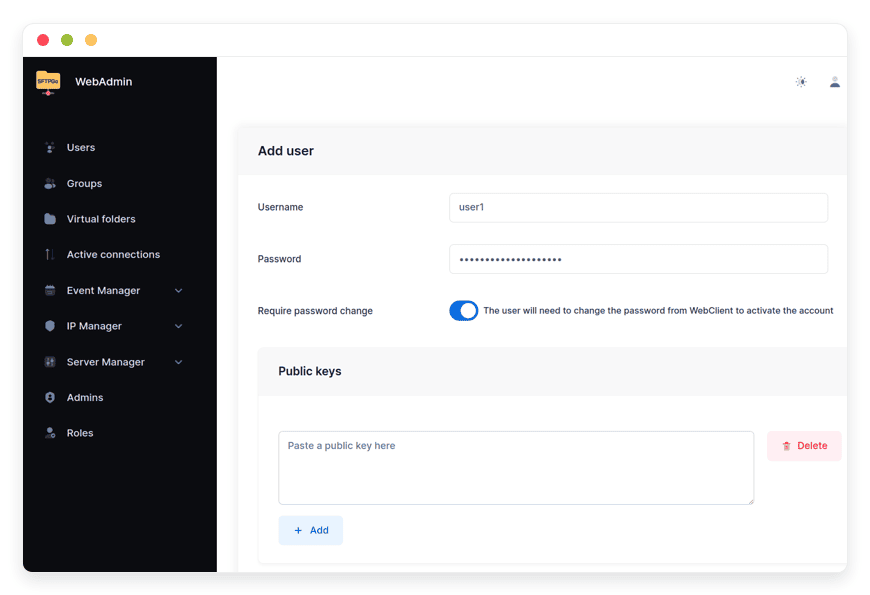
- On managed SFTPGo the destination costs €9 a month with 30 GB of storage included, speaks SFTP and explicit FTPS side by side, and can run under your existing hostname so partners never edit a bookmark.
Why teams finally move off legacy FTP
FTP is defined by RFC 959, published in 1985, and it encrypts nothing: the login handshake and every byte of file content travel in the clear. FTPS, standardized as RFC 4217 in 2005, wraps that same plumbing in TLS but keeps the protocol's two-channel design and its appetite for open passive ports. SFTP is a different animal altogether: a file protocol that runs inside one SSH connection, encrypting credentials, commands, and data by default.
The trigger for moving is rarely internal. It arrives as a security questionnaire from a large customer, a finding in an audit, or a line in an insurance renewal asking which file transfer protocols the business still permits. By then the estate has usually outlived its documentation: night scripts with embedded passwords, a multifunction printer scanning invoices to the old server, a warehouse device nobody remembers provisioning. A migration is the moment all of that gets found, and that is a feature, not a burden.
FTP, FTPS, and SFTP are three different protocols
Most migration mistakes trace back to treating these three as one family. They share nothing below the name, and the differences drive the entire cut-over plan.
| Protocol | What it is | Connection shape | Firewall impact | What is protected |
|---|---|---|---|---|
| Plain FTP | The 1985 original, RFC 959 | One command channel plus a data channel negotiated per transfer | One port plus a range of passive ports and NAT rules | Nothing; credentials and files are readable in transit |
| FTPS | FTP wrapped in TLS, RFC 4217 | Same two-channel design, TLS negotiated via AUTH TLS | Same passive-port appetite as FTP | Credentials and data, once the TLS session is up |
| SFTP | A file protocol inside SSH | A single connection carrying listing, transfer, and permissions together | One port end to end, no passive range | Everything, by default |
The practical consequence: SFTP deletes passive-mode configuration from your life, while FTPS keeps it. That matters during migration, because the partners who cannot reconfigure quickly are often the ones whose legacy clients speak FTPS. Keeping an FTPS lane open for them is a bridge, not a compromise; the endpoint accepts both protocols and each partner moves to SFTP on their own schedule.
Phase zero: inventory before touching anything
An afternoon of reading configs prevents the two weeks of cleanup that one forgotten night job costs. The inventory lists five things:
- Every account, its home directory, and whether it authenticates with a password or a key
- Every script, scheduled task, and device holding embedded credentials: night jobs, scanners, point-of-sale terminals, warehouse readers
- Every trading partner and the client software they use, including the ones whose settings live in a three-year-old email
- Every quota, folder mapping, and IP allowlist that current behavior depends on
- The busy transfer windows, because the cut-over will be scheduled outside them
In a 60-account estate this inventory takes roughly half a day. It is also the deliverable that makes every later phase quiet, which is the goal. The same half day tells you how the new endpoint should be laid out: virtual folders can map the directory layout partners already know into the new user spaces, so a path memorized years ago keeps resolving, a pattern documented in the SFTPGo knowledge base.
The five phases, on a calendar
Only two of the five phases touch the old server at all, and none of them requires downtime.
- Inventory: the half day described above, ending in a written list of accounts, credentials, devices, and partners.
- Staging: accounts, folders, and quotas are created on the new endpoint while nothing points at it yet. Credentials are reissued or moved to keys in this phase, while the old endpoint still works, so nobody is ever locked out mid-move.
- Dual-run: both endpoints accept traffic. Partners move in batches, technical integrations first, long-tail senders last. An event rule on the new endpoint can announce the first file each partner delivers, so adoption is visible in real time instead of inferred from silence.
- Cut-over: the hostname flips, the old server goes read-only, and the quiet week begins.
- Decommission: after seven days without a straggler, the old server is archived and switched off.
The calendar math for a mid-size estate: half a day of inventory, a day or two of staging, one to two weeks of dual-run, and a final read-only week. About three weeks end to end, with zero minutes of planned downtime.
Cut-over day, step by step
- Two days before: lower the DNS TTL on the transfer hostname to 300 seconds, so the coming change propagates in minutes rather than in the default hours.
- Cut-over morning, outside the busy window: point the hostname at the new endpoint. On a managed instance the custom domain is handled through a support ticket, with the DNS records added by you or by the team; existing users, folders, and settings stay untouched.
- Minutes after: at a 300-second TTL, at most five minutes of traffic still reaches the old address. The old server now answers read-only and shows every late sender a moved notice instead of a silent timeout.
- The final week: read-only mode catches the monthly scripts and the partners who missed the memo; an operator copies the occasional straggler across by hand.
- Day seven: archive the old server's data, export its logs for the audit trail, and switch it off.
Backups run underneath the whole window: managed instances back up daily to storage in a separate region, restores are tested by the platform, and a restore is self-serve from the Backups tab of the management dashboard, covering files, folders, event rules, and settings. The details are in backups and restores on your instance.
Re-orienting clients and partners
The human side of the migration is a bookmark edit for most partners. Mainstream GUI clients speak both SFTP and FTPS, so the change is a host, a port, and a protocol dropdown; saved sessions and drag-and-drop habits carry over. On the DANIAN side the connection details are the instance hostname, for example 123.apps.danian.cloud, plus the designated port: SFTP on port 2023, or another designated port, and the reissued credentials.
Scripted integrations are one-line changes: the host and port in the connection string, and ideally the embedded password replaced with a key, which the migration was going to force anyway. Partners who genuinely cannot reconfigure on your timeline stay on FTPS: the endpoint speaks explicit FTPS, negotiated via AUTH TLS, on its own designated port, so their client works unchanged against the new server while they schedule the switch. The client-side walkthrough, including the settings that matter, is in the article on enabling FTPS on a managed SFTPGo instance.
One classic failure deserves a name. An FTPS partner connects, authenticates, and then transfers stall. That is passive-mode negotiation, the two-channel legacy of FTP, and on a managed instance it is fixed server-side by support rather than by a weekend of firewall archaeology.
What the move costs
The destination is managed SFTPGo hosting at €9 a month. Set against what the old box quietly costs:
| Path | What you operate | How the bill behaves |
|---|---|---|
| Keep the legacy server | OS patches, TLS certificates, disk monitoring, passive-port maintenance, and the pager when it fails | Hosting plus your hours, every month, indefinitely |
| Move to a managed instance | Accounts, folders, and partner onboarding; the platform handles installation, updates, daily backups, monitoring, and support | €9 flat with 30 GB of storage included; extra storage at €0.50/GB per month; the first 1,000 GB of monthly bandwidth included, then €0.03/GB |
Concrete math: an estate of 45 GB lands at €9 plus 15 GB beyond the included 30, which is €16.50 a month. The full cost picture, including what self-hosting the replacement really spends, is laid out in the real cost of running SFTPGo; the partner-onboarding side of the move is covered in the structured ingest endpoint guide.
Mistakes that sink these migrations
- Hard deadlines instead of windows. Partners on monthly schedules miss dates; give the dual-run a window and the long tail a read-only bridge.
- Deleting the old server the day after the flip. Monthly jobs break silently three weeks later. The read-only week exists to surface them while the data is still reachable.
- Testing connectivity but not behavior. A login is not a migration test. Push a real-size file in both directions, interrupt it, and resume it before partners do, and confirm that any upload-triggered automation fires on the new endpoint.
- Forgetting the invisible clients. Printers, scanners, and embedded scripts authenticate too, and none of them read the announcement email.
Frequently asked questions
Which protocol should we migrate to: SFTP or FTPS?
SFTP, when the choice is open. It runs inside one SSH connection on one port, encrypts everything by default, and deletes passive-mode configuration from the migration. Keep FTPS as a compatibility lane for partners whose legacy clients cannot switch yet; the endpoint speaks both, so the lane costs nothing.
Can partners keep using FTPS while we migrate?
Yes. A managed SFTPGo instance serves SFTP and explicit FTPS side by side on separate designated ports, so partners who cannot reconfigure quickly can work against the new endpoint over FTPS during and after the migration. Moving them to SFTP later is a bookmark edit, not a project.
Do partners need new client software for SFTP?
Almost never. The mainstream GUI clients offices already run speak SFTP and FTPS in the same application. A partner changes the host, the port, and the protocol dropdown; bookmarks, saved sessions, and drag-and-drop habits carry over unchanged.
Why does SFTP need a single port while FTP needs many?
FTP negotiates a separate data channel for every transfer, which forces a range of open passive ports and NAT configuration on the server side. SFTP multiplexes everything, the listing, the transfer, the permissions operations, over the single SSH connection. One port means one firewall rule and no passive-mode tuning.
How long does a full migration usually take?
For a mid-size estate, about three weeks of calendar time: half a day of inventory, a day or two of staging, one to two weeks of dual-run, and a final read-only week before decommissioning. The hands-on work is a few days; the window exists for partners and scripts on monthly schedules.
Can the old FTP server and the new endpoint run at the same time?
Yes, and they should. Dual-running is the safest phase of the plan: both endpoints accept traffic, partners move in batches, and the old server is switched to read-only on an announced date. Nothing is switched off until a quiet week proves that nothing still depends on it.
Should user passwords be carried over to the new endpoint?
No. Passwords on a legacy server typically sit in aging hashes, and a migration is the natural moment to reissue credentials or move accounts to SSH keys. Reissuing happens during staging, while the old endpoint still works, so nobody loses access mid-move.
Which clients are most often forgotten in an FTP migration?
The ones nobody thinks of as clients: multifunction printers scanning to FTP, warehouse and point-of-sale devices, scheduled scripts with embedded passwords, and monitoring jobs. The inventory phase exists for them; read the cron configs and walk the device list before announcing anything.
How do we test the new endpoint before partners use it?
Stage the accounts first, then test three layers: a login and directory listing, a real-size file in both directions including an interrupted and resumed transfer, and any automation that reacts to uploads. Only when all three pass should the hostname flip.
Which ports does the new endpoint use?
On a DANIAN instance, SFTP is served on port 2023, or another designated port, and explicit FTPS on port 2122, or another designated port. Each instance carries its own hostname, for example 123.apps.danian.cloud. Partners need the host, the port, the protocol, and their reissued credentials.
Can the new endpoint keep our existing hostname?
Yes, and keeping it is the single biggest reducer of partner effort, because every bookmark, script, and instruction document stays valid. On a managed instance the custom domain is set up through a support ticket, with the DNS records added by you or by the team, and existing users, folders, and settings are untouched.
Are backups running during the migration window?
Yes. Managed instances back up daily to storage in a separate region, and restores are tested by the platform. A restore is self-serve from the Backups tab of the management dashboard and recovers files, folders, event rules, and settings.
What happens to files that still arrive at the old server after cut-over?
Nothing is lost. The old endpoint stays up in read-only mode for a final week: late senders receive an explicit moved notice instead of a silent timeout, and an operator copies the occasional straggler across by hand. After that week the old server is archived and switched off.
What will our file endpoint cost after the move?
€9 a month flat for the instance, including 30 GB of storage, updates, daily backups, monitoring, and support. Extra storage is €0.50 per GB per month, and the first 1,000 GB of monthly bandwidth is included, with €0.03 per GB beyond it. A 45 GB estate lands at €16.50 a month.
Sources
- FTP protocol definition and plaintext behavior: RFC 959, IETF, October 1985 (tools.ietf.org)
- Securing FTP with explicit TLS: RFC 4217, IETF, October 2005 (tools.ietf.org)
- SFTPGo server protocols: SFTPGo official README and documentation, docs.sftpgo.com (viewed November 2026)
- Ports, FTPS behavior, virtual folders, custom domains, and backups on managed instances: danian.co knowledge base articles (viewed November 2026)
- Pricing and inclusions: danian.co/sftpgo and danian.co/pricing (viewed November 2026)


