Open-source stack for school IT teams in 2026
School IT teams run more software than ever, and most of it bills per seat. A survey tool, a notebook service, a chat app, a wiki, cloud storage — the list grows. Each renews on its own cycle. Each price climbs as staff and students grow.
This guide covers five open-source tools a small school IT team can run instead. Each is the open-source counterpart to a subscription schools already pay for. We host them for a flat €9 per app per month. You keep control of the data, and you pick the region it sits in.
One caveat before the list: none of these is a learning management system. There is no gradebook, no SCORM, no course enrolment here. If you need those, a dedicated LMS is a separate purchase. This stack sits alongside an LMS, not in place of one.
TL;DR
- Five tools — Nextcloud, BookStack, JupyterHub, Mattermost, and LimeSurvey — cover files, documentation, class notebooks, chat, and assessments.
- The whole stack is 5 × €9 = €45 per month, flat, whatever the number of staff or students.
- The win is not beating a free tier. Google Workspace for Education Fundamentals is free, and worth keeping. The win is data control and flat pricing on the paid tools you stack on top.
- It is not an LMS. Pair it with a dedicated LMS — Moodle, Canvas, or similar — if you need gradebooks and enrolment.
- You pick the region your data sits in, and you can export everything if you leave.
Who this stack is for — and who it isn't
This stack fits a small school IT team that wants to run a few tools itself. The goal is keeping data in your own hands, not adding seats to someone else's platform. Think one school, a department, or a course team — not a district-wide rollout to every student.
A few groups are better served elsewhere. If your school already runs Google Workspace for Education Fundamentals, keep it. It is free for qualifying institutions and does its job well.
The tools below are not there to replace a free tier. They earn their place on the paid line items you stack on top. The other question they answer is who holds your data.
This is also not the stack for very large, heavy workloads. The base €9 tier is sized for steady classroom and staff use.
A big concurrent data-science cohort needs more resources. A large media library does too. Those upgrades route through a chat with us. If your need is district-scale and every-student, a platform built for that scale is the better call.
In practice, this suits small independent schools, language schools, training providers, and single departments inside a larger institution.
The five tools
Here are the five tools: what each does, what it replaces, its licence, and one honest limitation. Every one is open-source and self-hostable, so you could run it yourself. We run it for you at €9 per app per month — patched, monitored, and backed up daily.
Nextcloud — files and sharing
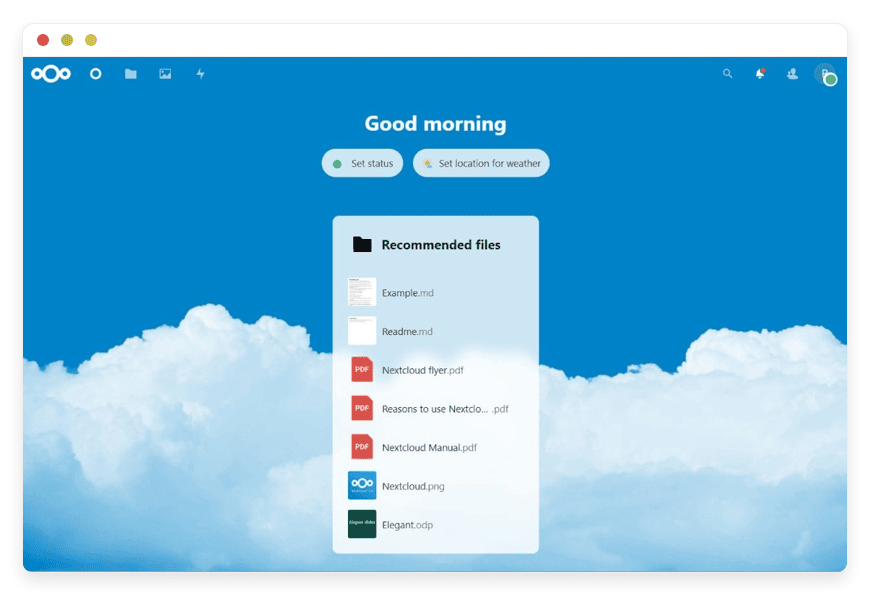
Nextcloud is a self-hosted file platform: shared drives, folder sync, link sharing, and calendars in one place. For a school, it is where staff keep shared documents and where a department stores its working files. Teachers share lesson materials; the office keeps policies, forms, and photos in one library. External share links let you send a folder to a parent or an examiner without a new account for them. It replaces the storage-and-sharing slice of a cloud suite. It runs on infrastructure you choose, not a vendor's.
The licence is AGPLv3, and the project is mature and in heavy use. The reason a school reaches for it is rarely price. A free education tier already gives you Drive. The reason is control. The files sit in the region you pick. The instance is yours. You can export everything over SFTP whenever you want.
One honest limitation: Nextcloud is not a drop-in twin of a full cloud suite. Real-time document co-editing needs an added office component. Very large media libraries want more storage and memory than the base tier carries. For shared files, folder sync, and team calendars, it is steady and predictable. For a 5,000-student media archive, plan for resource headroom.
We run the updates, the monitoring, and the daily off-site backups; your staff just see a file share that works. See Nextcloud for school files.
BookStack — staff and course documentation
BookStack is a self-hosted wiki, organised as shelves, books, chapters, and pages. It suits a staff handbook, an IT runbook, onboarding notes for new teachers, and course material that several people edit. A science department can keep its schemes of work here; the front office can keep its procedures. Page history shows who changed what, so a wiki does not rot into guesswork. The structure is simple on purpose. Non-technical staff can find and update a page without training.
It replaces a hosted wiki such as Confluence. Confluence Standard runs about $5.42 to $6.40 per user per month on annual billing. It has a ten-user minimum — roughly $680 a year before you reach eleven people. BookStack on our hosting is €9 a month, flat, however many editors you have. The licence is MIT, about as permissive as open-source licences get.
The trade-off: BookStack is a documentation tool, not a database or a project workspace. It has no tables-as-databases, no kanban boards, and a smaller plugin set than the heavier wikis. That narrowness is the point — it stays fast and easy to read. If your team wants an all-purpose workspace with embedded databases, BookStack will feel spare.
On our hosting it is €9 a month, kept current and backed up each night, with a named person on chat if an import goes sideways. See BookStack for documentation.
JupyterHub — notebooks for CS and data classes
JupyterHub gives a class its own multi-user notebook server. Each student logs in and gets a Jupyter environment in the browser. Everyone gets the same libraries and the same setup. You install the libraries once, centrally, and every student inherits them. For a computer-science or data course, that means no "works on my laptop" tickets and no local installs. A teacher can hand out a starter notebook and know it runs the same for thirty students.
It replaces paid notebook hosting. A team plan on a hosted notebook service such as Deepnote is about $31 per editor per month. Class-oriented platforms bill per student too. One JupyterHub on our hosting starts at €9 a month for the instance. The licence is BSD, a permissive licence from the Project Jupyter community.
The catch: JupyterHub needs an admin to manage accounts and the shared environment. It is also the most resource-hungry tool on this list. The base €9 tier suits a modest class doing general programming and data work. A large cohort running heavy computation needs a bigger plan. Anything GPU-bound does too, and a conversation with us first.
We keep the server patched, watched, and backed up; you own the class roster and the notebooks. Tell us your expected class size and we will size the instance with you.
Mattermost — staff and class chat
Mattermost is a self-hosted team chat tool: channels, direct messages, file sharing, and search. It works much like Slack, which most staff already know. A school can run one workspace with channels for departments, year groups, and individual classes. A class channel keeps homework questions in one place, away from teachers' personal accounts. Message history stays put — there is no rolling deletion of older posts.
It replaces a hosted chat subscription like Slack. Slack Pro costs about $8.75 per user per month on monthly billing. Its free tier hides messages older than 90 days. Mattermost on our hosting is €9 a month for the workspace, with full history kept. The compiled Team Edition is MIT-licensed; the source is available under AGPLv3.
One honest limitation: the free Team Edition tops out around 250 users and does not include single sign-on. Single sign-on and the heavier admin controls live in Mattermost's paid commercial edition. It also lacks the message-export controls that edition adds. For a small school under that ceiling, Team Edition is a sound fit. A large institution that needs single sign-on for thousands of accounts should price the commercial edition.
On our hosting it is €9 a month, patched on the monthly release cycle, with history and files backed up nightly. See Mattermost for staff and class chat.
LimeSurvey — assessments and intake
LimeSurvey is a self-hosted survey and form tool with real depth. It has branching, conditional logic, question banks, and many question types. Schools use it for quizzes and formative assessments, course-feedback forms, and parent surveys. It also handles enrolment-style intake forms at the start of term. Anonymous responses are a setting, which matters for honest course feedback. Responses land in your own instance, not a third party's analytics pile.
It replaces a hosted survey subscription. SurveyMonkey's Team Advantage plan is $30 per user per month on annual billing, with a three-user minimum. That is about $90 a month, or $1,080 a year, before overage fees. SurveyMonkey's free tier caps a survey at around ten questions. LimeSurvey on our hosting is €9 a month, with no per-response charges. The licence is GPL v2 or later.
Where it asks more of you: LimeSurvey is powerful, and its admin screens show it. The interface is denser and less polished than the consumer survey apps. New users face a steeper start. Once a template is built, day-to-day use settles down. If you want the slickest possible form builder over depth, weigh the trade-off.
We keep it updated and backed up, and a named person is on chat the week a survey has to go out. Export your responses anytime — they are yours.
How they fit together
These five tools are not a suite, and that is fine. They are separate apps that happen to cover the main jobs a school IT team juggles. You do not have to run all five. Pick the ones that match a real need, and add others later when a renewal makes the case.
A common starting shape looks like this. Mattermost carries staff and class conversation. Nextcloud holds the shared files those conversations point to. BookStack is the written record — the handbook, the runbooks, the course notes. LimeSurvey runs the assessments and the feedback forms. JupyterHub is there if a computer-science or data course needs notebooks.
Picture a twelve-teacher language school. Staff coordinate in Mattermost. Lesson plans and shared media sit in Nextcloud. The teacher handbook and the enrolment process live in BookStack. Course-feedback and placement tests run in LimeSurvey. That is four apps, €36 a month, and no per-seat bill as the school hires its thirteenth teacher.
Each runs on its own subdomain, in the region you choose, isolated from the others. They do not need to know about each other to be useful. Links between them are easy, though. A BookStack page can point at a Nextcloud folder. A Mattermost channel can link a LimeSurvey form.
None of this is a learning management system. Need gradebooks, SCORM packages, or formal enrolment? Run a dedicated LMS such as Moodle or Canvas alongside this stack. That is a separate product, and not one we cover here.
What we run, and what stays yours
It helps to be clear about the split. We run the infrastructure; you run the school's use of it. That line keeps the €9 honest, and it keeps you in control of what matters.
On our side: the server, the operating system, security patches, monitoring, and daily off-site backups. We keep each app on a current version. When something breaks at our layer, a named person picks it up on chat or email.
On your side: the accounts, the content, and the day-to-day admin inside each app. You add teachers, build the survey, write the wiki page, and manage the class. You also choose the region. You decide when to upgrade resources, and those changes go through us so nothing moves without your say-so.
What the stack costs
The headline is simple. Five apps at €9 each is €45 a month, flat, whatever the number of staff or students. The paid subscriptions these tools replace bill per seat, so their cost climbs with your roster. Below is the comparison, with the assumptions written out.
First, the honest part. Schools often pay nothing for their core suite. Google Workspace for Education Fundamentals is free for qualifying institutions, and Microsoft offers education tiers too. This stack does not undercut free. It competes on the paid tools you add on top, and on who holds your data.
Now the paid line items, priced for a small school. Currencies differ here. The subscriptions list in US dollars; our price is in euros. The gap is wide enough that the exchange rate does not change the picture.
| Tool | Replaces | Typical paid cost | DANIAN price |
|---|---|---|---|
| Nextcloud | Cloud storage and sharing | Paid storage tiers, per user | €9 / month |
| BookStack | Confluence (wiki) | $5.42–$6.40 per user/mo, 10-user minimum (~$680/yr) | €9 / month |
| JupyterHub | Paid notebook hosting | Deepnote ~$31 per editor/mo | €9 / month |
| Mattermost | Slack | Slack Pro ~$8.75 per user/mo | €9 / month |
| LimeSurvey | SurveyMonkey | $30 per user/mo, 3-user minimum (~$90/mo) | €9 / month |
Two line items make the point on their own. A small school on SurveyMonkey Team Advantage pays about $90 a month at the three-user minimum. LimeSurvey on our hosting is €9. A data teacher on a $31-per-editor notebook plan pays more for one seat than a whole JupyterHub costs here.
Watch the fine print on the subscriptions, too. SurveyMonkey charges about $0.15 for each response over its plan limit. Most team plans need an annual commitment and a minimum seat count. Those floors and overages are what push a "cheap" plan past its headline price.
Stack the paid tools for a roughly ten-person staff and the contrast holds. Add up a hosted wiki at its ten-user floor, a ten-seat chat plan, a three-seat survey plan, and two notebook seats. Together, the total runs past $250 a month. The same five tools, run by us, are €45 a month. They stay €45 as the roster grows — the eleventh teacher, the fortieth, the hundredth student.
How to start
Do not migrate everything at once. Pick the one tool tied to your next renewal or your next deadline. Run it for two weeks, and see if it fits before you move anything else. A 7-day free trial lets you try an app with no card and no commitment.
A sensible order, for a school: start with the tool whose renewal hurts most. If a survey subscription renews before assessment season, stand up LimeSurvey first and rebuild one real form in it. If staff chat is the daily friction, start with Mattermost and move one department's channels across. Live with it for the term, not an afternoon.
When you are ready, deploy from the catalog, point a subdomain at it, and import your data. We patch, monitor, and back up from day one. Your IT lead keeps a file manager and per-app access for the day-to-day.
Some steps need a human — a region choice, a resource bump, a tricky import. Email or chat us, and a named person replies. Browse the app catalog to see the full list.
Questions schools ask
Is this a learning management system?
No. This stack covers collaboration, documentation, and assessments, not course management. There is no gradebook, no SCORM support, and no formal student enrolment. If you need those, run a dedicated LMS such as Moodle or Canvas alongside it. The two solve different problems, and they work well side by side.
We already get Google Workspace for Education free. Why run these?
Keep it — the free Fundamentals tier is useful and worth keeping. These tools are not there to replace it. They earn their place on the paid subscriptions you stack on top, like survey and notebook tools. They also answer a different question: who holds your data, and where it sits. That is the real trade.
What does the whole stack cost?
Five apps at €9 each is €45 a month, flat. That price does not change with the number of staff or students. There are no per-seat fees and no per-response charges. Run fewer apps and you pay less — €9 for one, €18 for two, and so on. Each app includes updates, monitoring, and daily backups.
Where does our data live, and can we get it out?
You choose the region when you deploy each app, from 21 datacenter locations across six continents. The instance is yours, and your data stays in the region you picked. You can export everything over SFTP or a download whenever you want. If you leave, the open-source app and its data go with you.
Do we need technical staff to run this?
Not for the hosting itself. We handle patching, security updates, monitoring, and daily off-site backups. Your IT lead gets a dashboard, a file manager, and per-app access for everyday tasks. Some changes need a human, like a resource upgrade or a region switch. Email or chat us, and a named person handles it.
What happens to our data if a payment fails?
We wait. A failed card does not trigger deletion of your apps or your data. We will email you, hold the instance, and give you time to sort the payment out. We will not upgrade your resources or change your plan without your explicit consent either.
Do we pay per user or per app?
Per app, not per user. Each app is a flat €9 a month. That price does not move when you add staff or students. There are no per-seat fees and no per-response charges. A class of five and a class of five hundred cost the same.
Is there a contract or lock-in?
No long contract. Each app is month to month, and you can cancel when you want. Because the software is open-source, you are not locked in. If you leave, you can export your data and run the same app elsewhere.
What does it cost to add another app later?
Another €9 a month. Each app you deploy is the same flat price, billed per app. You can add one when a subscription comes up for renewal, or drop one you no longer use. The bill only changes by the number of apps you run.
Can we run just one or two tools instead of all five?
Yes. The five are separate apps, not a bundle. Many schools start with one — the tool tied to their next renewal — and add others over time. Run only what you need; there is no requirement to take the whole set.
Can we try the apps before paying?
Yes. A 7-day free trial lets you try an app with no card and no commitment. Stand up the tool, rebuild one real form or channel, and see if it fits. If it does, keep it; if not, walk away.
How do we move our existing files and content over?
You import your data once the app is running. For files, you upload or sync them into the app. For surveys, chat, or wiki content, you rebuild or import in the app's own tools. If an import is fiddly, ask us and a named person helps.
How long does it take to get an app running?
Deploying an app from the catalog takes minutes, not days. The app is patched and monitored from the moment it starts. The longer part is your own setup — accounts, content, and settings inside the app. That work runs at your pace, not ours.
Can we use our own domain?
Each app runs on its own subdomain by default. If you want your own domain on an app instead, ask us. We will set it up. Either way, the app is served over HTTPS.
Is our data encrypted?
Traffic to every app is served over HTTPS, so data is encrypted in transit. Each app runs in its own isolated container, separate from other customers. For specifics on how storage is handled in a given region, ask us. We will tell you straight.
Who can access our data?
Your instance is yours, and it is isolated from other customers. We access an app only for maintenance, support, or backups — the work needed to keep it running. We do not mine your content or sell it to advertisers. You control the accounts and what goes in.
How do backups work, and can we restore one?
We back up each app daily to off-site storage. If something goes wrong, ask us and we can restore from a recent backup. You can also export your own data at any time. Backups are part of the €9, not an add-on.
Do we need to install anything on student or staff devices?
No. These are web apps, so people use them in a browser. There is nothing to install on a laptop, tablet, or phone. A student opens a link, logs in, and works. No local setup, and no "works on my machine" tickets.
What if an app goes down — who fixes it?
We do. We monitor each app and apply fixes at our layer — the server, the operating system, and updates. When something breaks that needs a person, a named human picks it up on chat or email. You are not left filing tickets into a void.
Do you keep the apps updated and patched?
Yes. Security patches and version updates are on our side, not yours. We keep each app on a current, supported version so you are not chasing updates. Your job is the content and the accounts inside the app, not the upkeep underneath.
Can students submit assignments and be graded?
Not the way a learning management system does. There is no gradebook and no formal enrolment here. LimeSurvey can run quizzes and formative assessments, but it does not track grades over a term. For graded coursework, pair this stack with a dedicated LMS such as Moodle or Canvas.
What to do this term
The case for this stack is narrow and honest. It will not replace your free education suite, and it is not a learning management system. What it does is simpler: it gives a school IT team five capable tools on infrastructure you control. The price is €45 a month, and it does not climb with your roster.
Start small. Pick the one tool tied to your next renewal. Run it through a 7-day free trial. Rebuild one real form, one real channel, or one real shelf in it. Give it the term. If the flat price and the data control fit, add the next tool when the next subscription comes up for renewal.
We will run the software, patch it, and back it up daily. We will not bill you by the seat.