Open-source stack for indie game studios 2026
The indie game studio's open-source stack in 2026 — code, tasks, and devlogs you own
The short version
- Five open-source tools cover the work around making a game: Gitea (code and assets), Taiga (sprints and backlog), Mattermost (team chat), Nextcloud (builds and file sharing), and PeerTube (devlogs and trailers).
- Together they replace GitHub or GitLab seats, Jira, Slack, Dropbox, and Vimeo with apps you own at €9 each per month.
- At four people, the per-seat SaaS bundle runs about $174 per month on annual billing. The same five jobs cost €45 per month, flat, and stay flat as you hire.
- The honest catch: this is a collaboration stack, not a game engine or a build farm. Large assets and video cost real storage above the included 30 GB per app.
- Storage and bandwidth above the included amounts are metered at €0.50 per GB and €0.03 per GB — not a forced enterprise contract when you cross a line.
Who this list is for (and who it is not)
This list is for a small game studio that is bootstrapping a title and paying per seat for repos, task tracking, chat, file sharing, and video. A studio of three to eight people is the core fit. The promise is owned tools and a flat bill, not per-seat metering that grows with every hire.
It is not for solo developers whose needs sit inside free SaaS tiers, and it is not a replacement for your engine or your build pipeline. None of these five tools compiles a game or packages it for a storefront. They handle the collaboration layer: where code lives, how tasks move, where the team talks, where builds are shared, and where devlogs go. You still run Godot, Unity, or Unreal on top.
One more honest line up front. Running open-source apps in production is real work: patching, backups, monitoring, and uptime. We do that part, so a four-person studio does not staff it. You configure the apps; we keep them running.
The five-tool stack
Each tool below does one job a studio actually has. The capsule names what it does, what it replaces, the €9 price, the team size it suits, and how hard the switch is. The order is roughly the order most studios adopt them.
Gitea — code and assets
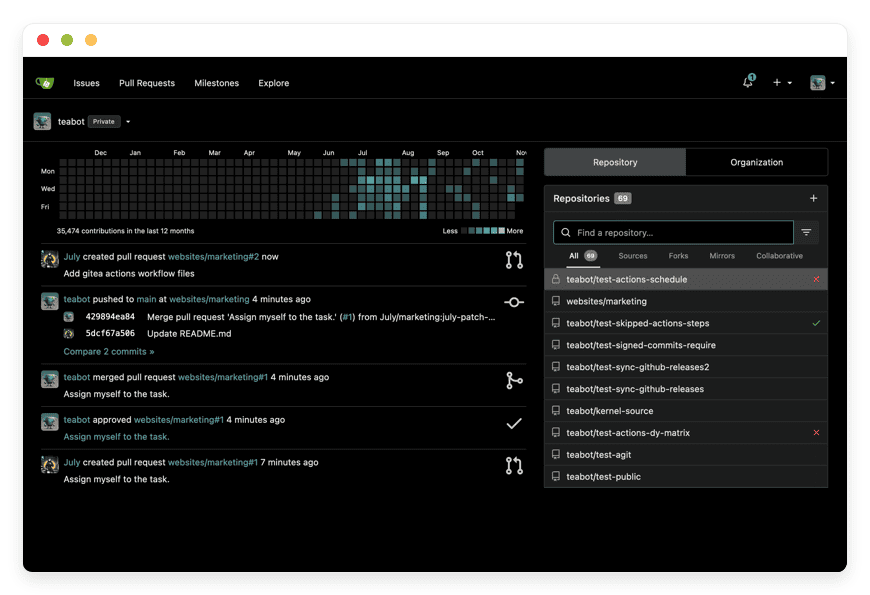
Gitea is a lightweight, self-hosted Git service that gives a studio repositories, pull requests, code review, issues, and a built-in package registry. It is open source under the MIT license, with more than 55,000 GitHub stars, and it runs comfortably on modest resources. For a game studio, the draw is Git LFS support, which versions large art, audio, and model files alongside code.
Replaces: GitHub Team or GitLab seats. On DANIAN: €9 per month. Best for: any team that wants GitHub's core workflow without per-seat pricing.
Switching effort: low — Gitea imports repositories from GitHub and GitLab, including issues and pull requests. The real planning is storage: binary assets in LFS add up, which the storage section below covers honestly.
Gitea for code and assets sits on the catalog at the flat price.
Taiga — sprints and backlog
Taiga is an agile project management tool built for Scrum and Kanban, with backlogs, sprints, user stories, burndown charts, and a clean board. It is open source under the Mozilla Public License, used by more than 400,000 teams, and it links to Git hosting so commits and issues connect. For a studio running milestones, it turns scattered task lists into a planned backlog.
Replaces: Jira. On DANIAN: €9 per month. Best for: studios that want agile structure without Jira's per-seat cost and add-on sprawl.
Switching effort: low to medium — Taiga imports from Jira and Trello. The interface is lighter than Jira on purpose, which most small teams treat as a feature.
Taiga for sprints and backlog is on the catalog.
Mattermost — team chat
Mattermost is a self-hosted messaging platform with channels, threads, direct messages, search, and deep developer integrations. The free Team Edition is open source under the MIT license, carries no user cap, and has roughly 38,000 GitHub stars. It connects to Gitea, GitLab, and CI tools, so build and commit notifications land where the team already talks.
Replaces: Slack. On DANIAN: €9 per month. Best for: studios that want Slack-style chat with their conversation history kept on instances they own.
Switching effort: medium — channels are quick to set up, but importing Slack history takes a migration step. One honest note: single sign-on and some advanced controls are paid features in Mattermost's own tiers; the Team Edition core is what runs at €9.
Nextcloud — builds and asset sharing
Nextcloud is a self-hosted file platform with sync, sharing, versioning, and links, plus optional collaboration apps. It is open source under the AGPL-3.0 license and is one of the most widely deployed self-hosted file systems, used by organisations as large as research labs. For a studio, it is where build artifacts, large reference assets, and review files get shared without a per-seat cloud-drive bill.
Replaces: Dropbox Business. On DANIAN: €9 per month. Best for: teams sharing builds and heavy files who do not want per-user storage pricing.
Switching effort: low — Nextcloud takes file uploads directly and has desktop and mobile sync clients. Builds are large, so this is another app where storage planning matters. Nextcloud is on the catalog.
PeerTube — devlogs and trailers
PeerTube is a self-hosted, federated video platform from the non-profit Framasoft, open source under the AGPL-3.0 license, powering a network of more than 1,600 instances. It hosts your devlogs, trailers, and dev streams on a site you own, with no ads, no tracking, and no algorithm deciding who sees your update. You control the player, the channel, and the embeds.
Replaces: Vimeo. On DANIAN: €9 per month. Best for: studios publishing devlogs and trailers who want to own the video and avoid per-tier bandwidth cliffs.
Switching effort: medium — re-uploading and re-encoding a back catalogue takes time, and video is the most storage-heavy app here. PeerTube for devlogs sits on the catalog. The storage and bandwidth section below is written with PeerTube specifically in mind.
How the five tools fit together
The stack maps onto a studio's actual loop. Code and binary assets live in Gitea with Git LFS. Work is tracked in Taiga as sprints and a backlog, linked to Gitea issues. The team talks in Mattermost, where Gitea posts commit and build notifications. Builds are shared through Nextcloud, and public devlogs go on PeerTube.
Nothing forces you to adopt all five at once. A common path is Gitea and Taiga first, because code and planning are the daily pain, then Mattermost when chat gets scattered, then Nextcloud and PeerTube as the team starts shipping builds and talking publicly. Each app is a separate €9 line, so the stack grows one tool at a time.
The storage reality — read this before you switch
Game assets are large, so storage is the part of this stack that needs honest math. Each €9 app includes 30 GB of storage and 1,000 GB of monthly traffic. Above those, storage is €0.50 per GB per month and traffic is €0.03 per GB. The flat €45 is a floor; storage-heavy game work pushes it up.
Three of the five apps are the storage drivers. Gitea with Git LFS holds versioned art, audio, and model files, and LFS data counts toward the 30 GB. Nextcloud holds build artifacts and shared assets, which grow fast across milestones. PeerTube holds video, which is the heaviest of all once you count source files and the renditions PeerTube generates for playback.
Here is a worked example. A studio keeps 150 GB of devlogs and trailers on PeerTube. That is 120 GB over the included 30 GB, at €0.50 per GB, so €60 in storage on top of the €9 base — €69 for that one app. If a trailer then serves 3,000 GB of views in a month, that is 2,000 GB over the included 1,000 GB, at €0.03 per GB, so about €60 in bandwidth that month.
The point is not that storage is free. It is that it is transparent and metered. There is no threshold that flips you into a five-figure enterprise contract, and no email demanding a sudden upgrade because your views landed in the top percentile. You pay per gigabyte, you can see it, and the apps stay yours.
The cost math, for a four-person studio
Here is the per-seat SaaS bundle most bootstrapping studios actually pay, priced for four people on annual billing, which is the cheapest the vendors offer. The numbers are list prices from the GitHub, Atlassian, Slack, Dropbox, and Vimeo pricing pages, checked in June 2026; monthly billing is higher on most of them.
| Job | Per-seat SaaS, 4 people (annual) | On DANIAN (flat) |
|---|---|---|
| Code and assets | GitHub Team — $4/user × 4 = $16/mo | Gitea — €9/mo |
| Sprints and backlog | Jira Standard — $7.91/user × 4 = $32/mo | Taiga — €9/mo |
| Team chat | Slack Pro — $7.25/user × 4 = $29/mo | Mattermost — €9/mo |
| Builds and file sharing | Dropbox Business — $18/user × 4 = $72/mo | Nextcloud — €9/mo |
| Devlogs and trailers | Vimeo Standard — $25/mo flat | PeerTube — €9/mo |
| Total | about $174/mo (~$2,084/yr) | €45/mo |
At four people the SaaS bundle is about $174 per month; the owned stack is €45 per month, which is roughly $52 at June 2026 rates. That is about a third of the cost before storage. The structural difference matters more than the headline: four of the five SaaS tools charge per seat, so the bill climbs every time the studio hires, while €45 stays €45 whether you are three people or six.
Two honest adjustments. First, storage-heavy game assets and video add per-gigabyte cost to the DANIAN side, as the section above lays out. Second, monthly SaaS billing pushes the bundle higher still — Jira, Slack, Dropbox, and Vimeo all cost more month-to-month than the annual rates shown. The flat, per-app structure is the durable advantage; the exact gap depends on your storage and your billing terms.
How the five tools compare
| Tool | Replaces | On DANIAN | Switching effort |
|---|---|---|---|
| Gitea | GitHub / GitLab seats | €9/mo | Low — imports repos, issues, PRs |
| Taiga | Jira | €9/mo | Low–medium — imports from Jira, Trello |
| Mattermost | Slack | €9/mo | Medium — channels fast, history takes a step |
| Nextcloud | Dropbox Business | €9/mo | Low — direct uploads, sync clients |
| PeerTube | Vimeo | €9/mo | Medium — re-upload and re-encode video |
How to start
Do not migrate everything in one weekend. Pick the one tool that hurts most today, deploy it, and run it for 14 days before adding the next. For most studios that first tool is Gitea, because code hosting is the daily centre of gravity; teams buried in scattered chat start with Mattermost instead.
A 7-day free trial with no card lets you stand up an app and try it with a real repository or a real sprint before paying. Configure one app properly — users, Git LFS, a custom domain — see whether it fits the team, and only then add the next €9 line. The stack earns its place one app at a time.
Frequently asked questions
What this stack covers
What does this open-source stack cover for a game studio?
This stack covers the collaboration layer around making a game: Gitea for code and assets, Taiga for sprints and backlog, Mattermost for team chat, Nextcloud for builds and file sharing, and PeerTube for devlogs and trailers. It replaces five per-seat subscriptions with five apps you own at €9 each per month.
Is this a game engine or a build pipeline for consoles?
No. None of these five tools is a game engine, and none packages builds for PC, console, or mobile storefronts. The stack handles code hosting, task tracking, chat, file sharing, and video. You still bring your own engine, such as Godot, Unity, or Unreal, and your own platform build tooling.
What team size is this stack right for?
It fits a studio of roughly three to twelve people. Below three, free SaaS tiers often cover you. Above twelve, you may want heavier project tooling and dedicated build runners. The sweet spot is a bootstrapping studio of four to eight that wants owned tools and a flat bill, not per-seat metering.
Can I run just one or two of these apps instead of all five?
Yes. Each app is billed separately at €9 per month, so you can start with one, such as Gitea, and add Taiga or PeerTube later. Many studios begin with code hosting and project tracking, then add chat and video once the team grows. You only pay for the apps you deploy.
Cost and billing
What does the five-app stack cost per month?
Five apps at €9 each is €45 per month, flat, before any storage above the included amounts. That figure does not change when you add team members, because there is no per-seat charge. A 7-day free trial with no card lets you test the apps before you pay anything.
How does €9 per app compare to the per-seat SaaS bundle?
For a four-person studio on annual billing, the equivalent SaaS bundle runs about $174 per month: GitHub Team, Jira, Slack, Dropbox Business, and a Vimeo plan. The €45 stack is roughly a third of that at four people, and the gap widens with every hire because the SaaS bill scales per seat.
Does the price go up as my studio grows?
The base price does not. Five apps stay €45 per month whether the studio is three people or six, because billing is per app, not per seat. What can grow is storage: game assets, builds, and video above the included 30 GB per app are charged at €0.50 per GB per month.
What happens to the cost when my assets and video grow large?
Storage and bandwidth above the included amounts are metered, not capped. Each app includes 30 GB of storage and 1,000 GB of monthly traffic. Above that, storage is €0.50 per GB per month and traffic is €0.03 per GB. There is no forced jump to an enterprise contract when you cross a threshold.
Storage, assets, and CI
Can Gitea handle large binary game assets?
Yes, through Git LFS, which Gitea supports for versioning large art, audio, and model files. The practical limit is storage, not the tool. Game assets are large, so LFS data counts toward your 30 GB of included storage and is billed at €0.50 per GB per month above that. Plan storage by project size.
Does Gitea's built-in CI replace a build farm?
No. Gitea Actions runs lighter automation such as linting, tests, and small builds, and it reuses GitHub Actions syntax. It is not a build farm for compiling and packaging across PC, console, and mobile targets. Studios with heavy multi-platform builds usually add separate, more powerful runners alongside Gitea.
What happens if a trailer goes viral on PeerTube?
Your PeerTube instance keeps serving the video, and you pay for the traffic at €0.03 per GB above the included 1,000 GB per month. A trailer that serves 3,000 GB in a month adds about €60 in bandwidth. There is no surprise migration demand or account freeze when views spike.
How much storage is included, and what does extra cost?
Each €9 app includes 30 GB of storage and 1,000 GB of monthly traffic. Above those, storage is €0.50 per GB per month and traffic is €0.03 per GB. For a studio storing 150 GB of video on PeerTube, the 120 GB over the limit adds €60, so €69 for that app.
Ownership, switching, and operations
Do I own my code, tasks, and videos on this stack?
Yes. All five apps are open source, and the data lives in instances you control, not in a vendor's multi-tenant account. You can export repositories, project boards, files, and videos at any time. Ownership is the point: no per-seat lock-in, no algorithmic feed, and no vendor deciding your retention window.
How hard is it to move from GitHub, Jira, Slack, and the rest?
Each tool has importers. Gitea imports repositories from GitHub and GitLab with issues and pull requests. Taiga imports from Jira and Trello. Nextcloud takes files directly. The heaviest lifts are usually chat history into Mattermost and re-uploading video into PeerTube. Most studios migrate one app at a time over a few weeks.
Can I export everything and leave?
Yes. Because the apps are open source and the data is yours, every app supports export: Git repositories, Taiga project data, Nextcloud files, Mattermost message exports, and PeerTube video downloads. You are never locked in. If you later want to run the stack on your own server, the same apps run there too.
Who runs the servers, patches, and backups?
We do. Each app runs in hardened, isolated containers that we patch, monitor around the clock, and back up daily off-site. You get per-container terminal access for configuration, while the operational work, from security updates to restores, sits with us. Your studio's time goes to the game, not to server maintenance.
Getting started
Which app should a studio deploy first?
Start with the tool that hurts most today. For most studios that is code hosting, so Gitea first, then Taiga for sprints and backlog. Teams drowning in scattered chat start with Mattermost instead. Deploy one app, run it for 14 days, and add the next once it has earned its place.
Do I need to be technical to run this stack?
Less than you would running it on your own server. We handle provisioning, patching, backups, and uptime, so you do not manage machines. You still configure each app, such as adding users or setting up Git LFS, and a human answers when you get stuck. Comfort with web admin panels is enough.
What to do this week
If the studio is paying per seat for repos, tasks, chat, files, and video while bootstrapping a game, the cheapest honest move is to own the tools instead of renting seats. Start with one app, keep your data exportable, and add the rest as the team grows.
Stand up Gitea on a 7-day trial and move one repository into it, Git LFS included. If it holds your assets and fits the team, add Taiga for the backlog and decide from there. The bill is €9 per app, flat, plus transparent storage — and every app stays yours to export and move.