Open-source Dropbox & Google Drive alternatives
TL;DR
- Nextcloud covers what Google Drive does — sync, share, real-time docs, video calls — and runs at €9/month managed by us, plus storage.
- SFTPGo handles the programmatic side: SFTP, FTP/S, WebDAV, with S3 or local backends. Useful when scripts and partners need to drop files.
- MinIO speaks the S3 API for applications that expect object storage rather than a folder tree. One caveat we address below.
- Pairdrop is the no-signup peer-to-peer option for sending a single file from a phone to a laptop in under a minute.
- Dropbox Plus is $11.99/month for 2 TB single-user; Google Workspace Business Standard is $14/user/month at 5 seats = $70/month, climbing to $110/month on Business Plus. At 10–25 seats with moderate storage, a single managed Nextcloud instance gets cheaper than per-seat SaaS — exact numbers below.
Why people are leaving Dropbox and Google Drive in 2026
The buyer who lands on this page has usually just done a renewal review and seen the per-seat math at five seats. Dropbox Plus is $11.99/month for one user with 2 TB. Google Workspace Business Standard is $14/user/month annual — $70/month at five seats, $140 at ten. Workspace also lifted prices 17–22% in mid-2025 when Gemini bundled into all tiers. Two more prices below.
Dropbox Plus is $11.99/month for a single user with 2 TB. Annual prepay drops the effective monthly rate to $9.99, but the moment a second person needs an account the math changes. Dropbox Family at $19.99/month covers six users, pooled to 2 TB total — about 333 GB each. Dropbox Standard (the business plan) starts at $18/user/month with a three-user minimum. That floor is $54/month before anyone has clicked anything useful.
Google Workspace follows a similar curve. Business Starter is $7/user/month annual ($8.40 monthly flex) with 30 GB pooled per user. Business Standard jumps to $14/user/month annual ($16.80 flex) and brings 2 TB per user pooled, full Gemini features, and meeting recording. Business Plus is $22/user/month annual ($26.40 flex). A five-seat team on Standard pays $70/month; on Plus that’s $110/month. A ten-seat team on Standard pays $140/month. At 25 seats the same plan is $350/month.
Three things changed in 2025–26 that compound this. Workspace bundled Gemini AI across all tiers and lifted prices 17–22% in mid-2025. Dropbox tightened its storage tiers and pulled features behind Professional. Data residency, eDiscovery, and audit logs sit on the more expensive plans — Business Plus or Advanced — even when the team using them is small.
For some readers, the trigger isn’t price at all. It’s the rolling realisation that the files in question — client deliverables, payroll PDFs, signed contracts, vendor invoices — live on systems whose owners can change terms, deprecate APIs, or sit in jurisdictions the company didn’t choose. The instinct is to move the storage somewhere the team controls. The friction is that “somewhere you control” usually means a Saturday afternoon of Docker, certificates, and SMTP that nobody asked to spend.
What "alternative" actually means here
There is no single open-source project that replaces Dropbox and Google Drive on every axis. The honest answer is one tool per lane — four lanes, four projects on this shortlist. Dropbox and Google Drive each cover several jobs the average buyer mentally bundles into one product:
- Sync and share. Files appear on the laptop, the phone, the web browser, and a teammate’s machine within seconds.
- Real-time collaboration. Two people edit the same document at once. Comments and presence indicators.
- Programmatic file transfer. A script uploads invoices to a folder a partner reads.
- Object storage. An application — a backup tool, a CI job, an image-resize service — needs an S3 bucket.
- Ad-hoc transfer. A phone needs to send one file to a laptop right now. No setup.
No single open-source project covers all five well. The honest answer is one tool per lane. The four projects below cover the lanes that most replacement buyers care about. Nextcloud is the headline — it does what Drive does, plus what Office does, plus what Meet does. The other three fill in the gaps that show up after the obvious replacement is in place.
A second framing decision: self-hosted versus managed. The Nextcloud server installer is straightforward on a clean VPS. The work that follows — TLS renewals, security patches, SMTP, backup verification, occasional database tuning — is the part most buyers underestimate. Running it yourself is a defensible path; we describe the buyer profile honestly in the FAQ below. Running it managed is what we do for €9 per app per month, plus storage above the included 30 GB.
The shortlist
Nextcloud — the full Google Drive replacement
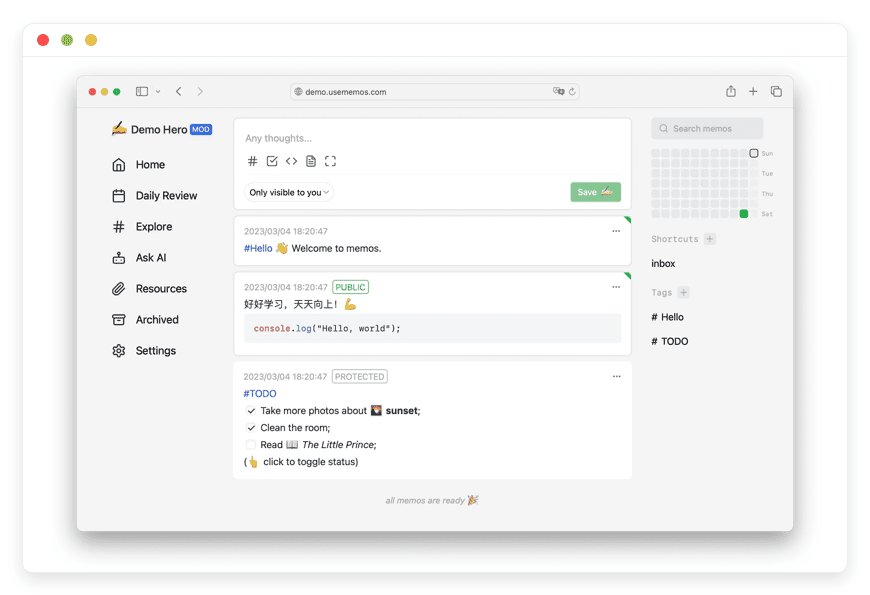
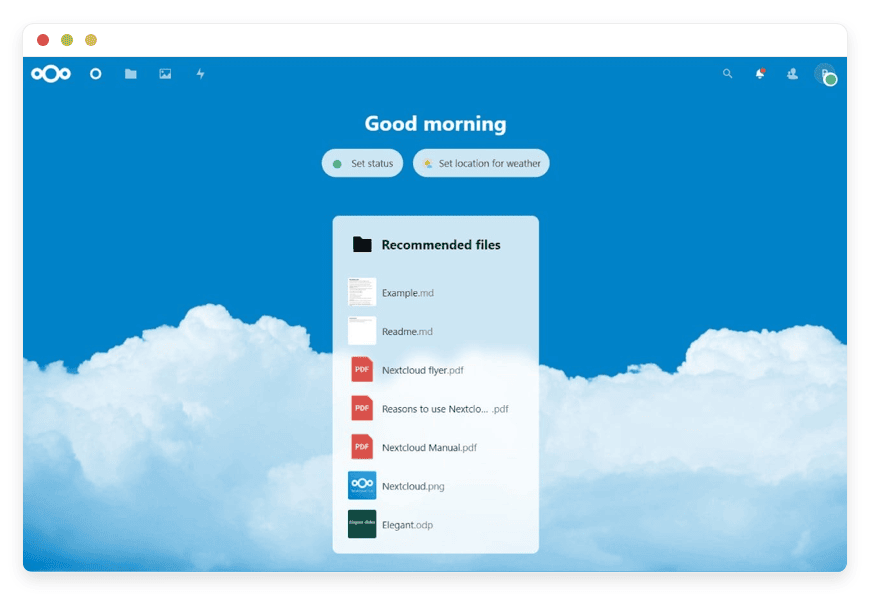
Nextcloud is the most mature open-source collaboration suite. Files, calendar, contacts, mail, video chat, and a real-time document editor sit inside one self-hosted application. License: AGPLv3. Maintained by Nextcloud GmbH out of Stuttgart with a large external contributor base.
The features that map directly to Drive:
- Files — desktop sync clients for Windows, macOS, Linux, plus iOS and Android apps. Browser file manager. External storage connectors for S3, SMB, FTP, SharePoint, NFS.
- Nextcloud Office — a LibreOffice-based editor that runs inside the browser. Real-time collaboration on documents, spreadsheets, and presentations. Preserves Microsoft Office formatting. This is the Google Docs equivalent and the part most teams test first.
- Nextcloud Talk — peer-to-peer audio, video, and chat with end-to-end encrypted calls. Mobile apps for iOS and Android. This is the Google Meet equivalent.
- Calendar, Contacts, Mail, Notes, Deck — apps that round out the suite. Calendar speaks CalDAV; Contacts speaks CardDAV; everything works with standard mobile clients.
- File access control, audit logging, password policies, two-factor authentication, brute-force protection.
DANIAN price: €9/month at base resources (1 vCPU/RAM, 30 GB storage). Above 30 GB, storage bills at €0.50/GB/month. A realistic small-team setup — 10 users sharing 30 GB — sits around €9/month. The cost matrix later in this post shows where this lands against the SaaS plans.
Best for: teams of 5–50 replacing Google Workspace or Dropbox Business who want a real collaboration suite, not just storage. → managed Nextcloud hosting
SFTPGo — programmatic file transfers
SFTPGo is a file transfer server that speaks SFTP, FTP/S, WebDAV, and HTTP/S, with storage backends that include local filesystem, encrypted local filesystem, S3-compatible object storage, Google Cloud Storage, Azure Blob, and another SFTP target. Written in Go, runs as a single binary. License: AGPLv3 on the open source edition; commercial license available for the enterprise build.
The use cases this solves:
- A B2B partner drops invoices into a folder via SFTP — the kind of integration that predates REST APIs and won’t be retired soon.
- A script uploads nightly database backups to a path that lands in S3 underneath.
- A team needs WebDAV mounts on macOS and Windows file managers without exposing the rest of the file server.
- An EDI-style workflow needs per-user quota, virtual folders, two-factor on the SFTP login, and per-event hooks.
SFTPGo gives each user their own namespace, optionally mapped to a different storage backend per user. The WebAdmin UI handles user provisioning; the WebClient UI lets end users browse files in the browser without a separate desktop client. OIDC federation works with Microsoft Entra ID, Okta, Keycloak, and Auth0.
DANIAN price: €9/month at base resources. Storage rules match the Nextcloud row above.
Best for: ops and integration teams that need SFTP/WebDAV in front of S3 — typically because partners or scripts speak file protocols and the destination is cloud storage. → managed SFTPGo for SFTP and WebDAV
MinIO — S3-compatible object storage
MinIO is the most widely deployed open-source S3-compatible object store, used by everything from backup tools to Kubernetes platforms. It implements the full Amazon S3 API, runs as a single Go binary, and supports erasure coding, server-side encryption, identity policies with LDAP and OIDC federation, and bucket notifications via webhooks, Kafka, or NATS. License: AGPLv3.
The honest caveat: the MinIO open source community repository moved into maintenance mode in 2026 and was archived on the public repository in February and again in April. The company’s commercial direction is now its AIStor product. The community binary still works, and the AGPLv3 license remains valid for use, but new feature work is happening on the commercial side. Buyers should know this before standardising on MinIO for a new deployment.
If your application speaks S3 — that includes most backup tools (restic, Kopia, Borg, Duplicati), most CI runners, most container registries, most observability stacks (Loki, Mimir, Tempo), and most data engineering jobs — MinIO is the local-S3 endpoint that drops in without rewriting code. Other AGPLv3 options in the lane include Garage and SeaweedFS; we host MinIO and watch the others.
DANIAN price: €9/month at base resources. Storage rules match the Nextcloud row above. Most MinIO buyers run it as a backend for other applications, so storage sizing is driven by the upstream workload (a 200 GB Loki ring buffer, a 1 TB photo archive, a 50 GB CI cache).
Best for: applications that expect S3 and won’t speak filesystem. → MinIO for S3-compatible object storage
Pairdrop — ad-hoc peer-to-peer sharing
Pairdrop is a browser-based file transfer tool that pairs two devices over WebRTC and moves a file between them without uploading to any server in the middle. No signup, no account, no permanent installation. License: GPLv3. Maintained by Schlag Mich Doch and contributors; the project is a fork of Snapdrop.
The use cases this solves:
- Send a screenshot from a phone to a laptop on the same Wi-Fi.
- Drop a 4 GB video file to a colleague’s machine without uploading it to Drive first.
- Transfer between two Linux laptops at a co-working space where neither has the other’s email handy.
Pairdrop discovers devices on the same local network and also supports temporary public rooms for transfers between networks. Devices outside the local network connect through a TURN server. Pairing via a six-digit code or QR code makes the pairing persistent across sessions.
DANIAN price: €9/month at base resources. Pairdrop barely uses storage — the files transit through the connection, not through the server — so the base 30 GB included is typically enough.
Best for: anyone who occasionally needs the AirDrop experience across Android, iOS, Linux, Windows, and macOS without a vendor account in the middle. The team version of “send me that file” without bouncing through email.
How the four projects compare against Dropbox and Google Workspace
This is the table the renewal review usually wants. Cost shown at five seats and a moderate 30 GB so the per-user and per-byte math are both visible. SaaS plans are the same plans for any team size; the open-source rows assume one managed instance shared across the team.
| Project | What it replaces | License | Storage at base | Cost @ 5 seats / 500 GB | EU host option | Switching effort |
|---|---|---|---|---|---|---|
| Nextcloud | Drive + Docs + Meet + Calendar | AGPLv3 | 30 GB included | €9/mo (no per-seat) | Yes, pick the region | Medium — desktop sync clients, migrate Docs |
| SFTPGo | Per-user SFTP / WebDAV in front of S3 | AGPLv3 (CE) | 30 GB included | €9/mo (no per-seat) | Yes, pick the region | Low — protocol compatibility is the whole point |
| MinIO | S3 buckets for applications | AGPLv3 | 30 GB included | €9/mo (no per-seat) | Yes, pick the region | Low — S3 SDK works unchanged |
| Pairdrop | Ad-hoc AirDrop-like transfer | GPLv3 | 30 GB included | €9/mo (no per-seat) | Yes, pick the region | Trivial — open URL, pair, transfer |
| Dropbox Plus | Drive (single user) | Proprietary | 2 TB | $11.99/mo (1 user only) | Enterprise only | --- |
| Dropbox Standard | Drive (business) | Proprietary | 9 TB pooled | $90/mo (5 × $18) | Enterprise only | --- |
| Dropbox Advanced | Drive (business+) | Proprietary | 15 TB pooled / unlimited | $150/mo (5 × $30) | Enterprise only | --- |
| Workspace Business Standard | Drive + Docs + Meet | Proprietary | 2 TB/user pooled | $70/mo (5 × $14) | Enterprise only | --- |
| Workspace Business Plus | Drive + Docs + Meet + Vault | Proprietary | 5 TB/user pooled | $110/mo (5 × $22) | Enterprise only | --- |
A few things this table makes obvious.
At 5 seats and moderate storage, Workspace Business Standard at $70/month is cheaper than managed Nextcloud at €9/month. SaaS cloud storage is heavily subsidised below 2 TB, and the per-byte math favours the SaaS at small scale. At 25 seats on Workspace Business Standard the bill is $350/month; the same Nextcloud instance with 30 GB stays around €9/month.
Where DANIAN wins below the break-even isn’t price — it’s data ownership, the absence of per-seat scaling on document collaboration, no Vault upsell to access eDiscovery, and the fact that every Nextcloud app (Calendar, Talk, Mail, Notes) is included rather than purchased separately. Some buyers value those non-price axes enough to switch at 5 seats. Most wait until the per-seat math hurts.
How to pick: 3 questions to ask yourself
1. Do you need real-time document collaboration, or just sync and share?
If two people regularly edit the same document at the same time, Nextcloud with Nextcloud Office is the right answer — it’s the only project on the shortlist that does this. If your workflow is “I save a file, you open it later, you save your changes,” SFTPGo on top of S3 is leaner. If you’re optimising for storage-only at lowest cost, MinIO behind a generic file mount is the cheapest path.
2. Are you replacing a workflow or building a new one?
Replacement workflows have habits, integrations, and muscle memory. Nextcloud’s desktop sync client behaves like Dropbox’s — files appear in a folder, conflict resolution is roughly the same — and the migration is a copy-paste with a desktop client install. SFTPGo’s value is largest where SFTP and WebDAV are already in the workflow because of a partner integration; building new with SFTPGo from scratch is rarer. MinIO assumes the application speaks S3 already.
3. How much storage, and is it growing?
If the answer is “100 GB and stable,” the cost picture is straightforward. If it’s “300 GB and adding 50 GB a quarter,” budget the storage curve before committing. Above roughly 2 TB, the math against managed Nextcloud gets tighter — at that scale, an S3-backed setup (MinIO or Nextcloud with an external object storage primary) is the more efficient architecture. For pure archive workloads above 5 TB, a hybrid (Nextcloud frontend, MinIO or external S3 primary) is what we set up most often.
The cleanest decision rule we have seen: if the team is replacing both Drive and Meet, start with Nextcloud. If they’re replacing a specific Dropbox-style folder, start with Nextcloud or SFTPGo depending on whether a person or a script writes to the folder. If they’re replacing nothing and just need S3 for an application, start with MinIO. Pairdrop sits next to all three for the moments when those tools are too much.
ox on your website. Alternatively, when you select a text box a settings menu will appear. your website by double clicking on a text box on your website. Alternatively, when you select a text box
FAQ
Is Nextcloud actually a Google Drive replacement?
For sync, share, document collaboration, calendar, contacts, and video calls, yes. Nextcloud Office handles Microsoft Office and OpenDocument formats with real-time editing in the browser. Nextcloud Talk handles audio and video calls. The integration is tight enough that most teams stop missing Drive within a fortnight of switching, with one caveat: very large organisations with deep Workspace-specific automation (Apps Script, AppSheet) have a harder migration than they expect.
What if I just want to do this myself?
You can. Nextcloud’s installer is straightforward on a clean Linux VPS. The hidden cost is the patching, the database tuning under load, the SMTP relay setup, the certificate renewal, the backup verification, and the 3 a.m. recovery when the disk fills. If you have a developer in-house and 4–8 hours a month of operational time spare, self-hosting on a production-class VPS is genuinely cheaper than managed. If you don’t, the €9 covers what would otherwise be your weekend.
Why is MinIO included if the open-source repo is in maintenance mode?
Because it still works, the AGPLv3 source is still available, the binary is widely deployed in production, and S3-compatible alternatives like Garage and SeaweedFS aren’t yet drop-in replacements for everyone. The maintenance-mode posture matters for new buyers picking a long-term standard. We host MinIO today; we’ll add the right successor when the community settles on one.
Will managed Nextcloud handle our 50-person team?
Yes. A single Nextcloud instance scales comfortably to 50 users on a reasonable resource allocation; we upgrade vCPU and RAM with your consent as the team grows. The per-app price model is one Nextcloud instance for the whole team — not €9 per user. Storage above the included 30 GB bills at €0.50/GB/month.
Can I keep using Microsoft Office on my desktop?
Yes. Nextcloud’s desktop sync client puts files in a local folder; you open them in Word, Excel, PowerPoint, or LibreOffice exactly as you would with a Dropbox folder. Real-time collaboration through the browser is a separate feature — useful, optional, not required.
What happens when we leave?
Export the data over SFTP, WebDAV, or the desktop sync client. Nextcloud’s data layout is documented and the file formats are standard. We publish a “how to leave” guide and we’ll help with the migration. The application is yours; we just operate it.
How long does migrating from Dropbox to Nextcloud actually take?
For a small team with 100–500 GB, the typical migration runs one to three days end-to-end. Most of that is the initial transfer — bandwidth-bound — running in the background. The cutover itself (DNS edit, desktop sync client install on each laptop, archive the Dropbox account) is two to four hours of active work.
Will my existing folder structure carry over from Google Drive?
Yes. Nextcloud preserves folder hierarchy, file names, and modification dates. Google Docs, Sheets, and Slides files export to .docx, .xlsx, and .pptx during the move and open natively in Nextcloud Office. Shared-with-me items need re-sharing; shared-drive permissions don’t map automatically and are worth auditing during the cutover.
What’s the maximum file size I can upload to managed Nextcloud?
No practical cap for normal workflows. Nextcloud chunks uploads through WebDAV — a 50 GB video uploads as five thousand 10 MB chunks. The browser uploader and desktop sync handle large files transparently. The only hard limit is the storage allocation on your plan, which we upgrade with your consent.
Does Nextcloud have selective sync like Dropbox?
Yes. The Nextcloud desktop client lets each user pick which top-level folders sync to that machine and which stay cloud-only. Useful when one laptop is the work machine and the design team’s 200 GB of Photoshop files don’t need to live on it. The iOS and Android apps work similarly with on-demand downloads.
Is there version history in Nextcloud, and how far back can I restore?
Yes. Nextcloud keeps file versions automatically with a thinning retention pattern: every version for the first ten seconds, hourly for a day, daily for a month, then weekly thereafter. Practical effect — restore yesterday’s accidentally-saved-over document in two clicks, and last month’s version with one more.
Can I share a Nextcloud file with someone who doesn’t have an account?
Yes. Generate a public share link from any file or folder. Optionally set a password, an expiry date, an upload permission (for receive-only “drop boxes”), or a watermark on view-only previews. The recipient opens the link in any browser without signing in — the most common Dropbox-share pattern, supported one-for-one.
Does Nextcloud Office handle .docx, .xlsx, and .pptx without breaking formatting?
For everyday business documents, yes — Nextcloud Office is built on LibreOffice and preserves Microsoft Office formatting on round trips. The edge cases that don’t round-trip cleanly: complex Excel macros, mail-merge fields, and PowerPoint with custom fonts. For those, the desktop-sync model (open in Microsoft Office locally, save back) works.
How does Nextcloud Talk compare to Google Meet for a thirty-person call?
It works, with caveats. Talk handles thirty-plus video participants on a properly sized server with a high-performance backend configured. Audio quality and screen-share are comparable to Meet. Where Talk still wins: end-to-end encryption between participants by default. Where Meet still wins: automatic transcription, polished waiting rooms, and phone dial-in for non-internet attendees.
How does the €9 price scale if my team grows from five to twenty-five people?
The Nextcloud instance price doesn’t scale per user — one instance serves the whole team. What scales is storage and compute. A five-user team on 100 GB pays around €44/month (€9 base + 70 GB × €0.50). A twenty-five-user team at 500 GB with a recommended vCPU upgrade sits around €269/month. No per-seat licence.
Is the iOS and Android experience comparable to the Dropbox or Drive apps?
Mostly yes, with one honest gap. The Nextcloud mobile apps cover file browsing, sync, share, auto-upload from the camera roll, offline pinning, and biometric unlock. Where the Dropbox app still leads: share-sheet polish and preview latency on cellular. For ninety percent of mobile use, the gap doesn’t matter.
Can I use my own domain like files.mycompany.com for the Nextcloud login?
Yes. Custom domains are included at €9 with no additional fee. Point a CNAME or A record at your instance, send us the domain, we configure the TLS certificate and SSO callback URLs. Desktop sync clients and mobile apps pick up the custom domain automatically. The default subdomain remains available alongside if useful.
Is bandwidth metered, and what counts as overage?
The €9 plan includes 1 TB (1,000 GB) of outbound traffic per month. Above that, bandwidth is €0.03/GB — an extra 100 GB is €3. Inbound traffic and internal replication don’t count toward the limit. Most small-team Nextcloud instances stay well under 1 TB; public-facing PeerTube or large media libraries are the main triggers.
What’s the difference between Nextcloud and ownCloud?
Both share the same 2016 origin codebase and have diverged since. Nextcloud is fully open source under AGPLv3 — community and enterprise editions run the same code. ownCloud has a community AGPLv3 build plus a separate proprietary enterprise edition where features are held back. Nextcloud also ships more first-party apps (Talk, Office, Calendar) out of the box.
Can DANIAN host Nextcloud on my own S3 bucket instead of provisioning new storage?
Yes. Nextcloud supports external object storage as the primary data backend. Send us the S3 endpoint, access key, and bucket name, and we wire it up during onboarding. The standard pattern for teams with existing AWS S3, Wasabi, or Backblaze B2 accounts holding multi-TB archives — keep your storage, pay €9 for the operations layer.
How does DANIAN handle daily backups, and where do they go?
Every Nextcloud instance is backed up daily, off-site, to a separate region from the primary application data. Retention is seven daily, four weekly, and six monthly snapshots — useful when an accidental deletion isn’t caught for a week. Restores run via support chat; full-instance rollback timing scales with instance size.
Conclusion — what to do this week
Pick one workflow that hurts the most: the Dropbox renewal email sitting unread, the Workspace seat for a contractor who left in February, the script that uploads invoices and breaks every two weeks. Match it to the project on this page that covers that lane.
If the answer is Nextcloud, start a 7-day trial — no card needed — and migrate one folder.
If it works for the folder, the rest follows. → Start 7-day free trial
If the answer is SFTPGo, MinIO, or Pairdrop, the same trial covers any of them.
The catalog has the full list. → See the catalog
The four projects above cover four distinct lanes. None of them replaces Dropbox or Google Drive on every axis. All four together, at moderate team sizes, cost less than the SaaS plans they replace once team size crosses the per-seat break-even — and put the data on infrastructure you control, with files you can take with you.
Sources
- Dropbox plans page: https://www.dropbox.com/plans
- Google Workspace pricing page: https://workspace.google.com/pricing.html
- Nextcloud project: https://nextcloud.com/
- SFTPGo project: https://sftpgo.com/
- MinIO project: https://www.min.io/
- Pairdrop project: https://pairdrop.net/
Pricing verified May 2026. We re-check the SaaS comparison numbers each quarter and update this page when the underlying plans move.