
Open-source WeTransfer alternatives in 2026
Open-source alternatives to WeTransfer in 2026
TL;DR
- WeTransfer still sends files, but its free tier is now a tight quota: 10 transfers or 3 GB in a rolling 30 days, with links that expire in about three days.
- Two open-source tools cover the job between them — Pairdrop for quick device-to-device transfers, Nextcloud for sending a large file to a client by link.
- Pairdrop is peer-to-peer and local. It is not an upload-once, send-a-link-to-anyone service. For that classic job, use Nextcloud.
- Managed by us, either one runs at €9 per app per month, including 30 GB of storage and 1,000 GB of transfer.
- You set the password, the expiry, and the region. The files stay yours, under terms you control.
Why people are leaving WeTransfer in 2026
Two things changed in the last 18 months. The free tier got tighter, and the legal fine print got louder. Neither breaks WeTransfer as a tool. Both gave careful senders a reason to look at what running the job themselves would cost.
The cost side moved first. After a new owner took over in late 2024, WeTransfer reworked its plans. The free tier now caps at 10 transfers or 3 GB in a rolling 30-day window, with link life of roughly three days. A single 3 GB project handoff can use the whole free month. A few client revisions can do the same. Paid plans start at about 6.99 dollars a month for Starter and rise to about 25 dollars a month for the unlimited tier, with sticker prices that vary by location and promotion, so check at purchase. (See WeTransfer's plan limits.)
The friction is not only the cap. Free links expire in about three days, which is shorter than many client review cycles, so a slow reply means resending the same file and burning more of the quota. Downloads do not resume well on a dropped connection, so a large transfer that fails near the end starts over. None of this is fatal. It is the kind of small, repeated tax that pushes people to look for a setup they own.
The legal side landed in July 2025. A new terms-of-service clause read as a perpetual, sub-licensable license to use uploaded content, including to improve machine-learning models. Designers and agencies who send unreleased work reacted within hours. On 16 July 2025, WeTransfer narrowed the wording and said it does not use customer files to train AI. (Coverage at The Register.)
The reversal settled the immediate worry. The lesson did not leave with it. A third party's terms can change overnight, and your files sit under whatever the current version says. The same thing happened to a larger rival in 2023 over an AI toggle. For a one-off holiday photo, none of this matters. For a client's brand assets or a signed contract, where the file lives and who can use it becomes a real question.
What "alternative" actually means here
The word splits three ways. You can switch to a cheaper send-a-link service and stay on someone else's terms. You can self-host an open-source tool on a server you rent and run yourself. Or you can have a provider run that same open-source tool for you. This post covers the open-source route, run for you, so the operations are not your problem.
The point of the managed version is the middle path. You get the ownership and the lower long-run cost of open source, without the patching, the backups, and the 2am pager that running your own server brings.
There is a second split that matters more, and most comparison lists skip it. File sending is two different jobs.
The first job is quick and direct. You want a file off your phone and onto your laptop, or across the room to a colleague on the same network. No link, no account, no waiting for an upload. Pairdrop does this.
The other job is delivery. You upload a large file once, then send a link a client opens hours or days later, often from another country. The sender and the recipient are rarely online at the same moment. This is the classic WeTransfer job. Nextcloud does this.
Pairdrop and Nextcloud are both open source, and we run both. They are not interchangeable. Pick by the job, not the brand. Managed Pairdrop hosting and a managed Nextcloud each start at €9 a month.
The shortlist
Pairdrop — device-to-device transfers
Pairdrop is a browser-based transfer tool inspired by AirDrop, and a fork of Snapdrop. It sends files peer-to-peer between devices on the same network, or between paired devices over the internet through a temporary room. No account, no upload step, no stored copy. It is released under GPL-3.0 and has about 10,000 stars on GitHub.
Built by schlagmichdoch and contributors, Pairdrop runs in any modern browser. Open the page on two devices and they see each other. Send a photo from an Android phone to an iPhone. Move a folder from a laptop to a tablet. The file goes straight between them, and the transfer only starts once the other side accepts.
The catch is the model. Both devices connect in real time. Closing the page leaves the room. There is no link sitting in an inbox for someone to open tomorrow, and no history once the session ends. So Pairdrop is excellent for the quick, same-moment transfer and wrong for the send-and-forget delivery job.
Best for: moving files between your own devices, or to someone in the same room or on the same call.
Managed by us: €9 per app per month — managed Pairdrop hosting.
Nextcloud — share-link delivery
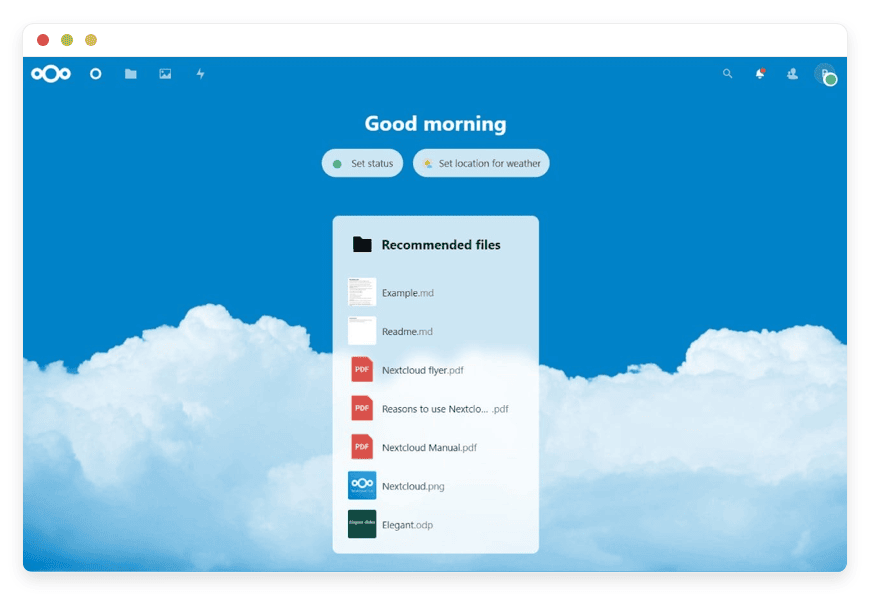
Nextcloud is a self-hosted platform for storing, syncing, and sharing files. For the WeTransfer job it does the part that matters: upload a file, create a public share link, and send it. You can set a password and an expiry date on that link. It is released under AGPLv3 and has about 35,800 stars on GitHub.
This is the upload-once, send-a-link workflow, on a server that is yours. The recipient needs no account. They click the link, see the file, and download it. You decide how long the link lives and whether it needs a password, and an admin can enforce sensible defaults across every share. (See the Nextcloud sharing docs.)
Because the file sits in your own storage, you control the copy. Delete it after the client downloads, or keep it. Set the expiry to three days or to thirty. The current server release is Nextcloud 34, shipped in June 2026, so this is a tool under active, well-funded development, not a stalled project.
One more thing worth knowing: the same instance is a full file workspace, not only a send tool. The €9 you spend to deliver files also gives you sync, folders, and sharing across your own devices, which is more than WeTransfer was built to do.
Best for: sending large files to clients by link, with your own password, expiry, and region.
Managed by us: €9 per app per month, including 30 GB of storage — Nextcloud for share-link delivery.
SFTPGo — recurring and automated transfers
If your transfers are scheduled rather than one-off, SFTPGo fits better than either tool above. It is an open-source server that speaks SFTP, FTPS, and WebDAV, built for automated file exchange between systems and partners. Think nightly drops, vendor uploads, and folders that move on a schedule rather than a person clicking a link. It is a cross-reference here, not the main event, but worth naming for anyone whose real need is machine-to-machine transfer.
Best for: automated, recurring transfers between systems and partners.
Managed by us: €9 per app per month.
Pairdrop or Nextcloud — which job is yours
Most people arriving from WeTransfer want delivery, not a live hop. They have a 4 GB video for a client who will open it tomorrow. Sending them to Pairdrop because it is "the open-source AirDrop" sets them up to fail. Map the job first, then the tool follows.
- Both devices are with you, or on the same network, and you want it now → Pairdrop.
- You are sending to someone who will open it later, somewhere else → Nextcloud share link.
- The transfer repeats on a schedule between systems → SFTPGo.
The same split sorts the other services people ask about. Smash and Dropbox Transfer are link-delivery tools, so their open-source counterpart is Nextcloud. Send Anywhere works by a direct, key-based transfer, closer to Pairdrop's model. Whatever the brand, the question is the same: do you need a live, direct hop, or a stored link someone opens later.
If you are unsure, default to Nextcloud. A share link can always carry a file between two of your own devices, even if it is slower than Pairdrop for that case. The reverse is not true: Pairdrop cannot leave a file waiting for someone who is offline. When in doubt, the stored-link tool covers more ground.
The comparison
Both apps run on the same managed plan at the same price, so the comparison is about the job each one does and the effort to switch. Star counts and licenses are shown so you can weigh how mature and how open each project is.
| Tool | Replaces / the job | Managed price | GitHub stars | License | Host region | Switching effort |
|---|---|---|---|---|---|---|
| Pairdrop | Quick device-to-device, AirDrop-style | €9/app/mo | ~10,000 | GPL-3.0 | Region of your choice,21 locations | Low — open a page on two devices |
| Nextcloud | Send a big file by link, the WeTransfer job | €9/app/mo | ~35,800 | AGPLv3 | Region of your choice,21 locations | Low to medium — upload, share a link, send |
How a Nextcloud send actually works
A delivery on a managed Nextcloud is a short, repeatable sequence of five steps: upload, make a public link, set a password, set an expiry, and send the link. The first time takes a few minutes. After that it is muscle memory, and every step is one you control rather than one a vendor sets for you.
- Drag the file into your Nextcloud, or upload it from the web page.
- Click the share icon on the file and choose a public link.
- Set a password on the link, and pass it to the recipient by a separate channel such as a text or a call.
- Set an expiry date that matches the review window — three days, a week, or a month.
- Copy the link and send it however suits you: email, chat, or a project tool.
The recipient pens the link, enters the password, and downloads the file. There is no account to make and no app to install. When the client is done, delete the file or let the expiry close the link on its own. That is the entire loop. It is the part WeTransfer made easy, then started charging more to keep, and it is the part you take back when you run the tool yourself.
What it costs
Here is the money, with the numbers shown. WeTransfer is a subscription priced on tiers. The managed open-source option is €9 per app per month, flat, including 30 GB of storage and 1,000 GB of transfer. The comparison turns on how you actually send, not on a headline rate.
Take a freelancer who sends about twenty large files a month, each 2 to 5 GB, to clients. On WeTransfer Free, that is over the limit in days: the free tier allows 10 transfers or 3 GB per rolling month. Starter, at about 6.99 dollars a month, lifts the cap but keeps the roughly three-day link life and the subscription model. The unlimited tier runs about 25 dollars a month.
Teams feel it more, because WeTransfer's paid plans are priced per user. A four-person studio on the unlimited tier is roughly four times the single-seat price each month. One shared managed Nextcloud is €9, flat, and all four people send from the same instance. The gap grows with headcount, while the managed price does not move.
The same freelancer on a managed Nextcloud pays €9 a month. They upload a file, set a password and a three-day expiry on the link, send it, and delete the file once the client has it. The 30 GB included is working space, not an archive — you are passing files through, not hoarding them. The 1,000 GB of monthly transfer is included, and twenty 5 GB sends to a handful of recipients each sits well under that.
The honest caveat is storage you keep. If you need a large library to stay live for months — say 300 GB always available — the storage adds up at €0.50 per GB per month beyond the included 30 GB. At that point you are buying archive storage, and a plain storage product may cost less for the bytes alone. Nextcloud wins clearly for the send-and-delete delivery job and for control. It does not win as a cheap bulk archive at very high retained volume.
Cost is not the only axis. On a managed instance you pick the region, including an EU location if your clients expect it, and you set the link rules. The files sit under your terms, not a vendor's current draft. Start a 7-day trial if you want to see the workflow on a real instance.
What the open-source route does not do
Be clear about the trade. A managed Nextcloud removes the operations, not every WeTransfer convenience. There is no glossy, branded drop page out of the box the way the paid WeTransfer tiers offer. Download tracking is available but plainer. Pairdrop keeps no link history at all — once the room closes, there is no record of the send. And neither tool beats email for firing a quick 5 MB PDF to a stranger. The open-source route wins on control, on cost at volume, and on ownership. It does not win on the single, zero-thought, glossy send that WeTransfer's free page handles well. If that branded page and one-click polish are central to how you present work to clients, weigh that honestly before switching.
How to pick: three questions to ask yourself
- Are both devices with me right now, or on the same network? If yes, use Pairdrop and stop here.
- Will the person open this later, from somewhere else? If yes, use a Nextcloud share link.
- Does this transfer repeat on a schedule between systems? If yes, look at SFTPGo.
Answer these in order and the tool picks itself. Most WeTransfer refugees land on question two, which means Nextcloud.
FAQ
Pairdrop or Nextcloud — picking the tool
Is Pairdrop a WeTransfer replacement?
Not on its own. Pairdrop sends files directly between devices in real time, so both sides must be connected at once. It has no upload-and-send-a-link-later step. For the classic WeTransfer job of sending a file someone opens hours later, Nextcloud is the right fit.
What is the difference between Pairdrop and Nextcloud?
Pairdrop is peer-to-peer and immediate, for moving files between devices on the same network or a paired room. Nextcloud is a stored, link-based service, for sending a large file that a recipient downloads later. One is for the same moment, the other for delivery across time.
Is Pairdrop the same as Snapdrop?
Pairdrop is a fork of Snapdrop, the earlier browser-based AirDrop-style tool. It keeps the same local, no-signup transfer idea and adds paired devices and temporary internet rooms. If you searched for a Snapdrop alternative, Pairdrop is the actively maintained option, last released in February 2026.
Which tool replaces WeTransfer for sending files to clients?
Nextcloud. Upload the file to your own Nextcloud, create a public share link, set a password and an expiry, and send the link. The client needs no account and downloads it like any WeTransfer link, except the file sits on a server you control.
Can I send a file to someone without an account?
Yes. With Nextcloud, a public share link works for anyone — the recipient clicks and downloads, no sign-up. With Pairdrop, the other person opens the same page in a browser and accepts the transfer. Neither tool forces your recipient to create an account first.
Can I password-protect a share link?
Yes, in Nextcloud. When you create a public link, you can require a password and set an expiry date, and an admin can enforce both as defaults. Send the password through a separate channel, such as a text message, so the link and the key do not travel together.
How large a file can I send?
With Nextcloud there is no fixed per-file cap from the app — the practical limit is your instance storage and server settings. On a managed instance the base plan includes 30 GB of storage, and you can add more. Pairdrop transfers are bounded mainly by the devices and connection, not a size tier.
How long do the links last?
You decide. Nextcloud lets you set an expiry date per share link, from a single day to whatever you choose, and you can change it later. That is unlike a fixed vendor window: WeTransfer Free links expire in about three days, with no option to extend on the free tier.
Do both people need to be online at the same time?
For Pairdrop, yes — it is a live, direct transfer, so both devices connect at once. For Nextcloud, no — you upload the file, then the recipient downloads it whenever they open the link. That difference is the main reason to pick Nextcloud for sending to clients.
What does it cost to run Pairdrop or Nextcloud with you?
Each runs at €9 per app per month, flat. That covers hosting, security patches, updates, daily off-site backups, monitoring, and support. The base plan includes 1 vCPU, 30 GB of storage, and 1,000 GB of transfer per month. There is a 7-day free trial and no credit card to start.
Is this cheaper than WeTransfer?
For sending files, usually yes. WeTransfer's unlimited tier runs about 25 dollars a month, and the cheaper Starter tier still caps transfers and link life. A managed Nextcloud is €9 a month for the send-and-delete job. The bytes-only cost only flips if you keep a very large library online for months.
What happens if I need more storage?
You add it. Storage beyond the included 30 GB is €0.50 per GB per month, and added only after you approve it. Bandwidth beyond the included 1,000 GB per month is €0.03 per GB. For send-and-delete delivery you rarely need extra; for a kept archive the storage line is the number to watch.
Do I pay per recipient or per seat?
Neither. The price is €9 per app per month, no matter how many people you send to or download from your link. A subscription priced per seat grows with your team — this does not. You pay for the running app, not for each person who touches a file.
Who can see the files I send?
Only the people you give the link to, plus you. The file sits on your own instance, not in a shared vendor pool. You set whether a link needs a password and when it expires. Delete the file after the recipient downloads it, and no copy remains on the server.
Does WeTransfer use my files to train AI?
WeTransfer says it does not. A July 2025 terms clause appeared to allow broad use of uploaded files, including for machine-learning models, and the company reversed it within days. The point for sensitive work is that a third party's terms can change, while a self-hosted file stays under your own rules.
Where is my data stored?
In the region you choose. You can pin the instance to a specific location out of 21 worldwide, so the files live where your clients or rules expect. You control the storage, the access, and the deletion, rather than accepting a provider's default location.
What if I stop paying?
We do not delete your data the moment a card fails. If a payment does not go through, we wait and reach out. Your files and instance are not wiped on a missed charge. You can export your data and move it elsewhere, since it is standard open-source software, not a locked format.
How do I move off WeTransfer?
Start one job at a time. Pick your most common send — usually a large file to a client — and set up a managed Nextcloud for it. Create one share link with a password and an expiry, and send a real file. Once that works, retire the WeTransfer habit for that job.
Who sets up and runs the server?
We do. You pick the app and the region; we deploy it, patch it, back it up, monitor it, and answer support. You get a working Nextcloud or Pairdrop without touching a server or a command line. Setup help, such as a custom domain, is part of the service.





