
Hermes Agent on Mattermost: the complete guide
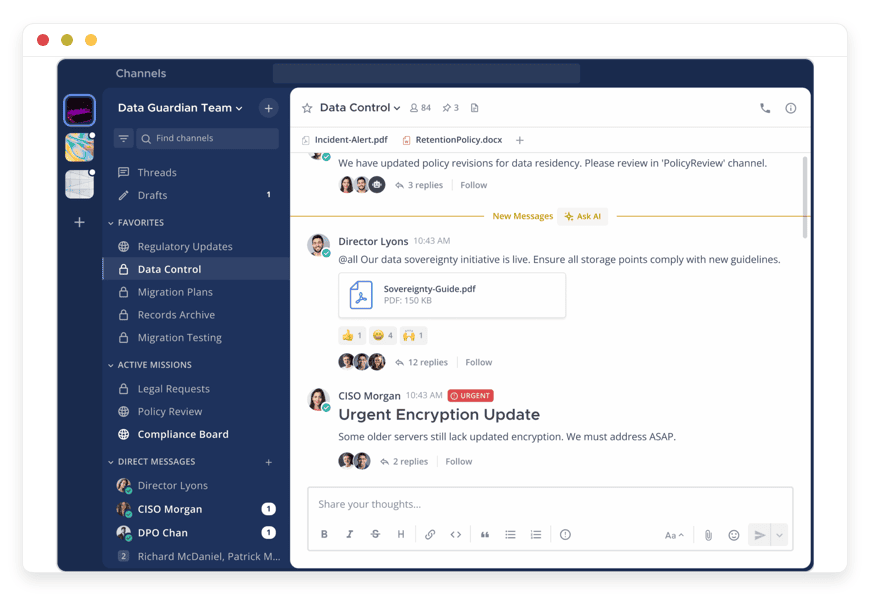
Hermes Agent, the MIT-licensed assistant project from Nous Research, speaks Mattermost natively. Most people stop at the connection: create a bot, paste a token, send a message. That gets you a chatbot. What the official documentation also describes, and almost nobody uses, is the layer underneath: per-channel prompts that turn each channel into a different assistant, a home channel where the agent files its own reports, user isolation that denies everyone by default, reply modes, channel allowlists, and a session model with real trade-offs. This guide covers the whole stack, from a working connection to a channel layout you would design on purpose, with the security posture and the fixes for the errors you will eventually see.
TL;DR
- Hermes connects to any self-hosted Mattermost through the REST API and WebSocket, including the free Team Edition build, with no Mattermost license involved.
- The connection is five steps: enable bot accounts, create the bot, add it to channels, find your user ID, run the gateway setup. Our knowledge base carries the step-by-step version.
- Design with private channels by default: agent transcripts contain your operational details, and private rooms keep membership, history and discovery under your control.
- The power settings sit beyond the connection: per-channel prompts, a home channel for proactive reports, thread reply mode, per-user sessions, and an allowlist that pins the agent to chosen channels.
- Security denies by default: only user IDs you list can talk to the agent, and those users get its full capabilities, so the list should be short.
How the two pieces fit
Hermes reaches chat platforms through its gateway, one background process that can hold twenty platform connections at once. The Mattermost adapter connects through the version 4 REST API and keeps a WebSocket stream open for live events, using the aiohttp library Hermes already ships with, so there is nothing extra to install on the agent side. The official notes are explicit on the point that matters here: the adapter works with any self-hosted Mattermost, needs no Mattermost cloud account or subscription, and runs against both the free Team Edition build and licensed editions. If you are deciding whether the whole idea is worth it, the wider reasoning lives in our guide to a private chat platform for AI agents; this page is the deep end of that pool.
The connection, compressed
The full walk-through with screenshots-in-words lives in our knowledge base: connect Hermes Agent to Mattermost Team Edition. In compressed form, the path is five steps and two commands.
- In Mattermost, a system admin switches on bot account creation under System Console, Integrations, Bot Accounts.
- Create a bot, copy the token it shows once, and add the bot to the channels where it should work.
- Find your own user ID by opening the address bar trick on your server, the api/v4/users/me endpoint, while logged in; the id field is a 26-character string, not your username.
- Run the interactive setup and pick Mattermost when asked, pasting the server URL, the bot token and your user ID. The manual alternative writes three lines into the Hermes environment file: the server address, the token, and the allowed user list.
- Start the gateway with the hermes gateway command. The bot appears online within seconds; send it a direct message to test.
One diagnostic belongs in every operator's muscle memory. If the bot refuses to come online, test the token directly against your server with a curl request to the users/me endpoint, using the token as the bearer credential. A valid token returns the bot's own account details; anything else means the token or the URL is wrong, which eliminates half the failure modes before you touch Hermes at all.
Two footnotes to the connection. First, the server URL must carry its https and no trailing slash, the single most common typo in failed startups. Second, one machine can run more than one Hermes profile, each with its own configuration and platform list, which is how you eventually split a work agent from a personal one without buying a second server.
Designing the channel layout on purpose
Mattermost gives you three room shapes: public channels anyone can join and search, private channels with controlled membership, and direct messages. When the occupant is an AI agent with tools, file access and memory, the default choice should be private, and the reasoning is structural. Every channel the agent lives in accumulates a transcript of what you asked, what it found, what it changed and why. That is operational history of the most sensitive kind: it names your systems, your deadlines, your half-formed plans. A public channel makes that history discoverable by every future member of the workspace; a private channel keeps it inside a membership list you curate. The agent does not need the reach of a public room to be useful, it needs a place to think alongside you.
A layout that works for most teams looks like this. One private channel, something like agent-ops, becomes the main room: the place you talk to the agent day to day, and the home channel where it files scheduled reports. Per-project private channels, created as work demands, keep long-running tasks out of the main flow; because Hermes can hold a different ephemeral prompt per channel, each project room can run the agent in a different mode, a pattern covered two sections down. If the wider team benefits from the agent's output, do not give them the agent, give them its digests: a public announcements channel where the home channel posts summaries is exposure you control, one message at a time. Direct messages remain the scratchpad for personal tasks, and in Hermes each direct message conversation carries its own session.
If you want a concrete first week: create two private channels on day one, an agent-ops room for daily conversation and a reports room for the digests, and set the second as the home channel. Add a third private room the first time a project outgrows the main one, giving it a per-channel prompt that matches the work. Mention the agent in agent-ops with a real task, watch the thread reply land, and adjust one setting at a time from there. The layout grows with actual use instead of being designed empty, which is the difference between a structure you maintain and one you inhabit.
The session model deserves one deliberate decision. In channels, Hermes shares a single conversation across participants by default: everyone in the room joins the same context. The configuration file can switch this to per-user sessions, where each participant in a shared channel gets their own isolated context inside it. The trade-offs are documented plainly: shared sessions mean shared token costs and the possibility that one person's heavy task crowds another's follow-up, while per-user isolation multiplies context and cost but keeps every conversation private to its owner. A solo operator or a tight pair should stay with the shared default; a team with concurrent users should isolate.
The settings that shape behavior
Three settings change how the agent feels to live with, and all three are single lines in the environment file or configuration.
Reply mode. By default Hermes posts flat messages in the channel, like any other colleague. Thread mode makes it answer inside a thread under your original message instead, which keeps busy channels readable when a task takes twenty exchanges. Teams that run long research or code tasks in shared rooms should turn thread mode on and never look back; solo users in direct messages will not notice the difference.
Mention behavior. In channels, the agent responds when mentioned, and the mention is stripped from your message before processing. You can relax this in two directions: disable the mention requirement entirely, or name specific channel IDs where the agent answers every message without a mention. That second form is quietly powerful: one always-on room where you simply talk, every other room still requiring the deliberate @. It pairs naturally with the channel allowlist below, which is the hard boundary.
The home channel. This is where the agent sends proactive output: scheduled task results, reminders, notifications from cron jobs it runs. Setting it takes one command, typing /sethome as a slash command in the channel you want, or one environment line carrying the channel ID. The home channel is the mechanism behind the digests-to-a-public-room pattern above: the agent works in private rooms and reports to the room you chose.
Per-channel prompts: one agent, many modes
The feature that changes the architecture most is also the least used. Hermes accepts a mapping of channel IDs to prompts in its configuration, and every message arriving in a matched channel gets that prompt injected as an ephemeral system instruction, on every turn, never persisted to the transcript. Change the prompt and the change takes effect on the next message, no restart.
In practice this means each private channel becomes a named mode of the same agent. A research room whose prompt asks for academic sources and concise synthesis. A code review room whose prompt demands edge-case precision. An ops room whose prompt is blunt and action-first. Same agent, same memory, same tools, three behaviors selected by which door you walk through. Because the prompts key on channel IDs, the layout decision from earlier and the behavior decision here are the same decision: rooms you design become modes you switch.
A day in the life of the layout
Morning. The reports channel holds the overnight digest the agent filed from its scheduled tasks: a summary of what ran, what failed, what needs a decision. Nobody asked for it; the home channel mechanism put it there. You read it on your phone through the Mattermost mobile app with your coffee, the same way you read any other channel.
Midday. A research question lands in the research room, where the per-channel prompt asks for sourced, concise synthesis. The exchange takes fifteen turns and stays entirely inside one thread, because thread reply mode is on, and the channel above it remains clean for the next question.
Afternoon. The code review room gets a diff. Its prompt demands edge-case precision, so the same agent that summarized papers this morning now argues about off-by-one errors. Same memory, same tools, different door.
Evening. A reminder the agent scheduled fires into the home channel. The transcripts of all of it sit in your PostgreSQL database, on your server, in your region, and nowhere else.
Locking it down
Hermes ships the Mattermost channel closed by default, and the documentation is blunt about why: the allowed-users list, left empty, denies everyone. Only the user IDs you add can converse with the agent, and anyone on that list has the agent's full capabilities, tools, file operations, system access included. Two rules follow. Keep the list short and personal; this is not a roster, it is a keyring. And treat the channel allowlist as the second wall: configured with a list of channel IDs, the agent silently ignores every other channel, even if mentioned there, while direct messages to authorized users stay open regardless.
Token hygiene is the third habit. The bot token shown at creation appears once; store it in a password manager, never in a repository, and regenerate it the moment it surfaces anywhere it should not. Anyone holding the token controls the bot, and the bot is a member of your rooms. Losing one is not a catastrophe, because regeneration revokes the old value in the same step, but only if you actually do it.
Layered behind those two doors, the agent itself carries an eight-layer security model, from human approval on dangerous commands to container isolation and prompt-injection scanning over context files. For this guide the practical summary is: the Mattermost layer decides who and where; the agent layer decides what. Configure both, and check the official security guide before you grant the agent anything that touches production systems.
Running it around the clock
The gateway is a foreground process until you decide otherwise. For an always-on assistant, run it as a background service; the deployment pattern Hermes documents is a systemd unit, which also solves the restart-after-reboot question in the same stroke.
Connection stability is handled for you: on network trouble or a Mattermost restart, the adapter reconnects with exponential backoff growing from two seconds to a minute. The classic self-hosted failure is not Hermes but the proxy in front of Mattermost dropping WebSocket upgrades; if you run your own reverse proxy, it must pass upgrade headers on the websocket path. On a managed Mattermost instance that layer is configured and maintained for you, which removes the single most common source of reconnect loops.
When it breaks: the six failures that matter
Every error the documentation anticipates reduces to six, each with a cause and a fix.
| Symptom | Usual cause | Fix |
|---|---|---|
| Bot silent in a channel | Bot not a member, or your ID missing from the allowed list | Add the bot to the channel; check the allowed-users line; restart |
| 403 Forbidden on posts | Token invalid, bot deactivated, or no post permission | Regenerate the token; re-add the bot to the channel |
| Repeated disconnects | Proxy stripping WebSocket upgrades | Pass upgrade headers on the websocket path |
| Failed to authenticate at start | Wrong server URL or token | Test the token with a direct API call; fix URL or token |
| Bot shows offline | Gateway process not running | Start the gateway; read its terminal output for errors |
| User not allowed | Your user ID absent from the list | Add the 26-character ID, not the username; restart |
The pattern across all six: the Mattermost side fails on identity, membership or transport, and the Hermes side fails on configuration. The curl test from the connection section distinguishes them in under a minute.
One workspace, several agents
Nothing in this design limits you to one agent. Bot accounts are unlimited on the free Mattermost build, so the same workspace can host Hermes alongside OpenClaw and a Pi bridge, each as its own bot with its own membership and its own rooms. The common pattern is one channel per agent, private by default, with a shared digest channel for output. The connection steps for the other two live next to this guide's knowledge-base sibling: OpenClaw and Pi. And if you are weighing Mattermost's own built-in agent against your own, the capability and licensing comparison is in our free-version feature guide.
The hosting side of the equation
The agent runs wherever it runs; the Mattermost side needs to be always on, always patched, and in a region you choose. That is the flat €9 per month on our side: the Team Edition build deployed to your pick of 21 datacenter regions, with daily backups, monitoring, updates and engineers included, a 7-day trial that wants no card, and a database you can export on any Tuesday you decide to leave. Details on the Mattermost page and in the pricing.
Questions people ask about this setup
Does Hermes Agent work with the free Mattermost version?
Yes. The official adapter notes list compatibility with both Team Edition and licensed builds, and no Mattermost cloud account or subscription is needed. The agent connects through the same open API in every edition.
How do I keep the agent out of channels it should not see?
Configure the channel allowlist with the IDs of the rooms it should serve. Messages in every other channel are ignored even when the agent is mentioned, while direct messages from authorized users continue to work.
Can Hermes answer inside threads instead of the main channel?
Yes, that is thread reply mode, switched on with one environment line. Long back-and-forth then stays in the thread under your original message and the channel remains readable.
What is a home channel and what goes there?
The home channel is the room where the agent files proactive output: results from scheduled tasks, reminders, notifications. Set it by typing the sethome slash command in the chosen channel, or by configuration using the channel ID.
Can different channels give the agent different instructions?
Yes, through per-channel prompts. Each channel ID can map to a prompt injected as an ephemeral system instruction on every turn, so a research room and a code review room behave like two different assistants sharing one memory.
How do I stop strangers talking to my agent?
Nothing to configure: the allowed-users list starts closed and denies everyone. Add the 26-character user IDs of people you trust, remembering that anyone on the list holds the agent's full capabilities.
Do channel conversations share one context between people?
By default, yes: a channel is one shared conversation. A configuration switch gives each participant an isolated session inside the same channel, at the cost of separate context growth for each person.
Can the agent post scheduled reports somewhere?
Yes. Combine its scheduled task support with a home channel and the output lands in the room you designated, on the schedule you set, without anyone asking.
Why would the bot suddenly stop answering?
Check membership first: the bot must be in the channel and your user ID must be on the allowed list. Then run the token test against the API. Those two checks resolve the majority of silent-bot cases.
What does a 403 from Mattermost mean here?
The token was rejected or the bot lacks permission to post: an expired or regenerated token, a deactivated bot account, or a channel it was removed from. Regenerate and re-add until the direct API call succeeds.
Why do WebSocket connections keep reconnecting?
Almost always a proxy between you and Mattermost that drops WebSocket upgrades. The adapter retries with growing backoff on its own, but the fix is passing upgrade headers on the websocket path at the proxy.
How do I verify the bot token without Hermes?
Call your server's users endpoint with the token as a bearer credential. A valid token returns the bot's account details; an error means the token or server URL is wrong, independent of the agent.
Can Hermes share the workspace with OpenClaw or Pi?
Yes. Every agent connects as its own bot account, so one workspace can host several agents side by side, each with separate channels and permissions. Our knowledge base has connection guides for each. The head-to-head comparison covers how Hermes and OpenClaw differ in depth.
Where are the conversation transcripts stored?
In your Mattermost database, on the server you rent, in the region you picked. The agent keeps its own memory locally on its side; the chat history never leaves your infrastructure.
Should agent channels be public or private?
Private by default. Transcripts of agent work name your systems and plans, so membership should be curated and discovery off. Use one public digest channel when the wider team needs output, not access.
Is the connection between Hermes and Mattermost encrypted?
Yes when your Mattermost URL is HTTPS, which it should be and is on every managed instance: traffic between the gateway and the server rides the same TLS as your browser sessions.
I already use Hermes on another platform. Can I add Mattermost too?
Yes. The gateway holds multiple platform connections at once, so Mattermost becomes an additional channel beside the ones you already run, with its own settings for replies, mentions and rooms.
Try managed Mattermost hosting for 7 days
Sources
- Hermes Agent documentation, Mattermost channel (behavior, settings, allowlists, prompts, troubleshooting)
- Hermes Agent documentation, Messaging Gateway
- Hermes Agent documentation, Security
- Hermes Agent documentation, Profiles: running multiple agents
- Hermes Agent documentation, Scheduled Tasks
- Hermes Agent documentation, CLI commands
- Mattermost documentation, bot accounts
- DANIAN knowledge base, connecting Hermes Agent
- DANIAN, the private chat platform for AI agents
- DANIAN, Mattermost AI features on the free version
- DANIAN, managed Mattermost Team Edition


