
The Pi agent on Mattermost: the complete guide
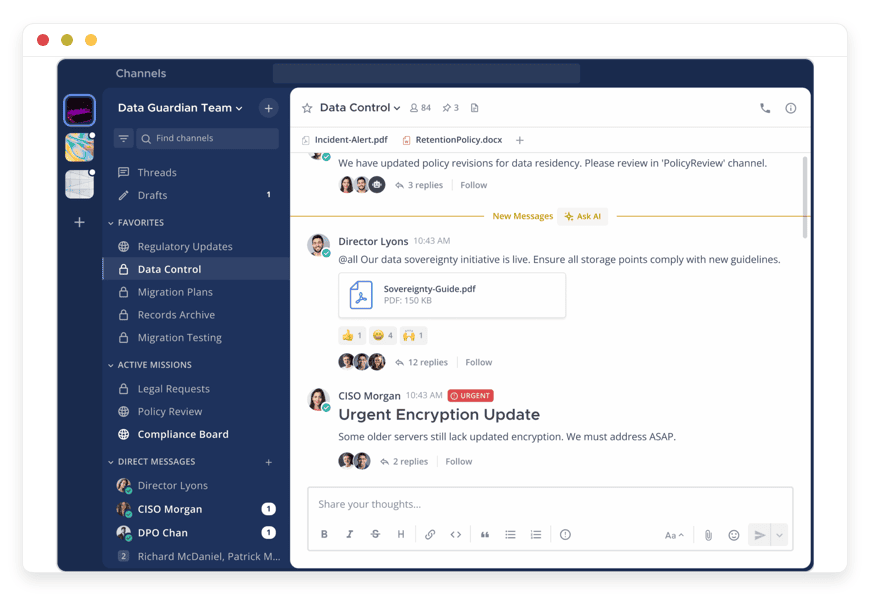
Pi, the minimalist coding agent, has become one of the largest open-source projects in its category: the ecosystem tracker at piagent.fyi counts six figures of GitHub stars and tens of millions of npm downloads a month, with a fresh release in November 2026. An agent that popular does not stay in the terminal forever. A community bridge package, @whonixnetworks/pi-mattermost, gives Pi a chat home: it bridges Pi coding sessions into Mattermost channels, streams everything the agent does into the room in real time, and takes steering from slash commands. This guide covers the bridge end to end: the install, the two directions of connection, what arrives in the channel, the security shape, and how Pi completes a three-agent workspace alongside Hermes Agent and OpenClaw.
The why of a self-hosted chat home for agents is a longer argument; the platform guide makes it in full. This page is the Pi-specific how.
TL;DR
- The bridge is a community package, MIT-licensed and listed on the official Pi package directory, installed with one command from npm.
- Connections run in both directions: type /connect inside a Pi session, or /pi-connect with a project path in any Mattermost channel.
- Each project gets its own channel, created automatically, with the full agent session streaming into it live.
- The bridge ships as a systemd user service, so it starts with your machine and keeps running.
- Models are pinned in the bridge config, one default and one for subagents, independent of whatever your interactive sessions use.
What the bridge is
Three pieces need distinguishing. Pi itself is the coding agent: terminal-first, extension-based, now maintained by Earendil after outgrowing its original author's solo project. The Mattermost bridge is a separate community package, published on npm and listed on the official Pi package directory, which is the right place to check you are installing the real thing. And the bridge is a bridge, not a plugin inside Pi: it is a small service that spawns and manages Pi processes, connects to your Mattermost server under a bot identity, and pipes each session into a channel.
The extension system it plugs into is Pi's general answer to staying small: the core stays minimal, and a directory of community packages adds capabilities on demand, from theme tweaks to adapters like this one. The ecosystem tracker counts over a hundred entries across tools, extensions and themes, which is the healthy middle ground between a bare core and a monolith: enough gravity to attract maintainers, little enough weight to stay fast.
That architectural choice has a consequence worth understanding before the first install: the bridge is the thing that runs constantly, not Pi. Your coding agent sessions start and end per project; the bridge is the persistent middle layer, which is why its own documentation leans on systemd to keep it alive.
Five steps to a working bridge
The walk-through with every command in order lives in our knowledge base: connect the Pi agent to Mattermost Team Edition. Compressed, five steps carry you from nothing to a live session.
- Install the package, either through Pi's own extension mechanism or globally with npm. Both paths deliver the same bridge.
- Make sure the pi-mattermost command is reachable: run its path helper, which prints the exact export line for your shell, and add that line to your shell profile.
- Generate the default configuration, then edit the file it names. You need your Mattermost URL, a bot token, and the team ID; a port for the bridge's local HTTP listener rounds out the block.
- Install and enable the systemd user service with the two documented commands. A foreground mode exists for debugging, but the service is the intended shape.
- Start Pi in a project directory and type /connect. The bridge creates the channel and the session starts streaming.
One expectation to set early: the bot account you create in Mattermost is the bridge's identity, so give it a name that reads well in a channel list, because every project channel it creates will carry that name as its resident.
Two directions of connection
The bridge's signature trick is that the connection can start from either side, and the two directions suit two different moments. Session management comes along for the ride either way: the bridge owns the processes it spawns, which is what keeps a disconnected session from becoming an orphan and what lets the channel list reflect what is genuinely alive. Pi's own session machinery has been growing in the same direction: the November release added the ability to fork a session into a new directory when its original folder has moved, so the session model underneath the bridge is itself getting more forgiving of real-world project churn.
From the terminal: you are already deep in a Pi session on some project, you want the work visible to the team or just to your phone, so you type /connect. Pi hands the project path to the bridge, the bridge creates a Mattermost channel for that project and spawns a managed Pi process, and everything from that moment streams into the channel. Disconnecting is one command in the same terminal, and the symmetry matters: the session ends, the channel and everything it recorded stay. Work stops; the record of the work does not.
From Mattermost: you are standing in a channel, thinking about a codebase, so you type the bridge's slash command with a project path. A new channel opens with a live Pi session already running in it. This direction is the remote-control shape: start work from your phone on the train, find the results in the repository when you sit down.
Both directions land in the same place: one project, one channel, one live session, with the channel list slowly becoming a map of active work.
The remote-control shape deserves a concrete picture. You are away from the desk with the Mattermost app in hand. A slash command opens a channel for the project you have been neglecting, and a session starts: the app shows the agent reading files, editing, running its checks. You interject when it matters, let it run when it does not, and by the time you are back at a keyboard the branch is further along than your travel time. That is the whole promise of the bridge in one sentence: the terminal's power, delivered where you already are.
What arrives in the channel
The bridge streams agent activity, not just final answers. As the session works, its actions appear in the channel in real time: what it is doing, what it is changing, what it decides. That is a different contract than a question-and-answer bot. A streaming coding session in a channel is a build log you can talk to, and the value shows up in the moments between the messages: you watch a refactor unfold, you interject with a slash command when the approach drifts, you stop it before it does the wrong thing confidently.
For teams, the transparency is the feature. A coding agent working in private invites trust questions; the same agent working into a channel everyone can read answers them continuously. The channel becomes the audit trail by existing, and teams that answer to an auditor can treat it as the system of record while the repository remains the artifact store.
Layout when the occupant is a coder
Hermes wants rooms shaped like functions, OpenClaw wants rooms shaped like attention levels, and Pi's bridge hands you a third pattern for free: rooms shaped like projects. Every /connect mints a channel, so the channel list becomes the project list, and the discipline question is what to do with finished work. Channels whose projects have gone quiet are history, valuable exactly as long as the decisions in them remain relevant, and Mattermost keeps that history searchable without you doing anything.
Housekeeping decides whether the map stays readable. A channel per project only works as a map if finished projects leave it: Mattermost's archive action retires a channel without deleting its history, so the decision is reversible and the search results stay complete. Teams that skip the housekeeping end up with a channel list longer than their project list, at which point the map stops being a map.
The same private-by-default rule applies, with a coding-specific reason on top: a streaming session shows file names, directory structures, internal tooling names, sometimes fragments of code. That is a guided tour of your repository layout, and it belongs behind a membership list you control. Reserve public channels for the rare project whose logs are safe for every eye, and keep the bridge's bot out of channels where it has no work.
The security shape of a bridge
Bridge security has three layers, and honesty about each is more useful than reassurance. The package layer: Pi's package directory says plainly that packages can execute code and influence agent behavior, and advises reviewing the source of third-party packages before installing them. The bridge is MIT-licensed and small enough to read in one sitting, which is the review the warning asks for. The credential layer: the bridge holds your Mattermost bot token in its config file, and everything said about bot tokens elsewhere in this cluster applies doubled, because this token does not just speak, it creates channels and spawns processes. The runtime layer: the systemd user service runs as your user, with your permissions, which is exactly the access a coding agent needs and exactly the reason the machine it runs on should be one you control.
None of this is a reason for caution; it is the shape of the responsibility. The bridge's architecture keeps every layer on infrastructure you chose: the package you reviewed, the config on your disk, the service on your machine, the channel history in your Mattermost database.
Models pinned at the bridge
A detail unique to this bridge: the configuration file carries its own model settings, one default model for sessions and one for subagents. The bridge can therefore run a different model than your interactive terminal sessions use, which enables a quiet pattern: pin a stronger model for bridge-spawned sessions that teammates watch, keep a cheaper one for subagent grunt work, and let your local habits stay local. Which models to name is a fast-moving question; the structural fact is that the choice exists at the bridge layer at all.
The trio in one workspace
With this bridge installed, the three-agent workspace from our platform guide is complete: Hermes Agent answering in its rooms, OpenClaw watching its channels, Pi streaming its coding sessions into project channels, all on one Mattermost server, all as separate bot identities. The three guides are designed as a set: Hermes Agent on Mattermost for the assistant lane, OpenClaw on Mattermost for the always-on lane, and this page for the coding lane. Together they cover the three reasons people put agents in chat at all. A pattern that works in practice: keep the three lanes in different channels with different naming, research and general assistance in the Hermes rooms, monitoring and daily ops with OpenClaw, and every active codebase with Pi. The naming convention matters more than it sounds, because six months in, the question is never where an agent lives but where a piece of work happened.
The always-on half
The bridge runs on hardware you control; the Mattermost server it talks to carries the other half of the availability question, and that is the half we run: Team Edition deployed to your choice of 21 datacenter regions for €9 flat a month, backups and updates and monitoring included, a week of free trial with no card asked, and an export path that keeps your channels yours. The region choice is a data decision as much as a latency one: pick where the database with every streamed session lives, and it stays there. Details live on the Mattermost hosting page.
Four checks when it will not start
The bridge documents its own failure points, and they reduce to four checks, each one a command away.
| Check | Command or place | What it tells you |
|---|---|---|
| Is the command reachable? | The path helper | Prints the export line if PATH is the problem |
| Is the config right? | The config file | URL, bot token, team ID: the three values that gate every connection |
| Is the service up? | Service status | systemd reports whether the bridge is running at all |
| Does the foreground mode work? | Foreground start | Same code without the service manager isolates config from service problems |
The pattern mirrors the other guides in this cluster: identity and transport first, configuration second, and the logs naming the side that failed.
Questions people ask about this setup
What exactly does this bridge package do?
A community package, MIT-licensed and listed on the official Pi package directory, that turns each Pi coding session into a Mattermost channel with live streaming and slash-command control.
Is the bridge official Pi software?
No. Pi itself is maintained by Earendil; the bridge is a community contribution, published on npm and discoverable through the official package directory.
How do I connect a project?
From either side. Type /connect inside a Pi session in the project directory, or the bridge's slash command with a project path inside any Mattermost channel. Both create the channel and start the session.
Does every project get its own channel?
Yes. The bridge creates a channel per connected project, which turns your channel list into a live map of what is being worked on.
What appears in the channel while the agent works?
The agent's activity in real time: actions, changes and decisions as they happen, not only final replies. The channel doubles as an audit trail of the session.
Can I start a session from my phone?
Yes. The Mattermost-direction connection means a slash command with a project path opens a channel with a live session, from anywhere the Mattermost app reaches.
How does the bridge stay running?
It ships as a systemd user service: two commands install and enable it, and it starts with your machine. A foreground mode exists for debugging.
Where does the configuration live?
In a TOML file under your user config directory, holding the Mattermost URL, bot token, team ID, the local port, and the two model settings.
Can the bridge use different models than my terminal?
Yes. Default and subagent models are set in the bridge config, so bridged sessions can run on different models than your interactive ones.
How do I stop a bridged session?
The disconnect command in the Pi terminal ends that project's bridge session; the channel and its history remain in Mattermost.
Is the code open for inspection before installing?
Yes, and Pi's package directory says so for every third-party package: extensions can execute code. The bridge is MIT-licensed and small, which makes the review realistic.
Does it need a bot account?
Yes. The bridge authenticates to Mattermost with a bot token, and that account is the identity behind every channel the bridge creates.
Can Pi share the server with Hermes and OpenClaw?
Yes. Each connects as its own bot: Hermes through its native channel, OpenClaw through its plugin, Pi through this bridge. The three guides in this cluster describe each lane.
Why is the command not found after install?
The shell PATH. The bridge's path helper prints the exact export line to add to your profile, which resolves it permanently.
How big is the Pi ecosystem?
Per the ecosystem tracker in November 2026: six figures of GitHub stars, tens of millions of npm downloads monthly, and a release cadence measured in days to weeks.
What does running the Mattermost side cost?
A flat monthly rate on our side covers hosting in any of 21 regions with backups and updates. The current figure is one click away on the hosting page.
Try managed Mattermost hosting for 7 days
Sources
- Pi package directory, the Mattermost bridge (install, commands, config, systemd, connection flow)
- Pi documentation, extensions (the third-party package review guidance)
- piagent.fyi ecosystem tracker (stars, downloads, release data, November 2026)
- Pi changelog, the move to Earendil
- npm, the bridge package
- DANIAN knowledge base, connecting the Pi agent
- DANIAN, the Hermes Agent deep guide
- DANIAN, the OpenClaw deep guide
- DANIAN, the private chat platform for AI agents
- DANIAN, managed Mattermost Team Edition


