
Open-source alternatives to Figma in 2026
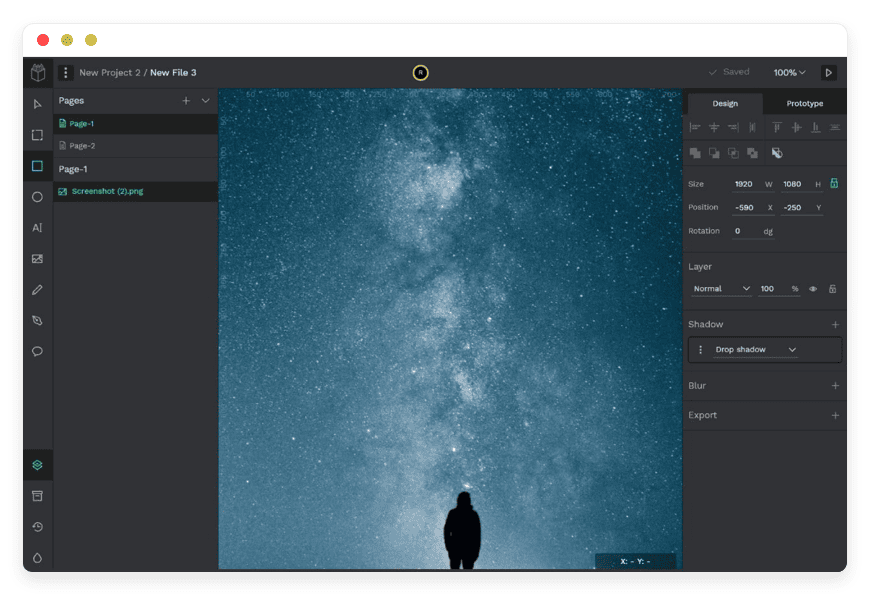
What Penpot replaces after Figma's 2025 seat-price increase — and the parts it doesn't.
Figma raised the price of its design seats in 2025, and the new model keeps biting in 2026. This post covers the open-source tool that replaces most of what a design team uses Figma for: Penpot. Penpot is a UI/UX design and prototyping tool with open, SVG-based files and no per-seat metering. Managed on DANIAN, it runs at €9 per month, flat. For the whiteboarding side of the job, we cover WBO as a lighter companion. The pitch is not that Penpot beats Figma at everything. It is that, for most teams, the parts Figma still wins are not worth the bill.
In short
- A design-capable Figma "Full" seat now costs $16 per seat per month on the Professional plan, billed annually — up from $15 the year before.
- Organization seats run $55 and Enterprise seats $90 per seat per month, and both tiers are annual-only.
- Penpot covers design, components, native design tokens, and prototyping, with open files you can self-host or have managed.
- A 5-person design team pays about $960 a year on Figma. The same team on managed Penpot pays €108 a year, flat.
- Penpot's weak spots are a smaller plugin ecosystem, lighter developer handoff, and partial Figma-file import. All three are covered honestly below.
Why teams are re-evaluating Figma in 2026
Figma restructured its paid seats in 2025. The old per-product pricing became four seat types: Full, Dev, Collab, and View. A working designer needs the Full seat. On the Professional plan that seat is $16 per month billed annually, or $20 month-to-month. Organization and Enterprise cost far more, and both are annual-only.
Each seat type maps to what a person does. The Full seat creates and edits designs. The Dev seat is inspect-and-handoff only. The Collab seat edits FigJam and Slides but only views Design files. The View seat is free and read-only. New people join as free View seats, and an admin approves any paid upgrade.
The Full seat bundles Figma Design, Dev Mode, FigJam, and Figma Slides into one price. There is no cheaper design-only seat. Teams that want Design and nothing else still pay for the bundle. That bundling is a common complaint about the current model.
The split also changes how mixed teams pay. A product squad is rarely all designers. Engineers who only inspect work, managers who only comment, and stakeholders who only look used to be simpler to include. Under the seat model, anyone who edits a Design file needs a Full seat, viewers stay free, and developers who inspect need a Dev seat. For a team of ten with three designers, the bill turns on how many of the other seven touch the files, and in which way.
The change did not land all at once. It took effect at each customer's first renewal on or after 11 March 2025, so different teams hit it on different dates. The approval step adds friction of its own. A new joiner starts on a free View seat, and someone with admin rights has to clear any paid upgrade, with a few days of temporary access while that approval is pending.
The numbers, taken from Figma's pricing page in June 2026: Professional Full at $16 per seat per month annually; Organization Full at $55; Enterprise Full at $90. The 2025 restructure is described on the Figma blog. Larger contracts are negotiated, and buyers often land below list at scale, but that is a sales conversation rather than a published price. One 2026 change adds a variable cost on top: Figma began metering AI features in March 2026 at $0.03 per credit.
What "open-source alternative" actually means
Alternative can mean three different things, and they are not the same purchase. You can move to a cheaper proprietary tool. You can self-host an open-source tool on your own server. Or you can have an open-source tool run for you. This post is mostly about the third path, with one fact sitting underneath all three.
That fact is the file format. Figma stores design files in a proprietary binary format. The files live inside Figma, and reading them outside Figma is hard. Penpot stores designs as open SVG, CSS, HTML, and JSON. The files are human-readable, portable, and yours.
This matters for two reasons. First, it removes lock-in: you can move your work out without a converter holding it hostage. Second, it changes what handoff looks like, because a Penpot design is already expressed in the same CSS that front-end code uses. The open format is the through-line of every section below.
Take the three paths in turn. A cheaper proprietary tool lowers the bill but keeps you inside someone else's format and someone else's pricing roadmap. Self-hosting gives you full control and the lowest cash cost, but you own the server, the updates, and the backups. Managed open-source keeps the open format and the control over your data, and hands the operations to someone else for a flat fee. The right path depends on whether you have people who want to run infrastructure.
Ownership is not only about the files. It is also about where they live. Self-hosting and managed open-source both let you decide which region runs the instance and who holds the data; a proprietary tool decides that for you. For some teams that is a detail they never think about. For others it is the whole reason to move.
The shortlist
The list is deliberately short. Penpot is the one open-source tool that covers the core Figma job — interface design, components, and prototyping — from end to end. WBO covers the quick-whiteboard side that some teams reach for in FigJam. Two tools, two clear roles, no filler to pad the count.
Penpot — design and prototyping
Penpot is an open-source design and prototyping tool built by Kaleidos, a Madrid software studio. It is licensed under MPL-2.0 and is developed in the open. It runs in the browser, supports components and prototyping, and stores files in open formats. You can self-host it with Docker or Kubernetes, or have it run for you. Nothing about it is a toy reproduction of Figma; it is a working tool teams ship with.
Penpot was the first design tool to ship native W3C design tokens, in April 2025, built with Tokens Studio. Tokens are reusable values for colour, spacing, and type that stay in sync across a design system. In Penpot they export in an open standard, so they travel between tools. In Figma, the same token workflow usually needs the Tokens Studio plugin on top.
Penpot's Inspect tab is free and built in. It returns SVG, CSS, and HTML code plus measurements and asset export, with no paid seat required. Because Penpot designs are real CSS, with Flex and Grid layout, the inspected code reflects actual layout rather than an approximation a developer has to second-guess.
Collaboration works the way you would expect. More than one person can edit the same file at once, cursors and all, and comments thread directly on the canvas. Shared libraries push components and tokens across projects, so a change to one button updates everywhere it is used. This is table stakes for a Figma replacement, and Penpot has it rather than promising it.
The rest of the toolkit is here too: components and shared libraries, Variants for component states, shipped in September 2025, and interactive prototyping with boards, triggers, overlays, and transitions. Self-hosting Penpot is free software but not free effort — you own the server, the updates, and the backups. Managed on DANIAN, it is €9 per month for the instance, and we patch, back up, and monitor it.
Penpot is also not a weekend project. Kaleidos raised an $8 million round in 2022, led by the US firm Decibel, with angels that included Figma's former chief operating officer. Interest spiked when Adobe announced its $20 billion offer for Figma that year: Penpot sign-ups jumped by more than 5,000% in a single day, and on-premises installs rose around fourfold as teams looked for an option they could own. The code is public on GitHub, where it has roughly 47,500 stars. The roadmap and release notes live at penpot.app.
On prototyping, Penpot covers the essentials: clickable boards, triggers on click and hover, overlays, and animated transitions between screens. Figma offers more easing curves — thirteen against Penpot's five — so the most elaborate motion work is still smoother in Figma. For the prototyping most product teams actually ship, Penpot is enough.
Best for: teams that want open files, a flat bill, and native design tokens, without paying per seat.
WBO — collaborative whiteboard
WBO is a small, open-source collaborative whiteboard. It covers the quick-sketch and brainstorming side that teams often reach for in FigJam. It is licensed under AGPL-3.0 and runs as a single container. It is a sketch canvas, not a design tool — no components, no prototyping.
What it does well is fast, shared, low-friction drawing. Several people draw on the same board in real time, with pen, shapes, and text, on a board you reach by sharing a URL. Boards persist, so a retro or a brainstorm is still there tomorrow. For pixel-level UI work you still want Penpot; for a shared scratchpad, WBO is enough. WBO for collaborative whiteboarding runs on DANIAN at the same €9 flat, alongside Penpot.
WBO is the right size for one job and honest about the rest. There is no design system, no component library, no handoff. If you adopt Penpot for design, WBO sits next to it for the messy thinking that happens before design starts: the rough map of a flow, a workshop board, a diagram you throw away once it has done its work.
Figma vs Penpot: the honest comparison
Penpot has closed much of the distance, and on a few axes it now leads. It is also clearly behind on others, and pretending otherwise helps no one who has to live with the choice. The table sets the two side by side; the prose underneath says where each one wins, and why it matters for a real switch.
| Capability | Figma | Penpot |
|---|---|---|
| Design and editing | Mature, deep | Full: components, Variants, Flex and Grid |
| Prototyping | More advanced (more easing curves) | Solid: triggers, overlays, transitions |
| Developer handoff | Dev Mode — paid seat, framework code, Code Connect | Inspect — free, SVG / CSS / HTML |
| Design tokens | Variables; open export usually needs a plugin | Native W3C tokens (first to ship) |
| Plugin ecosystem | Large, mature | Smaller, younger (system added late 2024) |
| File format | Proprietary binary | Open SVG / CSS / HTML / JSON |
| Self-host | No | Yes — Docker or Kubernetes |
| Cost model | Per seat ($16–$90 per seat / month) | Flat — self-host cost, or €9/month managed |
Figma leads in four places. Its plugin library is large and mature, so niche workflows usually have a tool waiting. Dev Mode goes deeper than Penpot's Inspect, with framework-specific code and Code Connect that ties components to real code in your repository. Very large files stay responsive where Penpot can slow down. And Figma reads its own .fig files perfectly, which Penpot cannot. If your team lives inside plugins or hands off through Code Connect, Figma still does that better today.
Penpot leads in four places too. The file format is open, so your work is portable and not locked inside one vendor. Developer inspection is free, with no paid seat needed to read the CSS. Design tokens are native and export in an open standard, instead of riding on a plugin. And the cost does not scale with headcount. Those four are the reasons teams move — not a longer feature list.
A switch is rarely all-or-nothing on day one. Most teams run both tools for a stretch: new projects start in Penpot while older Figma files stay put until someone needs to touch them. The open format helps here, because anything you build in Penpot is already portable if you change your mind. Nobody is asking you to delete Figma on a Friday afternoon.
The cost math: 5 and 15 designers
The seat math is where the decision usually turns. A working designer needs a Figma Full seat, which on the Professional plan is $16 per month billed annually — $192 per seat per year. Managed Penpot is €9 per month for the instance, whatever the headcount. The table runs both at two team sizes so the gap is plain.
| Team size | Figma Professional (Full seats, annual) | Managed Penpot (flat €9/month) |
|---|---|---|
| 5 designers | $80/month ≈ $960/year | €9/month = €108/year |
| 1 5 designers | $240/month ≈ $2,860/year | €9/month = €108/year |
Figma prices in US dollars. At mid-2026 exchange rates €9 is about $10.41 — still less than a single Full seat. The gap widens if you need single sign-on and org controls, because Figma moves you to the Organization tier at $55 per seat. Fifteen Organization seats is roughly $9,900 a year.
There is also the new AI metering from March 2026, at $0.03 per credit, which adds a variable line on the Figma side. Penpot has no per-seat fee at any size. We don't charge per seat: managed, the price is €9 per month no matter how many designers open the file.
One more line belongs in the math. Self-hosting Penpot is free as software, but not free as work: you provision a server, keep it patched, monitor it, and verify the backups, month after month. Managed, that work is ours — we patch, back up daily off-site, and stay on call — and your operational time stays at zero. So the choice is rarely Figma against free; it is Figma's per-seat bill against €9 a month with the operations handled.
→ See what managed Penpot hosting includes
What Penpot doesn't replace yet
Switching tools on a false promise is how teams end up switching back. Penpot is a real Figma alternative for most design work, but four gaps are real and worth naming before you move. Each one decides whether Penpot fits your team, or whether you are better off staying where you are.
The plugin ecosystem is smaller and younger. Penpot added its plugin system in late 2024, and the library is a fraction of Figma's. If a specific Figma plugin is load-bearing in your process, check whether a Penpot equivalent exists before you commit to a move.
Developer handoff is lighter. Penpot's Inspect is free and gives real CSS, but it lacks Figma Dev Mode's framework-specific code snippets, component annotations, and Code Connect. Teams that hand off through Code Connect will feel the difference on day one.
Large-file performance can lag. Very large design systems run heavier in Penpot than in Figma. A new rendering engine is in beta and should help, but it is not yet the stable default, so treat heavy-system performance as something to test, not assume.
Figma-file import is partial. Penpot cannot open a .fig file directly; you export from Figma through the Penpot Exporter plugin. Shapes, components, and typography transfer reasonably well. Prototype interactions do not come across, very large files can fail, and some colour variables map imperfectly. Test one real file before trusting a full migration.
Read those four together and the pattern is clear. Penpot fits teams whose pain is cost, lock-in, or per-seat metering. It fits less well if your work depends on a specific plugin, on Code Connect, or on a very large design system running at full speed.
How to pick: 3 questions to ask
The choice comes down to three honest questions, and they are about your team rather than the tools. Answer them against how you actually work, not against the marketing on either side. The first two settle most cases; the third is the tiebreaker when cost and features sit close together.
- Do you depend on specific Figma plugins, or on Dev Mode's framework handoff and Code Connect? If yes, test Penpot's equivalents first — this is where Figma still leads.
- How many seats are you paying for, and is per-seat cost the real pain? At 5 to 15 designers the seat math is where Penpot wins hardest.
- Do you need to own your files in an open format, self-host, or choose where the instance runs? Figma can't do that; Penpot can.
FAQ
What is the difference between Penpot and Figma?
Penpot is open-source and stores designs in open SVG, CSS, and HTML; Figma is proprietary and stores files in a closed binary format. Penpot has no per-seat fee and can be self-hosted. Figma charges per seat and runs only on its own cloud. For most design and prototyping work the tools are close; Figma leads on plugins and large files.
Can Penpot replace Figma?
For most teams, yes. Penpot covers interface design, components, prototyping, and developer handoff. Check two things first: whether you depend on specific Figma plugins, and whether you hand off through Dev Mode's Code Connect. If neither is load-bearing for you, Penpot replaces Figma for day-to-day design work.
Is Penpot as good as Figma?
On core design and prototyping, Penpot is close, and on a few points ahead — native design tokens and free developer inspection. Figma is still better at plugin breadth, Dev Mode depth, and performance on very large files. The honest summary: good enough for most teams, behind for the heaviest design systems.
When does staying on Figma make more sense?
When your team depends on specific Figma plugins, on Dev Mode's framework handoff and Code Connect, or runs very large design systems where performance matters most. Figma still leads on those today. The honest answer is that the switch is about cost, open files, and tokens — not raw feature count.
How much does Penpot cost?
Penpot is free as open-source software under MPL-2.0; you can self-host it at the cost of your own server and time. Managed on DANIAN it is €9 per month for the instance, flat, with patching, backups, and monitoring included. There is no per-seat fee on either path, whatever your team size.
How much does Figma cost in 2026?
On the Professional plan, a design-capable Full seat is $16 per seat per month billed annually, or $20 month-to-month. Organization Full seats are $55 and Enterprise $90, both annual-only. Dev, Collab, and View seats cost less or are free. Figma also meters AI features at $0.03 per credit since March 2026.
Is Penpot cheaper than Figma?
Usually, yes, and the gap grows with team size. Five Figma Full seats cost about $960 a year; fifteen cost about $2,880. Managed Penpot is €108 a year, flat, no matter how many designers use it. Self-hosting Penpot is cheaper still on cash, but you take on the server work yourself.
Is Penpot really free and open-source?
Yes. Penpot is licensed under MPL-2.0 and is fully open-source. You can self-host it with Docker or Kubernetes at your own cost, or have it run for you. Managed on DANIAN it is €9 per month for the instance. There is no per-seat fee either way.
Can Penpot open my existing Figma files?
Partly. Penpot cannot open a .fig file directly. You export from Figma through the Penpot Exporter plugin. Shapes, components, and typography usually transfer. Prototype interactions do not, very large files can fail, and some colour variables map imperfectly. Test one real file before migrating everything.
How do I migrate from Figma to Penpot?
Export your Figma files through the Penpot Exporter plugin, then import them into Penpot. Start with one real file to see what transfers. Shapes, components, and typography usually come across; prototype interactions do not. Most teams run both tools for a while, moving new projects to Penpot first and older files only when needed.
Will my Figma prototypes transfer to Penpot?
No — prototype interactions do not survive the export from Figma. The static screens come across, but the clickable flows, triggers, and transitions are rebuilt in Penpot. Penpot's own prototyping is solid for most product work, with fewer easing curves than Figma. Plan to recreate prototypes rather than import them.
Does Penpot have a developer handoff mode like Figma Dev Mode?
Yes, and it is free. Penpot's built-in Inspect tab returns SVG, CSS, and HTML code plus measurements, with no paid seat needed. Because Penpot designs are real CSS, the output reflects actual layout. It does not yet match Dev Mode's framework-specific snippets or Code Connect.
Does Penpot support real-time collaboration?
Yes. More than one person can edit the same file at once, with live cursors, and comments thread directly on the canvas. Shared libraries push components and tokens across projects, so one change updates everywhere it is used. Multiplayer editing is built in, not an add-on.
Does Penpot have auto layout, components, and variants?
Yes to all three. Penpot uses real CSS Flex and Grid for responsive layout, supports reusable components and shared libraries, and added Variants for component states in September 2025. The layout model maps directly to front-end code, since the files are CSS underneath rather than a proprietary approximation.
How does Penpot handle design tokens compared with Figma variables?
Penpot has native W3C design tokens and was the first design tool to ship them, in April 2025, with Tokens Studio. Tokens export in an open standard, so they move between tools. Figma's comparable token workflow usually needs the third-party Tokens Studio plugin on top.
Does Penpot have plugins?
Yes. Penpot added a plugin system in late 2024. Plugins are written in JavaScript and installed from a manifest URL with permission scopes. The ecosystem is smaller and younger than Figma's, so check whether the specific plugins your team relies on already exist before switching.
What file formats does Penpot use?
Penpot stores designs in open web formats: SVG, CSS, HTML, and JSON. The files are human-readable and portable, so your work is not locked inside one vendor. It exports to SVG, PDF, and PNG, and design tokens export in an open W3C standard. Figma, by contrast, uses a closed binary format.
Where is my data stored with managed Penpot?
You choose the region. DANIAN runs your Penpot instance in the datacenter location you pick, across 21 regions on six continents, and your design files live in that instance. Backups are taken daily, off-site. Because Penpot is open-source, you can also export your files at any time and keep your own copy.
Who makes Penpot, and is it reliable?
Penpot is built by Kaleidos, a Madrid software studio that raised an $8 million round in 2022 led by Decibel. The project is public on GitHub with roughly 47,500 stars and ships updates every few weeks. It is widely used and actively developed, not a stalled side project — a reasonable tool to build a workflow on.
What is WBO, and is it a FigJam alternative?
WBO is a small, open-source collaborative whiteboard, licensed under AGPL-3.0. It covers the quick-sketch and brainstorming side that teams use FigJam for: real-time drawing, shapes, and text on a shared board you reach by URL. It is a sketch canvas, not a design tool — pair it with Penpot rather than expecting components or prototyping.
What does managed Penpot hosting from DANIAN include?
DANIAN runs your Penpot instance for €9 per month: hardware, security updates, daily off-site backups, monitoring, and support from a real person. You use the app; we keep it patched and running. You pick the region, and there is no per-seat fee. A 7-day trial is available before you commit.
What to do this week
The fastest way to decide is to try it on real work, not to read another comparison. An afternoon of hands-on testing tells you more than any feature table, this one included. Here is the short version of what to do this week, in the order that surfaces the real problems early rather than late.
Pick one screen and rebuild it in Penpot to feel the tool. Export one real Figma file through the Penpot Exporter plugin and note what transfers and what breaks. Run the seat math for your own team at the $16 Full-seat price, and put €108 a year beside it. If the numbers and the file test both hold, move one project across before you move the rest.
Sources: figma.com/pricing and figma.com/blog (accessed 14 June 2026); penpot.app and github.com/penpot/penpot. Figma prices are USD list prices and change; the €9 managed price is DANIAN's own offer.





