
SFTP for restaurants: POS exports and distributor invoices
The short version
- A restaurant group's back office runs on files: nightly POS exports, distributor invoices, price-list changes, catering orders, and the accountant's monthly package. Most groups move them by email and shared drives, and lose hours a week to missing attachments and stale links.
- The fix is one SFTP endpoint with a folder per location and per supplier: POS systems push their nightly exports out automatically, suppliers drop invoices into their own folders, and the accountant connects once and collects everything.
- On managed SFTPGo hosting that endpoint is €9 a month with unlimited accounts: six locations plus eight suppliers is fourteen logins on one flat price, where per-credential services would bill the headcount.
- Everything lands encrypted, logged per user, and machine-readable for the tools that consume it: food-cost analytics, bookkeeping, and the recipe and scheduling tools already in the restaurant back-office stack.
The file mess behind every multi-location restaurant
Open the back office of a three-location group and count the files. Each point-of-sale system exports a nightly sales file: sales mix, transactions, labor hours, sometimes payment summaries. Each broadline distributor delivers invoices, and they arrive as PDFs through a portal, as emails from a sales rep, or as electronic files if you ask. Price lists change weekly and nobody emails you when they do. Catering orders travel between locations as photos of handwritten tickets. And once a month the accountant needs everything, in order, reconciled.
The standard transport for all of it is the inbox and a shared drive. It fails in ways every operator knows: the attachment that never came, the export too large for the mail filter, the Drive link that expired when the manager's account rotated, the invoice PDF named "invoice.pdf" from four different suppliers in one downloads folder. None of these are technology problems; they are transport problems. The food-service industry solved structured file exchange decades ago in its big-enterprise lane, and the pattern is available to a three-location group at exactly the same price as to a chain.
One endpoint, two directions
Restaurant data flows both ways, and one SFTP endpoint serves both.
Outbound, from you: POS systems and scheduling tools export on a schedule, and most can be pointed at an SFTP destination. The nightly sales file lands in a folder your analytics tool or accountant reads. Nothing is attached to an email, nothing expires, and if last night's export is missing you can see that it is missing, because the audit log says nothing arrived.
Inbound, to you: each distributor or supplier that can deliver electronically gets their own drop folder with their own credentials. They see one folder, they cannot see your locations' folders or each other's, and their invoice lands exactly where your bookkeeping process expects it. For suppliers still on email or portals, the web client's secure share links bridge the gap while you bring them along.
| Exchange | Direction | Who connects | Cadence |
|---|---|---|---|
| Nightly POS sales and labor exports | Out to analytics or bookkeeping | POS scheduler, automatic | Nightly |
| Distributor invoices and credit memos | In to your intake folder | Supplier system or rep | Per delivery |
| Weekly price lists | In, one folder per supplier | Supplier | Weekly |
| Catering and inter-location orders | Between locations | Managers, web client | Daily |
| Accountant's monthly package | Out, read-only folder | Accountant, one login | Monthly |
Why SFTP specifically, in food service terms
Three properties matter for restaurant data. First, every system speaks it: POS suites, accounting packages, inventory tools, and the integration middlemen that serve the industry all handle SFTP or its FTP-family cousins, because their enterprise customers demanded it years ago. Second, it automates cleanly: an export that moves at 2 a.m. over SFTP requires no human, unlike a portal login or an email attachment. Third, it is accountable: every login and every transfer is logged per user, which turns "did the distributor send the credit?" from an argument into a lookup.
The sensitivity question comes up with anything touching sales data. SFTP encrypts the transfer itself, and exports that contain card data should not exist in the first place; modern POS exports carry sales mix and tender totals, not raw card numbers. If your exports do contain payment-level detail, that is a conversation with your POS vendor about what they export, not about the transport.
The multi-location shape
The pattern that scales a group is one host with a folder per location and per partner. Each location's manager gets credentials to their own directory: their catering orders, their paperwork, their drop zone for anything the group standardizes on. Each supplier gets theirs. The group office sees everything, because virtual folders map every location and partner directory into one intake view with the permissions you choose.
Quotas keep a location's forgotten camera-roll backup from eating the storage, bandwidth limits keep one location's bulk upload from slowing the lunch rush's order flow, and two-factor authentication covers the human logins on the web side. None of this needs a server room: the managed lane runs the instance in your region with backups and updates included, and the group's whole file backbone costs less than one dinner service.
The pricing math for a group
Count the accounts a six-location group needs: six location logins, a group-office login or two, an accountant, and drop folders for the handful of suppliers delivering electronically. Call it fifteen accounts. On per-credential SFTP services, fifteen accounts is deep into their paid tiers, billed monthly, forever. On the flat lane it is fifteen accounts on a €9 base, with storage metered beyond the included 30 GB; invoice PDFs and nightly sales exports hold that comfortably for years. The full market comparison, tier by tier, is in managed file transfer pricing compared.
If a vendor side of this story sounds familiar, it is because it is the same pattern from the other chair: the food-cost analytics platforms that restaurant groups feed are themselves SaaS products ingesting those nightly POS exports, and how they run their ingest endpoint is the mirror image of this article.
Where it sits in the open-source back office
Restaurant groups that have moved infrastructure to open source already run the pattern's neighbors: recipe and meal-planning tools, a private cloud drive, internal chat, booking and scheduling. The file-exchange layer is the missing piece between them, and it slots into the same managed stack rather than another per-seat SaaS. The full stack walkthrough, including where the transfer layer fits, is in our open-source back-office stack for restaurants piece.
The engine under all of it, SFTPGo, is itself open source, and the choice of who runs it is the only real decision. The cost of every path, from a self-run VPS to the managed lane, is laid out honestly in the real cost of running SFTPGo, and the operational answers, from FTPS quirks to folder setup, live in the SFTPGo knowledge base.
Frequently asked questions
Why would a restaurant use SFTP?
Because the files a restaurant runs on, POS exports, distributor invoices, price lists, catering orders, and accountant packages, arrive reliably and automatically over SFTP instead of getting lost in email and shared-drive links. Every POS suite and accounting package in food service speaks the FTP family natively, so the transport matches the systems restaurants already own.
Can a POS system export directly to SFTP?
Most modern POS and scheduling platforms offer scheduled exports to an SFTP destination, because their enterprise customers required it. Where a POS only exports to email or a folder, a lightweight scheduled copy job or the platform's integration partner bridges the gap; the endpoint side does not change.
How do distributors deliver invoices electronically?
Large food distributors offer electronic invoice delivery through their portals and, on request, as scheduled file delivery over SFTP-family protocols. The group's side is one folder per supplier with their own credentials: their files land where bookkeeping expects them, logged and dated, with no portal logins to babysit.
Is sales data safe to move over SFTP?
The transfer is encrypted end to end by SSH, credentials are per account, and every transfer is logged. Modern POS exports carry sales mix and tender totals rather than raw card numbers; if an export contains payment-level detail, fix what is exported, not how it travels.
How do multiple locations share one endpoint?
Each location gets its own login and its own directory, isolated by the server. The group office maps every location and supplier folder into one view with virtual folders, with exactly the read and write permissions it wants. Locations cannot see each other; the office sees everything.
What does the accountant connect with?
Any SFTP client: the same login every month, a read-only folder holding everything they need, or write access to drop back reconciliations and filings. No more monthly email packages, and no expired attachments: what is in the folder is current.
Can suppliers who still email invoices join later?
Yes, and the bridge is built in: until a supplier can deliver electronically, managers or the office can place received PDFs into that supplier's folder manually or via a secure share link from the web client, so the intake process is identical from day one regardless of how each supplier delivers.
What happens if a nightly export fails?
Nothing arrives, and that is visible: the audit log shows no upload for that location that night, instead of a silent gap discovered at month end. Alerts can ride on the same event system, so a missing file can notify a manager the way an arrived one notifies bookkeeping.
How much does an SFTP endpoint cost for a restaurant group?
On the flat managed lane, €9 a month for the instance with unlimited accounts: six locations, an accountant, and every supplier on one price, with storage metered beyond 30 included GB. Per-credential commercial services bill per login, which is the wrong axis for a group whose account count only grows.
Does this replace the distributor's ordering portal?
No, and it is not meant to. Ordering stays where it is; this is the document and data lane beside it, carrying invoices, price lists, and exports. Many groups run both: the portal for ordering, the endpoint for the files the business actually consumes.
Can catering orders move between locations this way?
Yes. Managers use the web client from any device, browser or phone: drop the order sheet into the receiving location's folder or a shared catering directory. It beats photo messages because the file is named, dated, logged, and findable next month.
Who runs the server for a small group?
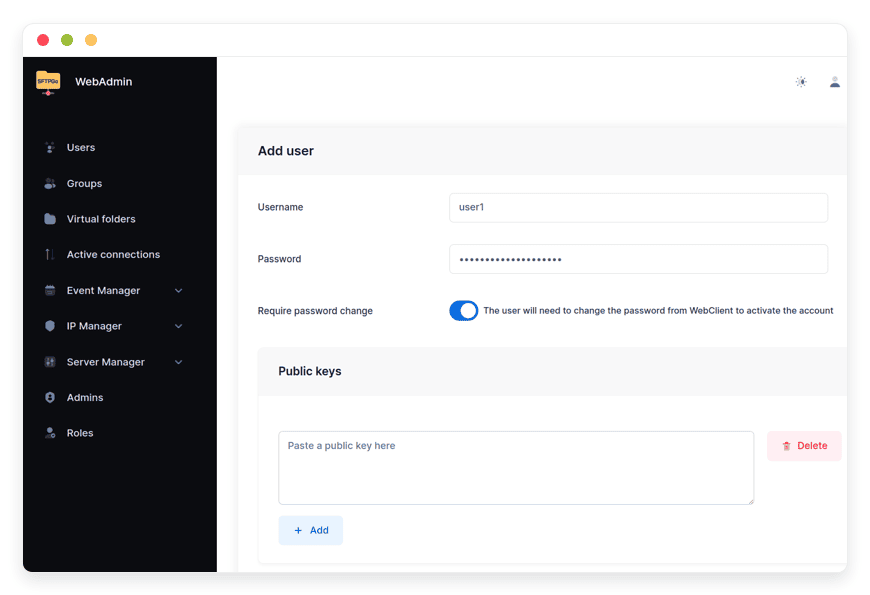
On the managed lane, the provider does: updates, backups, monitoring, and support are included, and the group manages folders and users from a web admin. Self-hosting the same open-source software is free, but then the 2 a.m. problems belong to the group; the cost of each path is compared in the linked pricing piece.
What does rolling the endpoint out across three locations involve?
The endpoint itself is minutes: create the location and supplier logins, map the folders, point the POS export schedule at the host. The long tail is organizational, bringing suppliers onto electronic delivery one at a time, and the folder structure absorbs each without redesign.
What about faxes and scanned paperwork?
They become files like everything else: a scanned invoice or signed form lands in the supplier's or location's folder via the web client, with the same naming, logging, and intake as born-digital files. The endpoint does not demand that partners change how they produce documents, only where the documents land.
Sources
- Feature set: per-user directories, virtual folders, quotas, event webhooks, web client sharing: github.com/drakkan/sftpgo README (viewed October 2026)
- Enterprise food-service file-exchange pattern (electronic distributor invoicing, scheduled POS exports): standard industry practice as documented by POS and distribution platforms, observed October 2026
- Pricing and inclusions: danian.co/sftpgo and danian.co/pricing


