Open-source toolkit for the 5-person consultancy
The 5-person consultancy’s open-source toolkit in 2026 — six tools that replace twelve SaaS line items
TL;DR
- Six open-source apps cover the daily software stack of a 5-person consultancy: CRM, email automation, web analytics, password management, file sync with an Office suite, and a client helpdesk.
- Hosted on DANIAN at €9/app/month, the whole stack runs at €54/month — hardware, security patches, updates, backups, monitoring, and 24/7 email and ticket support included.
- The closest SaaS bundle — HubSpot Starter, Mailchimp Standard, GA4, 1Password Business, Dropbox Business, Zendesk Suite Team — sits at roughly $345/month at five-person scale (vendor pricing pages, May 2026).
- Annual delta on the floor number alone: about $3,400 in cash, plus the per-seat scaling tax that follows your headcount rather than your usage.
- If you only swap one this quarter, swap Vaultwarden. The five-person migration takes about half an hour and unblocks the rest.
Who this list is for (and isn’t)
The post is written for the owner, the operations lead, or the office manager of a small consultancy — five people, billed by the hour or by the project, fluent in their craft but not in DevOps. They notice the SaaS line items at the quarterly budget review and wonder whether the stack still earns its cost. They prefer to own the customer data, the email list, and the file store rather than rent them.
The list is not for everyone running a small business. Four buyer shapes are honest mismatches.
- A solo freelancer already on the free tier of every product. The numbers don’t move enough to justify the migration time.
- A team beyond 25 people. The open-source apps below scale further than that, but the analysis is calibrated to five seats; at 25 seats, several SaaS tiers tighten and the workflow expectations change.
- A buyer whose contract requires a named-attested security certification from the hosting provider. Until DANIAN holds that attestation, a provider that does is the better fit for that procurement.
- A team that enjoys system administration and has the bandwidth for it. The math then changes; running these apps on a $24 production-class VPS is a real option. The path-comparison post covers that math.
For the actual small-consultancy reader — read on. Each tool below gets a 200-word section: what it replaces, what it does well, what it doesn’t.
The math, line by line
Six open-source apps. Twelve SaaS line items they collectively absorb. Each tool on the open-source side covers both a primary SaaS replacement and at least one adjacent paid line item a five-person consultancy typically runs alongside it. The pairings and the cash math sit in the table below.
| Open-source tool | Primary SaaS replaced | Adjacent SaaS line item also absorbed |
|---|---|---|
| EspoCRM | HubSpot Starter CRM ($20/mo) | A form builder and contact-capture line |
| Mautic | Mailchimp Standard ($45/mo at 5K contacts) | A separate landing-page tool |
| Matomo | GA4 (free) | A heatmap or session-recording line |
| Vaultwarden | 1Password Business ($40/mo at 5 seats) | A separate TOTP / 2FA-management line |
| Nextcloud | Dropbox Business ($75/mo at 5 seats) | An online-office and shared-calendar line |
| FreeScout | Zendesk Suite Team ($165/mo at 3 agents) | A separate knowledge-base tool |
The arithmetic on the primary column alone: $20 + $45 + $0 + $40 + $75 + $165 = $345 per month. Pricing snapshots from each vendor’s published pricing page in May 2026 (HubSpot, Mailchimp, 1Password, Dropbox, Zendesk).
The adjacent column typically adds $40–$150/month on top once the form builder, the heatmap tool, the TOTP add-on, and the knowledge-base subscription are tallied. The $345 figure is the floor, not the ceiling.
On DANIAN, the same six apps run at 6 × €9 = €54/month, all-inclusive.
That price covers hardware, monthly security patches, app updates, daily off-site backups, monitoring, and 24/7 email and ticket support for every app on the account.
Annual delta on the SaaS floor alone: roughly $3,400. With the adjacent line items counted: $4,000–$5,000. The SaaS bundle also scales with team size — each new hire adds $20–$50/month across the seat-priced products. DANIAN’s per-app price doesn’t move when a hire is added; it moves when an app is added.
The shortlist
EspoCRM — open-source CRM
Replaces HubSpot Starter CRM ($20/month) and the form builder a five-person consultancy would otherwise buy on the side.
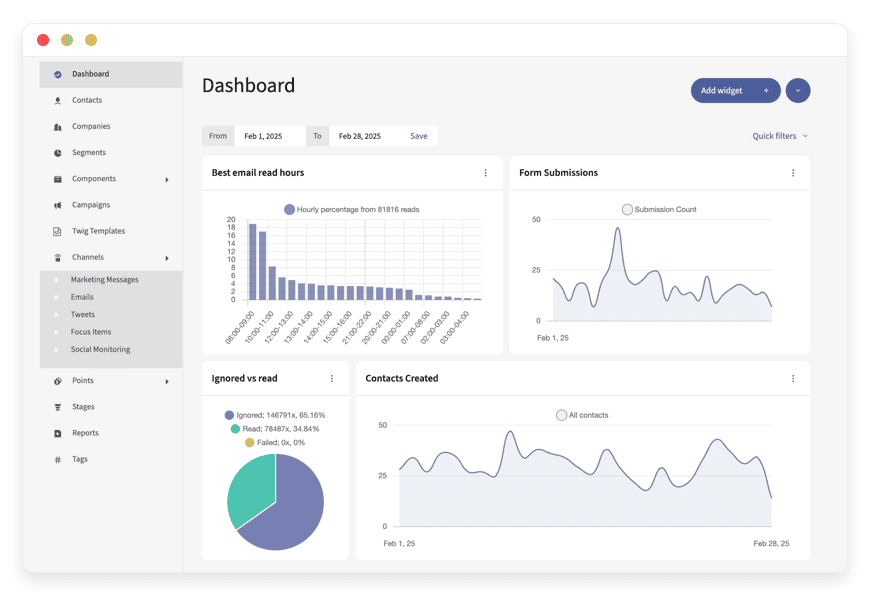
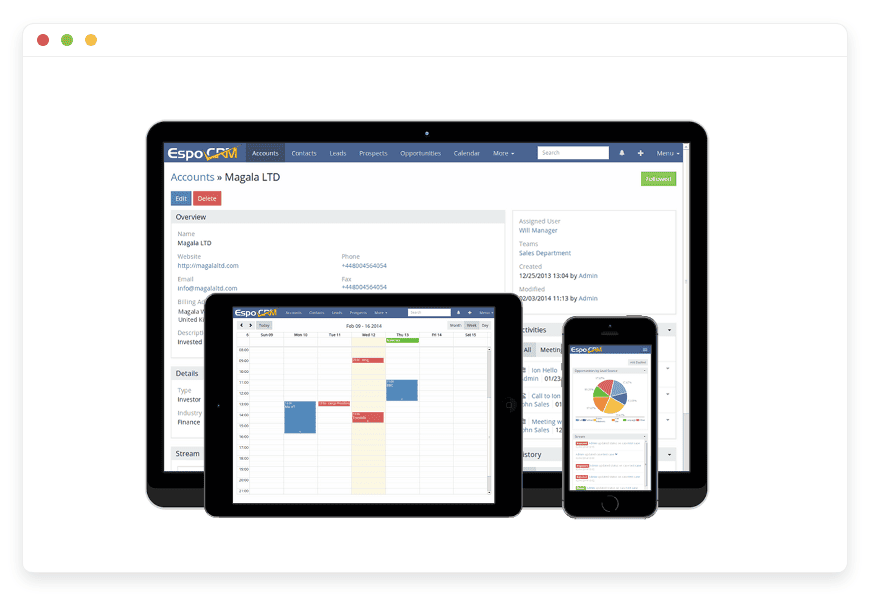
What it does well. EspoCRM is a full CRM in the Salesforce sense — accounts, contacts, opportunities, sales pipeline, custom entities, email-to-record routing, workflow rules, role-based access. The product has been in active development since 2014. The AGPLv3 license gives you the source. Multi-currency, multi-language, and a REST API that maps cleanly to the invoicing tool a consultancy already runs. Out of the box, a five-person team builds an account record per client, an opportunity record per project, custom fields for the variables of their engagement (industry, billing model, retainer end date), and a pipeline that reflects how they actually sell.
What it doesn’t. EspoCRM is not HubSpot in the marketing-funnel sense. There’s no built-in email-broadcast engine, no landing-page builder, no behaviour-based lead scoring out of the box. That’s the gap Mautic fills below — pair the two and sync contacts through the API. The default interface is utilitarian; it works, but a HubSpot user will find it less polished. Worth a fourteen-day trial against an actual sales workflow before committing.
Switching effort. For a five-person consultancy with under 500 contacts: half a day. Export contacts from the existing CRM as CSV, import into EspoCRM, recreate three or four custom fields, set up email-to-record routing, train the team. Deployment specifics live on the managed EspoCRM hosting page.
Mautic — email and marketing automation
Replaces Mailchimp Standard ($45/month at 5,000 contacts) and the separate landing-page tool small consultancies otherwise buy.
What it does well. Mautic is a serious marketing-automation platform. Campaign workflows, segmented broadcasts, drip sequences, lead scoring, web-tracking pixels, landing pages, form embeds, A/B testing, and a clean integration story with the rest of the catalog (push contacts to EspoCRM, pull events from Matomo). The project sits inside the Acquia ecosystem with an active core team and a global community contributing translations and plugins. License is GPL-3.0. On a five-person consultancy’s contact list, the per-send cost is gone — Mautic uses your own SMTP relay, and a transactional relay costs $5–$15/month for 5,000–20,000 messages.
What it doesn’t. Mautic asks more of the operator than Mailchimp does. Campaign setup is more powerful and more verbose. Deliverability becomes your responsibility — DKIM, SPF, DMARC, warm-up cadence, and a clean sender reputation are no longer the SaaS vendor’s problem; they’re yours. Plan for an afternoon of setup the first time you connect a relay. The UI has been overhauled in recent releases but still shows its enterprise heritage in places. Worth a long fourteen-day evaluation against the most active newsletter or nurture sequence.
Switching effort. One to two days. Export the contact list as CSV, recreate the two or three most active campaigns, point the embed code at Mautic forms, redirect the unsubscribe link. Existing automations don’t migrate one-to-one — recreate them.
Managed Mautic page.
Matomo — analytics on your own data
Replaces GA4 (free in cash, costly in privacy posture) and the heatmap or session-recording tool that often sits next to it.
What it does well. Matomo is the open-source analytics platform with the deepest track record — first commit 2008. It runs as your own application, on your own database, with no third-party sharing of visitor data. Standard reports cover acquisition channels, behaviour funnels, conversion goals, event tracking, e-commerce attribution. Premium features included in the self-hosted edition cover heatmaps, session recordings, form analytics, A/B testing, and custom-dimension reporting — paid extras on most competing platforms. For a consultancy that uses analytics to write a quarterly client report, that breadth covers the brief without an add-on.
What it doesn’t. Matomo doesn’t have Google’s machine-learning models for cross-device attribution or audience inference. If your stack depends on Google Ads conversion imports from GA4, Matomo can export data but the round-trip is more manual. Sampling is also handled differently — Matomo processes 100% of visits by default, which is honest but heavier on database I/O at high volumes. For a five-person consultancy’s site at around 50,000 visits a month, none of this is a practical constraint.
Switching effort. Two to four hours. Install the tracking snippet, mirror two or three GA4 goals as Matomo goals, set the data-retention window to match your policy, archive the last twelve months of GA4 data for reference.
Managed Matomo page.
Vaultwarden — self-hosted password manager
Replaces 1Password Business at five seats ($40/month) and the separate TOTP / 2FA management line many small consultancies acquire informally.
What it does well. Vaultwarden is a lightweight Rust re-implementation of the Bitwarden server API. It speaks the same protocol as the official Bitwarden clients on every platform — desktop, mobile, browser extension, CLI. Your team installs the same Bitwarden apps they would have used anyway and points them at your server instead. The vault, the password generator, the TOTP authenticator, the secure-notes feature, the password-sharing collections, the emergency-access workflows — all included. License is AGPLv3. The codebase has been audited by the community and runs on far less RAM than the official server image.
What it doesn’t. Vaultwarden is not an enterprise SSO platform. If your roadmap includes SCIM provisioning from an identity provider, formal compliance reporting, or vendor-attested security review, the commercial Bitwarden offering or a different vendor is a better fit. For a five-person consultancy with a flat team, none of that is missing — group sharing, organisation owners, and the policies UI cover what’s needed. The admin panel is intentionally minimal; configuration happens through environment variables, not a wizard.
Switching effort. For a five-person team: about half an hour. Export the existing vault as JSON, import into Vaultwarden, send each colleague a one-line invitation link, watch them log in and confirm the vault populated. This is the quickest win in the stack.
Managed Vaultwarden page.
Nextcloud — files, Office, and calendar
Replaces Dropbox Business at five seats ($75/month) and the separate online-office or shared-calendar line a consultancy often buys alongside it.
What it does well. Nextcloud Hub bundles file sync, a collaborative Office suite (Nextcloud Office, built on Collabora), calendars, contacts, tasks, mail integration, and a basic chat into one application. The desktop client sits in the system tray and behaves like Dropbox; the web app does what you’d expect from a modern document workspace. Granular share permissions, expiring links, link passwords, server-side encryption, and per-folder ACLs cover the access policies a client-facing consultancy needs. License is AGPLv3. The project is a registered company with a paid roadmap, an active partner ecosystem, and a regular release cadence — much closer to a SaaS-grade product than to a community side-project.
What it doesn’t. Nextcloud is not Google Workspace. Collaborative editing in Nextcloud Office is solid for most documents but isn’t pixel-identical to Google Docs in every formatting edge case. The mobile clients are competent but less polished than Dropbox’s. Search across a large document corpus is fast enough for a five-person team but doesn’t include Drive-grade semantic features. The admin surface is broader than Dropbox’s — more powerful, more to learn.
Switching effort. Half a day to two days, depending on the volume of shared folders. Run the desktop client against the existing Dropbox mirror, sync everything down, copy into the Nextcloud folder, rebuild share-link templates, train. The managed Nextcloud hosting page covers the per-app deployment specifics.
FreeScout — shared-inbox helpdesk
Replaces Zendesk Suite Team at three agents ($165/month) and the separate knowledge-base tool many helpdesks pair it with.
What it does well. FreeScout is a shared-inbox helpdesk modelled closely on Help Scout’s UI conventions. Conversations, assignment, internal notes, saved replies, customer profiles, multi-mailbox routing, satisfaction ratings, time tracking, and a built-in knowledge base — all in one application. License is AGPLv3. The modules ecosystem is active (Slack notifications, time tracking, custom fields, satisfaction surveys), and the codebase is approachable for a consultancy that ever wants to extend it. For a five-person team supporting clients by email, FreeScout removes the per-agent ladder that Zendesk’s pricing follows.
What it doesn’t. FreeScout is not Zendesk’s enterprise platform. There’s no integrated voice channel, no advanced analytics dashboard, no AI-suggested replies bundled into the base product. The mobile experience is web-only in 2026 — usable on a phone, not yet a native app. Reporting is basic but covers volume, response times, satisfaction scores, and agent workload, which is what a small consultancy actually reports on. If your support volume requires call-centre features, FreeScout isn’t the right fit.
Switching effort. Half a day to a day. Forward your support mailbox to a FreeScout inbox, import the team, recreate four to six saved replies, write the first ten knowledge-base articles from existing customer email patterns. Conversation history doesn’t migrate cleanly from Zendesk — recreate the most active threads as knowledge-base articles where the answer is reusable.
Managed FreeScout page.
How they fit together
The six tools work as three pairs. Each pair shares a workflow, a data flow, or both — and a consultancy can sensibly run any single pair on its own before adding the next at the quarterly review.
The commercial pair is EspoCRM plus Mautic. EspoCRM owns the relationship: accounts, opportunities, named contacts, pipeline. Mautic owns the outreach: broadcasts, nurture, lead scoring, landing pages. The two synchronise contacts through Mautic’s native HTTP integration with EspoCRM’s REST API. A new contact captured on a Mautic landing page posts to EspoCRM and assigns to the right consultant. Pipeline updates flow back in the same direction.
The operations pair is Vaultwarden plus Nextcloud. Vaultwarden owns the credentials: every shared client account, every API token, every TOTP seed. Nextcloud owns the files: client folders, shared documents, calendars, tasks, the company drive. The two don’t integrate directly, but they share a behavioural pattern: the consultancy stops emailing passwords and stops attaching documents to email. Shared links from Nextcloud, shared credentials from Vaultwarden, everything else stays in flow.
The client-facing pair is Matomo plus FreeScout. Matomo measures what’s happening on the website and on the client microsites the consultancy hosts. FreeScout handles client questions, project email, and the public knowledge base. Together they cover the “what does our website do and what are our clients asking” surface — the data and the conversation, in two applications that share data with no third party.
A consultancy can run any one pair on its own, then add the next when the budget review comes around. Most teams find that the commercial pair sees daily use, the operations pair becomes invisible muscle memory, and the client-facing pair becomes the basis for client reporting.
At a glance
Each of the six apps runs at €9/month on DANIAN, all-inclusive. The replacement column is the closest single-product SaaS swap. The team-size fit is the range over which the open-source app stays comfortable. The region column reflects the 21-datacenter footprint across six continents.
| App | DANIAN price | Replaces (primary) | Team-size fit | Region choice |
|---|---|---|---|---|
| EspoCRM | €9/mo | HubSpot Starter CRM | 1–25 | 21 regions |
| Mautic | €9/mo | Mailchimp Standard | 1–25 | 21 regions |
| Matomo | €9/mo | GA4 + heatmap line | 1–50 | 21 regions |
| Vaultwarden | €9/mo | 1Password Business | 1–25 | 21 regions |
| Nextcloud | €9/mo | Dropbox Business + Office | 1–50 | 21 regions |
| FreeScout | €9/mo | Zendesk Suite Team | 1–10 | 21 regions |
Pick the region closest to the team or to the client base; change the region later if the workload moves.
If you only swap one, swap Vaultwarden
The order matters. A small consultancy doesn’t migrate six applications in one weekend, and the right first swap is the one with the biggest ratio of value to friction. Vaultwarden wins that ratio on four counts: short migration, identical end-user experience, immediate cash saving, and unblocking the rest of the stack.
- The migration is short. Export the existing vault to JSON, import into Vaultwarden, send each colleague an invitation link. About half an hour for five people.
- The end-user experience is identical to Bitwarden, which most of the market already uses or has used. No training. No new mental model.
- The cash saving is immediate and clean. The 1Password Business or equivalent subscription drops off at the next renewal — €9/month replaces $40/month at five seats.
- Vaultwarden unblocks the rest of the stack. Migrating EspoCRM, Mautic, Matomo, Nextcloud, and FreeScout requires storing several new admin credentials and API tokens. A team password manager you control is the right place to put them.
After Vaultwarden lands, the next swap depends on which subscription the team feels most. A consultancy with heavy email outreach moves to Mautic next. A consultancy whose Dropbox bill keeps rising moves to Nextcloud. A consultancy whose Zendesk renewal is approaching moves to FreeScout. The order is yours; only the first swap is prescribed.
How to start
The honest minimum is one app for fourteen days. Pick the swap whose subscription you want to drop next, deploy it on a trial account, run it in parallel with the SaaS for two weeks, and measure whether the team adopted it without coaching.
DANIAN’s seven-day free trial activates each app in the region you choose. No credit card required. After the trial, the app continues at the DANIAN pricing — €9/app/month tier — hardware, security patches, updates, daily off-site backups, monitoring, and human support are part of the price, not add-ons. We don’t upgrade your resources or charge for them without your explicit consent.
If the fourteen-day parallel run convinces the team, keep the app and cancel the SaaS at the next renewal. If it doesn’t, the trial closes cleanly and the SaaS keeps running.
A recommended sequence:
- Week 1: deploy Vaultwarden. Migrate the team. Drop the old password-manager renewal.
- Week 3: deploy Matomo. Tag the website. Archive the GA4 data.
- Week 5: deploy Nextcloud or FreeScout, depending on which renewal is closer.
- Week 8: deploy Mautic. Plan the first nurture campaign on owned infrastructure.
- Week 12: deploy EspoCRM. Move the pipeline.
By the end of one quarter, the stack runs at €54/month.
FAQ
Do these six apps cover everything a small consultancy needs?
The six cover CRM, email automation, web analytics, password management, file sync with an Office suite, and a client helpdesk. They don’t cover invoicing, accounting, dedicated project management, or video calls. Pair with InvoiceNinja or Akaunting for invoicing, Plane or Kimai for project tracking and time, and Jitsi for calls — all available on DANIAN at the same €9/app/month price.
What happens to my SaaS data when I switch?
Each tool above accepts CSV or JSON exports from the SaaS it replaces. Run the import in a sandbox first, fix any field mismatches, then re-import into the production instance. Keep the SaaS subscription running for two weeks after the switch as a safety net; cancel at the renewal once the team has adopted the replacement.
Is the support actually 24/7?
Yes. DANIAN runs 24/7 support over email and the ticket section in the client portal. Replies are typically same-hour during business hours and within a few hours overnight. Support performs DNS edits, configuration changes, integration setup, and proactive resource upgrades — work usually gated behind professional services on enterprise platforms.
Can I bring my own domain?
Yes. Each app deployed on DANIAN ships with a free DANIAN subdomain (mautic.example.danian.co) and accepts a custom domain at any point with a one-step DNS pointer. Wildcard certificates and HTTPS are issued automatically.
Does DANIAN support the official mobile clients?
Yes. Vaultwarden uses the standard Bitwarden mobile apps. Nextcloud has first-party iOS and Android clients. EspoCRM and Mautic have official mobile apps for the most common workflows. Matomo has an official mobile dashboard. FreeScout is mobile-web-only in 2026 — usable on a phone, not yet a native app.
What about backups and disaster recovery?
Every app on DANIAN is backed up daily to off-site object storage. Restores happen on request and typically same-day. Backups are retained for thirty days by default. Customers can request longer retention or an on-demand restore at any time through support.
Is open-source software actually cheaper than SaaS for a small business?
It depends on the path. Self-hosting open-source on a $24/month production-class VPS costs $24 plus 5–10 hours of operations time per month, which often exceeds the SaaS bill. Running the same software on DANIAN at €54/month is genuinely cheaper than the equivalent SaaS bundle ($345+/month at five-person scale). The savings come from the path that removes both per-seat scaling and the operational hours — not from the open-source label itself.
What’s the difference between self-hosting these apps and using a managed service?
Self-hosting on your own VPS means you handle the operating system, security patches, app updates, SSL renewals, backups, off-site copies, monitoring, SMTP setup, and on-call when something fails. A managed service handles those in exchange for a monthly fee per app. The decision is mostly about where you want the operational time and the on-call burden to land — on your team, or on the provider.
Can a non-technical team actually run these open-source apps day-to-day?
Yes, on the managed path. Day-to-day usage of EspoCRM, Mautic, Matomo, Vaultwarden, Nextcloud, and FreeScout is roughly equivalent to using the SaaS each replaces — the interfaces are mature and the workflows are familiar to anyone who has used CRM, helpdesk, or file-sync tools before. What a non-technical team can’t do day-to-day is the underlying operations (patching, upgrades, backup verification). That’s what the managed service handles.
How does the data export work if I want to leave DANIAN?
Each app keeps its own data export. EspoCRM, Mautic, and Matomo export to CSV or SQL dump. Vaultwarden exports vaults to JSON. Nextcloud syncs all files to the local desktop client. FreeScout exports conversations and contacts. Customers can also request a full database dump at any time through support. Because the apps are open-source, the destination can be your own server, another managed provider, or a competitor’s platform.
Are there any tools a 5-person consultancy shouldn’t try to replace with open-source?
A few. Don’t replace the accounting and tax-filing software your jurisdiction requires — most accountants need named-attested commercial packages. Don’t replace payment processing; Stripe and similar are not realistically replaceable for a small business. Don’t replace your identity provider if client contracts require a named SSO vendor. The pattern: keep the SaaS in places where third-party attestation or external trust is the entire reason you’re paying.
Does Mautic deliverability work without dedicated IP warming?
For low-volume nurture under 5,000 sends per month, mostly to engaged contacts, a shared transactional relay like Amazon SES or Postmark works without warming. For higher volume or for broadcasts to cold lists, a dedicated IP needs warming over several weeks — the same discipline any high-volume email platform requires. Mautic doesn’t change the laws of deliverability; it gives you control over the sending infrastructure rather than renting it.
Where is the application data physically stored?
In the region you choose when you deploy each app. DANIAN runs in 21 datacenter locations across six continents. Pick the region closest to your team or to your client base; change the region later if the workload moves. Backups are stored in matched-region object storage. Account data (billing, the customer dashboard) is operated separately from application data and is not customer-configurable.
How does DANIAN compare to running these apps on a $24/month VPS?
The cash gap is real: six apps on DANIAN cost €54/month; the same six on VPS typically need two or three instances totalling $50–$75/month in infrastructure alone. The time gap is larger — VPS self-hosting adds 5–10 hours of monthly operations, while the managed path adds zero. If your team enjoys operations and has the bandwidth, the VPS path is real. Otherwise the managed path is cheaper in total.
Can I migrate from these open-source apps to commercial equivalents later?
Yes. Bitwarden’s commercial product accepts Vaultwarden vault exports directly. Nextcloud Enterprise is the same codebase as the community edition — no migration needed, just a support contract. Mautic has commercial offerings through Acquia. EspoCRM offers a commercial cloud tier. The portability is one of the reasons open-source is the safer long-term bet: your data and your workflow shape don’t get locked to one vendor’s roadmap.
Do open-source CRMs integrate with my email client and calendar?
Yes. EspoCRM has IMAP and SMTP integration for two-way email sync, plus iCal feeds for calendar items. Outlook and Apple Mail connect through standard protocols. For deeper Gmail or Microsoft 365 integration, the EspoCRM extensions catalog covers OAuth-based sync. The depth is closer to mid-market commercial CRMs than to HubSpot’s native Gmail plugin — workable for most teams, less seamless for heavy Gmail-power-user workflows.
How do these tools handle multiple client accounts with their own privacy expectations?
Two paths. Inside a single app instance, EspoCRM has per-record access rules, Nextcloud has per-folder ACLs, and Mautic has segment-level data separation. For stricter isolation (separate database, separate domain, separate region per client), the cleaner path is one DANIAN instance of the app per client at €9/month — common for agencies that bill clients for hosting on top of services. Pick the path that matches your client contracts.
What happens to my data if DANIAN goes down or out of business?
Two safeguards. First, all six apps are open-source under permissive licenses — a clean exit copies your data and configuration to another host without rewriting workflows. Second, customers can request a full export or a database dump at any time, and daily backups are accessible on request. We don’t lock data to proprietary formats and we don’t gate exports behind retention tiers. Continuity is a portability property, not a vendor promise.
Are these open-source projects actually maintained, or are they neglected?
All six are actively maintained. Matomo (first commit 2008) and EspoCRM (2014) have continuous release cadences. Mautic ships from inside the Acquia ecosystem. Nextcloud is a registered company with a paid roadmap. Vaultwarden tracks the upstream Bitwarden protocol and patches within days of upstream releases. FreeScout has shipped quarterly releases since 2018. None of the six are abandoned single-maintainer projects — each has a community, a sponsor company, or both.
How does Matomo handle cookie consent compared to GA4?
Matomo ships with a built-in cookie-consent integration and an opt-out tracker. Visitor data stays on your own database, so consent is collected and respected by the same system that processes the analytics. GA4 requires a third-party consent-management platform to mediate between the visitor and Google’s processing — workable, but adds a contract and a vendor. For a small consultancy that handles consent in-house, Matomo removes that vendor dependency.
Can I share documents securely with external clients using Nextcloud?
Yes. Nextcloud’s share-link feature supports password protection, expiration dates, view-only mode, watermarking on enterprise plans, and per-share download tracking. For repeat client engagements, a dedicated share group with its own folder and permissions is the typical pattern. Files never leave your server — the link grants the external client time-bounded read or write access without giving them an account on your instance.
What to do this week
Open the pricing page. Pick the swap closest to its renewal. Deploy on a trial.
Run in parallel for fourteen days. Measure whether the team adopted it without coaching.
One swap per quarter takes the stack from $345/month plus the adjacent line items down to €54/month over a single year — clear return at each step.