After Workplace by Meta — self-hosted intranets 2026
After Meta shut down Workplace — where company intranets went in 2026
Meta shut down Workplace on June 1, 2026, two years after announcing the wind-down. Paid subscribers had to move their data or lose it. Meta pointed everyone to one named partner, Workvivo by Zoom. The open-source route is a different decision: HumHub, Mattermost, and Discourse cover the pieces Workplace bundled, and you own the software.
TL;DR
- Meta announced Workplace's end on May 14, 2024. The platform went read-only on September 1, 2025, and every instance was deleted on June 1, 2026.
- Workvivo by Zoom was Meta's only named migration partner, with a co-built transfer tool. Its business plan starts at $20,000 per year.
- Workplace was three products in one: a social feed, team chat, and a knowledge and discussion layer. No single open-source tool replaces all three.
- HumHub is the closest analog (profiles, spaces, feeds). Mattermost covers chat. Discourse covers company-wide discussion.
- Run the three yourself for free, or have us host each for €9 per app, per month. Either way you own the software and pick the region.
What happened to Workplace by Meta
Meta announced on May 14, 2024 that it would discontinue Workplace, its work-focused version of Facebook. The platform kept running until August 31, 2025, then went read-only. The last day to download data was May 31, 2026. On June 1, 2026, Meta deleted every Workplace instance and the product was gone.
Meta framed the decision as a shift toward other priorities, saying it wanted to focus on building AI and metaverse technology. That reasoning is Meta's to make. For customers, the practical effect was a fixed deadline: export the data and move, or lose it. The timeline first surfaced through Axios reporting and was confirmed in Meta's own customer notice on the Workplace help center.
This was not a small product. Workplace reached 7 million paid subscribers in 2021, with customers that included large retailers and consumer brands. A two-year runway sounds generous, but for an intranet it is short. The feed, the groups, the chat history, and the knowledge articles all had to land somewhere new, and the team that owned the tool had to choose that destination under a clock.
The read-only year did most of the quiet damage. From September 2025, nobody could post, comment, or message inside Workplace. The tool became an archive while the company still needed a live place to talk. Admins had a download window for the data, but a folder of exported posts is not a working intranet. The real task was choosing where the conversation would continue, and standing that up before the lights went out.
The path Meta pointed to — Workvivo by Zoom
On the same day it announced the shutdown, Meta named Workvivo by Zoom as its only preferred migration partner. Zoom and Meta co-built a transfer tool that moved groups, profiles, posts, comments, chat history, and knowledge articles directly. Workvivo's business plan starts at $20,000 per year for organizations of 250 to 2,000 people.
The migration tool was the official like-for-like route, and Workvivo ran free migrations during the first months after the announcement. The transfer ran at different depths, from structure only to a full move of content and chat history. For a team that wanted one supported product and a near-automatic move, that path was real and well-built. Zoom set it out in its own partnership announcement.
The “preferred partner” label carried weight, because it was the only destination Meta pointed at directly. That made Workvivo the path of least resistance for larger customers who valued a single vendor and a supported handover. It did not make Workvivo the only sensible answer, and the pricing made that clear for smaller teams.
The $20,000 floor is the part worth pausing on. Smaller organizations found it hard to justify, and many moved instead to tools they already paid for, such as Microsoft Viva Engage, Microsoft Teams, or Slack. The deeper point is structural. Workvivo is another vendor's bundled product. Moving to it trades one rented platform for another, which is a reasonable choice for some teams and a poor fit for others. The shutdown itself was a reminder that a vendor can decide the product's future for you.
What Workplace actually was
Workplace bundled three different things into one product. It had a Facebook-style News Feed and personal profiles. It had Groups for departments, projects, and announcements. It had Chat for messaging, plus a Knowledge Library for static company content. Replacing it means covering each of those, not finding one clone.
On top of that core, Workplace added live video for town halls, an org chart, events, polls, and auto-translation across many languages. Few teams used all of it. Most leaned on two or three pieces: the feed for company news, chat for day-to-day work, and groups for team discussion.
How a team used Workplace decides what it needs next. A field workforce often lived in the feed and the mobile app, treating it as a company-wide noticeboard. An office team often lived in chat and a handful of active groups. A distributed company often used the groups as long-running discussion spaces and the Knowledge Library as a policy home. These are different products wearing one logo, and they point to different replacements.
This is the honest part of any “Workplace alternative” question. There is no open-source product that does the feed, the chat, and the discussion layer equally well in one install. A real replacement is a stack decision: pick the pieces your team relied on, then choose a tool for each. The three open-source apps below each cover one slice cleanly.
HumHub, Mattermost, and Discourse — what each one covers
The three apps map to three different parts of what Workplace did. One is a social intranet, one is team chat, and one is structured discussion. Below is what each tool actually is, which Workplace slice it covers, and where it stops. None of them is a drop-in Workplace clone, and saying otherwise would set the wrong expectation.
HumHub — the social intranet
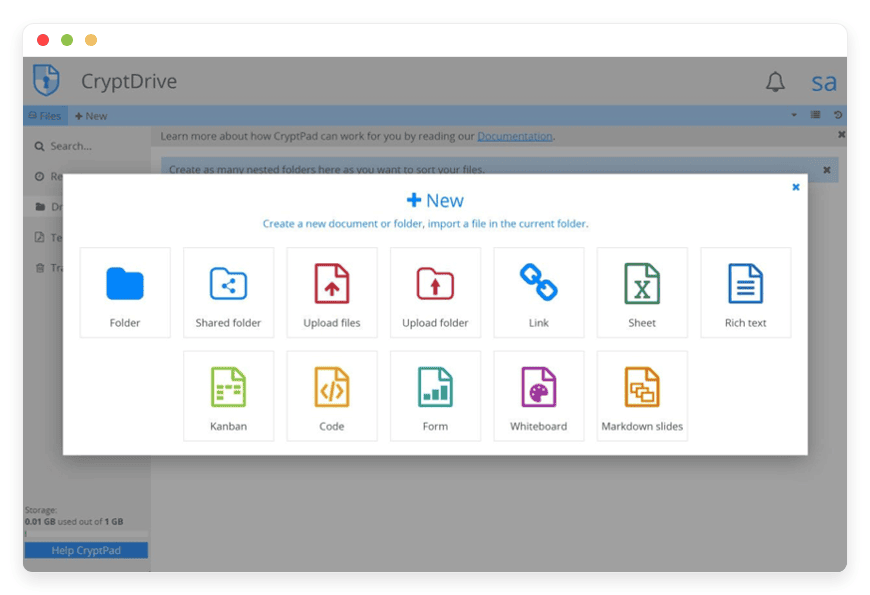
HumHub is the closest open-source analog to Workplace. It is an enterprise social network with user profiles, Spaces for teams and projects, and a network-wide activity stream. It is used in over 4,500 organizations, and modules add a wiki, calendar, polls, and tasks. The project pages live at humhub.com.
The structure echoes Workplace closely. People follow Spaces and each other, posts appear in a dashboard feed, and content carries comments, likes, and sharing. The module marketplace fills gaps a feed alone leaves, including a wiki for the static knowledge area and tasks for light project work. Mobile apps and notifications keep a distributed team in the loop.
HumHub covers the part most people picture when they say “intranet”: the feed, the groups, the profiles, and, through its wiki module, the static knowledge area. What it is not, by default, is a real-time chat tool or a threaded forum. If your Workplace was mostly the news feed and team spaces, HumHub on its own gets you most of the way. We run a managed HumHub social intranet if you would rather not host it.
Mattermost — the chat layer
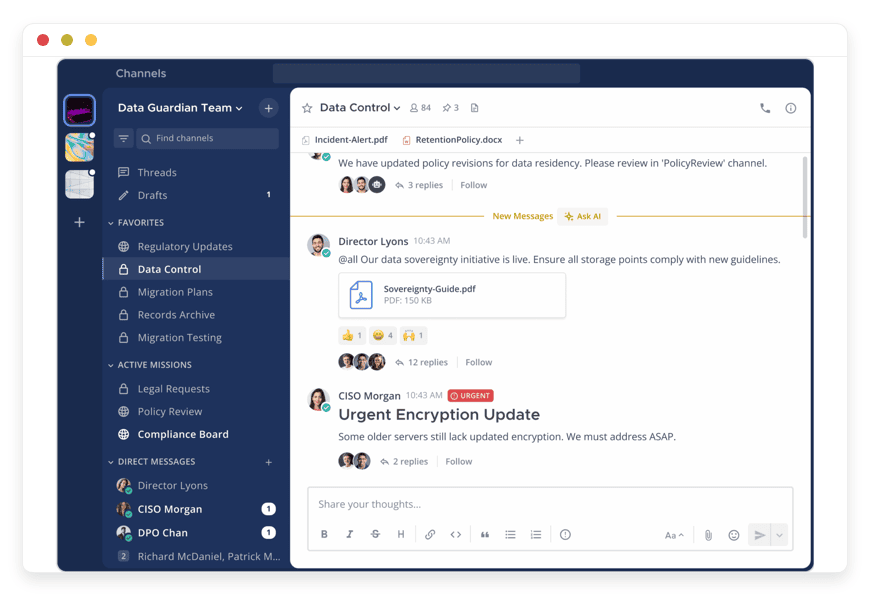
Mattermost is open-source team chat, built around persistent channels much like Slack. It supports one-to-one and group messaging, voice and video calls, file sharing, and integrations with developer tools. It runs as a single self-hosted service, and it is used by organizations including Uber and the US Department of Defense. The project is at mattermost.com.
Channels are the unit of work, public or private, with search across history. It connects to tools like issue trackers and version control, which is why developer-heavy teams favor it. Desktop and mobile apps cover people who are not at a keyboard, and the self-hosted model keeps the message history on infrastructure you control.
Mattermost covers Workplace Chat, the messaging slice. It is chat-first, so it does not give you a social news feed or a knowledge base on its own. For teams whose Workplace use was mostly conversation, it is a clean, self-hosted home for that. We host Mattermost for team chat on the same €9 floor.
Discourse — company-wide discussion
Discourse is open-source community discussion software. It organizes posts into Topics and Categories, with per-category permissions, and reads like a modern forum. It handles announcements, long-form discussion, and durable question-and-answer threads better than a chat window does. It is self-hosted and runs the discussion areas of many companies and projects, with project pages at discourse.org.
Categories carry their own read and write permissions, so a public all-hands space and a private leadership space can live in one install. A trust-level system gives regular contributors more ability over time, and full-text search makes old decisions findable. Email-in and email-out let people take part without opening the app, which suits an announcement channel.
Discourse covers the part of Workplace Groups that was really about discussion and announcements rather than messaging. It is not real-time chat, and it is not a profile-driven feed. If your team relied on Workplace for company-wide threads and announcements, Discourse is the better fit than a chat tool. We run a managed Discourse for company-wide discussion too.
How the three map to what Workplace did
The table below lines up the three apps against the Workplace pieces they cover. Read it as a menu, not a checklist. Most teams need two of the three, and a few need only one. The managed price is the same €9 per app, per month, for each.
| App | What it is | Workplace slice it covers | License | Self-host | Managed price |
|---|---|---|---|---|---|
| HumHub | Social intranet — profiles, spaces, feeds | News Feed, Groups, profiles, knowledge (via wiki) | Open-source | Yes | €9/month |
| Mattermost | Team chat — persistent channels | Workplace Chat | Open-source (MIT core) | Yes | €9/month |
| Discourse | Forum — topics and categories | Group discussion and announcements | Open-source (GPLv2) | Yes | €9/month |
A full three-app stack runs €27 per month when we manage it. Most teams do not start there. They pick the one slice they used most, then add a second app only when a clear need appears. That figure is still worth holding next to the Workvivo entry point, with one honest caveat in the next section.
What replacing Workplace actually involves
Replacing Workplace is less about software and more about a choice between renting and owning. The Workvivo route is a supported, like-for-like handover to one vendor. The open-source route is a set of separate tools you own and connect. Neither is wrong, but they ask different things of you.
The data question is already settled by the calendar. The download window closed on May 31, 2026, so a team that exported in time has its archive, and a team that did not has lost it. New tools start with a clean history either way. Importing an old archive into a new app is rarely worth the effort, and a fresh start often reads better to the people using it.
A stack does add work that a single bundled product hides. Three apps mean three logins unless single sign-on ties them together, and three places to set permissions. That work is real, and it is the price of not depending on one vendor's roadmap. The alternative the shutdown just demonstrated is depending on a roadmap that can end. Owning the software removes that specific risk and replaces it with operational work you can do yourself or hand to someone.
The hardest part is rarely the install. It is getting people to move. A clear announcement, a single named home for each kind of conversation, and a short overlap window do more than any feature comparison. Tell the team where the feed now lives, where chat now lives, and where decisions get written down. Pick a date to make the old habits stop. Adoption, not software, decides whether a migration sticks, and that part is the same whether you choose a bundled product or a stack you own.
Own the intranet, or rent the next one
The Workvivo path moves you from one vendor's bundled product to another's. The open-source path is different in kind. You own the software, your data sits in the region you choose, and no vendor can sunset the product on you. That is the trade the Workplace shutdown put in front of every subscriber.
Owning software has a real cost: someone has to run it. The three apps are free to self-host, so the spend is the server plus your time for patching, backups, and updates. If you would rather not own that work, we run each app for €9 per app, per month. That covers patching, daily off-site backups, monitoring, and a human engineer. You pick the region, across 21 datacenter locations on six continents.
The price contrast is large. Workvivo's entry point works out to roughly $1,667 per month, while three managed open-source apps here total €27 per month. The honest caveat: those are not the same purchase. Workvivo is one integrated, supported product with a like-for-like migration tool built for it. The open-source route is three separate tools you assemble and connect. The reason to choose it is ownership and control, not the lower number alone.
The lock-in lesson is the durable one. A bundled platform is convenient until the company behind it changes course. Workplace had millions of paying users and still ended on a date Meta picked. Open-source software cannot be discontinued out from under you, because the code stays available and the project keeps going. We will not move your data or change your plan without your explicit consent, and a failed card does not get your data deleted.
When a single app is enough
Not every team needs the full stack. If your Workplace use was mostly messaging, Mattermost alone covers it. If it was mostly the feed and company updates, HumHub alone covers most of it. If it was discussion threads and announcements, Discourse is enough. Map your real usage before you assemble three tools.
The common mistake after a shutdown is to recreate every feature, including ones nobody touched. A migration is a chance to drop the parts that never earned their place. Start narrow, run the one tool your team will actually open, and add a second only when a clear need shows up. One well-used app beats three half-used ones.
A simple test helps. Look at where your people spent their time in Workplace over a normal week. If 80 percent of it was one activity, pick the one app that covers it and stop. You can always add the next tool later, and adding one app is a smaller decision than running three from day one.
Frequently asked questions
When did Workplace by Meta shut down?
Meta announced the wind-down on May 14, 2024. Workplace stayed fully usable until August 31, 2025, then went read-only. The last day to download data was May 31, 2026, and Meta deleted all instances on June 1, 2026. The platform is gone.
Why did Meta shut down Workplace?
Meta said it wanted to focus on building AI and metaverse technology, and it wound Workplace down to put resources there. The company announced the decision on May 14, 2024. It was a strategic choice by Meta, not a sign of a problem with the product, which still had millions of paying users at the time.
How long did companies have to migrate off Workplace?
About two years. Meta announced the end on May 14, 2024, kept the platform fully usable until August 31, 2025, then made it read-only. The data download window stayed open until May 31, 2026. For an intranet that a whole company relies on daily, two years is a shorter runway than it sounds.
What happens to my Workplace data now?
It is gone unless you exported it in time. Meta closed the data download window on May 31, 2026, and deleted every Workplace instance on June 1, 2026. A team that downloaded its archive before the deadline still has those files. A team that did not cannot recover the content from Meta.
Can I import my Workplace data into a new tool?
There is no official Workplace importer for HumHub, Mattermost, or Discourse. The only co-built transfer tool was Workvivo's, made with Meta. Most teams start their new tool with a clean history, which is usually the better outcome. The download window has also closed, so a direct migration is no longer possible regardless.
What was Meta's recommended replacement?
Meta named Workvivo by Zoom as its only preferred migration partner. The two companies built a transfer tool that moved groups, profiles, posts, chat history, and knowledge articles. Workvivo's business plan starts at $20,000 per year for 250 to 2,000 employees.
What are the alternatives to Workvivo for a Workplace migration?
The common ones were tools companies already paid for: Microsoft Viva Engage, Microsoft Teams, and Slack. The open-source route is the other path, using HumHub, Mattermost, and Discourse. Workvivo was Meta's only named partner, but it was never the only option, and its $20,000 yearly floor pushed many smaller teams elsewhere.
Did everyone who used Workplace move to Workvivo?
No. Workvivo reported strong uptake, but the $20,000 floor pushed many smaller teams elsewhere. Common destinations were tools they already paid for, such as Microsoft Viva Engage, Microsoft Teams, or Slack. The open-source route was a separate choice for teams that wanted to own the software.
Is there a single open-source replacement for Workplace?
No. Workplace bundled a social feed, team chat, and a knowledge and discussion layer. No single open-source tool covers all three well. HumHub is the closest analog for the social intranet, Mattermost covers chat, and Discourse covers structured discussion. Most teams assemble a stack.
What is the best open-source alternative to Workplace by Meta?
There is no single best one, because Workplace did several jobs. HumHub is the closest analog for the social intranet, with profiles, Spaces, and a feed. Pair it with Mattermost for chat and Discourse for discussion to cover the rest. Most teams pick the one or two pieces they actually used.
Is there a free alternative to Workplace by Meta?
Yes. HumHub, Mattermost, and Discourse are all open-source and free to run on your own server. The real cost is the machine and your time for patching, backups, and updates. If you would rather not run them yourself, we host each for €9 per app, per month, in the region you choose.
What is the difference between HumHub, Mattermost, and Discourse?
They cover three different jobs. HumHub is a social intranet with profiles, Spaces, and a feed. Mattermost is team chat built around persistent channels, much like Slack. Discourse is a forum that organizes posts into topics and categories. One is for company news, one for fast messaging, and one for durable discussion.
Which one is most like Workplace's news feed?
HumHub. It is an enterprise social network with profiles, Spaces for teams, and a network-wide activity stream, which is the structure closest to Workplace's feed and groups. Mattermost is chat-first and Discourse is forum-first, so neither reproduces the social feed on its own.
Is Mattermost a good replacement for Workplace Chat?
Yes, if chat was the main thing your team used. Mattermost is open-source team chat with persistent channels, direct messages, and voice and video calls, much like Slack. It is self-hosted, so the message history stays on infrastructure you control. It does not replace the news feed or knowledge area on its own.
What can replace Workplace Groups?
It depends on how you used Groups. For social, project-style spaces with a feed, HumHub Spaces are the closest fit. For long-running discussion and announcements, Discourse categories work better. Many teams used Groups for both, so a mix of HumHub and Discourse covers more of what Groups actually did.
What replaced Workplace's Knowledge Library?
HumHub's wiki module covers the static knowledge area inside the same intranet, which keeps documents next to the feed. A dedicated wiki is the other option if you want a standalone home for policies and documentation. Discourse can also hold searchable reference threads, though it suits discussion more than formal documents.
How much does it cost to replace Workplace?
If you self-host the open-source apps, the software is free and you pay for the server and your time. Managed by us, each app is €9 per app, per month, so a three-app stack is €27 per month. For comparison, Workvivo's business plan starts at $20,000 per year.
Can I host these myself, or do I need a provider?
All three are open-source and free to run on your own server. The real cost is the machine plus your time for patching, backups, and updates. If you would rather not run them, we host each for €9 per app, per month, in the region you choose, with backups and monitoring included.
Can I run HumHub, Mattermost, and Discourse on one domain?
Yes. Each runs on its own subdomain, such as intranet, chat, and discuss under your domain. They stay separate apps, so a person signs in to each unless single sign-on is set up between them. We host each for €9 per app, per month, in the region you choose.
Does DANIAN host HumHub, Mattermost, and Discourse?
Yes. We run all three as managed apps at €9 per app, per month. That price covers patching, daily off-site backups, monitoring, and a human engineer. You can host one app or the full stack, and you pick the region your data sits in.
Where is my data hosted if DANIAN runs these apps?
In the region you choose, across 21 datacenter locations on six continents. You pick the location closest to your people when the app is set up. The application data lives in that region, and we run the patching, backups, and monitoring around it. You can ask us to move regions if your needs change.
Can I try managed HumHub, Mattermost, or Discourse before paying?
Yes. Each app comes with a 7-day free trial and no card up front. You can stand one up, invite a few people, and see whether it fits how your team worked in Workplace. If it does, it stays at €9 per app, per month. If not, nothing is charged.
What does owning the software change versus another SaaS?
You control the data and the upgrade timing, and no vendor can discontinue the product the way Workplace was discontinued. The trade-off is that someone has to operate it. You can do that yourself or pay us €9 per app, per month. Either way, the software is yours.
What to do this week
Start by listing what your team actually did in Workplace. Sort it into three buckets: feed and profiles, chat, and discussion. Match each bucket to HumHub, Mattermost, or Discourse, and drop any bucket you never really used. Then decide whether to run the tools yourself or have them managed.
If managed is the answer, you can try one app for 7 days with no card, pick the region closest to your people, and let us patch, monitor, and back it up. The shutdown forced a move. It is also a clean chance to land on software you own, rather than the next product someone else can retire.