After Skype — self-hosted calls and chat in 2026
After Microsoft retired Skype — where small teams took their calls in 2026
TL;DR
- Microsoft retired consumer Skype on 5 May 2025. Its own path forward is Teams Free, and the migration is one sign-in.
- You can still export your old Skype chats and call history until 15 June 2026. Deletion of inactive data begins 1 April 2026, and a large export can take up to 30 days.
- Three open-source tools cover what most small teams used Skype for: Matrix with Element (federated chat and calls), Mattermost (team chat with integrations), and MiroTalk (browser video meetings, no account).
- None of them dials real phone numbers. Skype's paid calling is winding down separately, and a phone line needs a calling plan or a SIP provider — not these apps.
- You can run any of them yourself on a server, or have DANIAN run them for €9 per app, per month, with backups, updates, monitoring, and 24/7 email and ticket support included.
What happened to Skype, and the dates that still matter
Microsoft retired consumer Skype on 5 May 2025, after 22 years.
Both free and paid accounts were affected; Skype for Business was not.
Microsoft moved users to Teams Free and kept a data-export window open until 15 June 2026.
New Skype calling subscriptions and Skype Numbers are no longer sold.
For many people, the migration is the whole decision. Teams Free costs nothing, handles group calls of up to 300 people for up to 30 hours, and pulls in your contacts and chats when you sign in with the Skype account. If that covers your team, you are done.
The teams that went looking elsewhere mostly had one of two reasons. They did not want their conversations living inside another large platform they do not control. Or they wanted something Teams Free does not give a small team without a paid plan.
The dates worth writing down: export runs through 15 June 2026, deletion of inactive Skype data begins 1 April 2026, and a large history can take up to 30 days to export. Paid calling subscriptions stop renewing, and the Skype subscription service ends on 1 May 2026.
A few smaller features went with the app. SMS, call forwarding, voicemail, and Caller ID setup stopped on 5 May 2025.
There is also a catch with history. It stays inside Teams Free only for one group. You qualify if you used Skype in early 2025 and moved to Teams Free before 1 December 2025. Everyone else keeps a copy by exporting before the deadline.
The honest part first — what these tools replace, and what they don't
Matrix, Mattermost, and MiroTalk replace the part of Skype most small teams actually used: messaging and video or voice calls between people. None of them dials landlines or mobiles. Skype's paid phone calling is a separate service, and replacing it needs a calling plan or a SIP provider, not these apps.
Skype did two different jobs. One was app-to-app chat and calls between Skype users, free. The other was paid calling to and from regular phone numbers, through Skype Credit and Skype Numbers. The open-source tools below do the first job well. They do not do the second.
If your team only ever used Skype to message each other and jump on a video call, you have good options. If you relied on Skype to ring a supplier's landline or to take calls on a published number, that is a phone problem, not a chat problem. The honest answer there is a calling plan such as Teams Phone, or a dedicated VoIP or SIP provider.
And one thing worth saying plainly: Teams Free is a real option. It costs nothing and the move is a single sign-in. The tools below are for teams who would rather run their own chat and calls than settle into another hosted service they don't control.
What "self-hosted calls and chat" means in practice
Self-hosting means the software runs on a server you control, not on a vendor's cloud. With open-source chat and calling tools, you can install and maintain them yourself, or pay someone to run them for you. The trade is the same every time: control and ownership in exchange for operational work.
Three shapes show up in the list below. A federated protocol you can run, where your server talks to other servers the way email does (Matrix with Element). A self-hosted workplace chat that behaves like the tool most teams already know (Mattermost). And a lightweight meeting app you open in a browser, with no account to create (MiroTalk).
Running any of them means a server, a domain, TLS certificates, updates, and backups. Calls add more, because real-time media needs the right network setup and some tools need an extra service to carry video at scale. You can own that work, or hand it to a managed host — which is the second path written as a line item.
Ownership shows up in the data, too. Matrix rooms and Element Call carry end-to-end encryption, so the server passes messages it cannot read. Mattermost keeps your messages and files on the server you run, not a vendor's. MiroTalk's peer-to-peer calls send video straight between participants, with no central server holding the stream.
The shortlist
Matrix with Element — federated chat and calls you run
Matrix is an open standard for messaging and calls; Element is the app most people use to reach it. Both are open source, licensed under AGPL. A Matrix server federates with other servers, so two organisations can talk without sharing one provider. Element Call adds end-to-end-encrypted voice and video.
Matrix is built around federation. Your homeserver — the common one is Synapse — holds your accounts and rooms and connects to the wider Matrix network, so a user on your server can talk to a user on someone else's. That is the closest thing here to Skype's old promise of reaching anyone, without one company owning the middle.
Calls are the newer part. Element Call brings native, end-to-end-encrypted voice and video to Matrix, built on a real-time media backend. It is maturing quickly and is already used at scale, but it is not yet a one-click feature for self-hosters: running calls outside Element's own server suite means standing up that media backend yourself.
Matrix has real weight behind it. National governments and public-sector bodies — France, Germany, and Sweden's public sector among them — run Matrix for internal communication. The maintained Synapse server repository carries roughly 3,900 GitHub stars under its current AGPL licence, a figure that understates the protocol's reach, because Matrix is a standard with many implementations rather than a single app.
Best for: a team that wants to own its identity, keep conversations off shared platforms, and federate with partners or community members who also run Matrix.
DANIAN runs Matrix with Element as a managed app at €9 per app, per month — the homeserver, updates, and daily backups are handled for you. See managed Matrix + Element hosting.
Mattermost — workplace chat with the integrations
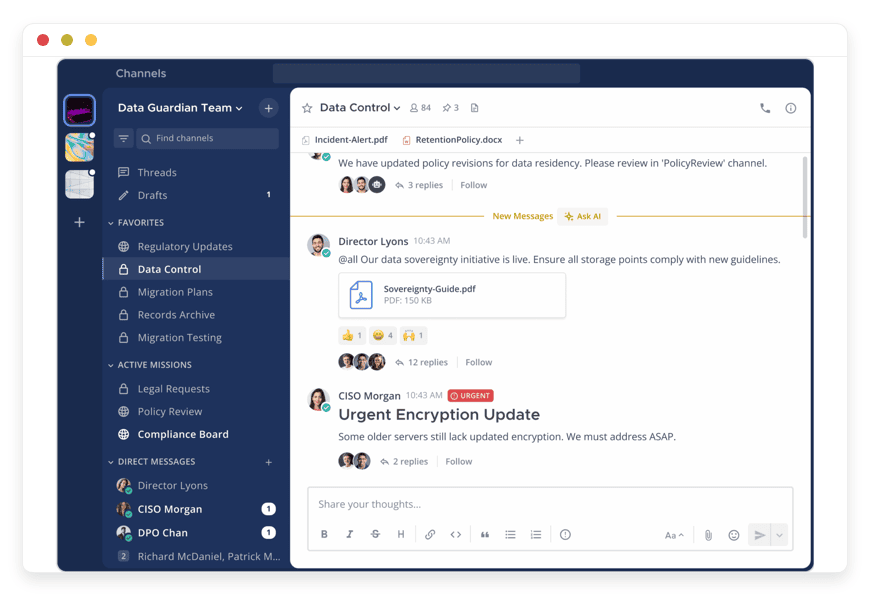
Mattermost is an open-source, self-hosted team chat that behaves like the workplace messenger most teams already know. It runs as a single Go binary with a PostgreSQL database, carries roughly 30,000 GitHub stars, and connects to tools like GitHub, Jira, and Jenkins. Built-in Calls add audio and screen sharing.
Mattermost's strength is persistent, channel-based chat plus deep integrations. It imports chat history and themes, speaks Slack-compatible webhooks, and pipes alerts from monitoring tools straight into channels. For an engineering or operations team that lived in a workplace messenger, it is the closest self-hosted match.
Calls are present but lighter than the other two here. The built-in Calls feature handles one-to-one and group audio with screen sharing, launched from a channel in a click. It is meant for quick technical discussions rather than large video conferences. If video is the main event, pair Mattermost's chat with one of the other tools.
The Team Edition is free and open source, with no per-seat fee and no user cap. Running it well means a PostgreSQL database, SMTP for notifications and password resets, and object storage for file uploads. None of that is exotic, but it is real server work.
Best for: a team that wants Slack-style chat and integrations on infrastructure it controls.
DANIAN runs Mattermost as a managed app at €9 per app, per month, with the database, updates, and backups handled as part of the setup. See managed Mattermost hosting.
MiroTalk — browser video meetings, no account
MiroTalk is open-source video conferencing that runs entirely in the browser. There is no app to install and no account to create: you open a room link and start talking. It is licensed under AGPL, carries roughly 4,500 GitHub stars on its peer-to-peer version, and supports screen sharing and recording.
MiroTalk is the simplest tool here, and deliberately so. The peer-to-peer version connects participants directly through the browser using WebRTC, with unlimited rooms and no time limit. You share a link, people join, and the call happens. For ad-hoc meetings and calls with people outside your team, that "send a link" simplicity is the whole appeal.
The trade-off is scope. MiroTalk is meetings, not a chat workspace — there are no persistent channels or message history the way a team messenger has. The peer-to-peer build is tuned for small groups; for larger meetings there is a separate version, MiroTalk SFU, built on a media server that routes streams centrally.
Best for: quick external calls, client meetings, and anyone who wants a no-friction "open a link and talk" replacement for a Skype call.
DANIAN runs MiroTalk as a managed app at €9 per app, per month, so you get a room link to share without running the server behind it. See MiroTalk for browser video calls.
At a glance
| Tool | What it covers | Open-source licence | Maturity and adoption | Run-it-yourself effort | DANIAN |
|---|---|---|---|---|---|
| Matrix with Element | Federated chat plus end-to-end-encrypted voice and video (Element Call) | AGPL(dual-licensed) | Open standard; run by national governments including France, Germany, and Sweden's public sector; Synapse around 3,900 stars | Higher — a homeserver, plus a separate media backend for calls | €9/app/month |
| Mattermost | Persistent team chat and integrations; built-in audio calls and screen sharing | Team Edition free and open source | Mature; around 30,000 stars; common in engineering and regulated teams | Medium — the app, a PostgreSQL database, SMTP, and object storage | €9/app/month |
| MiroTalk(peer-to-peer) | Browser video meetings with no account; screen sharing and recording | AGPL | Active, focused project; around 4,500 stars on the P2P version; SFU build for larger meetings | Lower — a single app; the SFU build needs a media server | €9/app/month |
The money comparison is not per-seat, because Teams Free is free. It is about who runs the software. Self-hosting one of these tools means a production-class server — roughly $24 a month for a 2 vCPU, 4 GB machine — plus a few hours a month to patch it, verify backups, and keep an eye on it. DANIAN runs the same app for €9 per app, per month, with that work included, and the price does not climb with your headcount.
Running several tools changes the sum a little. On your own server, you can run several apps on one machine and split the cost. The maintenance does not split, though — each app still needs its own updates, backups, and watching. With DANIAN, a second app is another €9, flat, with the same work included.
How to pick — three questions
The choice is less about features than about what your team actually does. Three questions sort it: do you need to dial phone numbers, do you want a persistent chat workspace or just meetings, and do you need to federate across organisations? Your answers point to one of the three tools — or to Teams Free.
- Do you need to call real phone numbers? If yes, none of these is your answer. Get a calling plan or a SIP provider; the apps here are for app-to-app chat and calls.
- A workspace, or just meetings? If your team needs channels and searchable history, look at Mattermost. If you mostly need to jump on a call, MiroTalk is simpler.
- Do you need to federate? If you want to reach people across organisations without a single shared provider, Matrix with Element is built for exactly that.
- Are you comfortable inside a large hosted platform? If yes, Teams Free is free and quick. If not, the self-hosted options keep the accounts and the data on infrastructure you choose.
You do not have to pick only one. A common pairing is Mattermost for everyday team chat and MiroTalk for quick calls with outsiders. Run both yourself and they share a server. Run both on DANIAN and it is €18 a month, two apps at the flat €9 each.
What running these yourself involves (and the other option)
Each tool needs a server, a domain, certificates, updates, and backups. Matrix calls need an extra media service; Mattermost needs a database and file storage. None of it is exotic, but it is ongoing. You either own that work, or you pay a managed host to carry it.
The shape of the work is similar across all three. Stand up a server, point a domain at it, get TLS working, set up email so password resets and notifications send, then keep the software patched and the backups verified. Calls add network and media considerations on top of that.
For a team with someone who enjoys this work and the time to do it, self-hosting is a fair path, and the software is free. For a team that wants the result without the operational load, the managed path exists — and it is worth being honest that one suits some teams and the other suits others.
Where DANIAN fits
DANIAN runs each of these apps as a managed service for €9 per app, per month. That covers the server, security patching, daily off-site backups, monitoring, and 24/7 email and ticket support with a person. You pick the region from 21 datacenter locations. Your time spent on operations is zero.
The deal is one flat price per app: hardware, updates, backups, monitoring, and support, with no per-seat fees stacked on top. Add a second app and you pay another €9; the price does not climb with your headcount. Resources only scale up after you approve it, so there are no silent overages.
What it does not do is dial phones. DANIAN runs the chat and calling apps; a phone line that reaches the public network is a separate service, and the honest answer there is still a calling plan or a SIP provider.
Three of the tools in this post are in the catalog: managed Matrix with Element, managed Mattermost, and MiroTalk for browser video calls, each linked above. Every app comes with a 7-day free trial, no card.
FAQ
Did Skype really shut down, and when?
Yes. Microsoft retired consumer Skype on 5 May 2025, after 22 years. Both free and paid accounts were affected; Skype for Business was separate. Microsoft directs former users to Teams Free, and keeps a data-export window open until 15 June 2026.
Why did Microsoft retire Skype?
To focus on Microsoft Teams. Microsoft said it was streamlining its free consumer communications, and Teams Free now covers Skype's core chat and calling. Skype's usage had fallen to around 36 million daily users while Teams passed 300 million. Rather than run both, Microsoft retired Skype on 5 May 2025.
Is Microsoft Teams replacing Skype?
Yes, for consumers. Microsoft directs former Skype users to Teams Free, and signing in with a Skype account carries over contacts and chats. Teams Free handles group calls of up to 300 people for up to 30 hours. If you would rather not move onto another large platform, the open-source tools here are the alternative.
Is Teams Free a good enough replacement?
For many people, yes. It is free, and signing in with a Skype account carries over contacts and chats. The open-source tools in this post are for teams who would rather run their own chat and calls than keep their conversations inside another large hosted platform.
What happened to Skype for Business?
That is a separate product from consumer Skype. Skype for Business Online was retired earlier, on 31 July 2021, and Microsoft moved business customers to Teams. This post is about consumer Skype, which Microsoft retired on 5 May 2025. The two ran on different timelines.
What happens to my old Skype messages and call history?
You can export them from the Skype export portal until 15 June 2026. Deletion of inactive Skype data begins 1 April 2026, so submit the request before then. A large history can take up to 30 days to export, so start early.
Can I move my Skype contacts to these tools?
Not as a direct import. Skype contacts live in Microsoft's system, and these tools use their own accounts. You can export your Skype data until 15 June 2026 for your records, then invite people to the new tool by link or username. MiroTalk needs only a shared room link, with no accounts at all.
What is the best open-source alternative to Skype?
It depends on what you used Skype for. For team chat with calls, Mattermost is the closest. For quick browser video with no account, MiroTalk is simplest. For federated messaging and calls across organisations, Matrix with Element fits. All three are open source and free to self-host, or DANIAN runs any of them for €9 per app, per month.
Is there a free alternative to Skype?
Yes, several. Matrix with Element, Mattermost, and MiroTalk are all free and open source when you run them yourself. Microsoft's own free option is Teams Free. The software costs nothing; what you pay for is the server and your time, or €9 per app, per month if DANIAN runs it for you.
Which one is closest to "Skype for a small team"?
It depends on use. Mattermost is closest for persistent team chat with calls and integrations. MiroTalk is closest for quick video meetings with no account. Matrix with Element is closest if you want federation — reaching people across organisations without a single shared provider.
What is the best self-hosted Slack alternative?
Mattermost is the common answer. It gives channel-based team chat, Slack-compatible webhooks, and integrations with tools like GitHub, Jira, and Jenkins, on a server you control. The Team Edition is free and open source, with no user cap. DANIAN runs it as a managed app for €9 per app, per month.
What is the difference between Matrix and Mattermost?
Matrix is a federated messaging standard: your server connects to other servers, the way email does, so people on different servers can talk. Mattermost is a single self-hosted chat workspace with channels and integrations, and it does not federate. Matrix suits reaching across organisations; Mattermost suits an internal team that wants chat it controls.
Is Matrix end-to-end encrypted?
Yes. Matrix rooms support end-to-end encryption, and Element Call brings end-to-end-encrypted voice and video. The server you run passes the messages but cannot read them. When you self-host, that encrypted data also sits on infrastructure you choose rather than a vendor's cloud.
How many people can join a MiroTalk call?
MiroTalk's peer-to-peer version is built for small groups, because each participant connects directly to every other. For larger meetings there is a separate build, MiroTalk SFU, which routes everyone through a media server and scales further. Match the build to the size of the meeting you need.
Is Mattermost really free?
Yes. The Mattermost Team Edition is free and open source, with no per-seat fee and no user cap. Paid tiers add features like single sign-on and advanced administration, but the free edition is a full team chat for most small teams. You pay only for the server, or €9 per app, per month on DANIAN.
Can I record calls and share my screen?
Yes, with differences per tool. MiroTalk supports screen sharing and recording in the browser. Mattermost's built-in Calls handle audio with screen sharing, aimed at quick technical discussions. Element Call carries video with screen sharing. Check the specific tool for whether it records the kind of session you need.
Do these tools have mobile apps?
Matrix with Element and Mattermost both have iOS and Android apps, so chat and calls work on a phone. MiroTalk runs in the mobile browser, with no app to install. Self-hosting the server does not change which apps your team uses to connect.
Do I have to run a server myself?
Only if you want to. All three are open source and free to self-host on your own server, which means handling updates, backups, and email setup. If you would rather not, DANIAN runs each of them as a managed app for €9 per app, per month.
Is self-hosted chat more secure than Skype or Teams?
It is different, not automatically safer. Self-hosting keeps your messages and files on a server you control, and Matrix and Element Call are end-to-end encrypted. Security then depends on how well that server is patched, backed up, and monitored. That operational work is exactly what a managed host like DANIAN takes on.
Is self-hosting more expensive than staying on Teams?
Teams Free costs nothing, but it is hosted by Microsoft. Running one of these tools yourself means a production-class server — roughly $24 a month — plus your time to maintain it. DANIAN runs them for €9 per app, per month, with that maintenance included.
What is managed hosting, and what does DANIAN do?
Managed hosting means someone else runs the server and the software for you. DANIAN installs the app, patches it, backs it up daily off-site, monitors it, and answers support 24/7 with a person. You pick the region from 21 datacenter locations. The price is €9 per app, per month, and resources only scale up after you approve it.
Can any of these tools call regular phone numbers?
No. Matrix, Mattermost, and MiroTalk handle messaging and app-to-app voice and video. They do not dial landlines or mobiles. Skype's paid calling is winding down separately; reaching the public phone network needs a calling plan such as Teams Phone, or a dedicated VoIP or SIP provider.
Can I keep my old Skype phone number?
Maybe, but not through these tools. Microsoft stopped selling new Skype Numbers and Credit, and the Skype subscription service ends 1 May 2026. An existing number can often be ported to another carrier. None of Matrix, Mattermost, or MiroTalk provides a phone number — that needs a telephony or SIP provider.
What to do this week
If you still have anything in Skype, start the export now — the window closes 15 June 2026, and deletion begins 1 April 2026. Then match the tool to the job: Mattermost for team chat, MiroTalk for meetings, Matrix with Element for federation. Teams Free remains the zero-effort path.
Try one before you commit. Each of the three is open source, so you can self-host a test, or start a 7-day free trial on the pages linked above with no card.
And the honest closing line: if the only thing you ever needed Skype for was dialling phone numbers, none of this is your answer. That is a calling plan or a SIP line, and it is worth setting up properly rather than forcing a chat app to do it.