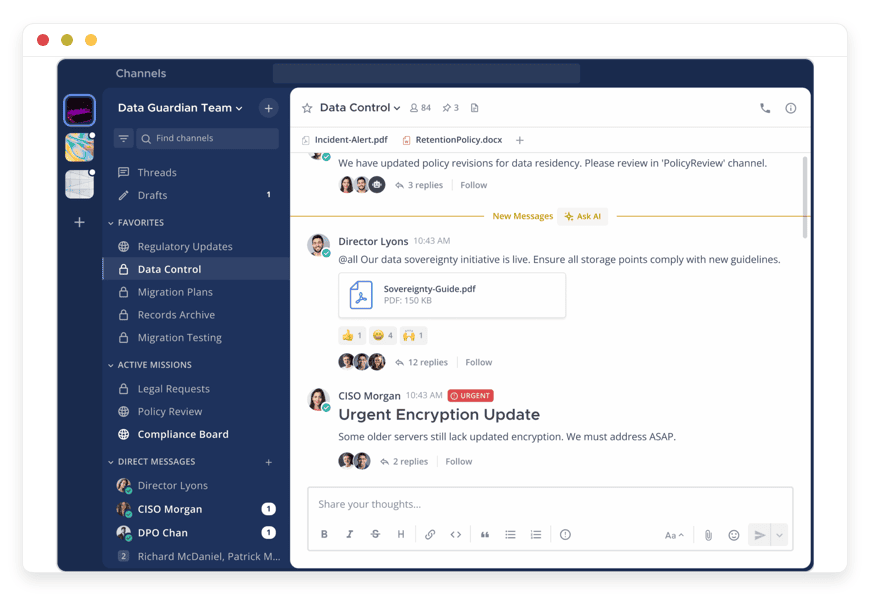
Does Slack use your messages to train AI?

Two sentences about Slack circulate at the same time, and both feel true. One says Slack trains AI on your chats; the other says Slack never trains AI on your chats. The confusion is expensive, because teams make tool decisions on it. The source of truth is a single page on Slack's own site, the Privacy Principles for Search, Learning and Artificial Intelligence, and it supports a precise reading: some models train on your workspace content by default, others require your consent first, and the switch for the first kind is an email. This guide quotes the policy in its own words, walks the opt-out exactly as documented, and then asks the question the policy pages never do: what happens to this calculation when the thing typing in your chat is an AI agent.
TL;DR
- Slack's predictive models, the ones behind search ranking, channel recommendations, autocomplete and emoji suggestions, analyze Customer Data by default. Customer Data means messages, content and files.
- Generative AI training is different: the policy states Slack will not use Customer Data for it without affirmative opt-in consent.
- The opt-out from global model training is not a setting. An owner emails Slack with the workspace URL and a specific subject line.
- Opting out keeps every feature; the policy says you still benefit from the globally trained models.
- With AI agents in the channel, the stakes outgrow emoji suggestions: agent transcripts are operational documents, and the training question becomes a custody question.
What the policy says, in its own words
The principles page draws a line straight down the middle of the confusion, and both sides of the internet quote only their half.
The default-on half. In Slack's words: to develop predictive models for features such as emoji and channel recommendations, our systems analyze Customer Data, and the page defines that as messages, content and files submitted to Slack, plus usage information. This is not a dark corner of a terms document; it is the opening section of the page, followed by a list of the features the training feeds: channel recommendations, search results, autocomplete, emoji suggestions. If your workspace has never sent an opt-out email, this analysis is the default state.
The opt-in half. The generative AI section reads: Slack will not use Customer Data to train generative AI models unless the customer provides affirmative opt-in consent. The AI features run on third-party models inside Slack's infrastructure, the page says, and those providers do not retain the data after a request. The help center sharpens the same point: customer data is never used to train third-party LLMs, and the AI features work by retrieval, sending a request only the data it needs. So the viral claim "Slack trains its AI on your chats" is false for the generative features and true, by default, for the predictive ones. Both claims quote the one document that settles them. Almost nobody finishes reading it.
Where the training shows up
The principles page names the features the analysis feeds, and reading them one by one is the fastest way to make the abstraction concrete.
Channel recommendations. Slack suggests channels to join based on membership, activity and topic overlap, and the model learns from whether people accept past suggestions. The privacy design, per the page, runs topic evaluation through external models not trained on Slack messages, feeding the global recommender numerical scores rather than content.
Search results. The ranking models learn from historical queries and which results people engaged with, built so the model cannot reproduce either the query or the result, the page states.
Autocomplete. Suggestions come from common phrases in your workspace, while the selection algorithm is trained globally on previously accepted completions, scored by similarity rules and interaction counts.
Emoji suggestions. The model associates reactions with message sentiment, using an external classifier rather than message content directly, then suggests based on how your workspace historically pairs emoji with sentiment.
The pattern across all four: global learning on your workspace's behavioral exhaust, walled off from reproducing content. Whether that wall is enough is a judgment call the policy cannot make for you; what the list removes is the idea that the training is hypothetical. It ships features people use every day.
The opt-out, exactly as documented
There is no toggle for global model training. The page's instruction is procedural: have an Organization or Workspace Owner, or the Primary Owner, email the customer experience team at feedback@slack.com, including the workspace URL, with the subject line Slack Global model opt-out request. Slack processes it and replies when the exclusion is complete.
Three practical consequences follow from the mechanism itself. It is per-workspace: an organization running several workspaces sends the ritual per workspace. It is role-gated: an ordinary member who cares about privacy cannot act alone. And it is trust-based: you receive a reply saying it was done, and the policy describes no dashboard where the state of the exclusion can be audited later. None of this is hidden; it is all written down. It is simply shaped so that the default wins.
What you keep after opting out is generous and worth stating fairly: the page says an opted-out workspace still enjoys the benefits of the globally trained models, contributing nothing to them, with data used only to improve that workspace's own experience.
What Slack does right
An honest explainer quotes the safeguards written beside the defaults, because they are real commitments. Data will not leak across workspaces: models built for broad use are not constructed so they could reproduce parts of customer content. Technical controls prevent employee access: while analyzing data for model development, staff cannot reach the underlying content, per the page. And customers own their data, with confidentiality obligations applying across the described scenarios. The generative opt-in is itself a meaningful line many vendors have not drawn.
These commitments describe what happens inside Slack's boundary. The training still happens, on content that includes your messages and files, inside infrastructure you do not control. The safeguards answer how; the custody question is whether, and that one only self-hosting answers differently.
How to check any of this yourself
Every quote in this explainer sits on one public page, and reading it takes five minutes. Search for the page titled Privacy Principles, under Slack's trust and data-management documentation. The default analysis is the second paragraph. The opt-out procedure, with the email address and the exact subject line, sits in bold on the same screen. The generative consent statement lives in its own section further down, alongside the list of features described above. If the page has changed since this was written, the page wins; policy text, not summaries of it, is what your decisions should rest on. That rule applies to this article too.
Why agents change the calculation
For a decade, the Slack training question was mostly about people chatting: plans, jokes, the occasional contract negotiation in a thread. The content was sensitive in aggregate. An AI agent in the channel produces a different class of transcript. When Hermes Agent answers a question, when OpenClaw digests an ops channel, when a coding agent streams a session, the channel log records which systems exist, which files were touched, which tools ran, what was decided and why. An agent transcript reads like a guided tour of your infrastructure, written down in full.
Now reread the default: messages, content and files, analyzed to train predictive models unless an owner has emailed. The emoji-suggestion framing was comfortable. The agent-transcript framing is not, and the policy does not distinguish between them. Concretely, picture a normal week with an assistant wired into a hosted workspace. Monday, someone asks the agent to summarize the status of three internal projects; the answer names them. Tuesday, a coding agent streams a refactor into a channel; the stream names repositories and tools. Wednesday, an ops digest lists the services that failed overnight and the fix applied. None of these messages is a secret. Together they are a map, timestamped, sitting in the one system whose policy page says, in its own second paragraph, that content is analyzed to train models unless an owner has sent an email. The question is not whether Slack protects that map; by its own commitments, it tries. The question is who holds the map, and the answer to that is not a policy paragraph.
If your team's plan for AI agents lives in a hosted workspace you do not control, the training-data question deserves to be answered on purpose, in writing, before the first agent joins a channel. Our guide to a private chat platform for AI agents covers that decision end to end.
How the other platforms answer the same question
Slack is not an outlier; it is one articulation of a question every hosted chat service answers in writing somewhere.
Telegram. The privacy policy separates cloud chats from secret chats, and the 2026 advertising update widened what account data the ads system may process. The default chat experience is the cloud one, on Telegram's servers, with encryption to the server rather than end to end.
WhatsApp. The Meta relationship is the story: the policy describes data sharing across Meta companies for purposes that include product improvement and infrastructure, with regional carve-outs that have narrowed over time. Messages are end to end encrypted; the account graph around them is not.
Microsoft Teams. The Copilot FAQ draws tenant boundaries for AI processing, which is a genuine architectural commitment, and sits inside a provider subject to a legal regime, the United States CLOUD Act, that can compel disclosure regardless of where bytes physically rest.
Discord. A different shape of concern: a 2025 incident exposed identity documents of tens of thousands of users through a support vendor, and the platform's direction has added sponsored content to what was once a clean chat product. Discord's story is less about training defaults and more about what a chat company becomes when growth demands new revenue surfaces.
The through-line is custody. Each service encrypts, boundaries or promises something specific, and each retains the position of power: the policy can change, the ads system can widen, the vendor can be compelled. Self-hosting is the only answer that removes the position rather than regulating it, which is the direction the rest of this guide points.
What self-hosting changes
The structural alternative does not negotiate with a policy; it removes the counterparty. A self-hosted Mattermost holds its messages in a database on a server you choose, in a region you choose, with export on demand and no vendor's model pipeline anywhere in the loop. The training question dissolves because there is no external training program to opt out of. The trade is honest: you take on operation, or someone takes it on for you. That is the service we run, managed Mattermost Team Edition in 21 datacenter regions, updates and backups included, with a trial that asks for no card and a door that opens both ways.
The honest version of the pitch includes the work. Running your own server means updates, backups, a domain, an operator on call; paying someone to run it well is the compromise most teams land on, and the test of a good managed provider is the same test as a good policy: defaults you can read, an exit you can execute, and infrastructure whose incentives point at your satisfaction rather than your retention.
If the decision is bigger than one team and Slack's lock-in weighs as much as its policy, the deeper comparison of open-source Slack alternatives covers export paths and switching costs. The short version: chat platforms have learned to be easy to enter; the exit is what reveals the architecture.
The five questions to ask any chat vendor
Whether you stay on Slack, move to another host, or self-host, the same five questions surface every policy page's real shape. Ask them in this order.
- What trains on our content by default? Not what the marketing says; what the policy's second paragraph says. Defaults are the decision; opt-outs are the apology.
- How does the opt-out work? A toggle you control is a feature. An email someone else processes is a request. Requests can be slow, lost, or re-scoped by the next policy revision.
- Who can act? If only an owner can change the data posture, the posture is one resignation letter away from reverting.
- Where does the data physically live? Region choice is a legal decision as much as a latency one, and jurisdiction follows the provider's home, not always the server's.
- Can we leave, completely, with everything? Ask for the export before you need it. The answer reveals the architecture better than any feature list.
Notice what the five questions have in common: none of them asks what a platform promises, and all of them ask what a platform controls. Promises are revision-controlled by the promising party. Control sits where the database sits. When a vendor answers all five cleanly, staying is a choice; when any answer requires an email and a leap of faith, staying is inertia with a billing cycle.
Questions people ask about Slack and training
Is Slack training on your workspace content today?
Two answers, both from Slack's principles page. Predictive models for search, recommendations, autocomplete and emoji analyze messages, content and files by default. Generative AI training happens only with affirmative opt-in consent.
What falls under Customer Data in Slack's terms?
The page's phrasing: messages, content and files submitted to Slack, together with usage information, as defined in the privacy policy and the customer agreement.
Is the analysis on by default?
Yes, for the global predictive models. The page presents the analysis as the standard operation that the opt-out modifies, not an add-on that consent activates.
How do I stop my workspace content from training global models?
By the documented procedure: an owner emails feedback@slack.com with the workspace or organization URL and the subject line Slack Global model opt-out request.
Who is allowed to send the request?
Organization and workspace owners, or the primary owner. Members cannot trigger it on their own.
Does opting out disable features?
No. The policy states an opted-out workspace still enjoys the benefits of globally trained models while contributing nothing to them, with its data used only for its own experience.
Is my data used for generative AI without consent?
The policy says no: generative model training requires affirmative opt-in, and the AI features run on third-party models that do not retain data after a request.
Does the opt-out undo training that already happened?
The policy text covers exclusion from helping train global models; it makes no promise about models already built. Reading it literally, the exclusion governs the training that has not happened yet.
Can the training be toggled off in the admin panel?
For global model training, the documented path is the email procedure. The page describes no admin toggle for it.
Can I verify the opt-out took effect?
The policy says Slack responds once the request is completed. It describes no audit surface where the exclusion state can be independently checked afterward.
Can Slack staff read my messages during training?
The page says technical controls prevent employee access to underlying content while developing models or analyzing customer data.
Could my content appear in another workspace?
The commitment on the page: data will not leak across workspaces, and broadly used models are not built so they could reproduce parts of customer content.
Who owns Slack workspace content, per the policy?
The customers, per the principles page, with confidentiality obligations described as applying to the scenarios it lists.
Does any of this differ for AI agents in the channel?
The policy makes no distinction by author. Agent transcripts are messages and files like any other, so the default analysis covers them too.
How is custody different on your own infrastructure?
Custody. Messages live in your database on hardware you choose, with no external model pipeline to opt out of and export available on demand.
If we migrate away, does the history come with us?
Export tooling exists and the alternatives guide walks the paths. Treat export as a first-class requirement of any platform decision, not a closing thought.
Try managed Mattermost hosting for 7 days
Sources
- Slack, Privacy Principles: Search, Learning and Artificial Intelligence (all policy quotes on this page)
- Slack Help Center, Security for AI features in Slack (the third-party LLM and retrieval statements)
- Slack Privacy Policy
- DANIAN, the private chat platform for AI agents
- DANIAN, open-source Slack alternatives
- DANIAN, managed Mattermost Team Edition