Open-source Slack alternatives for SMBs in 2026
TL;DR
- Slack Free hides messages older than 90 days, and on a rolling basis it permanently deletes everything older than one year.
- The cheapest paid Slack tier is Pro at $7.25 per user per month billed annually, or $8.75 monthly. A 25-seat team pays roughly $2,175 a year before add-ons.
- Three open-source apps cover almost every Slack use case: Mattermost for the closest UX, Rocket.Chat for the broadest feature set, Matrix + Element for federation and sovereignty.
- Self-hosting any of them is real work. A managed instance on DANIAN is €9 per app per month, flat, with daily off-site backups and 24/7 support.
- The math is simple: Slack scales with seats, an open-source instance does not.
Why teams are leaving Slack in 2026
The trigger is rarely the price tag. It’s the search box.
A team on Slack Free types a customer name from four months ago, gets nothing back, and realises the conversation is gone. Slack hides messages and files older than 90 days on every free workspace. That has been the rule since July 2022. It is not a bug.
What changed in August 2024 is harsher. Slack now permanently deletes free-workspace data older than one year, on a rolling basis. The 90-day cap was a paywall. The one-year cliff is a delete key. Upgrade later and the prior 275 days come back; the data older than a year does not.
For an SMB that ran on Slack Free for two years and used it as institutional memory, the cliff is the moment. The decision becomes: pay or migrate.
The pattern repeats. A 9-person agency hits 200 days of history and realises the brief from a returning client is in a thread nobody can pull up. A 14-person product team tries to look up the rationale for a deprecated API and the conversation is somewhere between “hidden” and “deleted forever.” A board sub-committee exports the workspace, gets a JSON archive, and finds nothing readable to give the auditor. Each of these is a different team. The conversation that follows is the same: do we pay Slack, or do we run something we own.
What Slack actually costs at SMB scale
Per the Slack pricing page, the published rates as of May 2026 are:
- Free — 90 days of visible message history, 10 app integrations, 5 GB shared file storage, 1:1 video calls.
- Pro — $7.25 per active user per month billed annually, or $8.75 billed monthly. Unlimited message history, unlimited integrations, group huddles up to 50 people.
- Business+ — $15 per active user per month billed annually, or $18 billed monthly. Adds SAML SSO, compliance exports, 99.99% uptime SLA, advanced AI search.
- Enterprise Grid — custom pricing, typically reported above $40 per user per month for advanced compliance and multi-workspace orgs.
The math at the moments people actually buy:
- 10 seats on Pro, billed monthly: $87.50 per month, $1,050 per year.
- 25 seats on Pro, billed annually: $181.25 per month, $2,175 per year.
- 25 seats on Business+, billed annually: $375 per month, $4,500 per year.
- 50 seats on Pro, billed annually: $362.50 per month, $4,350 per year.
Two things to notice. The bill is per active user — adding three contractors in a month adds three pro-rated charges. And every per-seat tool a small team buys has the same shape, so the line items stack: Slack at $7.25, plus the project tracker at $X, plus the help desk at $Y, plus the password manager at $Z. The Slack line is rarely the largest. It’s the one that loses your search history.
What changes once you replace it
A self-hosted or managed open-source chat instance has different math. The price is per instance, not per seat. One server runs Mattermost or Rocket.Chat or a Matrix homeserver for 5 people or 250 people. Message history is whatever your disk and your retention policy say it is.
That is the swap on offer.
What “alternative” actually means here
The word “alternative” does a lot of work in 2026. Three things it can mean for a team leaving Slack:
A cheaper SaaS. Microsoft Teams bundled with a Microsoft 365 plan, Google Chat bundled with Workspace, or one of the smaller competitors. These keep the SaaS shape — someone else’s servers, per-seat pricing, no source code. They lower the bill but do not change the lock-in. Useful if your team already pays for Microsoft 365 or Workspace.
Self-hosted open source. You take the source, run it on a server, own everything. No per-seat math. Full data control. Real operational work — patching the server monthly, watching disks fill up, restoring backups when something corrupts. Suitable if you have a developer who treats this as part of the job.
Managed open-source hosting. Someone runs the open-source app for you, on infrastructure they patch and back up, at a flat monthly rate. You get the source-code openness and the data ownership without the on-call rotation. This is the path DANIAN sells, and it is the path most SMBs replacing Slack actually want. What “managed” covers in practice: monthly security patches against the upstream project, daily off-site backups with a tested restore procedure, monitoring with alerts that wake an engineer rather than the customer, certificate rotation, mail-relay configuration so notification emails arrive at the right inboxes, and chat or email support staffed by someone who can perform DNS edits and integration setup rather than reading a script.
The rest of this article is about the third path. Each app named below is genuinely open-source software you can self-host. Each is also available on DANIAN at €9 per app per month, with the operational work handled and a 7-day free trial that does not ask for a card.
The shortlist
Three apps. Different shapes. Each replaces Slack for a different kind of team.
Mattermost — closest UX to Slack, best migration path
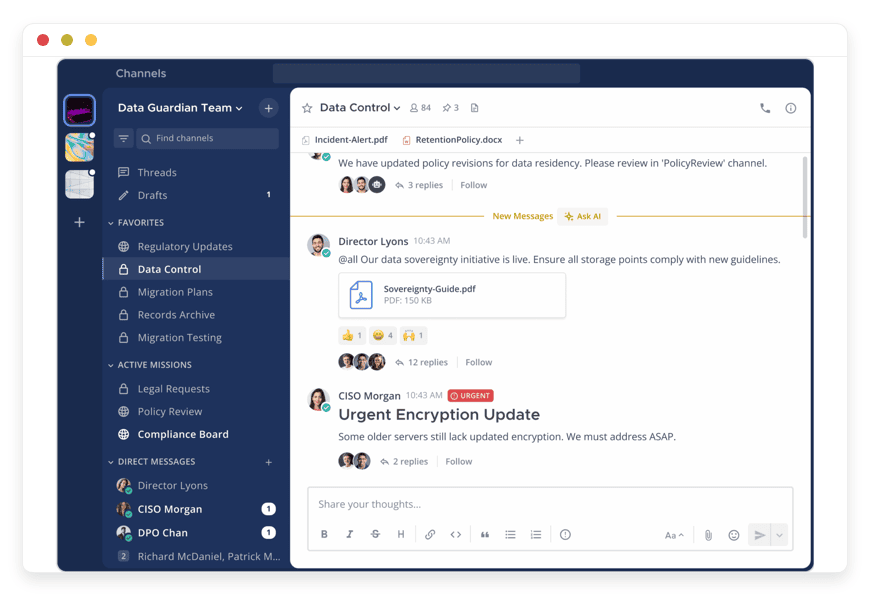
Mattermost is the open-source app that looks and feels most like Slack. Channels, threads, direct messages, integrations, file sharing, slash commands, message search across the entire history. The web client is a near visual match for Slack’s. Teams that switch describe a learning curve measured in hours, not days.
Who built it. Mattermost, Inc., founded in 2015. The platform powers internal communications at the US Navy, Wargaming, and a long list of European public-sector and DevOps-heavy organisations.
License. The server source is GNU AGPL v3.0; compiled binaries from Mattermost Inc. are released under MIT. The Enterprise edition is governed by a separate source-available license. About 36,500 stars on GitHub as of May 2026.
Team Edition vs Enterprise. Team Edition is the free, open-source build — channels, unlimited users, unlimited message history, basic integrations. Enterprise adds SAML SSO, LDAP/Active Directory sync, compliance exports, custom retention policies, high-availability clustering, and priority support. For a 5–50 person SMB without an identity provider mandate, Team Edition is enough. For larger or regulated teams, Enterprise pays for itself in admin time.
Operational shape. Runs as a single Linux binary against PostgreSQL. Resource needs are modest — a 2 vCPU, 2 GB instance comfortably hosts 50–100 active users with months of history. Native integrations cover GitHub, GitLab, Jira, PagerDuty, Jenkins, and a long list of webhook-shaped tools; the plugin marketplace adds another 70-odd. Mobile apps are first-class on iOS and Android. The Calls plugin handles voice and screen sharing without an external dependency.
DANIAN price. €9 per month for managed Mattermost hosting, with patching, daily off-site backups, and 24/7 support included. You pick the datacenter region from 21 options.
Best for: the team that wants Slack’s interface and is leaving for the price math or the data control, not for a different product. Migration tools exist for importing Slack channels and message history.
Rocket.Chat — the most features per dollar
Rocket.Chat does what Mattermost does and more. It also does live customer chat, omnichannel inbox routing across email and SMS and WhatsApp and Instagram, video conferencing, voice messages, and federation across Matrix-compatible servers. The cost is a heavier server footprint — Node.js plus MongoDB plus a few moving parts — and a slightly busier UI.
Who built it. Rocket.Chat Technologies Corp., founded in 2015 in Porto Alegre, Brazil. Used by Deutsche Bahn, Audi, the World Bank, and the US Navy.
License. The Community Edition source is MIT, with some non-FOSS components included in the official Docker image. About 45,300 stars on GitHub as of May 2026 — the largest open-source chat repository by that metric.
Free vs paid. The Community Edition self-host is unlimited: no user cap, no message-history cap, no feature gating on the core chat experience. Paid plans add white-labeling, advanced compliance exports, and dedicated support. The Starter managed offering from Rocket.Chat itself is free up to 50 users.
Operational shape. Heavier than Mattermost. Node.js application, MongoDB database, Redis for queues. A 2 vCPU, 4 GB instance is comfortable for 50–100 users; busy omnichannel deployments push higher. The marketplace ships apps for Salesforce, GitHub, GitLab, Jira, Zapier-style connectors, and a long list of customer-channel bridges. Mobile clients are mature on both platforms.
DANIAN price. €9 per month for managed RocketChat hosting, at the same flat rate as the rest of the catalog.
Best for: the team that already wants Slack plus a help desk plus a video tool. Replacing three line items with one open-source instance is where Rocket.Chat earns its keep. Also strong for any organisation that wants to talk to customers on WhatsApp or Instagram from the same inbox staff use to talk to each other.
Matrix + Element — federation and sovereignty
Matrix is not an app. It is an open standard for messaging on the internet, the same way SMTP is an open standard for email. Synapse is the reference homeserver. Element is the company that maintains Synapse and ships the most polished Matrix client.
The thing Matrix does that nothing else on this list does is federation. Two organisations running their own Matrix homeservers can have a shared room without either side controlling the other’s data. Like email, but encrypted by default and built for chat. Government agencies, defence contractors, NGOs, and federated communities use Matrix specifically for this property — the conversation crosses organisational boundaries without crossing trust boundaries.
Who built it. The Matrix.org Foundation defines the protocol. Element (formerly New Vector) maintains Synapse and Element Server Suite. Used by the French government’s Tchap, the German Bundeswehr, Mozilla, and a long list of universities and federations.
License. Synapse releases up to 1.99 are Apache 2.0. Releases from 1.99 onward are AGPL v3.0 under the Element-hq fork. The reference client (Element Web) is AGPL v3.0.
Free vs paid. Element Server Suite Community is the free self-hosted distribution, supporting up to 100 users. Element Server Suite Pro is the commercial offering for larger and regulated deployments — at SMB scale you almost never need it.
Operational shape. Synapse plus PostgreSQL, with a reverse proxy in front and (for voice and video) a TURN server like coturn. The base homeserver is light at small scale — 2 vCPU and 4 GB of RAM run a 50-user server with low load. Federation, the headline feature, is also the operational complexity tax: federated rooms duplicate state across servers, joining a busy public room can pull in gigabytes of history, and tuning room retention is its own discipline. Element Web is the polished client; mobile clients exist for iOS and Android.
DANIAN price. €9 per month for a managed Matrix + Element for federated chat instance, with the Element web client wired in and the homeserver patched against upstream releases.
Best for: teams that need to talk to people outside their own organisation while keeping their data on their own server. NGOs, federations, multi-org partnerships, and any team where end-to-end encryption is the floor not the ceiling.
Comparison at a glance
| Slack Pro (annual) | Mattermost on DANIAN | Rocket.Chat on DANIAN | Matrix + Element on DANIAN | |
| Cost at 10 seats | $72.50/month | €9/month | €9/month | €9/month |
| Cost at 25 seats | $181.25/month | €9/month | €9/month | €9/month |
| Message history | Unlimited (paid) | Unlimited | Unlimited | Unlimited |
| Source-available | No | Yes | Yes | Yes |
| GitHub stars | n/a | ~36.5k | ~45.3k | ~3.3k (Synapse) |
| License | Proprietary | AGPL-3.0 / MIT compiled | MIT (Community) | AGPL-3.0 |
| Federation | Slack Connect only | No | Yes (Matrix bridge) | Yes (native) |
| You pick the region | No | Yes (21 options) | Yes (21 options) | Yes (21 options) |
| Switching effort | n/a | Low | Medium | Medium-high |
Two reads of this table. First, the cost gap widens with the team. Slack at 25 seats is roughly 20× the DANIAN line; at 50 seats it’s roughly 40×. Second, the switching effort is the constraint, not the price. We come back to that in the FAQ.
If the math looks right, the easiest next step is a 7-day trial on a managed instance. No card, real data, your team.
Start a free trial against your real workload →
How to pick: 4 questions to ask yourself
1. How much does the UX matter to your team?
If the answer is “we want Slack, but cheaper and ours,” pick Mattermost. The visual translation is the lowest. Onboarding a non-technical 12-person team takes a single afternoon. Channels and threads and search work the way the team’s muscle memory expects.
If the answer is “we want chat plus customer support plus video plus omnichannel,” pick Rocket.Chat. The UI density is higher, the learning curve is real, and the payoff is replacing three SaaS line items with one self-owned instance. Worth the extra week of onboarding for a team that runs customer-facing operations through chat.
2. Do you need to talk to people outside your own organisation?
If yes — federated communities, multi-org partnerships, cross-government rooms, anything where trust boundaries matter — Matrix is the only option on this list that natively supports it. Slack Connect does cross-workspace channels but on Slack’s infrastructure, not yours. Matrix federation runs server-to-server with end-to-end encryption.
If you only ever talk to your own team, pick Mattermost or Rocket.Chat. Federation adds operational complexity you don’t need.
3. Do you have a sysadmin?
If yes, and they are bored, all three of these will install on a $24/month production-class VPS with backups and monitoring. Total run cost: $44 per month infrastructure plus 1–2 hours of their time per month for patching, certificate renewal, and backup checks. At a freelance sysadmin rate of €60–120 per hour, that’s another €60–240 per month in labour. The full self-host path lands at €100–280 per month effective.
If no, the managed option exists for a reason. Patching, backup verification, restore drills, certificate renewal, mail-relay configuration, on-call when something breaks at 2am — none of these are billable to your customers. Paying €9 per month per instance to make them somebody else’s job is the math most SMBs settle on.
4. How important is search across the entire history?
If “we look something up from a year ago every week,” you cannot stay on Slack Free. The 90-day cap and the rolling deletion break the use case directly. Slack Pro fixes the visibility cap but the bill scales with the team. An open-source instance — self-hosted or managed — keeps every message indexed and searchable for as long as the disk holds, and the price does not move with the seat count. Mattermost and Rocket.Chat both run full-text search across every channel and direct message a user has access to. Matrix searches per-room by default; cross-room search needs an indexer like Synapse’s experimental endpoints or a third-party tool.
If “we mostly search the last 30 days and reference older stuff in documents,” any of the four paths works. In that case, the decision turns on price and operational fit, not retention.
FAQ
Is Mattermost actually free?
The Team Edition is. Source under AGPL v3.0, binaries under MIT, no user cap, no message-history limit, no feature paywall on the chat itself. Enterprise adds SSO, compliance exports, and clustered high availability — useful at 200+ users or in regulated environments, optional at SMB scale.
Can I import my Slack messages?
Yes for Mattermost and Rocket.Chat — both ship official Slack importers that handle channels, users, and message history from a Slack export. Matrix has community-built importers; the conversion is less smooth and may lose threading on older messages. Start the export from Slack before you cancel the workspace, not after.
What if I just want to do this myself?
A small team with one developer can run Mattermost on a $24-per-month production-class VPS plus $5 of object-storage backup plus $15 of monitoring. Adding 1–2 hours per month of patching and on-call at €60–120 per hour pushes the all-in cost to €100–280 per month. If your developer enjoys this work and the operational risk is acceptable, that path is genuinely fine. If they don’t or it isn’t, paying €9 per month for a managed instance is the trade.
Will Slack delete my history if I leave?
Slack’s export tool runs on every plan, including Free, and produces a JSON archive of public-channel messages and files you have access to. Private-channel and DM exports require the right plan or per-user permission. Run the export before you downgrade or cancel — once data crosses the one-year deletion threshold on Free, no upgrade brings it back.
Does open-source chat have video calls?
Mattermost has built-in voice and screen-sharing via the Calls plugin. Rocket.Chat has video conferencing built in. Element/Matrix has Element Call, a group-call layer that runs over the Matrix protocol. None of them have the polish of a dedicated video tool — for board-meeting-grade calls, most teams keep Zoom or Google Meet alongside chat.
What happens if I want to leave DANIAN later?
You take your data with you. We keep daily off-site backups; on request we hand them over via SFTP or download. The open-source app is yours — you can stand it up anywhere that runs the same Docker image. We have a written guide for moving a Mattermost or Rocket.Chat instance off our infrastructure to your own server.
What's the difference between Mattermost and Rocket.Chat?
Mattermost looks and feels closest to Slack — channels, threads, integrations, lighter footprint. Rocket.Chat does all that plus omnichannel customer support (WhatsApp, Instagram, SMS), built-in video, and Matrix federation. Pick Mattermost for an internal-only Slack swap. Pick Rocket.Chat if you also want to fold customer chat and video into the same instance.
Can I use a custom domain like chat.mycompany.com?
Yes. On a managed DANIAN instance, custom domains are configured during onboarding — you point an A record at the instance and we handle the certificate. Mattermost, Rocket.Chat, and Element all support custom-domain branding at the application level. Mobile clients work against custom domains without extra setup.
How many users can a single Mattermost or Rocket.Chat instance handle?
A 2 vCPU, 4 GB instance comfortably runs 50–100 active users with months of history. At 200–500 users, plan on 4 vCPU and 8 GB. Above 1,000 users, both apps support clustering on their paid tiers. For typical SMB scale (5–50 seats), the base €9 instance is enough.
Does Mattermost have a mobile app?
Yes. Mattermost ships native iOS and Android apps, both maintained by the Mattermost team and released under Apache 2.0. Push notifications work out of the box on a managed DANIAN instance — we point them at our own push proxy so notifications arrive without you running infrastructure for it. Rocket.Chat and Element ship the same way.
What about end-to-end encryption?
Matrix has E2EE on by default for direct messages and as an option per room — strongest in this list. Mattermost encrypts data in transit (TLS) and at rest, but not message-level E2EE on the open-source Team Edition. Rocket.Chat has E2EE as an opt-in feature. For zero-knowledge messaging, Matrix is the only fit.
Can I integrate Mattermost or Rocket.Chat with GitHub, Jira, or Google Workspace?
Yes for all three apps. Mattermost has official plugins for GitHub, GitLab, Jira, PagerDuty, Jenkins, and Microsoft Calendar. Rocket.Chat has marketplace apps for Salesforce, GitHub, GitLab, Jira, and Google Drive. Matrix has bridges to Slack, Discord, IRC, Telegram, and most major platforms — federation works in both directions.
How does Slack Connect compare to Matrix federation?
Slack Connect lets you share channels with another Slack workspace, on Slack's servers. Both sides need a paid plan, and Slack hosts everything. Matrix federation is server-to-server: each organisation runs its own homeserver, owns its own data, and shares rooms peer-to-peer with end-to-end encryption. Different shapes — federation is the open-internet model, Connect is the SaaS model.
Will my team need training to switch from Slack?
Mattermost takes the least training — non-technical users typically pick it up in an afternoon, since the layout mirrors Slack closely. Rocket.Chat needs a few days of light onboarding because the UI surfaces more options. Matrix/Element looks more like a chat app than a workspace tool and is comfortable for technical teams; less so for marketing and ops.
What backups do I get on a managed instance?
Daily off-site backups, retained for 7 days on the standard plan. Backups cover the application database, file uploads, and configuration. You can request a restore at any point inside the retention window — typically completed within an hour of the request. On request we'll hand the backup files over via SFTP for your own archive.
Can I add or remove users without changing my bill?
Yes. The €9/month price is per app instance, not per user. A 5-person team and a 50-person team pay the same on Mattermost or Rocket.Chat at the base tier. The pricing scales with resource use (vCPU, RAM, storage) if your instance outgrows the base specs, not with user count.
Conclusion — what to do this week
The action depends on where you are.
On Slack Free, watching the search box go blank. Run the workspace export today, before any data hits the one-year cliff. Decide between paying for Slack Pro (worth it if your team has settled on Slack and the price math works at your seat count) or migrating.
On Slack Pro, watching the bill scale with the team. Calculate the per-seat math at 25 and 50 seats. If the curve looks bad, pick a target — Mattermost for the cleanest UX swap, Rocket.Chat for the broadest feature replacement, Matrix for federation. Run a 7-day trial on a managed instance against your real team before committing.
Already self-hosting and tired of being on call. That is the conversion most often: not from Slack, but from a Mattermost or Rocket.Chat instance someone set up two years ago and nobody wants to maintain. Migration to a managed instance keeps the data, drops the operational load.
DANIAN runs Mattermost, Rocket.Chat, and Matrix + Element at €9 per app per month, with patching, backups, monitoring, and 24/7 support included. 7-day free trial, no card. Email us before you migrate — we have done this enough times to spot the gotchas your team will hit.