Open-source stack for bookkeeping firms in 2026
The bookkeeping firm’s open-source stack in 2026 — invoicing, ERP, documents and cashflow you own
TL;DR
- A small bookkeeping firm can own the operational layer of its software — invoicing, document capture, client file exchange, and the firm’s own cashflow — with six open-source apps.
- Run all six as managed apps and the bill is flat: 6 × €9 = €54/month, whatever your client count. A comparable SaaS bundle starts near $274/month for a three-person firm with ten clients, and rises with every client and seat.
- Receipt capture is where SaaS scales hardest. Dext Practice starts at $17.70 per client per month with a ten-client minimum; one self-hosted archive handles every client at the same flat price.
- One honest limit: this stack owns your firm’s operations, not each client’s statutory accounts. Dolibarr has a double-entry ledger, but it is not a full statutory accounting package, and Firefly III tracks cashflow rather than keeping client books.
- Start with one app on a 7-day free trial, run it for two weeks against the SaaS tool it would replace, and keep what earns its place.
Who this list is for (and isn’t)
This is for a small bookkeeping or accounting firm — one to ten people — that pays per seat and per client for QuickBooks or Xero, plus separate receipt-capture and file-storage subscriptions. If you want to own the operational layer around your accounting instead of renting it, the six apps below are a working starting point.
It is not for a firm that wants to replace every client’s statutory accounting file this quarter. It is not for anyone unwilling to let a managed host run the software in exchange for not running it. And it is not for a firm whose current package produces a country-specific filing format it cannot do without — verify first, switch later.
The pressure here is structural. Intuit raised QuickBooks Online prices across its plans — roughly 75% over four years for some long-term subscribers, including an increase in January 2026; one charity reported going from £32 to £56 a month. Xero is priced per organisation, so cost climbs with every client file you add. Dext bills per client. For a firm carrying many client subscriptions, the software bill grows faster than headcount. A ten-client firm can pay for ten slices of receipt capture plus per-seat logins before it bills an hour. That is what this stack answers.
The shortlist
Six apps cover the operational stack: billing, an ERP workspace, document capture, the firm’s own cashflow, file exchange with clients, and encrypted shared documents. Each runs as a managed app at €9/month, in the region you choose across 21 datacenter regions on six continents. Each entry names what it does well and where it stops.
Invoice Ninja — billing and a client portal
Invoice Ninja handles invoices, quotes, recurring billing, payment links, expenses, and time tracking, with a client portal where customers view and pay. It connects to Stripe and PayPal, runs in multiple currencies, and self-hosting includes the Pro and Enterprise features at no per-seat charge. It is built on Laravel, and the current code sits in the 5.10 line.
For a firm billing many clients, it keeps each client’s invoices, payments, and history in one portal. Automated reminders chase overdue invoices on a schedule you set. It supports a range of payment gateways beyond Stripe and PayPal, with partial payments and late fees. You can brand invoice templates and bill each client in their own currency.
Where it stops. Invoice Ninja is source-available under the Elastic License 2.0, not OSI-approved open source — the code is open to read and run, with limits on reselling it as a competing hosted product. Its tax automation is strongest for US sales tax; for other tax regimes you set the rates. A $40/year white-label licence removes the Invoice Ninja branding from client-facing pages if you want only your firm’s name on them.
Replaces. The invoicing function inside QuickBooks or Xero, or a standalone invoicing subscription.
Read more: Invoice Ninja for billing.
Dolibarr — the firm’s ERP and accounting workspace
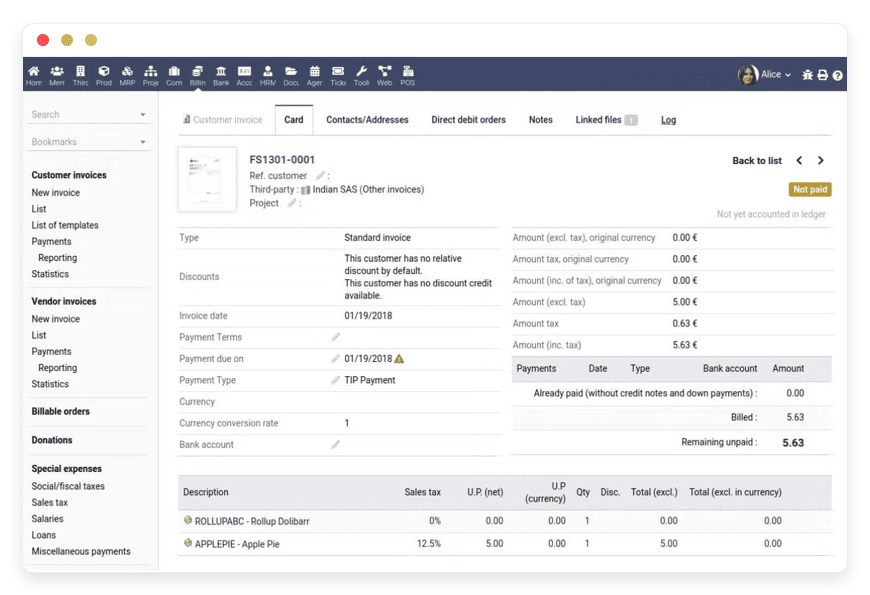
Dolibarr is a modular ERP and CRM: proposals, orders, invoices, purchase management, bank reconciliation, expense reports, and a double-entry accounting module. The accounting module carries a chart of accounts, journals, a general ledger, profit-and-loss and balance-sheet reports, and exports to common accounting formats. You enable only the modules you use.
Because the modules share one database, a client recorded in the CRM flows into quotes, invoices, and the ledger without re-entry. Bank reconciliation matches imported statements against recorded invoices and payments. You can generate supplier invoices, expense reports, and VAT summaries from the same workspace.
Where it stops. Dolibarr’s own project states that it deliberately stops short of being a full statutory accounting suite like QuickBooks, Xero, or Sage. The double-entry ledger is real, but accounting depth and country-specific tax-filing coverage vary by module and version. A firm that needs full statutory accounts for each client should confirm Dolibarr produces what its jurisdiction requires before moving the client ledgers, and may keep a dedicated package for them. For running your own firm’s books and operations, it is a strong fit; treat the client statutory files as a separate decision.
Replaces. The firm’s own accounting subscription and several scattered operations tools.
Read more: Dolibarr for ERP and accounting.
Paperless-ngx — receipt and document capture
Paperless-ngx ingests PDFs, images, and scans, runs OCR in over 100 languages, and files everything by correspondent, type, tag, and date with full-text search. It pulls attachments straight from an email inbox and watches a consume folder, so receipts land and become searchable without manual filing. It is built on Django with Tesseract OCR, under the GPL.
You define document types and correspondents once, and new files inherit them. Saved views and filters give each staff member a focused queue. Full-text search runs across the OCR’d contents, not just file names. Mail rules can watch several inboxes and route each client’s documents to the right place.
Where it stops. Its auto-tagging learns from your corrections — accuracy starts rough and improves once you have tagged a few hundred documents. And unlike Dext or Receipt Bank, it does not push extracted line-item data into your accounting software on its own; it captures, reads, and archives, and you wire the data into Dolibarr or key it in. OCR is processor-hungry, which the managed plan absorbs. The trade is some setup work for a flat price instead of a per-client fee.
Replaces. Dext or Receipt Bank for capture and archive.
Read more: Paperless NGX for receipts.
Firefly III — the firm’s own cashflow
Firefly III tracks the firm’s own money: accounts, transactions, budgets, categories, recurring items, and reports on where cash goes. It uses double-entry mechanics under the hood, imports bank CSVs, and has a rules engine for cleaning and categorising those imports. It is free and open-source under the AGPL, written in PHP.
You set budgets with monthly limits and watch spend against them. The rules engine renames and categorises imported transactions automatically. A recurring supplier is tagged the same way every time. Recurring bills are tracked, and reports cover net worth, spending by category, and budget performance. Bank data comes in by CSV or through its data importer. You can attach a receipt file to any transaction. Multiple currencies are supported if the firm holds more than one.
Where it stops. Firefly III is, by design and by its maker’s own description, a personal finance manager. Its job in this stack is the firm’s own cashflow and budgeting — not keeping clients’ statutory books and not producing client financial statements. It will not replace QuickBooks or Xero for client accounting. It answers the separate question of where your firm’s own money is going.
Replaces. Spreadsheets or a personal-finance app for the firm’s own cash tracking.
Nextcloud — file exchange with clients
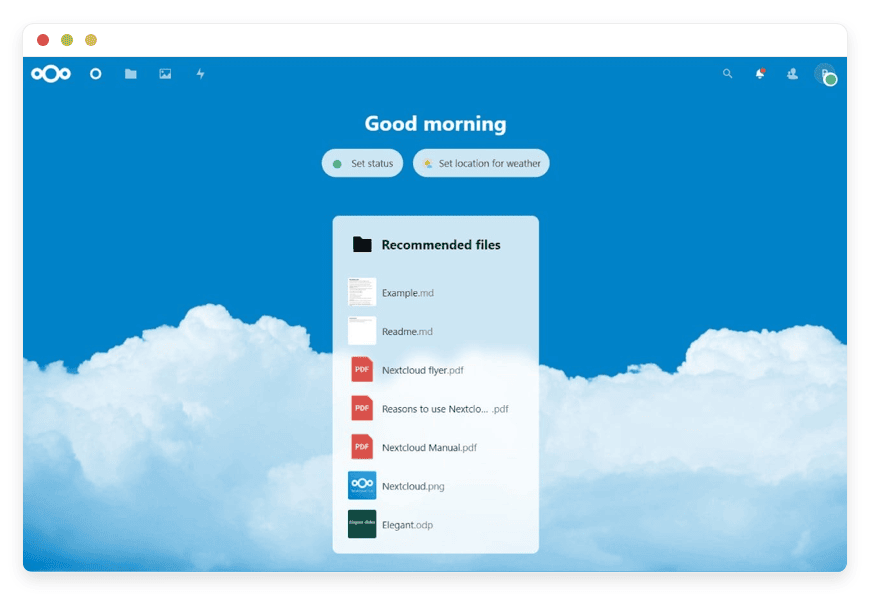
Nextcloud is the firm’s shared drive: file sync across devices, folder sharing, version history, permission controls, and file-request links a client can upload to without an account. It adds calendars, contacts, and collaborative documents through Nextcloud Office, so it covers most of what a firm uses Dropbox or Google Drive for. It is open-source under the AGPL.
Share links can carry a password and an expiry date. A sensitive file need not stay open forever. Upload-only file drops let a client send documents without seeing anyone else’s. Desktop and mobile sync clients keep a local copy on each device. The activity feed shows who changed what. Collaborative editing runs in the browser through Nextcloud Office, so two people can work one spreadsheet at once.
Where it stops. By default Nextcloud encrypts data in transit, and can encrypt files at rest with server-managed keys — which means the host holds those keys and could in principle read at-rest content. For most document exchange that is the same trust model as any managed drive. For the small set of most sensitive working documents, where you want the host unable to read the content, pair it with CryptPad below.
Replaces. Dropbox or Google Drive for client file exchange.
CryptPad — encrypted shared documents
CryptPad is an end-to-end encrypted office suite: documents, spreadsheets, presentations, kanban boards, and a whiteboard. Content is encrypted in your browser before it reaches the server, so the host — including us — cannot read it. You can share a sensitive working file by link, and registered accounts do not require an email address. It is open-source under the AGPL.
You can give a link that allows editing, or one that only allows viewing. Either can be revoked later. Shared team drives let a small group keep encrypted files in one place. There are documents, spreadsheets, code, and forms, all encrypted the same way. With no email requirement, you can invite an outside collaborator to a single file.
Where it stops. That zero-knowledge design is also its constraint. CryptPad has fewer file-management features than Nextcloud — lighter version control, fewer permission controls, and it is not built to be a bulk file store. Use it for the documents where confidentiality matters most, not as the firm’s whole drive. If you sign engagement letters inside the stack, treat any signing record as tamper-evident signing metadata, and confirm your jurisdiction’s signature requirements with your own adviser.
Replaces. Google Docs and shared spreadsheets for sensitive collaboration.
How they fit together
The six apps form a pipeline. Receipts and bills arrive in Paperless-ngx by email or scan and become searchable. The firm’s books and operations live in Dolibarr. Invoice Ninja bills clients and takes payment. Firefly III watches the firm’s own cashflow. Nextcloud and CryptPad move documents to and from clients.
A single document shows the flow. A supplier invoice lands in Paperless-ngx by email, gets OCR’d, and is tagged to its client and category. You record the expense in Dolibarr, against the right client and account. If it touches the firm’s own money, the payment appears in Firefly III on your next bank import. The original stays in Paperless-ngx, searchable, so you can pull it up months later in seconds. Nothing is keyed twice without reason, and every step has one clear home.
The two document tools cover different needs, so it helps to give each a clear role. Paperless-ngx is the internal archive: your OCR’d, searchable copy of every receipt and statement. Nextcloud is the exchange layer: clients drop their documents into a request folder, and you share finished files back with version history. CryptPad is for the few documents that should stay readable only to the people working on them — a draft set of figures, a sensitive schedule. Dolibarr is where the firm’s own accounting and operations sit. Invoice Ninja can run billing on its own or alongside it. Firefly III sits to one side, tracking the firm’s own money.
What this pipeline does not do is keep each client’s statutory ledger. That stays in your accounting package unless you have confirmed Dolibarr produces the filings your clients’ jurisdictions need. Owning the operational layer and owning the statutory ledger are two separate moves. This stack makes the first one cheap and leaves the second to your judgment.
What the stack costs
Run all six as managed apps and the math is flat: 6 × €9 = €54/month, whatever your client count or staff size within the base tier. A SaaS bundle covering the same operational ground starts near $274/month for a three-person firm with ten clients — and the receipt-capture line alone grows with every client you add.
| Function | Typical SaaS (monthly, USD) | This stack (monthly) |
|---|---|---|
| Accounting / the firm’s books | Xero Growing ≈ $55, or QuickBooks Plus ≈ $56 | Dolibarr — €9 |
| Receipt capture across clients | Dext Practice ≈ $17.70/client × 10 (min) ≈ $177 | Paperless-ngx — €9 |
| Invoicing & client portal | Usually bundled into the accounting plan | Invoice Ninja — €9 |
| The firm’s own cashflow | Spreadsheet or app ≈ $0–15 | Firefly III — €9 |
| File exchange with clients | Dropbox / Google Workspace, 3 seats ≈ $42 | Nextcloud — €9 |
| Encrypted shared documents | Bundled into the file/office plan above | CryptPad — €9 |
| Total | ≈ $274/month, rising per client and seat | €54/month flat (≈ $58) |
USD list prices, verified June 2026; figures exclude tax and promotions and rise with clients and seats. DANIAN bills in EUR; €54 ≈ $58 at June 2026 rates.
The contrast is not that six apps undercut five subscriptions one for one. It is structural. Most of the SaaS bundle is priced per seat or per client, so a firm’s software cost tracks its client list. The managed self-hosted stack is priced per app. Adding a tenth or a thirtieth client changes the SaaS bill and leaves the €54 untouched, because the same Paperless-ngx archive and the same Nextcloud drive serve all of them.
The break-even arrives early: a firm carrying ten clients on Dext Practice alone already pays more for receipt capture than the whole six-app stack costs. Each app runs in the region you choose, patched, backed up daily, and monitored. We will not change your plan or raise your resources without asking you first. From €9/month, no per-seat fees.
How to start
Do not migrate everything at once. Pick the one app that maps to your most painful subscription — usually receipt capture or invoicing — start it on a 7-day free trial, and run it in parallel with the SaaS tool for a couple of weeks before you decide.
A sensible order for a firm: start with Paperless-ngx, point an email inbox at it, and forward a month of receipts to see how the OCR and tagging hold up on your real documents. If that lands, add Nextcloud for client file exchange and move one client’s folder over. Bring up Invoice Ninja next and run a billing cycle through it alongside your current tool. Leave Dolibarr and the question of client ledgers for last, once you have confirmed it produces what your jurisdiction needs. Firefly III you can stand up any time — it touches only your own cashflow, so there is nothing to migrate from a client.
Keep what earns its place; drop what does not. A managed app is a monthly line item, not a contract.
Start your 7-day free trial — no card needed.
FAQ
What does the whole stack cost per month?
Run as six managed apps at €9 each, it is €54/month flat — independent of how many clients or staff you have within the base resource tier. A SaaS bundle covering the same operational ground starts near $274/month for a small firm with ten clients, and rises as you add either.
What’s included in the €9 per month per app?
Each app runs on its own container with 1 vCPU, dedicated RAM, 30 GB of storage, and 1,000 GB of monthly traffic. The price covers deployment, security patching, daily backups, monitoring, outbound email, and support. There are no per-seat charges and no setup fee.
Does the price go up as I add clients or staff?
No. Each app is a flat €9 per month regardless of how many clients or staff use it, within the base resource tier. That is the core difference from SaaS, where most plans charge per seat or per client. Adding your tenth or thirtieth client leaves the price unchanged.
Is open-source bookkeeping software actually free?
The software itself is free to download and use. What costs money is running it well — a server, security patching, backups, and monitoring. DANIAN handles that for €9 per app each month, so you get the free software without the unpaid work of hosting it yourself.
Are these tools really open source?
Five of the six are open-source under standard licences — Dolibarr, Paperless-ngx, Firefly III, Nextcloud, and CryptPad. Invoice Ninja is source-available under the Elastic License 2.0: the code is open to read and run, with limits on reselling it as a hosted product. None of the data is locked to one host.
Can these six apps fully replace QuickBooks or Xero?
For your firm’s own books and operations, Dolibarr’s double-entry ledger goes a long way. For each client’s statutory accounts and filings, not necessarily — Dolibarr is not positioned as a full statutory accounting suite. Confirm it produces your jurisdiction’s required filings before moving client ledgers, and keep dedicated software where it does not.
Does this stack handle payroll or tax filing?
Not on its own. None of the six apps runs payroll, and Dolibarr is not built to file statutory tax returns. The stack covers invoicing, document capture, the firm’s own cashflow, and file exchange. For payroll and statutory filing, keep dedicated software alongside it.
Is this suitable for a one-person bookkeeping practice?
Yes. The stack fits firms of one to ten people, and the flat €9-per-app price often makes most sense for a solo practice carrying several client subscriptions. You can start with one app — usually receipt capture or invoicing — and add others only as they earn their place.
Is Paperless-ngx a drop-in replacement for Dext or Receipt Bank?
It captures, OCRs, tags, and archives receipts as well as those tools do, in one searchable archive for all clients. The difference: Dext pushes extracted data into your accounting software automatically; Paperless-ngx does not, so you wire the data into Dolibarr or enter it. The trade is some setup for a flat price.
What’s the difference between Nextcloud and CryptPad for client documents?
Nextcloud is the everyday shared drive: sync, version history, and upload links clients use without an account. CryptPad is end-to-end encrypted — files are encrypted in your browser, so the host cannot read them. Use Nextcloud for general exchange and CryptPad for the few most sensitive documents.
Can I add other apps beyond these six?
Yes. The full catalogue has 150+ open-source apps, all at the same flat €9 per month. A bookkeeping firm often adds a password manager, a project tracker, or a help desk. Each runs in its own container, so you mix and match without affecting the others.
Can I import my data from QuickBooks, Xero, or Dext?
It depends on the tool. Most let you export to CSV or PDF, which these apps can take in — Firefly III imports bank CSVs, Paperless-ngx ingests exported documents, and Dolibarr imports records by file. Expect some manual mapping; a clean migration is a project, not a one-click transfer.
Can I run this alongside my current accounting software while I switch?
Yes, and that is the recommended way. Start one app on a 7-day free trial and run it in parallel with the tool it would replace for two weeks. Keep both until the new one clearly holds up on your real documents, then retire the subscription.
How long does it take to set up the stack?
A single app is running within minutes of starting a trial — the container is deployed for you. Migrating your firm onto the full stack is a project of a week or two, done one app at a time. The host handles the infrastructure; your time goes into moving data and habits.
Do I need technical skills to use these apps?
No server skills. The host deploys, patches, backs up, and monitors each app, so there is nothing to install or maintain. You do learn each app’s own interface, the same as any new software. If something needs a change under the hood, support handles it.
Do I need to run or maintain servers?
No. The apps are deployed and run for you — patching, backups, monitoring, and support are included. You work in each app’s own interface, and reach a person by email when you need a change that needs a human. From €9/month per app.
What kind of support is included?
Every app includes support and email, available around the clock, at no extra cost. You reach a person for setup questions, configuration changes, or anything that needs a hand under the hood. Support is part of the €9, not a separate tier or add-on.
How are backups handled?
Each app is backed up daily, automatically, with no setup on your side. If something goes wrong, there is always a recent copy to restore from. You can also export your own documents, ledger, and files at any time and keep a copy wherever you choose.
Why not just self-host these apps on my own server?
You can — the software is free. But running it well means provisioning a server, applying security patches, configuring backups, and monitoring uptime, on call when something breaks. For a small firm that is a second job. The €9 per app trades that ongoing work for a flat monthly line.
Is my data isolated if the host is multi-tenant?
Each app runs in its own hardened container, with its own resource allocation and isolated networking. The infrastructure underneath is shared — that is what makes €9 possible — but the boundaries between containers are real. With CryptPad specifically, documents are encrypted in your browser, so the host cannot read them.
What happens if I want to leave?
The apps and their data are yours. You can export your documents, your ledger, and your files and take them elsewhere; daily backups mean there is always a current copy. The software is open-source — Invoice Ninja is source-available — and nothing about the data is locked to one host.
What to do this week
The pressure on a bookkeeping firm’s software bill is structural: most of it is priced per seat or per client, so it grows with the practice. Owning the operational layer — capture, billing, file exchange, the firm’s own cashflow — moves that part to a flat €54/month and leaves only the statutory client ledgers as a separate decision.
This week, pick the single subscription that annoys you most. If it is receipt capture, start Paperless-ngx on a 7-day free trial and forward it a month of real receipts. If it is invoicing, do the same with Invoice Ninja. Run it next to the tool it would replace, and let your own documents decide.
Browse the app catalog.
This is operational guidance, not tax or legal advice — confirm your obligations with your own adviser.