Fully Managed
Mirotalk SFU
as a Service

Deploy Mirotalk SFU as a fully managed service starting at €9/mo. Get automated backups, SSL, updates, support and monitoring included.

MiroTalk SFU is an open-source WebRTC video conferencing platform — meetings, screen sharing, whiteboard, recording, and live broadcasting — combining the convenience of Zoom and Google Meet with the security and control of self-hosted infrastructure.

Free 7-day trial  99.9% Uptime SLA  No credit card  Cancel anytime

Free 7-day trial  99.9% Uptime SLA
No credit card  Cancel anytime

Mirotalk SFU

Mirotalk SFU

STARTING AT

€9/month
Automated Backups
Monitoring
Automated Updates
Auto SSL

USAGE

Unlimited
Human Support
Custom Domains
Terminal Access
File Manager Access
Deploy in your region 21 locations worldwide
GermanyFinlandNetherlandsUKSwedenUnited StatesCanadaSingaporeJapanAustraliaBrazilSouth Africa+9 more →
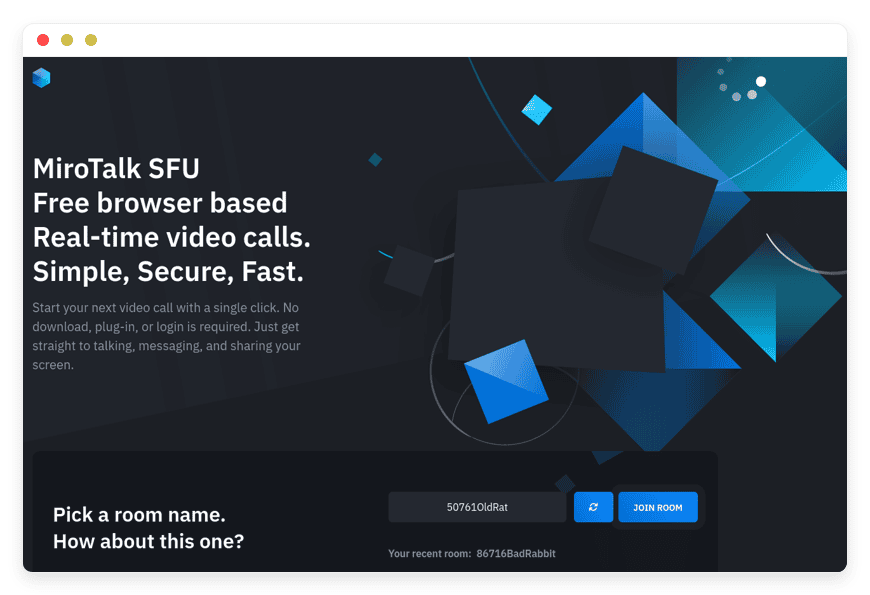
Mirotalk SFU Preview Image

ABOUT THE SOFTWARE

What is Mirotalk SFU

MiroTalk SFU is an open-source WebRTC video conferencing server built on the mediasoup Selective Forwarding Unit architecture. It runs unlimited rooms with no time limits, scales to many participants per CPU core, and works in any modern browser without an app install.

The project is published under the AGPLv3 license and is actively maintained by Miroslav Pejic. The current 2.x release line supports up to 8K video and 60 fps, ships translations in 133 languages, and exposes a REST API at /api/v1 for programmatic room generation. Authentication options include room password, lobby mode, host credentials, JWT, and a full OpenID Connect layer for SSO. MiroTalk SFU also bundles a collaborative whiteboard, real-time polls, file sharing, virtual backgrounds, an RTMP broadcaster compatible with OBS, and an optional ChatGPT-based in-room assistant.

The SFU architecture is the part that matters operationally. Unlike a peer-to-peer mesh where every participant sends their stream to every other participant, in an SFU each participant sends one stream to the server, and the server forwards selectively. The upload-bandwidth cost stays constant for the participant regardless of room size; the server bears the fan-out. That's why MiroTalk SFU handles larger meetings cleanly where a P2P call would saturate the average home upload link at four or five attendees.

FEATURES

What Mirotalk SFU does

MiroTalk SFU is a full conferencing surface, not a minimal video-call widget. The feature set covers meetings, webinars, classes, and broadcasts — with the moderation, integration, and recording controls that make those use cases work in production.

Browser-based video and audio

Up to 8K resolution and 60 fps in any modern browser — Chrome, Firefox, Safari, Edge — with echo cancellation, noise suppression, and per-participant device selection. No installer, no plugin, no native app.

Collaborative whiteboard

Multi-user drawing surface with shape tools, freehand, sticky notes, and a rich text editor. Designed for teaching but useful for any meeting that needs a shared sketch instead of a slide deck.

RTMP broadcasting

Integrated RTMP server compatible with OBS. Stream the room's webcam, screen share, or an external URL to YouTube Live, Twitch, or any RTMP destination — no second tool required.

REST API and iframe embed

Generate room URLs and join links programmatically from your booking platform, CRM, or LMS. Embed the room inside your own page via iframe with the camera, mic, and screen-capture permissions allow-listed.

Screen sharing and presentation

Share a tab, window, or full screen. Present documents and slides. Real-time sharing of YouTube embeds and uploaded MP4, WebM, OGG, and MP3 files so a remote class can listen and watch together.

Recording — local or server-side

Record screen, audio, video, or all three. Client-side recording captures to a browser blob each participant can download. Server-side recording, when enabled, pins files to a backed-up volume.

Authentication and moderation

Room passwords, lobby mode (moderator admits each joiner), host credentials, JWT, full OIDC SSO. Spam mitigations, geolocation, and per-user permissions for camera, mic, screen, and chat.

Integrations and AI

Webhooks to Slack, Discord, and Mattermost for room events. Optional in-room ChatGPT assistant using your own OpenAI key. Sentry error reporting. Markdown chat with private messages and saved conversations.

WHAT'S ALWAYS INCLUDED

Every app. Fully managed.
Nothing extra to pay for.

Every app you deploy includes the full managed service — security, backups, updates, and support from day one.

Automatic updates and patches

Apps run the latest stable version. Security patches applied silently, with rollback if needed.

Daily off-site backups

Multiple daily backups in redundant off-site locations. One-click restore if anything goes wrong.

24/7 uptime monitoring

Continuous monitoring with instant alerting. We respond before you notice.

SSL, firewall, DDoS protection

Auto-renewing SSL, hardened firewall rules, DDoS mitigation on every deployment.

Performance and scaling

We monitor resource usage continuously. When your app needs more headroom, we flag it and upgrade with your explicit approval.

Dedicated engineering support

Real engineers on chat. DNS, SMTP & migration help. All included in €9.

WHY MANAGED

Why teams pick managed Mirotalk SFU

In July 2025 Zoom raised paid-plan prices roughly 45%; in February 2026 it walked the increase partway back. Either direction, customers signing renewals saw the per-seat number move 5–51% at random intervals. The pricing volatility is a real reason teams now ask whether their conferencing line item belongs on a vendor's roadmap or on their own infrastructure.

Self-hosting MiroTalk SFU yourself is technically free — the source code is on GitHub, the Docker image is on Docker Hub, the documentation is thorough. What it isn't is operationally cheap. Running it in production means provisioning a server, setting up Coturn or confirming you don't need it, configuring the mediasoup port range, opening 100+ UDP and TCP ports on the firewall, getting SFU_ANNOUNCED_IP correct behind NAT or Docker (a misconfiguration produces a working-looking interface with no audio or video — the silent-failure mode that costs people an evening to diagnose), provisioning SSL, wiring an Nginx or Apache reverse proxy, and reapplying your branding overlay every time you run the update script.

What we ship by default: SFU_ANNOUNCED_IP pinned to the instance's public address, ports 40000–40100 opened on UDP and TCP, mediasoup workers scaled to the vCPU count of your plan, the published REST API secret rotated to a unique value, recordings pinned to the backed-up storage volume, Let's Encrypt SSL on your custom domain, branding kept as an overlay outside the source tree so upstream updates don't blow it away, and a 24/7 monitor on the mediasoup worker health that pages us — not you — when something stalls. That is the operational work that the €9 line item buys.

We run nightly snapshots of the recordings volume, a separate weekly off-site copy, and the mediasoup version is pinned and tested in a staging container before it ever lands on yours. When MiroTalk publishes a release, we read the changelog, run it against our own internal meetings for a few days, and only then queue the rolling update — usually within two weeks of upstream, never the same afternoon. That's the part of the work that doesn't show up in a feature list.

REVIEWS

Hear from customers ​like you​​​​​​​

Successful businesses and professionals around the world rely on DANIAN every day

USE CASES

Three teams who run Mirotalk SFU on DANIAN

These are representative team types we set up most often. Each starts with the same flat €9 plan.

5-PERSON REMOTE-FIRST MARKETING CONSULTANCY

Replacing per-seat conferencing after a 45% renewal hike

Deployed on the Germany region. Custom domain meet.studio.de with auto-renewed SSL. OIDC wired to the team's Google Workspace identity. Weekly internal stand-ups, three to five client check-ins per week, one recorded creative review per month pushed to a YouTube Live via the integrated RTMP broadcaster.

10-PERSON TORONTO LEGAL PRACTICE

Client consultations under solicitor-client privilege

Deployed on the Canada region so video stays inside Canada. Room password plus lobby mode enabled by default. JWT host authentication wired to the firm's case-management system so the room URL is one-time and bound to the file number. Recording disabled at the platform level by retainer policy.

ONLINE LANGUAGE SCHOOL, 8 INSTRUCTORS

1-on-1 and small-group lessons with whiteboard and shared media

Deployed on the Singapore region for APAC student latency. Iframe-embedded into the school's LMS so the lesson page launches the room. Whiteboard used every class for grammar drills; YouTube embeds for listening exercises; integrated poll for comprehension checks. Recording enabled per-class for student review.

COMPARISON

Four ways to run Mirotalk SFU

The honest math comparing the conferencing options most teams actually consider. Three rows are paths you could take today; the fourth is what €9 looks like on DANIAN. The numbers are the argument.

 PATH1 SEAT / ROOM5 SEATS / HOSTS10 SEATS / HOSTSWHAT YOU ALSO HANDLE
Proprietary SaaS — Zoom Workplace Pro
 Annual billing, AI Companion bundled 
$13.33/mo$66.65/mo$133.30/moRenewal volatility (45% hike in July 2025); per-seat math grows linearly; vendor processes audio and video
Self-host on a VPS
 $24/mo production-class VPS + backup + monitoring 
$44/mo infra + €60–240/mo of your ops time = €100–280/mo effectivesamesameMediasoup port config, ANNOUNCED_IP, SSL, Nginx, backups, updates, on-call
Home server
 Dell PowerEdge T350 or HP ProLiant ML30 Gen10 
€18–55/mo hardware + €17–32/mo electricity + €40–80/mo business internet + €10–20/mo off-site backup + €120–480/mo ops time = €210–667/mo effectivesamesameSame as VPS plus power, uplink, hardware failure recovery
DANIAN Managed Mirotalk SFU€9/mo€9/mo€9/moNothing. We do the rest.

The Zoom Workplace Pro row uses the April 2026 annual-billing rate of $13.33 per seat per month — the cheapest publicly listed paid tier. A 5-person consultancy moving from Zoom to DANIAN saves roughly $57 per month and removes per-seat renewal risk from the line item. A 10-person team saves $124 per month at the same tier; on Zoom Workplace Business at $18.32 per seat the savings climb further.

The self-host-on-a-VPS row understates the operational tail. The $44/month infrastructure figure assumes a production-class virtual server, an object-storage backup target, and a real monitoring service — not a $5/month VPS and a UptimeRobot free tier, which are not what production conferencing runs on. The €60–240/month time cost is what a freelance sysadmin charges; if you do the work yourself, you've just hired yourself at a rate you're either undervaluing or overpaying. The home-server row makes the cost math comparable to the VPS row once electricity, business internet with a static IP, and hardware amortisation come in — and the failure mode is worse because you also own the rack.

The €9 row is what removes both the per-seat math from the proprietary path and the operational tail from the self-host paths. The user-count column is intentionally flat — adding the 6th, 11th, or 30th participant doesn't change the line item, because the line item isn't per-seat.

BY INDUSTRY

Mirotalk SFU for specific industries

Conferencing is a horizontal need — but the moderation policy, the residency constraint, the recording rule, and the identity-provider wiring differ sharply by industry. Five industries where the managed-self-hosted path is the obvious one, with the configuration choices that change per sector.

The constraint. Solicitor-client privilege is jurisdiction-specific. The Law Society of Ontario, the Bar Council of England and Wales, and the German BRAO all caution against client-confidential information transiting US-based conferencing vendors without an enforceable processor agreement and matching data-residency posture. The plain reading for a small firm: keep client video on infrastructure the firm controls.

What we set differently for law firms. The instance deploys to the region your bar association expects — Canada, UK, Germany, Australia, or any of the 21 locations. Room password and lobby mode are on by default. Host authentication routes through JWT bound to your case-management system so the room URL is one-time and tied to the file number. Recording is disabled at the platform level unless the retainer permits it, and when permitted, recordings stay on the backed-up volume in the same region as the call.

Workflow example. Client books a consultation via your booking platform; the booking webhook calls the MiroTalk SFU REST API; the API mints a JWT-signed room URL valid for that file number; the client receives the URL with their appointment confirmation; the room opens with the lobby armed. Around 6–10 client video consultations per day fit comfortably on a base €9 instance.

The constraint. Schools handling students under 16 fall under EU and UK data-protection rules requiring verifiable parental consent for any third-party processor that touches a student's video or voice, with equivalent rules under COPPA in the US and PIPEDA in Canada. Most commercial conferencing vendors satisfy the rule with a data-processing agreement, but the operational burden of vetting that agreement falls on the school. A self-hosted instance puts the school in the processor seat.

What we set differently for schools. Lobby mode is on by default so instructors admit students one by one — no anonymous joiners. The instance embeds via iframe into the LMS so the lesson page is the launcher and there's no separate account for students to register. Whiteboard and real-time polls are enabled. Recording policy is per-class and toggleable, so the school can record listening exercises and skip recording role-plays.

Workflow example. 1 instructor plus 6–12 students per class, with whiteboard used for grammar drills, YouTube embeds for listening exercises, and the integrated poll for comprehension checks. Average class duration 45–60 minutes. A school running 8 instructors and ~25 simultaneous classes at peak sits in the 50-participant range that a base €9 instance handles before needing a vCPU bump.

The constraint. Telehealth carries strict residency and processing rules — NHS Digital DSPT for UK GP practices, §75c SGB V for German doctors, PHIPA or PIPEDA for Canadian clinics, and equivalent US patient-privacy regulations for any practice with US patients. The common requirement: patient video does not transit a US commercial conferencing vendor without specific contractual protection, and the practice retains the right to audit the processor.

What we set differently for healthcare. The instance deploys into the region your regulator expects. Host authentication routes through OIDC bound to the practice's identity provider, so a consulting locum's access ends when the day ends. Per-room passwords are mandatory. Mediasoup worker count is tuned for one-to-one consultation latency rather than large-room fan-out — patient sees the doctor with under 100 ms one-way on a same-region instance. Recording, when enabled, stays on the regional storage volume and is included in the daily off-site backup of the same region.

Workflow example. 1 doctor running 6–10 patient consultations per day, each under 30 minutes, with the room URL sent via the practice's booking platform. A small practice of 3 doctors sharing one instance fits on a base €9 plan; a 10-doctor clinic typically needs a 2-vCPU upgrade once concurrent consultations cross 30.

The constraint. The numbers stop working once the agency, plus rotating freelancers, plus clients, cross 10–15 logins per month. Per-seat conferencing pricing scales with the team plus everyone the team talks to, and the brand experience of joining a client meeting on a third-party conferencing URL is not great. Agencies want their domain on the calendar invite.

What we set differently for agencies. The instance deploys to a custom subdomain on the agency's domain — meet.agency.com — with auto-renewed SSL. Branding overlay applies the agency's logo and palette and survives MiroTalk upstream updates. The integrated RTMP broadcaster wires to the agency's YouTube Live or Twitch destination, so a product launch streams from the same room the team uses for stand-ups, with no second tool. Persistent rooms get one URL per active client account.

Workflow example. Daily 15-minute internal stand-up; client-specific persistent rooms; ad-hoc room generator on the team intranet; one or two recorded creative reviews per week stored on the backed-up volume; occasional webinar to a public RTMP destination. A 5–10 person agency runs comfortably on a base €9 plan unless the webinars regularly cross 50 live attendees.

The constraint. Engineering teams need a conferencing tool that does not lock them out of pair-programming, screen review, and incident huddles when a vendor's free tier hits a time cap or the corporate SSO expires at the worst possible moment. Self-hosting is technically appealing; the operational cost of doing it well is what makes managed the better trade.

What we set differently for engineering teams. OIDC routes to the same identity provider that gates GitHub, the CI dashboard, and the on-call rotation — usually Okta, Authentik, Keycloak, or Microsoft Entra. The mediasoup port range is pinned so it does not collide with other services on the host. The REST API is wired into the team's incident-response runbook so a P1 alert auto-creates a bridge room and posts the URL to Slack.

Workflow example. Persistent rooms for daily stand-up, weekly architecture review, and the on-call bridge. Ad-hoc rooms minted from the runbook during incidents. Screen sharing for pair-programming and code review. A 10-engineer team usually fits on a base €9 plan; larger orgs with concurrent stand-ups and review sessions step up to 2 vCPU + 2 GB RAM.

FAQ

Frequently asked questions

Everything teams ask before signing up — answered straight, without sales speak.

Three groups: technical setup, migration, and how DANIAN works as a service.

01

Technical and configuration

Not in most cases. The SFU is the central media hub — every participant connects only to the server, so there's no peer-to-peer NAT traversal to negotiate. What you do need is the mediasoup port range (default 40000–40100, both UDP and TCP) reachable from the public internet, and the announced IP set to the server's public address. We handle both at deploy time, and we tune the port range when we put multiple media services on the same host.
The mediasoup engine scales by worker, and each worker maps to a CPU core. A base €9 instance runs 1 worker on 1 vCPU and supports roughly 50 concurrent participants across all open rooms, with the default 100-port range. Larger rooms need more workers and more ports. We scale you up — additional vCPU/RAM and a wider port range — when the room sizes warrant it, and we resize on request so you only pay for what the meetings actually need.
MiroTalk SFU can record on the client side, to a browser blob each participant downloads at the end of the call, or on the server side if you enable the recording endpoint. We pin server-side recording to the same backed-up storage volume as your room data, so a daily off-site backup picks up the file. WebRTC media is SRTP-encrypted in transit by default. Recordings on disk sit inside the encrypted storage volume we provision for every customer. We don't read your recordings.
Out of the box: room password, lobby (moderator admits each joiner), host username/password, JWT for programmatic room generation, and OpenID Connect for SSO. The OIDC layer works with most identity providers — Authentik, Keycloak, Auth0, Google Workspace, Microsoft Entra, Okta. We disable the published default REST API secret (mirotalksfu_default_secret) on day one and rotate it to a unique value per instance, then hand the new secret over to you.
Yes — the iframe-embed pattern is first-class. You drop a small iframe pointing at /newroom on your managed subdomain, and the conference loads inside your page with no DANIAN chrome. The REST API at /api/v1 lets you generate room URLs programmatically — useful when your CRM, LMS, or booking platform needs to spin up a one-time room per appointment. We document the iframe permissions allow-list and the API authentication header in your support portal.
MiroTalk SFU runs entirely in the browser — desktop and mobile. Chrome, Firefox, Safari (iOS 14.3 and newer for the full feature set), Edge, and Brave all work. There's no native app because there doesn't need to be one; the Progressive Web App manifest lets users add the room to a phone home screen if they want a standalone-feeling launcher. We test mobile camera handling across iPhone, Android, and iPad combinations during pre-deploy verification.
All optional. The in-room ChatGPT assistant uses your own OpenAI API key — we plumb it through your .env on request and rotate it on your schedule. The Slack, Discord, and Mattermost integrations push room events (joined, left, recording started) to a webhook in those tools; we configure the webhook URL during onboarding if you want it, and skip it if you don't.
The SFU lives in one region; everyone else hops to that region. For a Germany-deployed instance, a London participant sees roughly 14 ms one-way to the server, a Madrid participant around 25 ms, a New York participant around 90 ms. We help you pick the region based on where your participants actually are — the right answer is usually the centre of gravity of your audience, not the closest city to you.
Yes, with one caveat: the default REST API secret published in the docs is a demo convenience that becomes a security hole if you leave it. We rotate it before the first call. After that the operational risks are the standard ones for any WebRTC service — keeping mediasoup current, keeping the mediasoup port range reachable, and tracking the upstream changelog. Those are the items we run for you under the €9 line item.

02

Migration and onboarding

We can activate your app on your own custom domain/subdomain. Examples: mydomain.com, anyword.mydomain.com.
Or, on our randomized free subdomain. Example: 963.apps.danian.cloud
If you wish to use a custom domain/subdomain, select that option when ordering your app (or notify us later). We will send you the required DNS records and if needed, our tech team will modify them for you.
21 datacenter locations across six continents. You choose the region at provisioning. Application data sits in the region you choose; pick whichever is closest to your users or matches your data-residency preference.
Yes. Request a region migration from the dashboard and we run the move in the background. The system emails you when the migration completes; total transfer time depends on data volume but typical instances finish in a few hours. There is no extra charge for a region change.
Yes. Full data export is available at any time, in a portable format you can bring to any infrastructure.
The move is procedural, not technical — there's no meeting history to import, because Zoom and Google Meet don't expose one. The work is on your side: publish the new room URL pattern internally, update the calendar invites for recurring meetings, point your booking platform's webhook at the MiroTalk REST API, and let people know the room password mechanism. We do the platform setup the same day you sign up.
No automated path exists between Zoom Cloud, Google Meet Drive, and MiroTalk SFU recordings — the formats and access models are too different. Most teams export their archive from the old vendor before cancellation and store it alongside future recordings on their MiroTalk instance. If you need help scripting the export, send the existing share links to support and we'll talk through options.

03

Billing, support, and platform

€9 covers everything we do for that app: hardware in the region you choose, daily off-site backups with one-click restore, automatic security patches and version upgrades, 24/7 monitoring, SSL and firewall, and engineering support on Email/LiveChat. There are no setup fees or hidden line items. For more info see our Pricing page.
If you decide to continue, we charge €9/app/month from day 8. If you don't, the trial ends and you can export your data. No card is required for the trial, and we never auto-charge you without explicit consent.
No. The €9/month is flat regardless of how many users log into your app. Add 5 users or 50; the price doesn't change.
24/7 Live chat and email support, both staffed by engineers who run the systems. We handle DNS configuration, SMTP setup, app integrations, performance tuning, troubleshooting, and migration help. Response time is typically under an hour. There is no tier system — every customer gets the same support.
Yes. Cancel from the dashboard. We don't charge a cancellation fee, we don't lock data, and we will export your data to you on request before deletion. data to you on request before deletion.
Every customer instance is backed up daily to a separate region from the primary. We test restores. You can request a restore at any backup point within the retention window — usually 7 days for daily backups.
Your application data sits in the region you choose at provisioning — 21 datacenter locations across six continents. Account-level data (billing, account email, support ticket history) is processed centrally. Application data region is picked by you, per app.
99.9% uptime SLA on every app, every tenant. Service credits are documented at danian.co/service-level-agreement. The status page is located at status.danian.co.
When your tenant approaches the resource ceiling — the base tier holds 1 vCPU/RAM, 30 GB storage — we notify you. Resource upgrades happen with your explicit consent; we will not upgrade your tenant or charge you without it.
We wait. We don't suspend the app or delete your data on the first failed charge. We email you, you fix the card on file, and we continue.
Invoices can be downloaded from the billing dashboard in PDF the day each charge succeeds. EU VAT is added where applicable and the VAT-reverse-charge regime applies for VAT-registered businesses with a valid number.
150+ open-source apps across automation, team chat, file sync, analytics, AI, password management, email marketing, dev tools, project management, smart home, CMS, and federated social. See the full catalog →
Yes. Every instance comes with a web-based terminal and a file manager in your DANIAN management dashboard. Useful for managing your data and customizations.
Resources scale with your usage. If your app needs more vCPU, RAM, or storage, we add it — and we ask first before any change to your plan. €9 is the floor; resource-heavy workloads may price higher, but you'll always know in advance.
Yes. We have both a Partner program and an Affiliate program available. Anybody can sign up.
No contract. No minimum commitment. Cancel anytime from the dashboard with one click. The 7-day free trial requires no credit card. After the trial converts to paid, you can still cancel at any month without notice or penalty.

DEPLOY IN YOUR REGION

21 datacenter locations on six continents

Pick the region closest to your users.

United States, Germany, Finland, Singapore, Australia, Brazil, Canada, Netherlands, UK, Spain, Italy, France, Sweden, Malaysia, India, Japan, Mexico, Poland, South Korea, Chile, South Africa and more coming soon
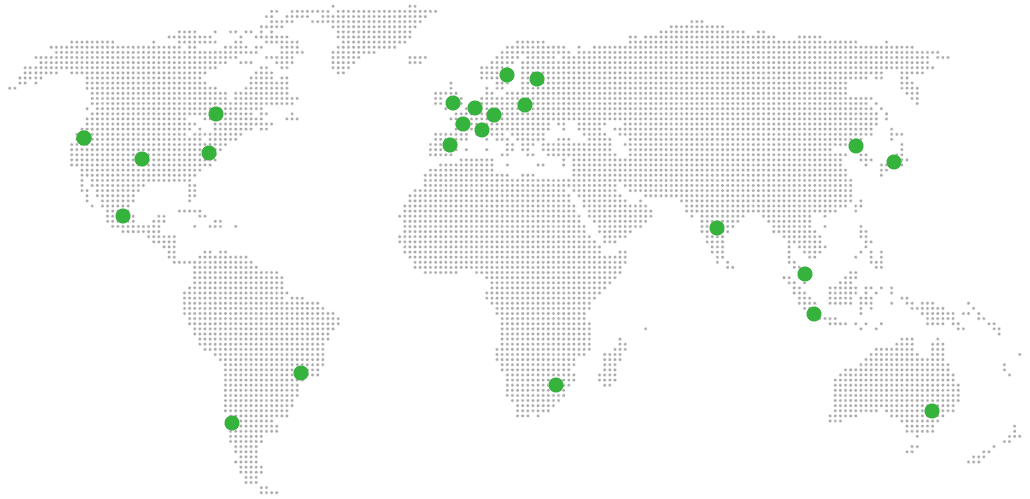
Global Reach Map

Try managed Mirotalk SFU for 7 days

No card. Cancel from the dashboard.