Open-source Zoom alternatives in 2026
Open-source alternatives to Zoom in 2026 — MiroTalk and Greenlight for meetings you control
TL;DR
- Zoom Workplace starts at $13.33 per user per month on Pro and $18.33 on Business, billed annually — and the bill grows with add-ons like extra cloud-recording storage (about $10/month) and Large Meeting (from about $50/month).
- Self-hosted open source flips the model: you pay per instance, not per seat. Ten hosts on Zoom Pro is about $133/month; an open-source room you run is one flat line item.
- MiroTalk P2P suits small, link-based calls with no sign-up. MiroTalk SFU handles larger group meetings. Greenlight on BigBlueButton is built for webinars and classrooms, with breakout rooms, polls, shared notes, and recording.
- All three are free and open source — AGPLv3 for MiroTalk, LGPL-3.0 for BigBlueButton and Greenlight. DANIAN runs any of them from €9/month per instance, patched, backed up, and monitored.
- Honest caveat: Zoom’s mobile apps, polish, and very large webinars are still its edge, and BigBlueButton is resource-hungry — large classrooms need more than the base tier.
Why teams are leaving Zoom in 2026
Zoom is per-seat software, and the seats add up. Pro is $13.33 per user per month billed annually; Business is $18.33. A ten-host team on Business is about $183 a month before a single add-on. The pricing has also moved sharply in the last year, which makes renewals hard to plan for.
The free Basic plan caps group meetings at 40 minutes and 100 participants, with local recording only. That ceiling is what pushes most teams onto a paid seat. Pro removes the time limit and adds cloud recording and the AI Companion. Business raises the participant cap to 300 and adds single sign-on and managed domains.
The list price is only the start. Cloud-recording storage fills fast — the included allowance covers roughly 10 to 15 hours of recordings, and another 30 GB costs about $10 a month. Pushing a room past your plan’s participant cap means the Large Meeting add-on, from about $50 a month for 500 seats. Advanced AI features add roughly $12 a month more. None of these is large on its own. Stacked at renewal, they reset the bill.
The seat math is the part that surprises people:
- Zoom Pro ($13.33/user/month, annual): five hosts ≈ $67/month, ten hosts ≈ $133/month, twenty-five hosts ≈ $333/month.
- Zoom Business ($18.33/user/month, annual): five hosts ≈ $92/month, ten hosts ≈ $183/month, twenty-five hosts ≈ $458/month.
Those are host licences. Attendees join free, so a team that mostly attends pays less. A team where many people host meetings pays per person, every month, for as long as they stay.
Then there is the volatility. Zoom raised list prices in mid-2025 and cut them again in early 2026, and buyers report renewal changes that are hard to predict (figures here come from current third-party pricing trackers — check your own renewal quote). Annual plans are typically non-refundable, so a mid-year change of mind costs the remaining term. For a small team, the problem is less the headline price than the inability to forecast it.
A worked example makes the model concrete. A 12-person studio where everyone runs client calls sits on Zoom Business at about $220 a month, or roughly $2,640 a year, before storage or a Large Meeting add-on. Move those calls to a self-hosted room and the per-seat line disappears. You run one MiroTalk SFU instance for group calls and, if you also teach or run webinars, one Greenlight instance beside it. The bill stops tracking headcount and starts tracking servers, which is a number a small team can actually plan around.
What “alternative” actually means here
“Alternative to Zoom” can mean three things, and they are not equally good for everyone. You can trim Zoom seats and keep the rest. You can move to a cheaper hosted tool. Or you can run an open-source meeting server yourself, or have someone run it for you. This post is about that third path.
Within open source, the architecture matters more than the brand, so here is the plain-English version. A peer-to-peer (P2P) tool connects each participant directly to every other one. That is efficient for two to five people and gets heavy fast, because every camera uploads to every other person at once. An SFU — a Selective Forwarding Unit — puts a server in the middle that receives each stream once and forwards it. That scales to larger rooms, at the cost of server bandwidth. A full conferencing stack like BigBlueButton adds teaching tools, recording, and breakout rooms on top, and is the heaviest to run.
Pick the architecture that matches your meetings, and the rest of the decision gets easier. The three tools below map onto those three shapes.
The practical line between them is room size. Peer-to-peer is comfortable up to about four or five cameras; past that, each person’s upload load climbs and weaker connections drop first. An SFU moves that load to the server, so the limit becomes server resources rather than the weakest laptop in the call. BigBlueButton sits a step further out again, trading more resources for breakout rooms, polls, and recording. The order — P2P, then SFU, then BigBlueButton — is also the order of how much server each one needs.
The shortlist
MiroTalk P2P — for quick calls with no sign-up
MiroTalk P2P is a browser-based, peer-to-peer video tool with no account and no install. You open a room, share the link, and people join. It runs unlimited rooms with no time limit, and the media travels directly between participants rather than through a third party’s cloud. Built by Miroslav Pejić, it is open source under AGPLv3 with about 4,500 GitHub stars.
It is at its best for small, spontaneous calls — a two-to-five-person check-in, a quick client call, a screen-share to debug something. Because it is peer-to-peer, large rooms strain every participant’s connection, so it is the wrong tool for a 40-person all-hands. DANIAN runs it from €9/month per instance. See MiroTalk P2P for quick calls. Best for: ad-hoc, link-based calls where signing in is friction.
The feature set is leaner than Zoom’s by design. You get camera and microphone controls, screen sharing, a shared whiteboard, text chat, and recording, all in the browser. There is no desktop client to install and no account to create, which is the point — a link is the whole onboarding. It is translated into more than 130 languages and works on mobile browsers. For a quick call where asking someone to install an app is the real friction, that simplicity is the feature.
MiroTalk SFU — for group meetings that need a server
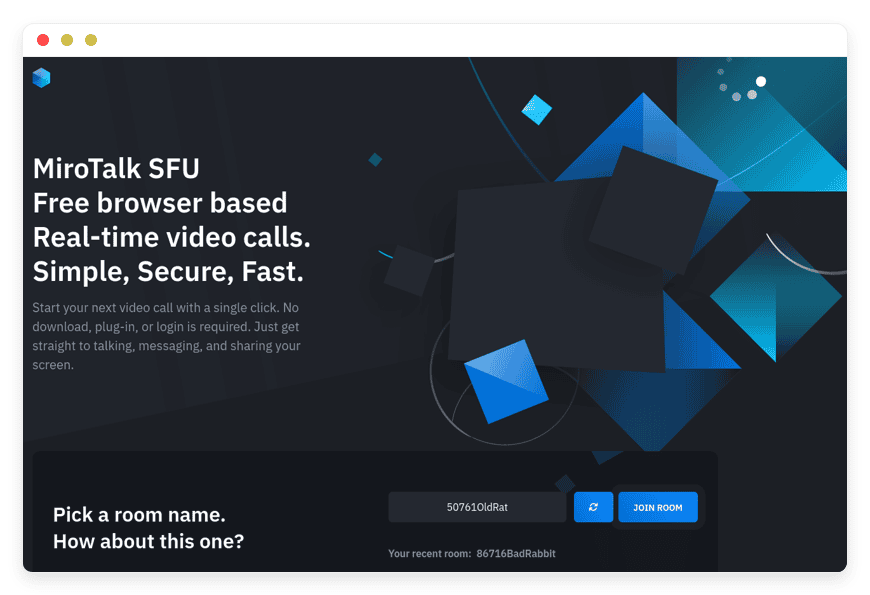
MiroTalk SFU is the same project’s server-routed sibling, built on mediasoup, a well-regarded open-source media server. The server receives each participant’s stream once and forwards it, so a room of a dozen or more holds up far better than peer-to-peer would. It supports high-resolution video, room passwords, host protection, and an OpenID Connect sign-in layer. It is open source under AGPLv3 with roughly 3,000 GitHub stars.
This is the everyday-meetings tool: team stand-ups, recurring calls, mid-size group sessions. It needs real server resources, which is the trade for the scale. DANIAN runs managed MiroTalk SFU for group calls from €9/month per instance, and upgrades resources only with your approval if a room grows. Best for: scheduled group meetings where peer-to-peer would stutter.
Because a server sits in the middle, SFU does things peer-to-peer cannot. It records sessions, supports live broadcasting, and offers an OpenID Connect layer so a team can sign in with its existing identity provider. Host protection and room passwords keep uninvited people out. It is the same project and the same clean interface as the P2P tool, translated into the same 130-plus languages — the difference is where the video is routed. For most small teams, this is the one that replaces day-to-day Zoom calls.
Greenlight on BigBlueButton — for webinars and classrooms
BigBlueButton is an open-source web conferencing system built for teaching, and Greenlight is its front-end — the page where you create rooms, manage recordings, and invite people. Together they give you a hosted meeting platform aimed at structured sessions. BigBlueButton is on version 3.0, open source under LGPL-3.0, with about 9,100 GitHub stars; Greenlight is also LGPL-3.0.
The feature set is what sets it apart: breakout rooms, live polls, shared notes, a multi-user whiteboard, public and private chat, and session recording you can play back later. It is embedded in major learning platforms through the LTI standard, and it runs in more than 65 languages. The trade is weight — BigBlueButton is resource-intensive, and a busy classroom or webinar needs more than the base tier. DANIAN runs Greenlight on BigBlueButton for webinars from €9/month per instance and scales the resources, with your consent, to match the room. Best for: webinars, training, and classes that need polls, breakouts, and recording.
Greenlight itself is the part your users see: a simple page to create rooms, set access codes, start a session, and find past recordings. Behind it, BigBlueButton carries the heavy features — the multi-user whiteboard a tutor can draw on, the polls that check understanding mid-session, the breakout rooms for small-group work, and a Learning Analytics Dashboard that shows a moderator who is active. It connects to learning platforms through the LTI standard, which is why it became the default classroom across much of education. For training, courses, and structured webinars, nothing else on this list comes close. For a two-person catch-up, it is more than you need.
See how we run MiroTalk SFU →
The three tools next to Zoom
The table compares what each tool is for, what the same job costs on Zoom at ten hosts, and how DANIAN runs it. Prices are in each platform’s own currency; do not normalise — the point is the model, not the exchange rate.
| Tool | Best for | What 10 Zoom hosts cost | DANIAN (managed) | License · stars | Recording | Switching effort |
|---|---|---|---|---|---|---|
| MiroTalk P2P | Small, link-based calls | Pro ≈ $133/mo | €9/mo per instance | AGPLv3 · ~4,500 | In-browser / local | Low |
| MiroTalk SFU | Group & team meetings | Pro–Business ≈ $133–183/mo | €9/mo per instance (+resources for big rooms) | AGPLv3 · ~3,000 | Server-side | Low–medium |
| Greenlight + BigBlueButton | Webinars, classes, training | Business + add-ons ≈ $183/mo and up | From €9/mo per instance (+resources) | LGPL-3.0 · ~9,100 | Server-side, with playback | Medium |
The switching-effort column is about your side of the move, not ours. For MiroTalk it is low: send people a new room link instead of a Zoom one. For BigBlueButton it is medium, because a class or webinar usually has recurring rooms, access codes, and sometimes a learning-platform connection to set up first. In every case the meetings themselves work the way your team already expects — a link, a camera, a screen-share. We handle the server side; what is left for you is mostly telling people where the new room lives.
What Zoom still does better
None of this means Zoom is a bad product. It is polished, reliable at scale, and a few things are hard to match. Native iOS and Android apps, a deep ecosystem of add-on products, and webinars for 1,000-plus participants are real advantages. If your meetings depend on those, staying on Zoom is a reasonable call.
The open-source tools here cover the common small-business cases well: internal meetings, client calls, training, and webinars at modest scale. They do not match Zoom’s mobile polish or its largest-event capacity. An honest read of the market: most teams over-buy Zoom for meetings these tools handle, while a minority genuinely need what only Zoom offers at scale. The question is which group you are in, and the next two sections help you decide.
One Zoom advantage deserves a specific mention: the AI Companion for meeting summaries and recording is now included on paid plans, where some rivals charge extra for the same thing. Zoom also benefits from being the tool most people already have installed, so external guests rarely hit friction joining a call. Those are real reasons to keep it for outward-facing meetings, even while moving internal ones to something you run. Choosing an alternative is not all-or-nothing — plenty of teams run both, Zoom for the occasional big external webinar and a self-hosted room for everything else.
Recording, storage, and the part nobody mentions
Recording is where the hidden costs live, on every platform. BigBlueButton records sessions on the server and stores them for playback, alongside the slides, chat, and whiteboard from the session. That means recordings consume disk and need a retention policy. MiroTalk can capture locally or server-side. None of this is free of consequence, because video files are large and they accumulate.
On Zoom, the cost shows up as a storage add-on once the included allowance fills, which it does in 10 to 15 hours of recordings. Self-hosted, the cost is disk plus a decision about how long to keep recordings. When DANIAN runs the instance, recording storage is part of the resources we manage; if a recording-heavy term needs more, we upgrade it with your approval rather than billing you by surprise.
The practical difference is recurring cost versus a one-time decision. On Zoom, recordings push you up a storage tier you then pay for every month. Self-hosted, you set a retention window — keep webinars for a year, delete routine stand-ups after a month — and the disk follows that choice. Playback works from a link in either case. The honest trade is that someone has to set the policy and watch the disk, which on a managed instance is our job rather than yours.
See Greenlight on BigBlueButton →
How to pick: three questions
Three questions settle most of this decision. Answer them in order and the right tool usually names itself.
- Are your meetings ad-hoc or scheduled? Spontaneous, link-based calls point to MiroTalk P2P. Recurring, named sessions point to MiroTalk SFU.
- How large is your biggest room? A handful of people is fine on peer-to-peer. Anything beyond that wants an SFU or BigBlueButton, where a server does the routing.
- Do you need teaching tools? If you need breakout rooms, polls, a whiteboard, and recording with playback, Greenlight on BigBlueButton is the fit. If you just need faces and a screen-share, MiroTalk is lighter.
How DANIAN runs these
Running video yourself is real work, more than most self-hosted apps. You own the server, the media routing, the TURN configuration that keeps connections alive through strict firewalls, the patching, and the recording storage. That is the work DANIAN takes on. We deploy the app, patch it, monitor it, back it up daily off-site, and answer the chat when something needs attention.
I run video apps on DANIAN myself, and the honest gotcha is bandwidth and TURN. A MiroTalk SFU room with a dozen cameras is fine on modest resources; a BigBlueButton classroom with breakout rooms and recording is not, and it will tell you so by stuttering. So we start instances on the base tier and watch them. When a room needs more, we upgrade it with your sign-off — not silently, and not on a usage meter you have to forecast.
Pricing is €9/month per instance to start, with no per-seat fees and no per-participant math. You choose the region for the app from 21 datacenter locations, so the server sits close to the people using it. Resource-heavy use — a large BigBlueButton webinar, a recording-heavy term — may need an upgrade, which you approve first. The 7-day trial needs no card.
What the €9 covers is the full operational layer: deployment, security patching, daily off-site backups, monitoring, and 24/7 support from a named person. What it does not include is per-seat pricing, per-participant metering, or a surprise overage at month end. If a room outgrows the base tier, the upgrade is a conversation, not an automatic charge. Region choice matters for video in particular, because latency is felt in real time — a frozen frame on a sales call is worse than a slow-loading page.
FAQ
What is the best open-source alternative to Zoom?
It depends on the meeting. For quick one-to-one and small calls, MiroTalk P2P is the simplest. For recurring group meetings, MiroTalk SFU scales better. For webinars, training, and classrooms, Greenlight on BigBlueButton fits best. All three are free open source, and DANIAN runs any of them from €9/month per instance.
Is there a free alternative to Zoom?
Yes. MiroTalk and BigBlueButton are free and open source. There is no per-seat fee, and no 40-minute cap like Zoom’s free tier. The software costs nothing; what you pay for is the server it runs on. You can host it yourself, or DANIAN runs it from €9/month per instance.
Are MiroTalk and BigBlueButton really free?
Yes. MiroTalk P2P and SFU are open source under AGPLv3; BigBlueButton and Greenlight are open source under LGPL-3.0. The software costs nothing to use. What you pay DANIAN for is the server, the patching, the daily backups, and the support — €9/month per instance to start.
What is the best self-hosted video conferencing software?
Match the tool to the room. MiroTalk P2P handles small, link-based calls with no sign-up. MiroTalk SFU runs larger group meetings through a media server. Greenlight on BigBlueButton adds breakout rooms, polls, and recording for classes and webinars. The right pick is whichever matches your biggest, most common meeting.
Is MiroTalk a good alternative to Zoom?
For most meetings, yes. MiroTalk runs in the browser with no account, no install, and no per-seat bill. It handles screen sharing, chat, a whiteboard, and recording. The honest gaps are native mobile apps and very large webinars, where Zoom is still smoother. For internal and client calls, MiroTalk covers the job.
What is the difference between MiroTalk P2P and SFU?
P2P connects participants directly, which is efficient for small calls and strains as rooms grow. SFU routes streams through a server, so larger rooms hold up. The rule of thumb: P2P for a handful of people, SFU for group meetings, and BigBlueButton for webinars and classes.
How many people can join a meeting?
MiroTalk P2P suits small rooms of a handful of people. MiroTalk SFU handles larger group meetings on suitable resources. BigBlueButton supports sizeable classes and webinars, though large sessions need more server capacity. Very large broadcasts are a job for resource planning, which DANIAN handles by scaling the instance.
Can I use BigBlueButton for online classes and teaching?
Yes — it was built for teaching. BigBlueButton includes breakout rooms, live polls, a multi-user whiteboard, shared notes, and recording with playback. It connects to learning platforms like Moodle through the LTI standard. That is why it became a default classroom across much of education.
Do participants need to install an app to join a meeting?
No. MiroTalk and BigBlueButton run in the browser. Guests click a link and join — no download, no account. That removes the friction of asking clients or students to install software first. It is one reason browser-based tools work well for one-off external calls.
Does MiroTalk or BigBlueButton work on mobile?
Yes, through the mobile browser. Both load on phones and tablets without a separate app — a link is enough to join. The honest limit is that neither has a polished native app like Zoom’s. Heavy mobile users may notice the difference on long calls.
Can BigBlueButton record meetings?
Yes. BigBlueButton records sessions on the server and stores them for later playback, along with the slides, chat, and whiteboard. Recordings consume disk, so they need a retention policy. On DANIAN, recording storage is part of the managed resources, upgraded with your approval rather than metered.
Is self-hosted video conferencing cheaper than Zoom?
Usually, for teams where several people host. Zoom charges per host — ten Pro hosts run about $133/month, ten Business hosts about $183. A self-hosted room is one flat line: €9/month per instance on DANIAN, no matter how many join. The more hosts you have, the wider the gap.
Why self-host video conferencing instead of using Zoom?
Three reasons. You stop paying per seat. You control where meetings and recordings are stored. And you avoid the renewal price swings that per-seat plans bring. The trade is running a server — or letting DANIAN run the instance for a flat €9/month.
How does this compare to running it on my own VPS?
You can self-host it. A 2 vCPU / 4 GB production-class VPS runs about $24/month, plus backup, plus your own time for patching, TURN setup, and recording storage. Video is among the least forgiving workloads to self-host. If you have an engineer who enjoys that, a tool like Coolify on a VPS is a fair DIY path. If you would rather it just work, that is what the €9 managed instance is for.
Is open-source video conferencing secure?
Yes, when set up properly. Calls are encrypted in transit with the same WebRTC encryption browsers use (DTLS-SRTP), over HTTPS. The real shift from SaaS is control: the server is yours, and the code is open to inspect. Your data lives in the region you choose.
Is BigBlueButton end-to-end encrypted?
Not end-to-end. BigBlueButton encrypts media in transit with DTLS-SRTP. But it routes that media through the server — which is how recording and large rooms work. The privacy gain is that the server is yours, not a third party’s. MiroTalk P2P, by contrast, sends media directly between participants.
Where is my meeting data stored when I self-host?
On the server you run, not a third-party cloud. Recordings, chat logs, and configuration sit on that machine’s disk. With DANIAN, you choose the region from 21 datacenter locations. The server sits close to your users, and the data stays where you put it.
What are the downsides of self-hosting video conferencing?
It is resource-heavy and operationally demanding. Video needs real bandwidth, TURN configuration to cross strict firewalls, and a plan for where recordings are stored. BigBlueButton in particular wants more than a base server for busy rooms. You either run that yourself or pay someone to — which is what DANIAN does.
Is self-hosted video as reliable as Zoom?
For everyday meetings on well-resourced hosting, yes. Reliability tracks your server: enough capacity and bandwidth, and group calls hold up cleanly. Zoom still leads on very large webinars and mobile polish. Self-hosted reliability is something you size and fix yourself, not wait on a vendor for.
How do I switch from Zoom to a self-hosted video tool?
Start with the meeting type you run most, and run both for a fortnight. Keep Zoom live, route internal meetings to the self-hosted room, and watch it on real calls. If it holds up, drop the Zoom seats you no longer need at the next renewal. Migrate gradually, not all at once.
What happens if I want to leave?
The apps are open source and the data is yours. You can export your recordings and configuration and move to your own server, or anywhere else. DANIAN operates the instance; it does not lock the software to us. There is no proprietary format holding your meetings hostage.
What to do this week
If Zoom’s per-seat bill or its unpredictable renewals pushed you here, start with the meeting type you run most. For quick calls, try MiroTalk P2P. For group meetings, MiroTalk SFU. For webinars or classes, Greenlight on BigBlueButton. Deploy one, run a real meeting on it, and judge it on a live call rather than a feature list.
A low-risk way in is to run both for a fortnight. Keep Zoom live, route your internal meetings to the self-hosted room, and watch how it holds up on real calls. If it carries the load, cancel the seats you no longer need at the next renewal. If one particular meeting still needs Zoom, keep a single seat for it. The goal is a bill that matches how you actually meet, not a flag-planting migration you regret.
DANIAN runs any of the three from €9/month per instance, patched and backed up, with a named person when something needs attention. Pick the one that matches your meetings and try it for a week.
Sources: Zoom pricing (zoom.us/pricing); MiroTalk P2P and SFU (github.com/miroslavpejic85); BigBlueButton documentation (docs.bigbluebutton.org); Greenlight (github.com/bigbluebutton/greenlight). App prices and GitHub figures were current at publication and change over time.