Open-source Crowdin and Lokalise alternatives 2026
Open-source alternatives to Crowdin and Lokalise in 2026
Crowdin and Lokalise price localization by hosted words, processed words, and seats, so the bill climbs with every language and teammate you add. Weblate is the open-source alternative: continuous localization with git integration, translation memory, and machine-translation suggestions. DANIAN runs it for €9 per month, flat — a platform you own.
TL;DR
- Crowdin bills per hosted word, defined as source words multiplied by target languages, plus manager seats. Paid plans run from about $50/month to $450/month.
- Lokalise paid tiers start at $144/month (Explorer) and reach $999/month (Advanced), metered by seats and processed words.
- Weblate is open-source continuous localization — git integration, translation memory, machine-translation suggestions — under the GPL, with more than 5,800 GitHub stars.
- DANIAN runs the self-hosted Weblate edition for €9/month flat, with unlimited strings and no per-language or per-seat charge.
- Pair it with a managed LibreTranslate so machine-translation suggestions stay on infrastructure you control — €18/month for both.
Why teams are leaving Crowdin and Lokalise in 2026
The trigger is rarely a missing feature. It is the invoice. Crowdin counts hosted words as source words multiplied by target languages, so a 10,000-word app in 12 languages becomes 120,000 hosted words. Lokalise meters seats and processed words. Both models charge more the moment you localize into one more language.
The search usually starts at renewal. A localization manager opens the invoice before a renewal date, sees a number that grew because the product added languages last quarter, and goes looking for an option where the next language does not cost extra. That is the moment this article is written for.
Crowdin states the rule plainly on its pricing page: upload a 500-word file to a project with 10 target languages and you hold 5,000 hosted words. Your word count is the source content times the number of languages. Add a language and the count rises again.
Crowdin's paid plans run from roughly $50/month (Pro) to $450/month (Team+). The Team plan sits around $150/month for about 100,000 hosted words and five manager seats. Machine translation through DeepL or Google, and professional human translation, are billed separately on top. Prices exclude VAT.
Lokalise publishes its tiers openly: Explorer at $144/month, Growth at $499/month, and Advanced at $999/month, with Enterprise on request. The meter here is seats plus processed words plus machine-translated words. The jump from Explorer to Growth is large, and most scaling teams cross it.
Two costs hide behind the headline tiers. Machine translation is not included; both platforms pass DeepL or Google usage through to you, often as a prepaid balance. Professional human translation is a separate purchase again. And on Crowdin, crossing your hosted-word allowance adds overage on top of the plan. The sticker price is the floor, not the ceiling.
Seats compound the same way. Crowdin's Team plan includes five manager seats; more managers mean a higher tier. Lokalise separates standard seats from advanced seats, and the advanced roles that enable branching and custom workflows sit on the pricier plans. A growing team pays for the people who manage the work, not just the words.
Neither platform is badly built. The problem is the shape of the cost. It grows with languages and headcount, not with the value you ship. A small product that localizes into more markets gets punished by its own success.
What "alternative" actually means here
Alternative does not have to mean cheaper SaaS. There are three real paths. Move to a lower-priced hosted tool and keep the metering. Self-host an open-source platform and run the server yourself. Or have someone manage the open-source platform for you. The third path keeps the data and drops the meter.
This decision shows up for three kinds of buyer: a small product team localizing an app into more markets, an agency running localization for clients, and a maintainer or company that wants its strings to stay in its own git history. All three feel the same squeeze — cost that scales with languages, and data that lives somewhere else.
Cheaper SaaS. You trade one meter for a smaller one. Cost still scales per seat or per word, and your strings still live on a vendor's infrastructure. This buys time, not control.
Self-host on a VPS. Weblate's software is gratis under the GPL; you provide the server. A $24/month production-class VPS, plus object-storage backups at about $5 and monitoring at about $15, is roughly $44/month in infrastructure. Add one to two hours a month for patching, updates, certificate renewal, and backup checks. At freelance rates that is €60–240/month in time. This is a sound path if you have a developer who enjoys this work.
Running Weblate yourself is more than a single container. It is a Django application with a PostgreSQL database, a Redis cache, background workers for the translation queue, a reverse proxy, and TLS certificates to renew. None of it is exotic, and the documentation is good. But it is a system to keep patched and backed up, and the work does not stop after the first deploy.
Managed open-source. Someone runs the server; you get the app and the data. This is the lane DANIAN operates in. Weblate also sells its own first-party hosted cloud, metered by hosted strings from around €19/month. DANIAN's difference is the self-hosted edition — unlimited strings — at a flat €9/month, with hands-on support and your choice of region. That €9 covers the hardware, security patching, daily off-site backups, monitoring, and 24/7 support from a named person. Your operational time on the instance is zero.
The platform — Weblate, and a private-MT companion
Weblate
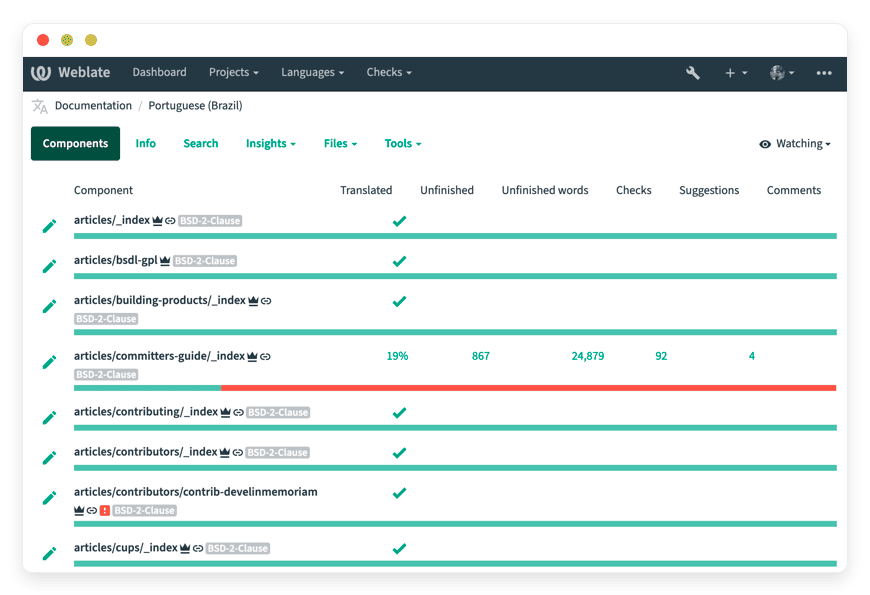
Weblate is web-based continuous localization, used by more than 2,500 open-source projects and companies across 165+ countries. It connects to your git repository, propagates translations across components, runs customizable quality checks, and offers machine-translation suggestions. It is licensed under the GPL and has more than 5,800 stars on GitHub.
The core workflow is git-native. Weblate pulls source strings from your repository and pushes finished translations back as commits, so localization tracks development instead of lagging behind it. Translators are credited in version control. Translation memory reuses past work, a glossary keeps terminology consistent, and quality checks catch broken placeholders and length issues before they ship.
It is also mature and maintained. Weblate is created and maintained by Michal Čihař, carries a CII Best Practices badge, and ships often. The self-hosted edition has no string limit and no per-language charge; languages, projects, and components are unlimited.
The feature set lines up with what the paid platforms offer. Weblate reads the formats teams actually ship — PO and MO, JSON, XLIFF, Android and iOS strings, YAML, CSV, and more — so you are not reformatting content to fit the tool. The web editor shows context and screenshots, supports suggestions and review, and enforces per-project permissions. A REST API and webhooks drive automation, and add-ons handle cleanup tasks such as flushing stale strings or running checks on every commit.
The continuous model is the part that pays off daily. Because Weblate watches the repository, new strings appear for translation as soon as a developer commits them, and finished translations land back in the codebase without a manual export-import cycle. Translation memory means a phrase translated once is suggested everywhere it recurs, which cuts work on repetitive interface text. For a team shipping weekly, that loop is the difference between localization keeping up and falling behind.
LibreTranslate — private machine translation
Crowdin and Lokalise route machine translation through providers like Google or DeepL, which means your strings leave your infrastructure to be translated. LibreTranslate is an open-source machine-translation API you can run yourself. Point Weblate at it, and suggestions are generated on a server you control, under the AGPL.
LibreTranslate is built on the Argos Translate library, exposes a simple REST API and a web interface, and runs offline once language models are downloaded. No proprietary translation provider sees your source text. DANIAN runs it as its own app at €9/month, so the pair — Weblate for the workflow, LibreTranslate for the suggestions — keeps both the strings and the machine output on infrastructure you choose.
Inside Weblate, LibreTranslate plugs in as an automatic suggestion engine. Translators see machine output as a starting point, and you can pre-translate whole components in a batch before human review. Weblate supports the commercial engines too, so choosing LibreTranslate is the deliberate move that keeps the text private. One honest caveat: LibreTranslate's quality is strong for common, high-resource language pairs and weaker on rarer languages, where Google and DeepL still lead. For many teams the privacy trade is worth it; for some language pairs it is a real difference to test first. Managed LibreTranslate by DANIAN.
Crowdin vs Lokalise vs Weblate — the cost at a real project size
Take a small product team: 10,000 source words, 12 languages, five people touching the project. On Crowdin that is 120,000 hosted words, past the Team plan's allocation, so roughly $150–$300/month before machine translation. On Lokalise, a team needing automation and seats lands on Growth at $499/month. Weblate on DANIAN is €9.
| Feature | Crowdin | Lokalise | Weblate (self-host) | Weblate by DANIAN |
|---|---|---|---|---|
| Entry paid price | ~$50/mo (Pro) | $144/mo (Explorer) | Gratis software + your server | €9/mo |
| How cost scales | Per hosted word (words × languages) + manager seats | Per seat + processed words | Server cost + your time | Flat — languages and seats do not change it |
| Example: 10k words, 12 languages, 5 people | ~$150–$300/mo | ~$499/mo (Growth) | ~€100–280/mo effective | €9/mo |
| Hosted strings limit | Tiered, with overage | Tiered allowances | Unlimited | Unlimited (self-hosted edition) |
| Who runs the server | Vendor | Vendor | You | DANIAN |
| Region choice | Vendor regions | Vendor regions | Wherever you host | 21 regions, 6 continents (you pick) |
| Machine translation | Via Google / DeepL, billed extra | Via Google / DeepL / AI, metered | Your choice, e.g. LibreTranslate | LibreTranslate available at €9, private |
| Source code access | Closed | Closed | Open (GPL) | Open (GPL) |
| Switching effort | Export files | Export files | Migrate config | We help you migrate |
Crowdin and Lokalise prices from their pricing pages, verified June 2026, excluding VAT. Weblate details from weblate.org and its GitHub repository. VPS path uses a $24/month production-class server plus backup and monitoring.
Here is the part the table understates. Add a 13th language. On the managed self-hosted edition it costs nothing. On Crowdin it adds 10,000 more hosted words to your meter. On Lokalise it eats into your processed-word allowance. We will not charge you more for adding a language or a teammate. The €9 is the €9.
The gap widens with scale. An agency localizing a client's product into 20 languages, with 50,000 source words, holds a million hosted words on Crowdin and is well into Team+ territory, plus overage and seats. The same project on the managed self-hosted edition is still €9 a month for the instance. Adding clients means adding instances at €9 each, not climbing a per-word curve.
Annualized, the first scenario tells the story. Crowdin's Team plan is about $1,800 a year before machine translation and overage; Lokalise Growth is close to $6,000. The managed Weblate instance is €108 a year, or €216 with a private machine-translation engine alongside it. Even granting the paid platforms their extra features, the cost difference is not a rounding error.
LibreTranslate for private MT sits alongside Weblate at the same flat price.
The honest trade-off — what Crowdin and Lokalise still do better
Weblate matches Crowdin and Lokalise on the core: continuous localization, translation memory, quality checks, and machine-translation suggestions. The paid platforms still lead in three places. Their integration catalogs are broader, their in-app translator marketplaces are more polished, and they sell managed professional translation you can order inside the tool. Those are real advantages.
Translator marketplaces. Crowdin and Lokalise let you order professional human translation and vendor services from inside the platform, with rates and turnaround handled for you. Weblate expects you to bring your own translators or your own agency. If buying translation with a click is central to how you work, the SaaS does that better today.
Integrations. Crowdin lists hundreds of apps and integrations; Lokalise ships deep connectors for design and project tools. Weblate integrates through git, a REST API, and add-ons, which covers most code-based projects well, but the turnkey catalog is smaller. If you need a specific vendor connector that only the SaaS ships, weigh that honestly.
There is also a middle path worth naming. Weblate's own hosted cloud gives you the project's first-party managed service without running a server, metered by strings. It is a fair option if you want the maintainers to host it and you do not mind the meter. The choice between that and a flat €9 comes down to whether predictable cost and a wider catalog of managed apps matter to you, or whether string-based metering from the source project is the cleaner fit.
So the rule is simple. If an in-tool translator marketplace or a specific managed integration is core to your workflow, stay on the SaaS — you will be better served right now. If the value you are paying for is the platform itself, and the bill is the thing that hurts, an owned platform wins.
How to pick — three questions to ask yourself
Three questions settle most of these decisions. Does your bill grow every time you add a language? Do your strings need to stay on infrastructure you control? And do you want to run a server, or have someone run it? Your answers point to one path, not four.
1. Is the meter the problem? Pull your last invoice and find the line that scales with languages or seats. If that line is the reason you are reading this, a flat-cost owned platform pays back quickly.
2. Do your strings need to stay private? If your source text and translations should not pass through a third-party machine-translation provider, the self-hosted Weblate edition plus LibreTranslate keeps them on a server you control.
3. Do you want to run the server? If yes, and you have a spare hour or two a month, self-host and keep the cost at the price of a VPS. If no, a managed instance is the point of paying €9 — someone else patches, backs up, and monitors it.
Most teams answer yes, yes, and no, in that order: the meter hurts, the strings should stay close, and nobody wants another server to babysit. That combination is the case for a managed open-source platform. If even one answer flips — the bill is fine, or you have a developer who wants the box — a different path may serve you better, and that is a legitimate outcome.
FAQ
Is Weblate really free?
Yes. Weblate is open source under the GPL; the self-hosted edition has no licence fee and no string limit. You provide the server, or DANIAN runs it for €9/month. Weblate also sells a first-party hosted cloud metered by strings if you prefer that route.
What are hosted words, and why do they increase the cost?
Hosted words are your source words multiplied by your target languages. Crowdin counts them this way, so a 500-word file in 10 languages becomes 5,000 hosted words. Add a language and the count rises again. The self-hosted Weblate edition has no such meter, so languages do not change the price.
How is this different from Crowdin or Lokalise cloud?
Crowdin and Lokalise meter hosted words, processed words, and seats, so cost rises with languages and headcount. The self-hosted Weblate edition has no such metering. You own the data, and on DANIAN the price is a flat €9 regardless of how many languages you run.
How does this compare to running Weblate on my own VPS?
A production-class VPS with backups and monitoring runs about $44/month, plus one to two hours a month of patching and backup checks. DANIAN runs the same self-hosted edition for €9/month, with 24/7 support and a choice of 21 regions, so your time stays on the product.
What is the best open-source alternative to Crowdin and Lokalise?
Weblate is the most widely used open-source localization platform. It offers continuous localization, git integration, translation memory, and machine-translation suggestions under the GPL. More than 2,500 projects and companies rely on it. You can self-host it for free, or have DANIAN run it for a flat €9 a month.
Is Weblate as capable as Crowdin and Lokalise?
For core localization, yes. Weblate matches them on continuous localization, translation memory, quality checks, and machine-translation suggestions. The paid platforms still lead on in-app translator marketplaces, broader integration catalogs, and managed professional translation you order inside the tool. If those are central to your workflow, weigh them honestly.
What is continuous localization?
Continuous localization keeps translation in step with development. The platform watches your git repository, surfaces new strings for translation as developers commit them, and pushes finished translations back as commits. There is no manual export-and-import cycle. Weblate is built on this model, so localization tracks your releases instead of lagging behind.
What file formats does Weblate support?
Weblate reads the formats teams actually ship. These include PO and MO, JSON, XLIFF, Android and iOS strings, YAML, CSV, and many more. You connect your repository and Weblate works with your existing files, so you are not reformatting content to fit the tool.
Does Weblate connect to GitHub, GitLab, and Bitbucket?
Yes. Weblate integrates through git, so it works with GitHub, GitLab, Bitbucket, and other git hosts. It pulls source strings from your repository and pushes translations back as commits. A REST API and webhooks drive further automation for repositories and pipelines that need it.
Can I keep my git workflow?
Yes. Weblate is built for continuous localization. It connects to your git repository, pulls source strings, and pushes translations back as commits. Translators are credited in version control. This is the same model Crowdin and Lokalise offer for code-based projects.
Does Weblate include a translation memory and glossary?
Yes. Translation memory reuses past work, so a phrase translated once is suggested everywhere it recurs. A glossary keeps terminology consistent across components. Quality checks catch broken placeholders and length issues before they ship. These features cut repetitive work on interface text and reduce review effort.
Does Weblate support AI and machine-translation engines?
Yes. Weblate offers machine-translation suggestions and supports multiple engines. You can point it at a self-hosted LibreTranslate so suggestions stay on infrastructure you control, or use commercial engines if you prefer. Translators see machine output as a starting point and can pre-translate whole components before human review.
Can non-technical translators use Weblate?
Yes. Weblate has a web editor built for translators, not developers. It shows context and screenshots, supports suggestions and review, and enforces per-project permissions. Translators work in the browser while the git integration runs underneath. Developers manage the repository; translators never need to touch it.
How many languages can Weblate handle?
The self-hosted edition has no limit. Languages, projects, and components are unlimited, and adding one costs nothing. This is the core difference from Crowdin and Lokalise, where each new language raises the meter. On DANIAN the price stays a flat €9 no matter how many languages you run.
What about machine translation — will my text leak?
On the SaaS, machine translation usually routes through Google or DeepL. With self-hosted Weblate plus LibreTranslate, suggestions are generated on a server you control. Your source text and translations are not sent to a third-party translation provider. You choose the engine, so the privacy decision stays in your hands.
Where is my localization data stored?
On the instance DANIAN runs for you, in a region you choose from 21 across six continents. Your strings and translations live in your git repository, so you hold the source of record. Paired with a self-hosted LibreTranslate, machine-translation suggestions stay on infrastructure you control, not a third-party provider.
How do I migrate from Crowdin or Lokalise to Weblate?
Export your translation files from your current tool. Both export standard formats such as PO, JSON, and XLIFF. Weblate imports them and binds them to your git repository. Translation memory can come across too. For most projects the move takes hours, not weeks, and DANIAN does the setup with you.
What happens if I want to leave?
Your translations live in your git repository and in standard files such as PO, JSON, and XLIFF. Export them at any time. The app is open source, so there is no lock-in. DANIAN helps you migrate in or out without charge.
What does it take to run Weblate in production?
Weblate is a Django application with a PostgreSQL database, a Redis cache, background workers for the translation queue, a reverse proxy, and TLS certificates. None of it is exotic, and the documentation is good. But it is a system to patch, back up, and monitor. That ongoing work is what a managed instance removes.
Who is Weblate best suited for?
Weblate fits three kinds of team. A small product team localizing an app into more markets. An agency running localization for several clients, adding an instance per client rather than climbing a per-word curve. And an open-source project that wants its strings to live in its own git history. More than 2,500 projects already use it.
What does managed Weblate hosting from DANIAN include?
A flat €9 a month covers the server, security patching, daily off-site backups, monitoring, and 24/7 support from a named person. You get the self-hosted Weblate edition with unlimited strings and your choice of region. Adding a language or a teammate does not change the price. Your operational time on the instance is zero.
What to do this week
Pull your last Crowdin or Lokalise invoice and find the line that scales with languages or seats. Then estimate the same project on a flat €9 platform you own. If the gap is large and your strings should stay private, deploy Weblate, point it at LibreTranslate, and translate for a week before you commit.
Three steps get you there. Deploy a managed Weblate and connect a repository. Add LibreTranslate so machine-translation suggestions stay private. Then translate one real component for seven days and see how it fits. The trial is free, with no card required.
Migration is rarely the blocker people fear. Your existing tool exports standard files — PO, JSON, XLIFF — and Weblate imports them and binds them to your repository. Translation memory can come across too, so past work is not lost. For most projects the move is measured in hours, not weeks, and DANIAN does the setup with you.
Keep what works. We will help you migrate your strings in, and we will not bill you more for the next language you add. Start a 7-day trial.
This article is operational and pricing guidance, not legal advice. Prices for third-party tools were verified in June 2026 and change over time; check the vendors' current pricing pages before deciding.