After Jamboard — self-hosted whiteboards in 2026
After Google Jamboard was discontinued: where whiteboards moved in 2026
TL;DR
- Google shut down the Jamboard app on 31 December 2024. The 55-inch device reached end of support on 1 October 2024. Existing boards were converted to PDF, then deleted.
- The Jamboard model cost about $4,999 for the device plus a required $600 a year. When the software stopped, the hardware lost its collaboration features.
- Google pointed users to per-seat SaaS boards. Those carry the same risk: a vendor can sunset them too.
- Two open-source boards give a team a canvas it owns. WBO is a focused standalone whiteboard. The whiteboard built into Nextcloud suits teams that want it inside a full suite.
- We run either one for €9 per app, per month, with patching, backups, monitoring, and 24/7 support included. A developer comfortable with Docker can also self-host WBO, and we cover when that is the better call.
What happened to Jamboard
Google retired Jamboard in stages through 2024. The 55-inch device reached end of support on 1 October 2024 and dropped into unlicensed mode. The app went view-only the same day. On 31 December 2024 the service shut down on every platform, and Google deleted the remaining board files in the weeks after.
Jamboard launched in 2017 as Google’s interactive whiteboard. The app was free on the web and on phones. The hardware was the expensive part: about $4,999 for the 55-inch display, plus a required $600 a year for management and support. Google announced the retirement in 2023, so customers had a year of notice. Schools and teams had bought the boards, mounted them, and built brainstorming and teaching habits around them.
The wind-down took those habits apart. Once a device fell out of license, it could no longer save a board, open a board, or join a Meet. It could still act as an HDMI display for a laptop, which is useful but is not a Jamboard. The app followed the same path: no new boards, then no edits, then nothing.
Google converted existing boards to PDF on a best-effort basis and told customers to export their own as a precaution. After 31 December, the originals were deleted. A static PDF is a record, not a working board. You cannot reopen it and keep drawing.
Classrooms felt it most. Schools had bought Jamboards, often at education pricing, and built lessons around the shared canvas. When the licence lapsed, the screen still powered on, but the part teachers actually used was gone. That is the sharp end of renting software on hardware you bought: the device is yours, the thing that made it work is not.
For the exit, Google suggested third-party whiteboard apps that plug into Workspace, naming options like FigJam, Lucidspark, and Miro. Each is a per-seat subscription run by a vendor. That solves the immediate gap. It does not solve the thing that just happened: a board you rent can be discontinued out from under you. (Google’s Jamboard wind-down notice; device end-of-life details.)
What Jamboard users actually needed next
Most Jamboard teams needed a plain, shared canvas that stays put. They wanted to open a board, draw with others in real time, and find it again next week. They did not need a $5,000 screen. Many did not need a heavyweight design suite either.
Jamboard’s real value was never the drawing tools, which were simple. It was that anyone on the team could open a board and sketch together without friction. The hardware and the Workspace tie-in were extras that came at a cost. The tie-in is also what made the shutdown total.
Be honest about the trade. A standalone board will not pull a contact from Google Contacts or drop straight into a Workspace folder. If that integration was the point for your team, a Workspace-native tool will feel closer. For most teams, the integration was a convenience, not the job.
It also helps to separate two groups. A minority bought the $4,999 device and ran sessions on the big screen. A larger group never touched the hardware and used the free app from a laptop or phone, sharing a board in a call. For that larger group, the replacement question is simple: where is the shared canvas now? They do not need to recreate a conference-room appliance. They need a board they can open and a link they can send.
The job was a board the team controls. That points away from any single vendor’s hosted product and toward open-source software you can run yourself or have run for you. The software is the part that should not be able to disappear.
What “a board you own” means here
Owning a board does not mean owning a device. Jamboard taught that lesson the hard way: customers owned a $4,999 screen and still lost the software that made it useful. Owning open-source software is the durable version. The code keeps working whoever hosts it.
There are three honest paths after Jamboard. The first is another hosted SaaS board, like the ones Google suggested. It is the least effort and carries the original risk: a vendor decides the roadmap, the price, and the end date.
The second is self-hosting an open-source board. The software is free, the data is yours, and no vendor can switch it off. The cost moves to you: a server to run it on, plus the time to patch, back up, and keep it online.
The third is a managed open-source board. You get the open-source guarantee, with code that is yours and portable, without running the server yourself. That is the path we operate, and it is not the right fit for everyone. A developer who enjoys this work should self-host. We say so again below.
Portability is the concrete part of that guarantee. Your boards are data you can export, and the app is published code anyone can run. If a host raised its price or shut down, you would move the data to another host or to your own server and keep working. No one can revoke the software the way Google revoked Jamboard. That is the difference between owning a tool and renting one.
Two open-source boards cover the range from “just a canvas” to “a board inside a full suite.” Here is what each one is.
The shortlist
WBO — a focused standalone whiteboard
WBO is an open-source collaborative whiteboard built by Ophir Lojkine. It is small on purpose: a shared canvas, basic drawing tools, and a link you send to collaborators. It is licensed under AGPL-3.0 and carries around 2,600 GitHub stars. No account is needed to join a board.
A board updates in real time for everyone on it, and the state is saved, so you can close the tab and come back later. Drawing happens over a websocket, so strokes appear for others as they are made. Tools cover pen, line, rectangle, ellipse, text, an eraser, colour and stroke controls, and image upload. You can open a public board, a random private link, or a named private board, and WBO supports several languages.
WBO is closest in spirit to what Jamboard’s app actually was: a quick, shared sketch space without setup or sign-in friction. That is its strength and its limit. The toolset is deliberately minimal next to a commercial design board. There are no native mobile apps; it runs in the browser. The SVG export is not a pixel-perfect copy of the board.
For a team that wants a board to draw on together and nothing more, that minimalism is the feature. WBO can be locked behind a login token, includes per-IP rate limits to curb abuse on a public board, and runs as a single container. (WBO on GitHub; live demo at wbo.ophir.dev.)
Under the hood it is undemanding. WBO ships as a Docker image and also runs directly on Node. Each board is saved to disk as a file, not inside a database. If a board file is ever damaged, the app sets the broken one aside and falls back to a readable state instead of failing. That is the kind of detail that decides whether a self-hosted tool lasts a year. It is worth knowing whoever ends up running it.
We host WBO for €9 per app, per month. That covers the server, security patches, daily off-site backups, monitoring, and 24/7 support from a named person. You pick the region from 21 datacenter locations across six continents.
See managed WBO whiteboard hosting.
Best for: a small team or a classroom that wants a plain, always-on board it controls.
Nextcloud Whiteboard — a board inside a full suite
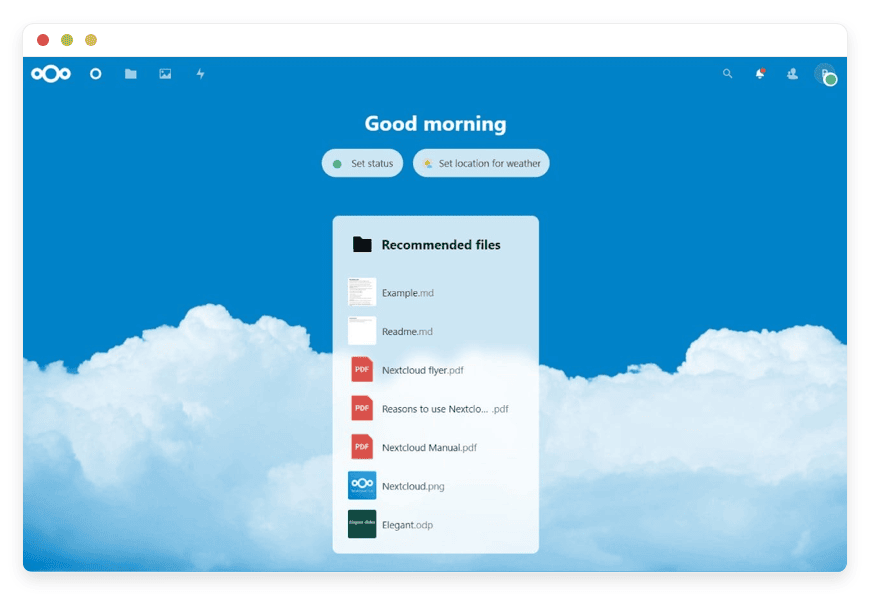
Nextcloud Whiteboard is a collaborative whiteboard built into Nextcloud, launched with Nextcloud Hub 9 in September 2024. It gives a limitless canvas for sketching, planning, and brainstorming, and it works inside Nextcloud Talk calls. It suits teams that want a board next to their files, chat, and calls.
The board handles shapes, images, arrows, text, and other objects, with real-time collaboration across everyone in the session. You can save and share a whole board or a single sketch. Nextcloud bundles files, chat, calls, groupware, and office documents, and the whiteboard sits among them. A sketch from a Talk call can be saved straight into a shared folder.
One technical detail matters. Real-time collaboration on the Nextcloud whiteboard relies on a separate backend service that an administrator has to run and connect. On a managed instance, that backend is set up and kept running for you, so the live collaboration works without you wiring anything up.
This path is heavier than WBO, and that is the point of it. A team replacing Jamboard and also tired of renting file storage, chat, and calls can move all of it at once. The whiteboard is one feature inside a suite the team owns. (Nextcloud’s whiteboard announcement.)
We host Nextcloud for €9 per app, per month, with the same patching, backups, monitoring, and support. The whiteboard backend is part of what we run.
See Nextcloud with its built-in whiteboard.
Best for: a team that wants a board plus files, chat, and calls in one place it owns.
WBO or the Nextcloud whiteboard — how to choose
Pick WBO if you want a single, simple board and nothing else. Pick the Nextcloud whiteboard if you want the board to sit inside files, chat, and calls your team also controls. The split is “just a canvas” versus “a canvas inside a suite.”
Choose WBO when the board is the whole job. It opens fast, the link is easy to share, and there is little to learn. A teacher, a workshop, or a planning session that needs a shared sketch is well served by it. You give up the deeper toolset of a commercial board, which most of these uses never touch.
Choose Nextcloud when the whiteboard is one of several things you are moving off rented SaaS. If the team is also leaving a hosted file drive or chat tool, folding the board into Nextcloud means one place, one login, one bill. The trade is more software to run, which on a managed instance we run.
If you are also weighing hosted SaaS boards, judge them on the same two questions: what they cost per seat, and who controls the end date. Jamboard answered both badly in the end.
What each path costs
The Jamboard model cost about $4,999 up front plus $600 a year, and it still ended. A paid SaaS board removes the up-front cost but keeps the per-seat bill and the vendor risk. Self-hosting is cheap in cash and costs your time. We run it for €9 per app, per month.
| Path | Up front | Ongoing | Your ops time | Can the vendor discontinue it? |
|---|---|---|---|---|
| Jamboard (the model that ended) | ~$4,999 device | $600 / year | None — Google ran it | Yes — and it did |
| A paid SaaS board (Google’s suggested exit) | $0 | Free tier, then per-seat monthly | None — vendor runs it | Yes — the same risk |
| Self-host WBO yourself | $0 software (AGPL-3.0) | ~$24 / month, small production-class VPS | Patching, backups, monitoring, on-call | No — open source you control |
| Managed by DANIAN | $0 | €9 / app / month | None | No — open source, run for you |
Read the last column first. Both vendor-run options can be switched off. The two open-source options cannot, because the code is yours and portable.
On cash alone, self-hosting WBO is the cheapest path. WBO is a light app, so a small server runs it without strain. If you have someone comfortable with a container, a reverse proxy, and backups, that is a genuinely good choice. You do not need us for it.
Be clear-eyed about what the time column holds. Running a board yourself means several recurring chores. You patch when the base image updates and renew the certificate on schedule. You test a backup by restoring it, not just running it. And you stay reachable when the board is down mid-meeting. None of it is hard in isolation. It is a standing job that does not go away, and it lands on whoever volunteered.
The €9 covers the work the self-host column lists as your time: the patching, the daily off-site backups, the monitoring, and a person available when something breaks. For a team without a spare sysadmin, that trade of money for time is the reason to pay it. The €9 is one line item, not a usage meter, so the bill does not move with how much your team draws. We will not upgrade your resources or charge you more without your say-so.
How to move off Jamboard this month
If you still have board PDFs, gather them now as reference. The original boards are gone. Then pick one board, deploy it, and invite the team to a first working session. Starting fresh on a board you control beats waiting for a perfect import that no longer exists.
First, collect what is left. Any boards that mattered should already be PDFs in Drive, so download the ones you want to keep as a record. There is no live import path from a deleted board, so treat this as a clean start, not a migration.
Second, pick the board that matches the job. Choose WBO for a plain shared canvas. Choose Nextcloud if you are also moving files, chat, or calls. Either way, decide who needs to draw and who only needs to view.
Third, deploy and run a real session. Open the board, share the link or invite the team inside Nextcloud, and run an actual meeting on it rather than a test. Habits transfer when the tool is used for real work, the same way they formed around Jamboard.
If you would rather not run the server, start a trial and we will set it up and keep it running. You choose the region; we patch, back up, and monitor, with a person when you need one.
FAQ
What happened to my old Jamboard files?
Google converted existing boards to PDF on a best-effort basis, then deleted the originals after the service shut down on 31 December 2024. If you exported PDFs or PNGs before that date, those are your records. There is no way to reopen a deleted board as a live canvas.
What did Google replace Jamboard with?
Google did not ship a direct successor. It pointed users to third-party subscription boards that plug into Workspace, naming FigJam, Lucidspark, and Miro. Each is a per-seat service run by a vendor. That fills the gap but keeps the risk that ended Jamboard: a board you rent can be discontinued.
Will Google bring Jamboard back?
There is no sign of that. Google announced the retirement in 2023, shut the service down on 31 December 2024, and deleted the remaining board files afterwards. Plan as if it is gone for good. A board you own, on open-source software, cannot be retired on a vendor’s schedule.
What is the best alternative to Google Jamboard?
For most teams it is an open-source board they control, rather than another rented service. WBO is a focused standalone whiteboard. The whiteboard built into Nextcloud suits teams that also want files, chat, and calls in one place. Both are free to self-host, or we run either for €9 per app, per month.
Is there a free alternative to Jamboard?
Yes. WBO and the Nextcloud whiteboard are open source, so the software itself is free to download and run. You cover a server to host it on, plus the time to patch, back up, and keep it online. If you would rather not run a server, we host either board for €9 a month.
Is WBO a full replacement for Jamboard?
It replaces the part most teams used: a quick, shared canvas anyone can open and draw on. It is deliberately minimal, with basic tools and no native mobile apps. It does not replicate a Workspace-integrated suite. For a board your team owns and opens daily, it does the job.
Should I choose WBO or the Nextcloud whiteboard?
Choose WBO if you want a single, simple board and nothing else. Choose the Nextcloud whiteboard if you want the board to sit inside files, chat, and calls your team also controls. The split is “just a canvas” versus “a canvas inside a suite.” Both run for the same €9 per app, per month.
What is different about the Nextcloud whiteboard?
It is a board built into Nextcloud, so it sits next to your files, chat, and calls, and works inside Nextcloud Talk. Real-time collaboration needs a backend service running alongside it. On a managed instance, that backend is set up and kept running, so live drawing works out of the box.
Can I use the whiteboard during a video call?
The Nextcloud whiteboard opens inside Nextcloud Talk calls, so you can sketch together while you talk. WBO is a standalone board: you share its link and use it next to any call tool you already have. Both update in real time, so everyone sees strokes as they are drawn.
Does the whiteboard work on phones and tablets?
Both boards run in a web browser, so they open on a phone or tablet as well as a laptop. There are no native mobile apps to install. A small touchscreen works well for viewing a board and light edits. Detailed drawing is easier on a larger screen.
Can people join a board without creating an account?
With WBO, yes. You share a board link and people can open it and start drawing, with no sign-up. You can also lock a board behind a login token when you want it private. The Nextcloud whiteboard sits inside Nextcloud, so it uses your Nextcloud accounts.
How many people can collaborate on a board at once?
Both boards are built for a team to draw together in real time. There is no fixed cap we publish; the practical limit depends on the size of the server and how busy the board is. On managed hosting, we size the server for your team, and you can ask us to add resources.
Is this a good whiteboard for classrooms and schools?
Yes, especially WBO. A teacher can open a board, share one link, and have a class sketch on the same canvas, with no logins for students. It covers what most classrooms used Jamboard for: a shared space to draw and explain. Schools that want files and chat too may prefer Nextcloud.
Can I just run WBO myself?
Yes, and for a technical person that is a fine choice. WBO is open source under AGPL-3.0 and runs as a single container. You would handle the server, security patches, backups, and uptime. We charge €9 a month to do that part for people who would rather not.
What does it take to self-host WBO?
WBO is light to run. It ships as a Docker image and also runs directly on Node, as a single container, so a small low-cost server handles it. You would set up the server, add a reverse proxy and certificate, take regular backups, and apply patches when the base image updates.
What does the AGPL-3.0 licence mean for me?
It means WBO is free software you can run, study, and change. The one condition that matters: if you offer a modified version of WBO to others over a network, you must share your source code under the same licence. Running it unchanged for your own team carries no such obligation.
Do I need to be technical to use a managed whiteboard?
No. On managed hosting you get the board ready to use, while we run the server, apply patches, take daily off-site backups, and watch it for problems. If something breaks, a named person is available any time. You draw on the board and send links; we handle the parts underneath.
What kind of access do I get to my hosted whiteboard?
You get full access to your instance. On our hosting, each app runs in its own container. You can reach a built-in terminal and file manager for it from your dashboard. The board is yours to configure, export, and move, while we keep the server patched and monitored for you.
Is a self-hosted whiteboard secure?
Security depends on how it is run. On our hosting, each app sits in its own hardened, isolated container, we apply security patches, and we take daily off-site backups. WBO boards can be kept private with a login token, and public boards have per-IP rate limits to curb abuse.
Where is my data stored, and can I export it?
You pick the region from 21 datacenter locations across six continents, so your boards sit where you choose. Because both boards are open source, your data stays portable. You can export it and, if you ever leave, run the same app on another host or your own server.
Will the open-source board get discontinued like Jamboard?
A hosted vendor can stop a product; no one can stop open-source software the same way. The code is public and portable. If we ever stopped hosting it, you could export your data and run the same app elsewhere. That portability is the point.
How much does it cost, and is there a trial?
We host either board for €9 per app, per month, which covers patching, backups, monitoring, and 24/7 support. There is a 7-day free trial and no card is needed to start. You pick the region from 21 datacenter locations across six continents.
Conclusion — what to do this week
Jamboard is gone, and the files went with it. Pick the board that fits: WBO for a simple shared canvas, or Nextcloud for a board inside a suite. Then get the team drawing on something it controls this week. A board you own cannot be retired on someone else’s schedule.
Decide which path matches your team. If you have a developer who wants to run WBO, point them at the project and let them. If you would rather have it run for you, start a trial and we will handle the setup and the upkeep. The same goes if you are folding the board into Nextcloud alongside files and chat.