Open-source Vimeo & Wistia alternatives in 2026
Open-source alternatives to Vimeo and Wistia in 2026 — PeerTube and Owncast for video you own
TL;DR
- Vimeo now sells Starter ($20/mo), Standard ($41/mo), and Advanced ($125/mo) on monthly billing, and every self-serve tier shares one 2 TB monthly bandwidth ceiling. Cross it and Vimeo steers you toward a custom Enterprise contract.
- Wistia charges by the video. Pro is $79/month for 50 videos; Advanced is $319/month for 250. A 120-video library pushes Pro to about $219/month with per-video overages. Your bill grows with your catalogue, not your audience.
- PeerTube (AGPL-3.0, about 11,300 GitHub stars) hosts your video library, embeds, and channels and federates to a wider network. Owncast (MIT, about 11,000 stars) runs your own live channel with built-in chat. Both are free, open-source software.
- On DANIAN, PeerTube and Owncast each start at €9/month per app. No per-video fee, no per-seat fee, no forced Enterprise tier.
- Video is the heaviest workload you can self-host, and storage plus bandwidth are the real cost. The €9 base covers 30 GB storage and 1 TB of monthly traffic; we scale you up only with your consent. Price your own library before you switch.
Why people are leaving Vimeo and Wistia in 2026
Two pricing models are pushing creators and businesses off these platforms. Vimeo gates storage and bandwidth behind tiers and a hard monthly ceiling. Wistia counts your videos, so a growing library raises the bill even when nobody watches. Neither lets you own the platform your audience depends on.
Vimeo restructured its plans for 2026 into Free, Starter, Standard, Advanced, and Enterprise. The old Plus, Pro, and Business tiers are gone. On monthly billing, Starter is $20, Standard is $41, and Advanced is $125; annual billing runs roughly 40% lower. The headline prices look reasonable.
The catch sits in the limits. Storage runs from 1 GB on Free up to a few terabytes on paid tiers, and every self-serve plan shares a single 2 TB monthly bandwidth cap. Exceed 2 TB twice in twelve months, or hit 10 TB once, and Vimeo reaches out about moving to a custom Enterprise plan that creators report costing several thousand dollars a year. A popular video can move you from a $41 plan to a contract negotiation.
There is platform risk on top of price. Vimeo was acquired in late 2025 and ran layoffs in January 2026. Pricing and policy under new ownership can shift faster than your content plans do.
Wistia takes a different route: it bills on media count. Pro includes 50 videos at $79/month; Advanced includes 250 at $319/month. Past the included count you pay per extra video, about $2 each on Pro and $0.50 on Advanced. A library of 120 videos lands near $219/month on Pro with overages, or $319 on Advanced.
That model penalises the thing video teams do every week: publish more. Add a webinar, a tutorial series, a batch of customer stories, and the line item climbs regardless of views. Both platforms also host your video on infrastructure you do not control, under terms you do not set. When the trigger arrives, a renewal quote or a bandwidth warning, the search for an alternative starts.
What “alternative” actually means here
An alternative to Vimeo or Wistia comes in three shapes: a cheaper proprietary host, self-hosting open-source software yourself, or managed open-source hosting. The first keeps the lock-in at a lower price. The second hands you full control and real operational work. The third keeps the ownership and removes the operations.
A cheaper proprietary host swaps one bill for a smaller one, but your videos, your player, and your analytics still live on someone else’s terms. The day they re-tier or get acquired, you are back where you started.
Self-hosting open-source video gives you the code and the data outright. It also gives you the patch cycle, the backups, the transcoding queue, and the on-call pager. Video is heavier to run than almost anything else on a small server, because every upload has to be processed into multiple playback qualities and stored at scale.
Managed open-source hosting keeps the ownership and drops the operations. You get the open-source app, your own domain, and a team that patches, monitors, and backs it up. That is what DANIAN does for €9/month per app.
The two tools below do different jobs, and the split matters. PeerTube is for your video library: uploads, channels, embeds, on-demand viewing, and a federated audience. Owncast is for live: your own broadcast channel with chat, like running a private version of a big streaming site. Plenty of teams run both.
The shortlist
PeerTube — your video library, embeds, and a federated audience
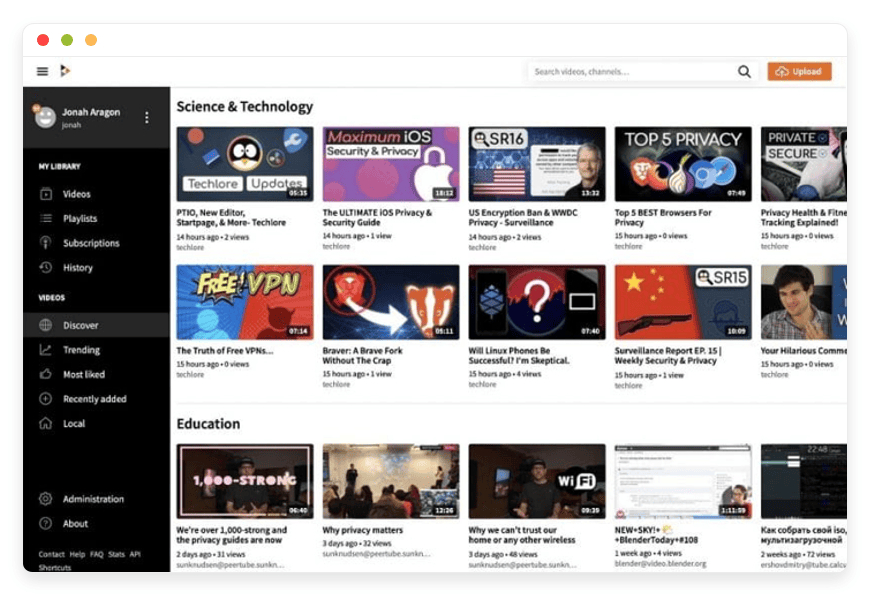
PeerTube is the open-source video platform built by Framasoft, a French non-profit. It hosts your library, plays back on a clean adaptive player, embeds on any site, and connects to a federated network of roughly 1,600 platforms and about a million videos. It is the closest open-source match to what Vimeo’s hosting actually does.
The basics: licensed AGPL-3.0, around 11,300 GitHub stars, written in TypeScript, and built for self-hosting from day one. It replaces the core of what Vimeo and Wistia hosting do, namely upload, organise into channels, share or embed, and let viewers watch on demand. PeerTube adds chapters, playlists, watch history, and per-video analytics.
The federation piece is what sets it apart. PeerTube speaks ActivityPub, the same protocol as Mastodon, so a video you publish can be followed and shared across the network rather than only on your own site. It also uses peer-to-peer delivery in the browser, which spreads bandwidth across viewers when a video gets popular. That scales the opposite way to a per-GB penalty.
For private work it holds up too. You can keep videos unlisted or private for internal training and reviews, the role Wistia’s private embeds and Vimeo’s review links play, and you control moderation, branding, themes, and plugins on your own instance. PeerTube can also import or synchronise channels from platforms including YouTube and Vimeo, so moving an existing library does not start from a blank page.
PeerTube supports live streaming over RTMP as well, including permanent channels. If you only need video-on-demand, that is fine. If live is your main use, Owncast below is the more focused tool. Best for a business, creator, or institution that wants to own its video library and embeds without a per-video or bandwidth-tier bill.
On DANIAN, PeerTube starts at €9/month per instance, before the storage and bandwidth your own footage needs. See managed PeerTube hosting for the details, and the cost section below for the math.
Owncast — your own live channel with chat
Owncast is an open-source live-streaming server: a self-hosted version of a Twitch-style channel. You point OBS or any RTMP software at it and broadcast to viewers in a browser, with chat built in. It is MIT-licensed, runs on a single server, and needs few resources to start.
The basics: around 11,000 GitHub stars, a backend written in Go, and a project created by Gabe Kangas. It replaces the live half of Vimeo Advanced, which streams to up to 100 viewers on that tier, and dedicated streaming services. Owncast takes an RTMP feed from OBS, Streamlabs, or Restream and serves it over standard web video, with no per-viewer fee.
The chat is part of the server, with emotes, moderation, and viewer registration, so your audience takes part without a third-party widget. Owncast federates too: followers on Mastodon and other ActivityPub services get a notification when you go live, which helps a small channel reach people without an algorithm choosing who sees it.
It runs one channel per server, so it is your channel, not a multi-tenant platform. For a club, a podcast, an event series, or a creator, that is the point. It can store and serve video locally or offload to external object storage when a stream grows, and it lists in the public Owncast directory if you want discovery.
Best for anyone who wants to run live streams on their own terms, whether community events, a regular show, or internal broadcasts, without a streaming platform’s rules or ads. On DANIAN, Owncast starts at €9/month per instance, with a resource bump available for heavier streams. See managed Owncast for live streaming to start a channel.
PeerTube and Owncast vs Vimeo and Wistia, at a glance
The table compares entry price, what each tool does, the licence it carries, and what switching involves. Read the DANIAN price as the starting point for the app itself; video storage and bandwidth sit on top and are covered in the section below. Prices are monthly unless noted.
| Tool | Replaces | Starting price | Open source | Region choice | Switching effort |
|---|---|---|---|---|---|
| PeerTube on DANIAN | Vimeo / Wistia video hosting & Live streaming | €9/mo per app* | Yes — AGPL-3.0, ~11,300 stars | 21 regions, 6 continents | Moderate — import or sync from YouTube/Vimeo |
| Owncast on DANIAN | Live streaming (Vimeo Advanced live) | €9/mo per app* | Yes — MIT, ~11,000 stars | 21 regions, 6 continents | Low — point OBS at the new server |
| Vimeo Standard | — | $41/mo (monthly) | No | Vimeo-managed | — |
| Vimeo Advanced | — | $125/mo (monthly) | No | Vimeo-managed | — |
| Wistia Pro | — | $79/mo, 50 videos | No | Wistia-managed | — |
| Wistia Advanced | — | $319/mo, 250 videos | No | Wistia-managed | — |
*€9/month covers the app plus 30 GB storage and 1 TB of monthly traffic. Video libraries usually need more of both, which is the next section.
The honest part: where Vimeo and Wistia still win
Open-source hosting wins on ownership and price, not on every single feature. Wistia and Vimeo have built marketing and collaboration tooling that PeerTube and Owncast do not match one-for-one. If those features drive your revenue today, weigh them honestly against the switch before you move a library.
Wistia’s edge is marketing. Its viewer heatmaps, individual engagement tracking, lead-capture forms, and native CRM sync with HubSpot, Marketo, and Pardot are strong, and a marketing team that runs on that data will feel the gap. PeerTube gives you per-video analytics and embeds; it does not give you Wistia’s lead pipeline. If you sell through gated video and pass viewer data to a CRM every day, that is a real reason to stay.
Vimeo’s edge is collaboration and polish. Its review-and-approve workflow, fine-grained player customisation, and built-in editor are mature. PeerTube matches the hosting and embedding; it does not match the review-and-collaboration suite feature-for-feature. A video production team that lives inside that review flow should price the switch carefully.
The trade is clear. You give up some marketing and collaboration tooling. You gain the source code, your data, a flat price, and a platform that no acquisition or tier change can pull out from under you. For many small businesses and creators that trade is worth making. Only you can weigh it against the features you actually use.
What video actually costs to host
Video is the heaviest common self-hosted workload, and storage plus bandwidth are where the real cost lives. On DANIAN, €9/month covers the app with 30 GB storage and 1 TB of monthly traffic. A real library goes past that, so price storage and bandwidth for your own footage before you switch.
The base plan gives one app a vCPU and RAM unit, 30 GB storage, and 1 TB of monthly traffic. That is enough to evaluate either app and to run a small library or a modest channel. Above the base, storage is €0.50 per extra GB per month, and bandwidth past the included 1 TB is €0.03 per GB.
Transcoding, the work of turning each upload into several playback qualities, is CPU-heavy. A busy PeerTube instance benefits from more compute, and an extra vCPU and RAM unit is €9/month. PeerTube can also offload transcoding to remote runners, and we size the instance with you rather than guessing. We will not raise your resources or bill you for them without your say-so; if a video takes off, we ask first and tell you the cost.
A worked example for a library. Take a training company hosting about 120 course videos, roughly 120 GB in total, with around 600 GB of monthly viewing on PeerTube.
- Storage: 120 GB needs 90 GB above the included 30 GB, so 90 × €0.50 = €45.
- Bandwidth: 600 GB sits under the included 1 TB, so €0.
- App plus a transcoding bump for regular uploads: €9 + €9 = €18.
- Monthly total: about €63.
The same 120-video library on Wistia is past Pro’s 50-video cap, landing near $219/month with per-video overages or $319 on Advanced. On Vimeo, the footage fits Standard’s storage at $41/month, but you carry the 2 TB bandwidth ceiling and the five-seat limit, and you own none of it.
A worked example for live. Take a weekly two-hour show on Owncast at a 3 Mbps stream with 50 concurrent viewers. Each viewer-hour is about 1.35 GB, so a two-hour show with 50 viewers is roughly 135 GB, and four shows a month total about 540 GB, under the included 1 TB. The monthly cost is €9 for the app, or €18 with a compute bump for multi-quality output, with bandwidth included at that scale. Vimeo’s comparable live tier, Advanced, is $125/month.
The honest read. Against Wistia’s per-video model, DANIAN is far cheaper at almost any real library size, because your bill tracks storage and traffic rather than video count. Against Vimeo Standard’s $41, the monthly figure can land in the same range once storage is added; the difference is what you get for it, namely the source code, no per-video tax, no forced-Enterprise cliff, the region closest to your audience, and the same €9 base you use for every other app you run with us. If you are a hobbyist chasing the lowest possible monthly number on a tiny instance, a bare metered host may beat €9, and those buyers are often happier self-hosting. The next section is honest about that.
How to pick: three questions to ask yourself
Three questions sort most of these decisions: what is your library actually doing, who is going to maintain the server, and which paid features earn their keep. Answer them plainly, in that order, and the right path between staying, self-hosting, and managed hosting is usually clear.
- Library or live? If you host a catalogue people watch on demand, PeerTube is the match. If you broadcast live to a chat audience, Owncast is. If you do both, run both; each is €9/month.
- Who runs the server? Self-hosting is real work, and video is the heaviest version of it: transcoding load, large backups, and a patch cycle you cannot skip. PeerTube shipped emergency releases in May 2026 to close a flaw that was being exploited in the wild, and instances that lagged on the upgrade were exposed. If staying current is not something you want to own, managed hosting is the point. If you have a developer who enjoys this, self-hosting on a production-class VPS is a fair path.
- Which features pay for themselves? If Wistia’s lead capture and CRM sync drive measurable revenue, that may justify staying. If you mostly need reliable hosting, clean embeds, and a price that does not climb with your library, open-source wins.
FAQ
Are PeerTube and Owncast really free?
Yes. PeerTube is licensed under AGPL-3.0 and Owncast under MIT, so both are free, open-source software you can run yourself at no licence cost. What you pay for on DANIAN is the server, the patching, the backups, and the support, at €9/month per app. The software itself stays yours.
What is the difference between PeerTube and Owncast?
PeerTube hosts a video library: uploads, channels, embeds, and on-demand viewing, with federation to a wider network. Owncast runs a single live channel with built-in chat, fed from OBS or similar. PeerTube does support live, but Owncast is the more focused live tool. Many teams run PeerTube for the catalogue and Owncast for events.
How much will hosting my video library actually cost?
The €9/month base covers the app, 30 GB storage, and 1 TB of monthly traffic. Above that, storage is €0.50 per GB per month and bandwidth is €0.03 per GB. A 120 GB library with moderate viewing runs roughly €54 to €63 a month, including a transcoding bump. We size it with you and never upgrade resources without asking.
Can I move my existing videos off Vimeo or Wistia?
Yes. PeerTube can import or synchronise channels from platforms including YouTube and Vimeo, so you do not rebuild a library by hand. For files you hold directly, you upload them to your instance. Your videos and data are yours to export at any time.
What happens when a video goes viral and bandwidth spikes?
PeerTube uses peer-to-peer delivery in the browser, which spreads load across viewers as traffic rises, so it scales the opposite way to a per-GB penalty. If you still need more capacity, we add it with your consent and tell you the cost first. We do not bill surprise overages, and we do not delete data on a failed payment.
How does this compare to running PeerTube or Owncast on my own server?
Self-hosting gives you the same software for the cost of a VPS plus your time: setup, transcoding tuning, backups, and the patch cycle, which for video is heavier than most apps. A production-class VPS at about $24/month, plus monitoring and backups, runs near $44/month before your hours. If you have the skills and the time, that is a good path. If you would rather the server simply work, that is what €9/month buys.
Is PeerTube a good alternative to Vimeo?
For hosting a video library, yes. PeerTube covers what most teams use Vimeo for: uploads, channels, a clean player, and embeds, plus federation Vimeo does not offer. It does not match Vimeo’s review-and-collaboration suite. If those tools drive your work, weigh the gap before you switch.
What is the best open-source alternative to Wistia?
PeerTube is the closest fit. Wistia hosts a video library with embeds and analytics; PeerTube does the same, self-hosted, with per-video stats and no per-video fee. Wistia keeps the edge on lead capture and CRM sync. If marketing data is the point, that gap is real.
Is Owncast a self-hosted alternative to Twitch?
Yes. Owncast runs a single live channel with built-in chat, the core of a Twitch-style stream, on a server you control. You broadcast from OBS or similar, with no per-viewer fee, no ads, and no platform rules. It is one channel per server, so it is yours, not a multi-tenant site.
Can I embed PeerTube videos on my own website?
Yes. Every PeerTube video has an embed code that drops into any site, much like a YouTube or Vimeo embed, and the player is clean and adaptive. Embeds work for public, unlisted, and private videos under your control. The video stays on your instance, served from your own domain.
Can I use my own domain with PeerTube or Owncast?
Yes. Both run on your own domain or subdomain, so your video library or live channel lives at your address, not a shared platform URL. We set up the domain and the certificate with you. Your branding, your URL, and your audience stay with you if you ever move.
Do my videos carry ads, like a free SaaS tier?
No. Neither PeerTube nor Owncast runs ads on your videos or your stream. There is no free-tier watermark and no platform promo. The viewing experience is the one you set. You own the player and the page, so what your audience sees is your decision, not an ad network’s.
Can I keep videos private or unlisted for internal use?
Yes. PeerTube supports public, unlisted, and private videos, so you can run internal training, reviews, or client-only content on the same instance as public work. Unlisted videos need the link; private videos need access. This covers the roles Wistia’s private embeds and Vimeo’s review links usually play.
What streaming software works with Owncast?
Owncast takes a standard RTMP feed, so OBS Studio, Streamlabs, and Restream all work, along with most broadcast software and hardware encoders. You point the encoder at your Owncast server with a stream key, and it serves the feed to viewers over standard web video. No special client is needed to watch.
How many viewers can an Owncast stream handle at once?
It depends on your server and bandwidth, not a hard cap. A modest instance serves a small audience comfortably; larger streams want more compute and bandwidth, and Owncast can offload delivery to external object storage as it grows. We size the instance with you and add capacity only with your consent.
Does PeerTube do live streaming, or only on-demand video?
PeerTube does both. It streams live over RTMP, including permanent channels, alongside its core on-demand library. For occasional live on a platform you already use for video, that is enough. If live is your main use, with chat and a Twitch-style channel, Owncast is the more focused tool.
Do I need technical skills to run these on DANIAN?
No server skills, no. We deploy the app, patch it, back it up, and keep it running; you work in the app’s own dashboard to upload, organise, and stream. You will still learn PeerTube or Owncast itself, as you would any tool, but the server underneath is ours to operate.
Who can access my videos and data?
You do. Your videos and data sit on your own instance, under your control, and you decide what is public, unlisted, or private. We access the server only to operate and support it. You can export your content at any time, and we do not sell or mine your data.
Can I monetise my videos on PeerTube?
PeerTube is not an ad platform, so there is no built-in ad revenue like a big video site. It does support plugins, and you can place your own membership, donation, or paywall links around your channel. Monetisation is yours to set up; it is not handled or taxed by the platform.
What happens to my videos if I stop hosting with DANIAN?
Your videos are yours to take. You can export your library and move it to another host or your own server before you leave, and the open-source software runs anywhere. We do not lock your data in, and we do not delete it the moment a payment fails; we contact you first.
Can a team manage the platform without per-seat fees?
Yes. The €9/month price is per app, not per user, so adding editors, moderators, or channel managers does not raise the bill. PeerTube has roles and permissions for a team; Owncast has stream and chat moderation. You are not pushed onto a higher tier for a five-person crew.
What to do this week
If a Vimeo bandwidth warning or a Wistia renewal quote pushed you here, the next step is small and low-risk. Try one app, move a little real footage onto it, and price your own library against the rates above before you commit to anything.
- Pick the tool that matches the job: PeerTube for a library, Owncast for live.
- Deploy one instance and put real footage on it. An evaluation that uses your own videos tells you more than any feature list.
- Add up your storage and bandwidth using the rates above, compare them to your current Vimeo or Wistia bill, and weigh the features you would actually miss.
- Whatever you decide, aim for the same outcome: video you own, on a platform no one can re-tier out from under you.
When you are ready, start a 7-day trial. No credit card needed.
Sources: Vimeo pricing, Wistia pricing, PeerTube (JoinPeerTube), PeerTube releases, Owncast, and Owncast on GitHub. Prices verified June 2026 and can change; check the current pricing pages before you decide.