Open-source QuickBooks alternatives in 2026
TL;DR
- QuickBooks Online now runs $38 to $275 a month in the US, and its plans have risen roughly 12–17% a year since 2023.
- QuickBooks Desktop prices rose again on February 1, 2026, and Desktop 2023 stops getting security updates, bank feeds, and payroll on May 31, 2026 — the day this goes out, for anyone still on it.
- Two managed open-source tools cover most of what small businesses use QuickBooks for: Invoice Ninja (billing and payments) and Dolibarr (business management with accounting modules).
- Run both on DANIAN for €18/month flat — about $20 — with no per-user fees, versus $75–$275/month on QuickBooks Online depending on tier.
- Honest caveat: this stack is not a drop-in replacement for full double-entry bookkeeping in every workflow. The section below says where the line is.
Why people are leaving QuickBooks in 2026
QuickBooks still does bookkeeping well.
What pushes small businesses to look elsewhere in 2026 is price.
QuickBooks Online climbs from $38 to $275 a month, and it raises rates most years.
QuickBooks Desktop got another increase on February 1, 2026, and older Desktop versions are losing support.
Intuit lifts QuickBooks Online prices roughly once a year, usually over the summer. Measured since 2023, the average annual increase works out to about 12.7% on Simple Start, 11.9% on Essentials, 13.1% on Plus, and 17.3% on Advanced. Those rises compound. A plan that felt reasonable two renewals ago is now meaningfully more expensive, and nothing about the product changed to justify it on your side of the invoice.
The tiers also gate users. Simple Start covers one user, Essentials three, Plus five, and Advanced twenty-five. Add a sixth person to a Plus plan and you jump to Advanced at $275 a month, whether or not you need the rest of Advanced. The step is a cliff, not a slope.
Add-ons are where the real bill lands. A three-person services business on Essentials pays $75 a month for the plan, then payroll on top — QuickBooks Online Payroll starts around $50 a month plus roughly $6.50 per employee — before card-processing fees on every payment it takes. The sticker price and the figure you actually pay each month are rarely the same number.
Desktop tells the same story more bluntly. Intuit stopped selling new Pro Plus, Premier Plus, and Mac Plus subscriptions on September 30, 2024. Existing subscribers can still renew, at higher prices. On February 1, 2026, Pro Plus and Mac Plus renewals went from $999 to $1,149 a year for a single user; Premier Plus moved from $1,399 to $1,609; Desktop Accountant moved from $1,199 to $1,799. Desktop 2023 loses payroll, bank feeds, and security updates on May 31, 2026. Desktop 2024 reaches the same end on September 30, 2027.
For a new business, Desktop is effectively off the table. The only Desktop edition Intuit still sells to new customers is Enterprise, which starts well above $1,500 a year. Everyone else is being pointed at QuickBooks Online, and Online is the plan that climbs every summer. A renewal email or a price-increase notice is what brings most people to a page like this one.
What “alternative” actually means here
An alternative to QuickBooks is not one product. It is a decision about what you actually do in QuickBooks.
Most small businesses use it to send invoices, get paid, track expenses, and hand an accountant clean records.
Two open-source tools cover most of that work — with one honest limit worth reading before you switch anything.
There are three routes out of a SaaS like QuickBooks. You can move to a cheaper proprietary product, which trades one subscription and one vendor for another. You can self-host open-source software, which is free to license but costs your time to run. Or you can use managed open-source, where the software is free and you pay someone to operate it for you. This post is about that third route, with the operations handled for you.
The two tools split the work cleanly.
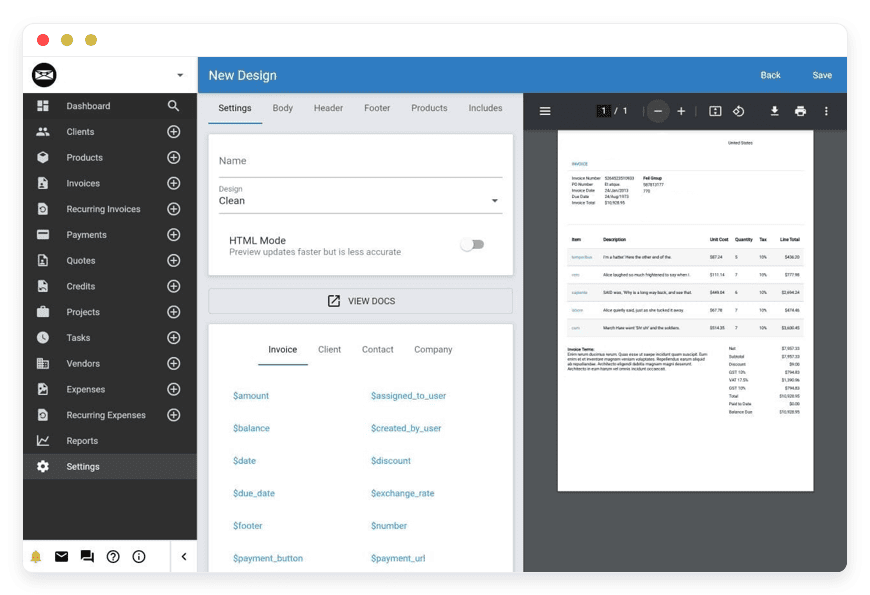
Invoice Ninja handles invoicing, quotes, recurring billing, a client portal, and online payments.
Dolibarr is the broader business suite: contacts and CRM, invoicing, inventory, purchasing, projects, and accounting modules.
One is focused; one is wide.
A note on licensing, because the word “open source” gets used loosely. Dolibarr is released under the GNU GPL version 3, which is fully open source. Invoice Ninja is “source-available” under the Elastic License: the entire codebase is public and free to self-host, but its license is not the standard open-source license Dolibarr uses. For a small business choosing a tool, the practical effect is the same — you can run it, export from it, and you are not locked into a vendor’s price list. The distinction only matters if open-source licensing itself is the point for you, and if it is, you should know which is which.
Switching costs something real, and it is worth naming. QuickBooks has a deep bench of bank feeds, a tax-filing ecosystem, and an accountant on nearly every corner who already knows it. Moving to open source can mean your accountant learns a new screen, and some bank-feed conveniences get replaced by imports or third-party connections. None of that is a dealbreaker for most small businesses. It is the trade you make in exchange for flat pricing and data you control.
Now the honest limit. QuickBooks is full double-entry bookkeeping: a general ledger, a chart of accounts, and formal financial statements. Invoice Ninja is not a bookkeeping system; it is billing. Dolibarr does include a double-entry accounting module, with journals, bank reconciliation, and reports — but its depth and country-specific tax automation vary by region, and many businesses run Dolibarr for operations and invoicing while their accountant keeps the formal books. If strict double-entry bookkeeping is the entire reason you use QuickBooks, this two-app stack is a partial fit, not a one-to-one swap. A dedicated open-source bookkeeping package is on our catalog roadmap; it is not live yet, so we are not going to send you to a page that does not exist.
The shortlist — two tools, two jobs
The stack is deliberately small. Invoice Ninja does invoicing and payments. Dolibarr does almost everything around running the business, including its accounting modules. Both are mature, both are actively maintained, and both run on DANIAN for €9 a month each. Here is what each one actually is.
Invoice Ninja
Invoice Ninja is an invoicing, quoting, and payment app built on the Laravel framework, with about 9,700 stars on GitHub.
It sends invoices and quotes, runs recurring billing, gives clients a self-service portal, and connects to a long list of payment gateways. It supports modern e-invoicing formats and ships mobile and desktop apps alongside the web version.
It has been maintained since 2014 by Hillel Coren, David Bomba, and a wider contributor group, with frequent releases. The hosted version is a paid SaaS; the full code, including every Pro and Enterprise feature, is free to self-host under the source-available Elastic License.
Under the hood it is more than a billing form. It tracks expenses, projects, and time, supports multiple currencies and tax rates, sends automatic payment reminders, and lets you customize invoice templates. A €40-a-year white-label license removes its branding from client-facing screens if you want the invoices to look entirely yours. What it is not is a general ledger — it records what you bill and collect, not the full double-entry picture an accountant reconciles. Best fit: service businesses, freelancers, and agencies whose main QuickBooks job is “send invoices and collect money.”
On DANIAN it runs for €9 a month, managed.
Dolibarr
Dolibarr is an open-source ERP and CRM suite written in PHP, with about 7,000 stars on GitHub and a release history stretching back more than fifteen years.
It ships roughly 100 optional modules covering contacts and CRM, quotes and orders, invoicing, inventory and warehouses, purchasing, projects and tasks, HR, and accounting. You enable only the modules you need.
It is released under the GNU GPL version 3, so it is fully open source. Its accounting side includes a double-entry module, bank accounts, SEPA direct debit and credit transfers, margins, and reports. It has no native payroll module yet, and it tracks expenses, leave, and timesheets rather than running pay cycles.
Its breadth is both the selling point and the catch. Beyond accounting it covers point of sale, manufacturing and bills of materials, contracts and subscriptions, a ticket system, document management, and a REST API, with more than a thousand add-ons in its marketplace. It also upgrades cleanly from almost any past version, which is rare in this category and something its users value. The flip side: a suite this wide has a denser interface than a single-purpose tool, so plan for a short learning curve and switch on only the modules you actually use. Best fit: businesses that want one system for sales, stock, purchasing, and books — not just invoicing.
On DANIAN it runs for €9 a month, managed.
How the costs compare
The math is why most readers are here. QuickBooks Online runs from $38 to $275 a month before payroll and payment add-ons. The Invoice Ninja plus Dolibarr stack on DANIAN is €18 a month flat — about $20 at mid-2026 exchange rates — with no per-user fees and no annual increase built into the price.
| App | What it covers | License | GitHub stars | DANIAN price | Self-host yourself? |
|---|---|---|---|---|---|
| Invoice Ninja | Invoicing, quotes, recurring billing, client portal, payments | Source-available (Elastic License) | ~9,700 | €9/month | Yes |
| Dolibarr | CRM, invoicing, inventory, purchasing, projects, accounting modules | GPL-3.0 (open source) | ~7,000 | €9/month | Yes |
Against QuickBooks Online’s own ladder, the gap shows up at every tier — and widens as your team grows, because QuickBooks meters users and the open-source stack does not.
| QuickBooks Online tier | Included users | Price/month (USD) | DANIAN stack (€/month) |
|---|---|---|---|
| Simple Start | 1 | $38 | €18 |
| Essentials | 3 | $75 | €18 |
| Plus | 5 | $115 | €18 |
| Advanced | 25 | $275 | €18 |
Two things the table does not show. First, payroll and payments are separate paid add-ons on QuickBooks, so the real monthly figure is usually higher than the tier price. The €18 on DANIAN covers hosting, security patching, daily off-site backups, monitoring, and 24/7 email and ticket support — there is no separate infrastructure bill. Second, the bundle has real value: QuickBooks lets you buy payroll, payments, and books in one place. With the open-source stack you wire up payments yourself — both apps support Stripe and PayPal, among others — and run payroll through a dedicated provider. Convenience has a price; so does paying for a bundle you only half use.
The gap also compounds, which is the part a single month hides. QuickBooks Online has risen roughly 12 to 17 percent a year since 2023. If that pace holds, an Essentials plan at $75 today lands near $105 a month within three years, before payroll or payment fees are added.
Over those three years the plan alone totals around $3,000. The Invoice Ninja plus Dolibarr stack stays at €18 a month across the same stretch — roughly €650 over three years, with no built-in increase. Flat pricing is not only cheaper this month. It takes the annual rise out of your planning, so you budget against a fixed number instead of a moving one. For a small business deciding at renewal, that predictability is often worth as much as the headline saving.
Which setup fits your business
The stack flexes to the shape of the business. Three common setups cover most small companies, and each lands well under what QuickBooks would charge for the equivalent work.
Solo or freelancer, services only. If you send invoices, take payment, and hand a tidy export to an accountant once a year, Invoice Ninja on its own does the job at €9 a month. That replaces QuickBooks Solopreneur or Simple Start, and the recurring-billing and client-portal features hold up well past the freelancer stage.
Small services agency, three to ten people. Pair Invoice Ninja for billing with Dolibarr for CRM, projects, purchasing, and the accounting modules — €18 a month, with no per-seat step-ups as you hire. That maps to QuickBooks Essentials or Plus plus a payroll add-on, usually at a fraction of the combined monthly cost.
Small product or e-commerce business. If you carry stock, Dolibarr alone often covers it: inventory and warehouses, purchase orders, suppliers, point of sale, and invoicing in one place at €9 a month. That is the QuickBooks Plus use case — inventory and project tracking — without the $115 monthly tier or the five-user cap.
How to pick: three questions to ask yourself
The right answer depends less on features than on how you work. Three questions settle most of it.
What do you actually use QuickBooks for? If it is mostly invoicing and getting paid, Invoice Ninja on its own may be enough. If you also track stock, purchasing, or projects, add Dolibarr. If it is formal books your accountant signs off on, re-read the honest limit above before you commit.
How many people need access? QuickBooks charges by tier and caps users per tier; cross a threshold and the price steps up. The open-source stack does not meter your internal users — Dolibarr supports multiple users with fine-grained permissions, and Invoice Ninja handles team access too. The more people touch the system, the wider the cost gap gets.
Do you want one tool or a focused stack? Dolibarr is the one-tool answer: sales, stock, purchasing, and accounting under one login. Invoice Ninja plus a dedicated bookkeeping app is the focused-stack answer, where each tool does one job well. Both are reasonable; pick the shape that matches how your business runs, not the one with the longer feature list.
Getting your data out of QuickBooks
Migration is the real work, and the friction has a name: your chart of accounts. Customer lists, items, and open invoices export cleanly enough. Mapping QuickBooks’ chart of accounts and historical reconciliations onto a new system is the part that takes planning, and often an accountant.
What moves over without much trouble: customers and contacts, products and services, and open invoices and balances, usually as CSV files. Both Invoice Ninja and Dolibarr import customers and items, so your day-to-day billing data lands in good shape.
What does not move cleanly: the chart of accounts rarely maps one-to-one, because account names, numbers, and tax codes differ between systems. Historical bank reconciliations and your detailed change history tend to stay in QuickBooks. That is normal for any accounting migration, not a quirk of open source.
One tactic removes most of the risk: run the new system in parallel for a month. Enter live invoices in both QuickBooks and the new tool, compare the numbers at month-end, and only cut over once they match and you trust the new workflow. Accountants generally suggest starting that parallel run four to six weeks before you want to switch, so the timing lines up with a clean fiscal boundary.
A sane sequence keeps the disruption small. Leave your QuickBooks file read-only for the prior year, start the new system at the beginning of a quarter or fiscal year, import open balances rather than full history, and bring your accountant in for the chart-of-accounts mapping.
Where you can, line the cutover up with a tax-reporting boundary, so one period closes cleanly in QuickBooks and the next opens in the new tool with no split records to reconcile later. Treated this way, the switch is a planned project over a few weeks — not an afternoon, and not a leap.
Frequently asked questions
What’s the best open-source alternative to QuickBooks?
There isn’t one tool that matches QuickBooks feature-for-feature. For invoicing and getting paid, Invoice Ninja is the strongest open-source choice. For running the wider business — CRM, inventory, purchasing, and accounting modules — Dolibarr is the broader fit. Many small businesses run both. On DANIAN each is €9 a month, managed.
Is there a free alternative to QuickBooks?
Yes, in the sense that the software is free. Dolibarr is open source under the GPL, and Invoice Ninja’s full code is free to self-host under its source-available license. “Free” means no license fee — you still need somewhere to run it. DANIAN hosts and operates either one for €9 a month so you don’t run a server.
Is this really cheaper than QuickBooks?
Yes, on the subscription. QuickBooks Online runs $38 to $275 a month before add-ons. Invoice Ninja plus Dolibarr on DANIAN is €18 a month flat, about $20, with no per-user fees. The larger your team, the wider the gap, because QuickBooks meters users by tier and the stack does not.
What’s the difference between Invoice Ninja and Dolibarr?
Invoice Ninja is focused: invoicing, quotes, recurring billing, a client portal, and payments. Dolibarr is a full suite — contacts and CRM, invoicing, inventory, purchasing, projects, and accounting modules across roughly 100 optional modules. Pick Invoice Ninja if billing is the job; pick Dolibarr if you want one system for the whole business. Both run on DANIAN at €9 a month.
Is Invoice Ninja actually open source?
Not in the strict sense. Invoice Ninja is “source-available” under the Elastic License: the full code, including Pro and Enterprise features, is public and free to self-host, but the license is not a standard open-source one. Dolibarr is fully open source under the GPL version 3. For most small businesses the practical effect is the same — you can run it and export from it.
Can Invoice Ninja or Dolibarr replace my bookkeeping?
Invoice Ninja is billing, not bookkeeping. Dolibarr includes a double-entry accounting module with journals, bank reconciliation, and reports. For many small businesses that is enough alongside an accountant. If you need formal books with deep country-specific tax automation, treat this as a partial fit rather than a one-to-one swap.
Can Dolibarr do double-entry accounting?
Yes. Dolibarr includes a double-entry accounting module with journals, a chart of accounts, bank reconciliation, SEPA transfers, and reports. Its depth and country-specific tax automation vary by region, so some businesses run Dolibarr for operations and invoicing while an accountant keeps the formal books. It is a real accounting module, not a full replacement for every bookkeeping workflow.
What about payroll?
Neither app runs payroll natively. Dolibarr tracks expenses, leave, and timesheets, but not pay runs. On QuickBooks, payroll is a separate paid add-on too. Most small businesses run payroll through a dedicated provider and connect it to their books, whichever accounting tool they use.
Do Invoice Ninja and Dolibarr handle VAT and multiple tax rates?
Yes. Both support multiple tax rates and multiple currencies, and Dolibarr includes country-specific tax features for many regions. They calculate tax on invoices and quotes; they do not file returns or give tax advice. For filing and the rules where you operate, your accountant or a local tax tool stays in the loop — the same as with QuickBooks.
Does Invoice Ninja support online payments?
Yes. Invoice Ninja connects to a long list of payment gateways, including Stripe and PayPal, and supports recurring billing and a client portal where customers pay an invoice directly. You wire up your own payment account, so processing fees go to the gateway, not to a middle layer. Dolibarr also integrates payment platforms for its invoices.
Can Dolibarr manage inventory and stock?
Yes. Dolibarr handles inventory and warehouses, purchase orders, suppliers, batches and serial numbers, point of sale, and bills of materials for light manufacturing. You enable only the modules you need. For a small product or e-commerce business, Dolibarr often covers stock, purchasing, and invoicing in one place at €9 a month — the QuickBooks Plus use case without the five-user cap.
Do Invoice Ninja and Dolibarr work together?
They are separate applications, not a single integrated suite. Most businesses use one as the main system — Dolibarr for operations and books, or Invoice Ninja for client billing — rather than syncing both. Both expose a REST API, so a developer can connect them if you need to, but there is no built-in integration between the two out of the box.
Can I import my data from QuickBooks?
Largely, yes. Customers and contacts, products and services, and open invoices and balances export from QuickBooks as CSV files and import into both Invoice Ninja and Dolibarr. The part that needs planning is your chart of accounts, which rarely maps one-to-one because account names, numbers, and tax codes differ. Historical reconciliations usually stay in QuickBooks.
How long does switching take?
Plan for a few weeks, not a weekend. Importing customers, items, and open balances is quick; mapping the chart of accounts and running the new system in parallel for a month is the slower part. Starting four to six weeks before a quarter or fiscal-year boundary keeps the books clean and the transition calm.
Will my accountant be able to work with this?
Usually yes, though there is a learning curve. Dolibarr produces standard reports and a general ledger your accountant can read, and you can export data for them at any time. The honest note: an accountant who lives in QuickBooks may charge for the time to learn a new system, so bring them into the decision early.
Can I use my own domain?
Yes. Your instance runs on your own custom domain or subdomain, so invoices, the client portal, and links carry your name rather than a generic host address. DANIAN handles the certificate and the setup. You keep access to your instance and your data through the dashboard.
Is there a mobile app?
Invoice Ninja ships mobile apps for iPhone and Android, plus desktop apps for macOS, Windows, and Linux, alongside the web version — useful for invoicing on the move. Dolibarr is a web application that works in a mobile browser, with third-party mobile apps available. Both run the same on DANIAN whichever client you use.
Do I have to manage the server myself?
No. DANIAN runs both apps for €9 each per month. That covers hardware, security updates, daily off-site backups, monitoring, and 24/7 email and ticket support. You get access to your instance and your data; you do not patch servers, renew certificates, or monitor backups.
What support do I get with DANIAN?
Support is 24/7 by chat and email, and a person replies, not a bot. We cover the things you pay us to run: hardware, security updates, daily off-site backups, monitoring, and certificate renewals. You do not patch servers or manage upgrades yourself. If something breaks, you message us and we sort it out.
What if I want to run it myself?
You can. Both apps are free to self-host — Dolibarr under the GPL, and Invoice Ninja’s full code under its source-available license. If you have someone comfortable with Docker, servers, backups, and upgrades, self-hosting is a genuine option. DANIAN is for the businesses that would rather not own that work.
How does this compare to running it on my own VPS?
On a VPS you pay for the server, then spend your own time on setup, security patching, backups, monitoring, and being on call when it breaks. The software is the same; the work is yours. DANIAN runs that work for €9 a month per app, with daily off-site backups and 24/7 support. If you have the time and skills, self-hosting is a genuine option.
Where is my data hosted, and is it safe?
You choose the region. DANIAN runs across 21 datacenter locations on six continents, so you can pick the one closest to you and your customers. Each app runs in its own isolated container, we patch monthly and monitor around the clock, and we back up your instance daily to separate off-site storage. You can download or transfer your data on request.
Can I get my data out later?
Yes. Both apps export your data, and you own the open-source software regardless of who hosts it. DANIAN backs up your instance daily off-site and lets you download or transfer your data on request. The point of running open source is that no vendor’s pricing or export rules can trap you.
What to do this week
If a QuickBooks renewal or a price-increase notice pushed you here, you do not have to decide everything today. You can test the stack before you migrate a single invoice.
If your main need is invoicing and getting paid, start with managed Invoice Ninja hosting.
If you want sales, stock, purchasing, and accounting in one place, look at managed Dolibarr, which pairs ERP with invoicing.
Either way, test the stack on a 7-day trial — no card — import a few customers and a test invoice, and see how it fits before you touch your live QuickBooks file.
Keep your QuickBooks data read-only while you evaluate. Move when the new setup earns it, and not before. DANIAN runs both apps across 21 datacenter regions on six continents, so you can pick the region closest to you and your customers.