
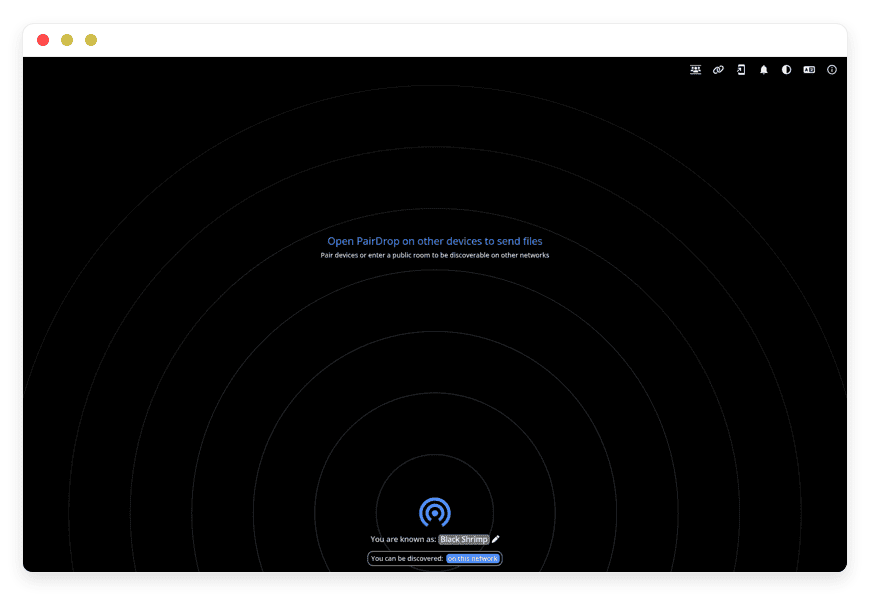
Managed PairDrop Hosting: The Ultimate Cross-Platform File Transfer Solution
TLDR: What is Managed PairDrop Hosting?
PairDrop is a free, open-source file-sharing tool that works in your browser. It lets you send files securely across different operating systems without installing apps. Managed PairDrop hosting gives you this powerful tool without the headache of server maintenance.
Immediate Value: Instantly transfer files between Mac, Windows, iOS, and Android devices.
Immediate Value: Skip the complicated server setup and network configuration.
Immediate Value: Benefit from built-in end-to-end encryption for total privacy.
Immediate Value: Start sharing files in minutes with zero technical overhead.
Immediate Value: Connect devices on complex networks like public Wi-Fi or VPNs effortlessly.
Stop Fighting Incompatible Ecosystems
Sharing a simple photo between an iPhone and a Windows PC should be easy. Usually, it becomes a frustrating process of sending emails to yourself, using messaging apps, or dealing with tangled cables. Apple devices have AirDrop, but that leaves the rest of your hardware isolated. PairDrop solves this by creating a universal bridge across all your devices directly in the browser.
But running the server yourself is a second job. You have to configure Node.js, manage WebSockets, and handle TURN servers just to get it working outside your local network.
That is where DANIAN steps in as your invisible infrastructure. We handle the technical heavy lifting so you can focus on your work.
What is PairDrop?
PairDrop is a web-based, open-source application designed for peer-to-peer file sharing. Created by the developer known as schlagmichdoch, it is a powerful fork of the popular Snapdrop project. It lets you send images, documents, and text across any device connected to the internet. Because it runs purely in your modern web browser, there is zero setup and absolutely no signup required for the end user.
Why is it trending?
People are tired of walled gardens. Moving a video file from an Android phone to a Linux desktop used to require third-party cloud apps. PairDrop changes the rules by sending files directly between devices using WebRTC. This makes transfers incredibly fast and secure. It offers the seamless experience of native sharing tools without restricting you to one specific hardware brand.
Why Choose PairDrop?
Proprietary file-sharing applications often limit your transfer speeds, compress your images, or force you to watch ads. Hosting PairDrop gives you complete control over your file transfers. It provides open-source freedom while replacing restrictive, paid cloud transfer services.
By choosing PairDrop, you ensure your files never sit idle on an unknown third-party server. They travel directly from point A to point B. This fundamental privacy advantage makes it an essential tool for remote teams, creative professionals, and families with mixed devices. Hosting PairDrop yourself, or letting a trusted partner do it, means you get a pure, uninterrupted sharing environment.
Key Features of PairDrop
PairDrop is packed with thoughtful features that make everyday file transfers smooth and reliable.
Cross-Platform Compatibility: PairDrop works flawlessly on Windows, macOS, Linux, iOS, and Android. If it has a modern web browser, it can send and receive files. This removes the friction of installing dedicated apps on every machine you own.
Persistent Device Pairing: You can connect devices permanently using a simple 6-digit code or a QR code. Once paired, your devices will always find each other via shared secrets, even if you reopen the app or switch networks.
Temporary Public Rooms: Need to share files with a client halfway across the world? You can enter a temporary public room via a 5-letter code. This allows you to connect over the internet instantly. Once you close the app, the room disappears.
Advanced Network Traversal: Connecting devices on a corporate network, a VPN, or a mobile hotspot can be tricky. PairDrop handles complex network environments beautifully. Devices outside your local network behind a NAT are automatically connected using a TURN server, ensuring your transfers rarely fail.
Multiple File Handling: When you receive multiple files at once, PairDrop automatically packages them into a convenient ZIP file. On mobile devices, you can save files directly to your gallery or share them using the native OS share menu.
End-to-End Encryption: Security is built directly into the core of the application. Files are transferred securely using encrypted peer-to-peer connections, protecting your sensitive documents from interception.
Native Context Menu Integration: You can send files directly from the right-click context menu on Windows and Linux, or directly from the native "Share" sheet on Android and iOS. This makes it feel like a built-in system feature.
Solutions per Industry
Creative Agencies
Designers and video editors deal with massive files daily. Moving high-resolution assets from a digital camera to an editing workstation and then to a client's phone requires speed. PairDrop allows creatives to transfer uncompressed files instantly across the office network. There is no need to upload gigabytes of data to a cloud drive just to download it onto a computer three feet away.
Education
Classrooms are often a mix of school-provided Chromebooks, teacher iPads, and student Android phones. Teachers need a way to distribute worksheets or collect digital assignments without forcing students to create new accounts. PairDrop provides a universal link where students can quickly join a temporary room and share their work directly with the teacher.
Software Development Teams
Developers frequently move code snippets, logs, and test files between local environments and mobile testing devices. PairDrop lets developers send text and files directly to testing devices instantly. Because it handles complex network environments, remote developers working through VPNs can still pair their devices and share necessary data securely.
PairDrop vs Other Softwares
| Feature | PairDrop | Proprietary Cloud Transfer |
| Cost | 100% Free and Open-Source | Monthly Subscription for large files |
Account Required | No | Yes |
Transfer Method | Direct Peer-to-Peer | Upload to Server, then Download |
File Size Limits | None (Hardware dependent) | Strictly Limited |
| Privacy | End-to-End Encrypted | Files stored on corporate servers |
Local Network Speed | Instant | Slow (Internet bandwidth speed) |
Use Cases and Applications
PairDrop shines in everyday practical scenarios. Here are a few ways you can use it right now:
Mobile to PC Photo Transfers: Instantly send full-resolution photos from your phone to your desktop for editing.
Quick Link Sharing: Send a long URL from your laptop to your mobile phone without typing it out manually.
Cross-Office Document Delivery: Send a PDF contract to a coworker in the next room without cluttering your chat application.
Client Deliverables: Pair devices with a client during a meeting to securely hand off final assets right to their personal device.
Secure Text Snippet Transfer: Share sensitive passwords or API keys between your devices directly without syncing them through a cloud clipboard.
How DANIAN Helps
Running a seamless file-sharing tool is great, but maintaining the underlying server infrastructure is tedious. DANIAN acts as the quiet enabler. We handle the mess; you get the glory. With our managed hosting, you get the full PairDrop experience without writing a single line of code.
Fully Managed: We handle the hosting. Our team manages everything from initial setup to regular updates, security patches, and performance monitoring. Your software is always optimized without you having to lift a finger.
Backup & Monitoring: Configured automatically, stored securely, one-click restore.
Robust Security: With cybersecurity threats on the rise, we take security seriously. From automated updates to proactive monitoring and custom defense protocols, we make sure your environment is secure 24/7.
Seamless Updates: Security patches and new versions are applied without your intervention.
24/7 Monitoring: Issues are detected and often resolved before you notice them.
Guaranteed Performance: Downtime can be detrimental to your business. With our scalable infrastructure, we ensure consistent performance even as your user base grows.
7-Day Free Trial: No risk, just immediate value.
Less Setup, More Development. Affordable from the Start. Real Help When You Need It.
How to Get Started
Getting your secure file transfer environment running takes less time than making a cup of coffee.
Visit danian.co and sign up.
Select PairDrop from the catalog.
Relax while DANIAN launches your software in the background.
FAQ
Is PairDrop completely free to use?
Yes, the software itself is completely free and open-source. When you use managed hosting, you pay only for the server resources and the expert maintenance provided.
Do I need an app to use PairDrop?
No. It works directly in any modern web browser like Chrome, Firefox, Safari, or Edge. You can also install it as a Progressive Web App (PWA) to your home screen.
How does PairDrop handle file security?
Files are transferred using WebRTC. This creates a direct, encrypted peer-to-peer connection between the sender and the receiver. The files do not sit on a central server.
Can I transfer files over the internet, or just local Wi-Fi?
You can do both. Local transfers happen directly over your network. For internet transfers, you can use persistent device pairing or temporary public rooms to connect devices securely anywhere.
What happens if I receive multiple files?
PairDrop smartly packages multiple files into a single ZIP file for easy downloading.
Is there a file size limit?
There are no hard limits built into the software. Your transfer size is only limited by your device's memory and the stability of your network connection.
Does it work with Apple Private Relay or a VPN?
Yes. Thanks to persistent pairing and built-in TURN server support, it can traverse complex network environments including VPNs and Apple Private Relay.
Conclusion
PairDrop is the ultimate answer to the fragmented file-sharing landscape. It removes the borders between Windows, Mac, iOS, and Android, giving you a smooth, instant, and secure way to move data. By relying on a modern browser instead of bloated apps, it keeps your workflow fast and uninterrupted.


