
The Secret to Perfect Audio Syncing: Managed oPodSync Hosting
TLDR - Quick Answer
oPodSync is a minimalist server built to track your podcast listening and download history. It connects your favorite podcast apps so you never lose your place in an episode. By choosing Managed oPodSync Hosting, you get immediate results without the technical headaches.
The Immediate Value of Managed oPodSync Hosting:
Universal Compatibility: Connects smoothly with popular apps like AntennaPod and Kasts.
Always Online: Your listening history updates instantly whether you are home or traveling.
Zero Maintenance: We handle all the software updates and database maintenance for you.
Total Privacy: Keep your listening habits private and away from large advertising networks.
Introduction
You listen to a podcast on your phone during your commute. You pause the audio when you arrive at work. Later, you sit down at your computer. You want to pick up exactly where you left off. This simple workflow is often broken. Proprietary apps trap your listening history inside their own isolated systems. You waste time searching for the exact minute you stopped listening.
Are you looking for a better way to control your audio library? Managed oPodSync Hosting is the perfect answer. It bridges the gap between all your devices seamlessly.
But running it yourself is a second job. Configuring PHP environments, maintaining databases, and managing updates takes hours away from your actual work. Setting up web servers and troubleshooting connection errors is exhausting.
DANIAN serves as your invisible infrastructure. We handle the complex technical setup so you can simply enjoy your favorite shows. You get a perfect, uninterrupted listening experience without ever touching a command line.
What is oPodSync?
oPodSync is a lightweight server designed specifically for podcast syncing. Previously known as the Micro GPodder server, it acts as a central hub for your media activity. When you use a compatible podcast player, the software silently records which episodes you played. It remembers exactly where you paused the audio down to the second.
The software was created by developer BohwaZ. It is built to be fast, stable, and highly efficient. It runs on PHP and uses a simple SQLite database rather than a heavy SQL setup. This design keeps the software highly responsive and incredibly fast.
Why is it trending?
Listeners are tired of unreliable public sync servers. Public services often face severe downtime due to heavy user traffic. People want a private, dependable way to track their media. oPodSync supports modern podcasting standards perfectly. It connects effortlessly with newer tools like PinePods and Music Assistant. This makes it highly popular among audio enthusiasts who value speed and reliability.
Why Choose oPodSync?
Choosing this software gives you absolute freedom over your listening habits. Proprietary platforms often track your behavior to sell targeted ads. Hosting oPodSync simply stores your history so you can move smoothly between devices.
It provides a seamless transition from your smartphone to your desktop computer. It works silently in the background at all times. You do not need to interact with a complex dashboard daily. You just link your podcast player to your server once. The software handles the rest automatically. It is the perfect tool for keeping your digital life organized and private.
Key Features of oPodSync
The software packs a massive amount of utility into a very small footprint. Here are the core features that make your audio workflow completely effortless.
Universal API Compatibility
oPodSync speaks the exact same language as the popular gPodder service. It also supports the Nextcloud gPodder Sync API flawlessly. This means you can use dozens of existing podcast apps without extra setup. You just enter your server address and log in. Your phone, tablet, and computer stay in perfect harmony.Cross-Device Synchronization
The core purpose of the software is keeping multiple devices updated. If you subscribe to a new show on your tablet, that show appears on your phone automatically. If you listen to half an episode on your morning walk, your laptop knows exactly where to resume. You save time and avoid searching for your place in the audio file.Detailed History Tracking
The software records plays, downloads, and subscription changes precisely. You can review your listening habits through a clean web interface. This helps you track which episodes you finished and which ones you skipped. You maintain a perfect record of your learning and entertainment over time.Automated Metadata Fetching
When you subscribe to a feed, the server can fetch the episode details and save them locally. This is helpful if a podcast host changes their URLs or removes old episodes. Your server keeps a clear record of the titles and descriptions permanently. You always know what each archived episode is about.Secure Web Registration
When you start your server for the first time, you can create your main account through the web interface. After that first account is made, the system locks down to protect your setup. This prevents random internet users from filling up your storage. You stay completely in control of who accesses your sync server.Simple Desktop Client Connection
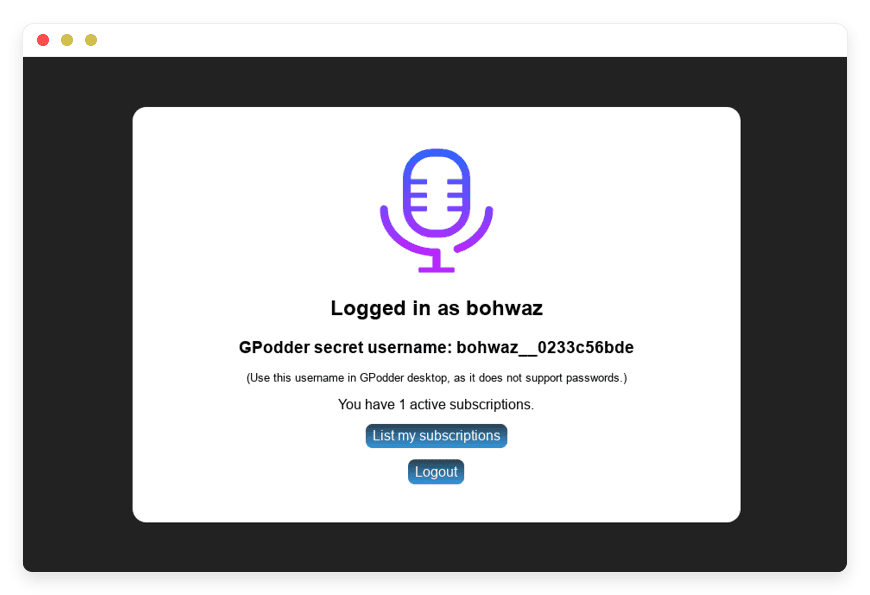
Some desktop clients, like the older gPodder app, struggle with standard passwords. The software solves this by offering unique secret tokens. You generate a token upon login and paste it into your app. This keeps your connection active without breaking older software. It ensures you can use the exact app you prefer daily.Broad App Support
The server works flawlessly with many popular applications globally. It has been thoroughly tested with AntennaPod on Android and Kasts on Linux and Windows. You are never forced to use a specific operating system. You can mix and match your favorite apps while the server keeps everything aligned perfectly.Strict Format Handling
The system is highly structured to prevent errors. It relies mostly on the JSON format for rapid data transfer. It also supports standard OPML files for importing and exporting your subscription lists easily. By keeping the data formats strict, the software avoids translation errors between different podcast clients.Ultra-Lightweight Architecture
Instead of requiring massive database servers, it uses a simple SQLite file. This makes reading and writing your play history incredibly fast. You never experience lag when your phone tries to update your current timestamp. The minimal footprint ensures your server runs smoothly around the clock.
Solutions per Industry
Different teams use audio content to learn, research, and grow professionally. Here is how specific industries benefit from this powerful syncing tool.
Journalism and Media
Reporters constantly review long-form interviews and investigative podcasts. A journalist might start listening to an hour-long interview on their phone while traveling to a news site. When they return to their editing bay, they need to find an exact quote. Using oPodSync, their desktop podcast app opens exactly where they paused on their phone. This eliminates the frustrating search for specific soundbites. It keeps the research process smooth and highly efficient.
Healthcare Training
Medical professionals must complete continuous medical education to maintain their licenses. Many doctors and nurses use specialized medical podcasts to learn about new treatments. A nurse might listen to a clinical update during their commute. They might pause it to care for a patient. Later, they can resume the exact same episode on a break room tablet. The server tracks their progress perfectly. They never lose their place during important educational sessions.
Legal Practices
Lawyers spend hours reviewing case-law summaries and legal updates via audio. Time is extremely valuable in a law firm. An attorney can listen to a legal briefing podcast while driving to court. Upon returning to the office, they can open their desktop computer to take notes. The audio resumes at the exact second they parked their car. This flawless transition helps them bill their time accurately and work faster.
Software Development Teams
Engineers often listen to tech talks and coding philosophy shows to improve their skills. A development team can share a single synced account to curate a team-wide listening list. When a senior developer finds a great episode about database optimization, they add it to the shared feed. Every team member sees the new episode on their own device instantly. They can discuss the specific topics during their weekly meetings.
Real Estate
Real estate agents spend most of their day driving between property showings. They rely on industry podcasts to learn about market trends and sales tactics. An agent can start a marketing podcast in their car. When they arrive at a house, they pause the audio to greet clients. While waiting for the next client, they can pick up their tablet and resume the same episode. The constant syncing keeps their education moving forward despite a chaotic schedule.
eCommerce
Running an online store requires constant learning about digital marketing. eCommerce teams often listen to advertising and sales podcasts to stay sharp. By using a central sync server, a manager can track specific industry shows. If they hear a great tip about email marketing, they can easily share the exact timestamp with their team. The shared history ensures everyone is learning from the exact same material.
Creative Agencies
Designers and copywriters need to stay updated on current branding trends. You can connect the server to your main office audio system easily. If an employee listens to a design podcast on their morning train ride, they can cast the rest of the episode to the office speakers via Music Assistant. The transition is completely smooth because the server remembers the exact timestamp. It creates a seamless audio environment for the whole creative team.
Education
Many professors record their lectures as private podcasts for their students. Students use various devices to listen to these lessons throughout the week. If a student uses a synced account, they can start a lecture on their laptop in the library. They can then finish it on their phone while walking home. The sync happens instantly across all devices. They never lose their place during important study sessions.
oPodSync vs Other Softwares
How does this minimalist server compare to other software options on the market? Here is a simple breakdown.
| Feature | oPodSync | Nextcloud News | Apple Podcasts App |
| Primary Focus | Universal podcast syncing | RSS feed reading | Walled-garden syncing |
| Resource Usage | Very Low (SQLite) | High (Full suite required) | Device dependent |
| API Support | gPodder & Nextcloud APIs | Custom API | Closed API |
| Desktop Client Support | Excellent (Token auth) | Limited | Mac only |
| Local Metadata Storage | Yes | Yes | Hidden from user |
Use Cases and Applications
The software is versatile enough to handle many different audio workflows effortlessly. Here are five practical ways to use it today.
Personal Audio Libraries: You can consolidate subscriptions from multiple different apps into one central hub. You will never lose track of a show just because you switched mobile platforms.
Family Story Time: Parents can track a shared feed of children's audio stories. If a child listens to half a story on a tablet, they can finish it on a smart speaker later.
Commuter Handoffs: Move smoothly from your car's audio interface to your desk speakers. The server updates your progress in milliseconds, making the transition completely invisible.
Archiving Show Notes: Use the local metadata fetching feature to search for old topics. You can review episode descriptions long after the original publisher has hidden the RSS feed.
Language Learning: Track your progress through complex audio lesson series. You can easily see which lessons you have completed and which ones you need to review again.
How DANIAN Helps
Managing servers is tedious work. You want to listen to your shows, not troubleshoot PHP extensions or fix database errors. DANIAN is the quiet enabler behind your digital life. We handle the mess; you get the glory.
Here is how we make your life easier:
Fully Managed: We handle the hosting directly. Our team manages everything from initial setup to regular updates, security patches, and performance monitoring. Your software is always optimized without you having to lift a finger.
Backup & Monitoring: Your data is configured automatically and stored securely. We provide a simple one-click restore function. You never have to worry about losing your carefully curated subscription lists.
Secure by Default: With cybersecurity threats on the rise, we take security seriously. From automated updates to proactive monitoring and advanced security rules, we make sure your environment is secure 24/7.
Automated Updates: Security patches and new versions are applied without your intervention. You always have the latest features created by the developer running smoothly.
24/7 Monitoring: Issues are detected and often resolved before you notice them. Your server is always ready when you press play on your phone.
Guaranteed Performance: Downtime can be detrimental to your daily routine. With our scalable infrastructure, we ensure consistent performance even as your database grows over time.
7-Day Free Trial: There is absolutely no risk. You can test the platform completely free to ensure it fits your workflow perfectly.
Less Setup, More Development. Affordable from the Start. Real Help When You Need It.
How to Get Started
Step 1: Visit danian.co and sign up for an account.
Step 2: Select oPodSync from our deep software catalog.
Step 3: Relax while DANIAN launches your software.
FAQ
Is oPodSync compatible with Android devices?
Yes. It works perfectly with modern Android apps like AntennaPod. You simply enter your server address in the app's sync settings to connect.
Do I need to pay a license fee to use the software?
No. The software is released under the GNU AGPLv3 open-source license. It is completely free to use. You only pay for the managed hosting service that keeps it online.
Does this software download the actual audio files?
By default, it tracks your history and fetches text metadata like titles and descriptions. Your podcast apps handle the actual heavy audio downloads locally.
Can I add multiple users to my server?
Account creation is disabled by default after the first user registers. This is a strict security measure. However, configuration can be adjusted to allow more users if needed.
Does it work with older desktop software?
Yes. The server provides a unique secret token system. This replaces standard passwords for older software like the gPodder desktop client, ensuring a highly stable connection.
Will it work with Clementine?
Currently, it does not work with Clementine 1.4.0rc1. This is due to a known bug in how Clementine handles server selection. We recommend using Kasts or gPodder for desktop listening instead.
Is my listening data kept private?
Absolutely. Because your server is entirely private, your listening history is not shared. It is kept away from large podcast directories or advertising networks.
What happens if a podcast changes its RSS feed URL?
The server keeps a local record of the metadata and actions linked to your subscriptions. This helps preserve your history even if the original publisher makes changes to their feed.
Does it support the Nextcloud Sync API?
Yes. In addition to the standard gPodder API, it supports the Nextcloud gPodder Sync API. This gives you greater flexibility when choosing which podcast client to use.
Conclusion
oPodSync is a brilliant tool for anyone who values a seamless audio experience. It removes the friction of switching between devices daily. By tracking your progress and managing your subscriptions centrally, it gives you complete control over your media habits. You no longer have to rely on public servers that drop connections or track your private data.
Experience the power of fully managed open-source. Let us handle the technical heavy lifting while you enjoy your favorite shows without interruption.


