
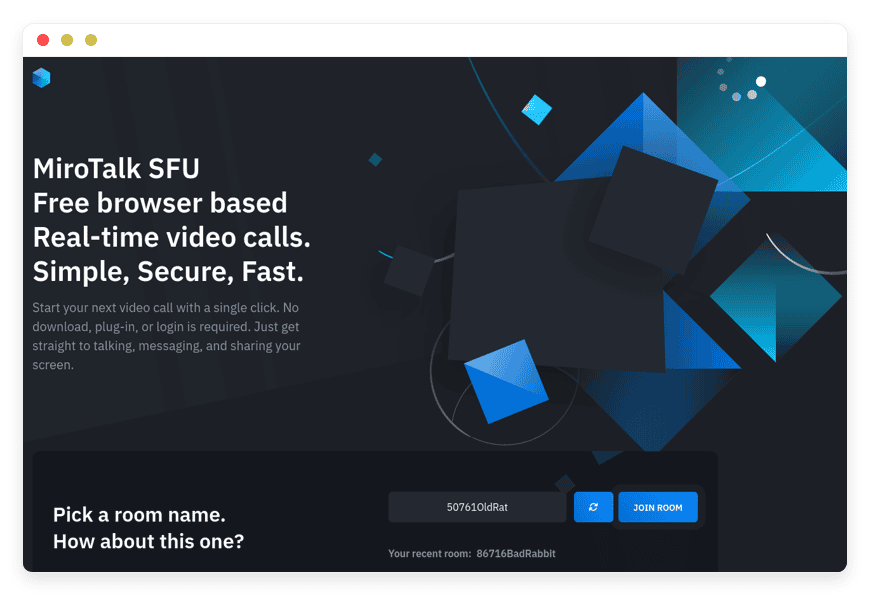
Managed MiroTalk SFU Hosting: Uncapped Video Meetings for Teams
TLDR: Quick Answer
MiroTalk SFU is a powerful, browser-based video conferencing platform optimized to handle large-scale meetings effortlessly. Opting for Managed MiroTalk SFU Hosting means you get all the benefits of this high-performance communication tool without ever touching a server configuration.
Immediate Value of Managed Hosting:
Zero server management: We handle the installation, updates, and deep maintenance.
Ready in minutes: Skip the complex terminal commands and get straight to your meetings.
Seamless scalability: Handle high concurrent user loads without worrying about resource limits.
Secure by default: Automated SSL certificates and proactive monitoring keep your internal calls entirely private.
Introduction
Modern teams run on video calls. But standard, commercial platforms put strict limits on your basic communication. They cap your meeting times, restrict the total number of users, and charge hefty per-seat fees just to share a screen or look at a whiteboard together. You want a tool that removes these frustrating limits.
But running an open-source Selective Forwarding Unit yourself is a second job. Configuring a media server, securing network ports, handling webhooks, and tuning media routing for heavy video traffic requires deep technical knowledge. Maintenance takes away from your actual, profitable work.
DANIAN operates as your invisible infrastructure team. We manage the messy backend details so you can focus on seamless team communication. You get a reliable, high-performance meeting environment ready on demand.
What is MiroTalk SFU?
MiroTalk SFU (Selective Forwarding Unit) is an open-source real-time video conferencing application created by Miroslav Pejic. It routes media streams efficiently to support massive meetings with dozens of active participants. Powered by Mediasoup under the hood, it delivers high-quality video and audio directly through any standard web browser. Participants do not need to download heavy desktop software, install browser plugins, or even create an account. They just click a simple link and join the room instantly.
Why is it trending?
Teams are tired of paying expensive, recurring subscription fees for basic video capabilities. MiroTalk SFU offers unlimited rooms and removes call time limitations entirely. It brings high-end technical capabilities—like 8K resolution support and 60 FPS framerates—to the open-source community. Because it uses Secure Real-time Transport Protocol (SRTP) running on WebRTC, streams remain completely private, ensuring your internal conversations stay internal.
Why Choose MiroTalk SFU?
Hosting MiroTalk SFU gives you absolute freedom over your daily communications. When you use closed platforms, you operate entirely under their arbitrary rules. They decide when your meeting ends, what features get locked behind a paywall, and how much a new user costs your business.
MiroTalk SFU changes that dynamic immediately. You gain a massive suite of features tailored for active collaboration rather than just passive listening. You can record meetings, share complex files, map out ideas on a digital whiteboard, and broadcast to thousands of viewers, all within a single interface. You replace costly tools with a unified system designed for raw performance and privacy.
Key Features of MiroTalk SFU
MiroTalk SFU packs an incredible amount of functionality into a browser-based tool. It is not just about seeing faces on a grid; it is about working together effectively and securely.
Exceptional Video Quality: The platform supports up to 8K resolution and smooth 60 FPS framerates. This ensures crystal-clear visual communication, essential for teams sharing complex designs or detailed presentations. You see every detail without pixelation or lag.
Advanced Audio Processing: Poor audio ruins productive meetings. MiroTalk SFU includes built-in echo cancellation and heavy noise suppression. If someone joins from a loud coffee shop, the software actively filters out the background noise, keeping the focus entirely on their voice.
Collaborative Whiteboard: Explain concepts visually in real-time. The advanced interactive whiteboard allows multiple participants to draw, map out ideas, and teach concepts simultaneously. It turns a static conversation into an active, productive brainstorming session.
Meeting Recording: Capture critical discussions easily. The platform allows you to record your screen, video, and audio directly as a browser blob. You can save the file locally to review later or share with absent team members immediately after the call ends.
AI and ChatGPT Integration: Modernize your workflow during the call itself. The software features ChatGPT integration with Video AI. You can ask complex questions, retrieve information, and pull up relevant resources without ever leaving the meeting room window.
Seamless File Sharing: Stop switching to your email client just to send a quick document. Participants can share any type of file directly in the meeting interface. You drop a file into the chat, and everyone in the room has immediate, secure access to download it.
Broadcasting and RTMP Streaming: Take your message to a wider audience outside of the meeting room. The software supports RTMP streaming natively, letting you push your webcam, screen share, or external URLs directly to live event platforms and social media.
Comprehensive REST API: Connect the application directly to your existing tools. The robust REST API allows developers to seamlessly integrate meeting generation, user management, and room configurations directly into customized workflows and company dashboards.
Host Protection & Lobby Rooms: Keep unwanted guests out of your private sessions. Hosts can require a password for room entry or enable a lobby system. When the lobby is active, the host must manually admit attendees, giving you total control over who hears your conversations.
Custom Branding & Theming: Make the software look like your own in-house tool. You can adjust the user interface colors, replace the default logos with your company branding, and tweak the layout so clients see your identity, not a third-party application.
Real-Time Chat & Translation: Communicate silently when someone else is speaking. The built-in text chat supports instant language translation, bridging the gap between international team members and ensuring everyone understands the context of the written conversation.
Picture-in-Picture (PiP): Multitask without losing sight of the speaker. You can pop the active speaker's video out into a small, floating window that stays on top of your other browser tabs or desktop applications while you take notes.
Webhooks Integration: Automate your post-meeting tasks. You can configure webhooks to trigger external actions based on specific room events. For example, you can send an automatic notification to a Slack channel the moment a specific meeting room opens or closes.
Screen Sharing with Audio: Share your entire screen, a specific window, or just a single browser tab. The system also captures the system audio alongside the visual feed, making it perfect for presenting videos, playing soundbites, or reviewing rich media content together.
Solutions per Industry
Different fields require highly specific communication tools. MiroTalk SFU adapts to fit varied professional demands effortlessly.
eCommerce Teams
Customer support and internal alignment rely heavily on rapid visual communication. An eCommerce team can use the screen sharing and file-sharing features to review new product designs, marketing mockups, or upcoming ad campaigns. On the customer-facing side, support representatives can start an instant room to troubleshoot a website issue visually with a shopper. The shopper clicks a link, shares their screen, and the rep guides them to checkout, drastically reducing cart abandonment rates.
Creative Agencies
Designers, animators, and marketers need high visual fidelity to show their work properly. Standard meeting tools often compress video, ruining the color grading or blurring fast motion. With support for 60 frames per second and massive 8K resolutions, agencies can present video edits or intricate graphic designs to clients exactly as intended. The interactive whiteboard allows the client to sketch out feedback right on top of the shared concepts in real time.
Online Education
Teachers and remote tutors need tools that keep students engaged without frustrating technical hurdles. With this platform, students just click a link to enter the virtual classroom. No one loses fifteen minutes trying to update a desktop client. The teacher can record the session for later review, monitor the text chat for student questions, and use the virtual background feature to maintain a professional appearance when teaching from a home office.
Real Estate Professionals
Selling a property remotely requires building trust through visual clarity. Real estate agents can use the platform to conduct live, high-definition virtual home tours. Because the software supports high framerates, the agent can walk through the house using a mobile device without the video feed becoming a blurry mess. Potential buyers can ask questions, point out details they want to see closer, and even review digital contracts via screen sharing in the exact same session.
Remote IT Support
Technical support teams need immediate access to solve problems fast. Instead of asking a frustrated employee to navigate complex menus, the IT technician sends a direct meeting link. Once connected, the employee shares their screen, and the technician can visually diagnose the software issue. The seamless file sharing feature allows the technician to instantly send over scripts, patches, or updated driver files to fix the problem on the spot.
Human Resources and Recruiting
Conducting interviews remotely requires a professional, organized environment. Recruiters can use the Host Protection features to create dedicated, secure interview rooms. By enabling the lobby feature, the recruiter ensures the next candidate waits patiently outside the virtual room until the current interview completely finishes. The custom branding makes a strong first impression on the candidate, reinforcing the company's professional image.
Legal and Consulting
Lawyers, financial advisors, and specialized consultants discuss highly sensitive information daily. They cannot risk using free platforms that might log meeting metadata or record transcripts without permission. Running this tool on a managed infrastructure ensures the meetings are routed securely. The consultant can securely share legal PDFs or financial spreadsheets in the chat, confident that the built-in WebRTC encryption protects their client's privacy from end to end.
Event Management and Virtual Conferences
Running a large online event requires reaching people across different platforms. Event organizers can host their keynote speakers inside a dedicated MiroTalk SFU room to ensure high-quality audio and video synchronization. Then, using the native RTMP broadcasting feature, the organizer pushes that high-definition live feed out to thousands of viewers on YouTube, Twitch, or custom virtual event platforms simultaneously.
MiroTalk SFU vs Other Softwares
How does this platform compare to common proprietary tools that dominate the market?
| Feature | MiroTalk SFU | Proprietary Alternative |
| Participant Limits | Unlimited (Scales with hardware) | Strict limits tied to pricing tiers |
| Time Limits | No time limitations whatsoever | Usually restricted on basic plans |
| Required Downloads | None (100% Browser-only) | Often requires heavy desktop applications |
| Max Video Resolution | Up to 8K / 60 FPS | Generally capped firmly at 1080p |
| Whiteboard Integration | Built-in and free to use | Requires expensive add-ons or premium tiers |
| RTMP Broadcasting | Native support included | Restricted to top-tier enterprise plans |
| Lobby & Host Control | Fully featured | Sometimes locked behind higher plans |
Use Cases and Applications
MiroTalk SFU handles multiple real-world scenarios effortlessly.
Daily Development Standups: Spin up a quick morning meeting. Since there are no logins required, your development team joins instantly, gives their daily progress updates, and gets back to writing code without friction.
High-Touch Client Consultations: Impress external clients with a completely frictionless joining process. Send a custom branded link. They enter a high-definition room without downloading confusing software or creating new passwords.
Large-Scale Webinar Broadcasting: Use the RTMP streaming feature to host a large company webinar. You manage the presentation tools in MiroTalk, and push the seamless feed to a wider public audience on external sites.
Remote Pair Programming: Software developers can use the low-latency screen sharing to write code together in real time. The crystal-clear audio ensures they communicate without confusing delays or misheard variables.
Design Review Sessions: Share a high-resolution window containing your 3D models or UI/UX designs. The 60 FPS support means smooth scrolling, allowing stakeholders to see exactly how the final product will look and feel.
Language Tutoring: Utilize the real-time text translation and high-quality audio to teach new languages. Instructors can hear precise pronunciations, and students can read translated instructions in the chat if they get stuck.
How DANIAN Helps
Managing a real-time media routing server is incredibly complex. You have to configure secure ports, handle complicated network traversal, set up valid SSL certificates, and ensure enough compute power is consistently available for demanding video streams. We handle the mess; you get the glory.
Fully Managed: We handle the hosting. Our team manages everything from initial setup to regular updates, security patches, and performance monitoring. Your software is always optimized without you having to lift a finger.
Backup & Monitoring: Automated daily backups, stored securely. Configured automatically, stored securely, one-click restore. If you ever need to roll back a system configuration, it takes seconds, not hours.
SSL & Firewall: Secure by default. With cybersecurity threats on the rise, we take security seriously. From automated updates to proactive monitoring and custom firewalls, we make sure your environment is secure 24/7.
Seamless Updates: Security patches and new versions applied without your intervention. You always have access to the latest communication features.
Continuous Monitoring: 24/7 monitoring means issues are detected and often resolved before you notice them. Your team keeps working uninterrupted.
Guaranteed Performance: Downtime can be detrimental to your business. With our scalable infrastructure, we ensure consistent performance even as your user base grows.
7-Day Free Trial: No risk. Test the speed, audio quality, and overall reliability yourself before committing to anything.
Less setup, more development. Affordable from the start, with real help when you need it.
How to Get Started
Getting your communication hub running takes only a few simple clicks.
Step 1: Visit danian.co and sign up for an account.
Step 2: Select MiroTalk SFU from our extensive software catalog.
Step 3: Relax while DANIAN launches your software.
FAQ
Do my participants need to create an account?
No. Participants simply click the room link and join the meeting directly through their web browser. No registration or software download is required.
How many people can join a single meeting?
The software does not enforce a hard cap on participants. The limit depends entirely on the server resources allocated to your specific environment.
What is the difference between the open-source version and the commercial license?
The core open-source version operates under the AGPL-3.0 license. If you need to modify the code deeply without releasing your proprietary changes, you can purchase a commercial license from the creator.
Does the software work smoothly on mobile devices?
Yes. The interface is highly responsive. It works seamlessly on both mobile phones and tablets through the device's native web browser.
Are my video calls secure?
Absolutely. The platform uses WebRTC technology, which actively encrypts all media streams using the Secure Real-time Transport Protocol (SRTP).
Do I need a separate TURN server?
In many self-hosted setups, configuring a separate STUN/TURN server is necessary to bypass strict corporate firewalls. When you use our managed service, we handle the complex network routing for you automatically.
Can I embed the meeting room on my own website?
Yes. You can easily embed the meeting interface directly into your application, company portal, or website using a simple iframe code provided in the official documentation.
Does the platform support screen sharing with audio?
Yes. When you choose to share a specific browser tab or your entire screen, you can also toggle an option to share the system audio, making it perfect for presenting video clips.
Conclusion
MiroTalk SFU completely transforms how your team connects and collaborates. By combining massive scalability, high-definition video rendering, and powerful interactive tools, it provides an unparalleled meeting experience. You finally get rid of restrictive time limits and expensive, per-seat software licenses.
Stop fighting with complex server configurations, media routing, and tight network constraints. Let us handle the technical heavy lifting so you can focus on running flawless, productive meetings.
Experience the power of fully managed open-source.


