
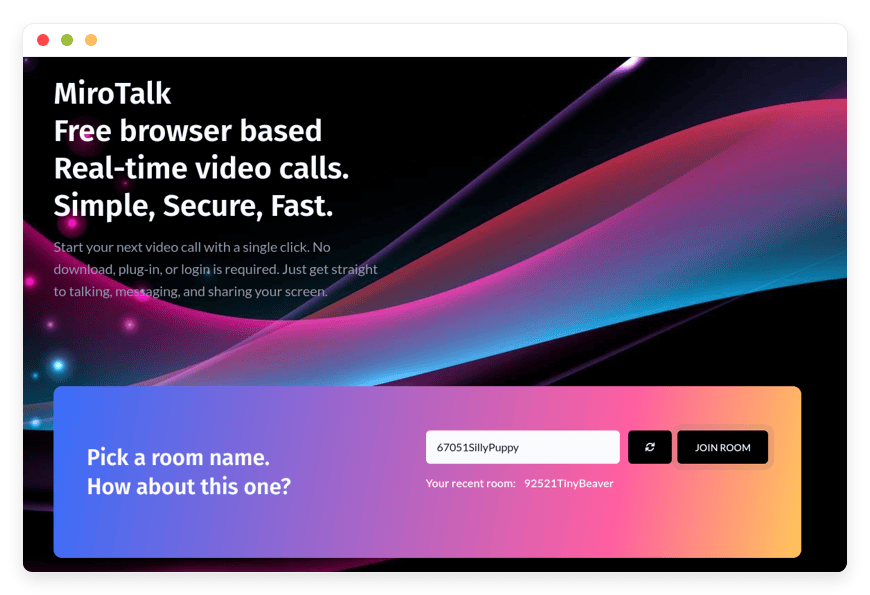
Managed MiroTalk P2P Hosting: The Ultimate Guide to Private Video Conferencing
In the modern digital workspace, video conferencing is the oxygen of collaboration. It is how deals are closed, code is reviewed, and families stay connected. Yet, the current landscape of video tools is dominated by a few massive corporations that act as gatekeepers. They impose arbitrary time limits, require intrusive software installations, and route your private conversations through centralized data centers that you have no visibility into.
Managed MiroTalk P2P Hosting is the antidote to this centralized control. It offers a return to the original promise of the internet: direct, peer-to-peer connection that is simple, private, and powerful. By choosing a managed solution, you gain the freedom of open-source software without the technical burden of maintaining complex server infrastructure.
TLDR: Quick Answer
If you are looking for a video solution that prioritizes privacy and ease of access over corporate features, MiroTalk P2P is the answer.
The Technology: MiroTalk P2P uses WebRTC Mesh architecture. This means video and audio streams travel directly between participants, not through a central recording server.
The Experience: No downloads. No logins for guests. No time limits. It runs entirely in the browser (Chrome, Firefox, Safari, Edge).
The "Managed" Value: Self-hosting WebRTC is notoriously difficult due to firewalls and NAT traversal. Managed hosting solves the connectivity issues (STUN/TURN configurations) automatically.
The Outcome: You get a private "Zoom" alternative running on your own terms, maintained by experts.
Introduction
We have all experienced "Video Fatigue," but often, the fatigue isn't from the meeting itself—it is from the friction surrounding it.
You send a calendar invite. Ten minutes later, you get an email: "I can't download the app on my work laptop." Or, you are in the middle of a critical negotiation, and the free-tier timer flashes a warning, forcing everyone to hang up and rejoin. These friction points break flow and damage professional credibility.
Furthermore, there is the silent issue of privacy. When you use a standard free video tool, you are often the product. Metadata about your calls, duration, and participants is harvested. For industries that require absolute discretion, this is unacceptable.
Running your own communication platform seems like the logical fix. The software exists—MiroTalk P2P is a brilliant open-source project. However, the gap between "downloading the code" and "having a reliable service" is massive. To run this yourself, you need to understand Linux server administration, SSL certificate rotation, reverse proxies, and the complex networking required to punch holes through corporate firewalls (NAT traversal). It is a second job that you do not need.
DANIAN bridges this gap. We provide the invisible infrastructure. We take the powerful code of MiroTalk P2P and wrap it in a fully managed, secure, and optimized hosting environment. You get the privacy of a self-hosted tool with the reliability of a paid SaaS product.
What is MiroTalk P2P?
MiroTalk P2P is a sophisticated, open-source video conferencing solution developed by Miroslav Pejic. It leverages the power of WebRTC (Web Real-Time Communication) to enable high-definition audio and video calls directly inside a web browser.
The "P2P" in the name stands for Peer-to-Peer. In a traditional video setup (like a webinar tool), everyone connects to a central server that processes, mixes, and redistributes the video. In MiroTalk's P2P mesh architecture, the server acts only as a directory or a "signaling" point. It introduces User A to User B. Once introduced, the video data flows directly from User A's computer to User B's computer.
This architecture has profound implications:
Privacy: The server does not "see" the video stream. It cannot record it because the data packages never pass through it in a readable format.
Latency: Because the connection is direct, latency is often lower than routing through a data center halfway across the world.
Cost: It requires less heavy iron on the server side, making it an incredibly affordable solution to host.
Why is it Trending?
We are seeing a massive migration toward tools that respect user autonomy. As remote work becomes permanent, companies and individuals are realizing that relying on a third-party service for their core communication puts them at risk of price hikes, policy changes, or service outages. MiroTalk P2P puts the control back in the hands of the user.
Why Choose MiroTalk P2P?
Choosing Hosting MiroTalk P2P is a choice for simplicity and speed.
Zero-Friction Entry
The biggest killer of online meetings is the "Setup Phase." With MiroTalk, there is no setup. You generate a link, send it, and the recipient clicks it. That is the entire workflow. It works on mobile, tablet, and desktop without a dedicated app.
Browser Isolation
Security-conscious organizations love that MiroTalk runs in the browser sandbox. You are not asking clients to install an executable file (.exe or .dmg) that has deep access to their operating system. This makes it much easier to get approval from IT departments in strict corporate environments.
Total Autonomy
When you launch a Managed MiroTalk P2P instance with DANIAN, you aren't just renting a room; you are building your own building. You control the URL. You control the availability. You are not subject to the Terms of Service of a giant data conglomerate.
Key Features of MiroTalk P2P
MiroTalk P2P is designed to be lightweight, but that does not mean it is "light" on features. It includes a comprehensive suite of tools designed to facilitate deep collaboration, not just talking heads.
1. Unlimited Conferencing
Most free or low-tier plans from proprietary vendors limit you to 40 or 60 minutes. This creates a psychological ticker in the back of your mind. MiroTalk removes this completely. You can keep a room open for 24 hours if you want. This is ideal for "Virtual Office" setups where a team keeps a room open all day to simulate sitting at the same table.
2. Intelligent Screen Sharing
Screen sharing in MiroTalk is built on the native browser media capabilities. This gives you granular control:
Entire Screen: Good for showing workflows across multiple apps.
Window Only: Perfect for showing a presentation without revealing your messy desktop or email notifications.
Browser Tab: The most secure method. It shares only a specific web page and even streams the audio from that tab directly, which is perfect for watching videos together.
3. Integrated Collaborative Whiteboard
Visual communication is often more effective than verbal. MiroTalk includes a fully functional whiteboard.
Drawing Tools: Pens, shapes, and colors allow for quick diagramming.
Real-Time Sync: When you draw a circle, everyone sees it instantly.
Downloadable: At the end of the session, you can download the whiteboard as an image file to keep as meeting minutes. This eliminates the "I'll take a photo of the whiteboard" phase of the meeting.
4. Direct File Sharing
Sending files usually involves uploading them to a cloud drive, generating a link, and pasting the link. MiroTalk shortcuts this. You can drag and drop a file into the chat, and it is transferred directly to the other participants. Because it is P2P, the file transfer speed is limited only by your direct connection, not a server's bandwidth cap.
5. Local Recording
Privacy is the core theme here. When you hit "Record" in MiroTalk P2P, the video is not sent to a cloud server to be processed. Instead, the browser captures the stream and compiles it locally on your machine. Once the meeting ends, the file (usually WebM or MP4) is saved immediately to your hard drive. No third party ever possesses your meeting recording.
6. Rich Chat and Interaction
Markdown Support: The chat supports basic formatting, allowing you to paste code snippets or bold text for emphasis.
Emoji Picker: A full range of reactions allows for non-verbal feedback.
Private Messaging: You can send a message to the whole group or whisper to a specific individual during the call.
7. Audio and Video Processing
Echo Cancellation: Advanced algorithms filter out the sound of your own voice coming from your speakers, preventing feedback loops.
Noise Suppression: Helps filter out background hums like air conditioning or computer fans.
Speech Detection: The active speaker is highlighted visually, helping to organize the flow of conversation in a group setting.
8. Customization and UI
Themes: Users can toggle between Dark Mode (easier on eyes for developers) and Light Mode.
Picture-in-Picture: If you need to switch tabs to check an email, the video feed pops out into a floating window so you never lose visual contact with your team.
Solutions per Industry
MiroTalk P2P is a chameleon; it adapts to the specific needs of various industries. Here is how different sectors are utilizing managed hosting to solve their communication pain points.
1. Telemedicine and Therapy
The Problem: Healthcare providers need digital tools that ensure patient confidentiality. Popular free tools often lack the necessary privacy guarantees or datamining protections, and complex enterprise tools are too difficult for elderly or non-tech-savvy patients to install.
The Solution: A therapist launches a MiroTalk instance. They send a simple link to the patient.
The Outcome: The patient clicks one button and the session begins. The video stream is peer-to-peer, meaning the conversation stays strictly between the provider and the patient. No central server records the session for AI training or quality assurance. It creates a safe, digital exam room.
2. Legal Services and Attorneys
The Problem: Attorney-client privilege is sacrosanct. Discussing sensitive case details or reviewing evidence over a platform that retains rights to "analyze audio for service improvement" is a liability.
The Solution: Law firms use Managed MiroTalk to host their own communication hub.
The Outcome: Lawyers can hold depositions, client intakes, or strategy sessions with the confidence that the infrastructure is neutral. The "Local Recording" feature allows them to create an archive of the meeting on their own encrypted local storage without it ever sitting in a third-party cloud.
3. Technical Recruitment and HR
The Problem: Technical interviews often require candidates to write code or solve problems live. Asking a candidate to install Zoom or Teams before they even have the job adds unnecessary friction and anxiety.
The Solution: Recruiters send a branded MiroTalk link.
The Outcome: The interview starts instantly. The candidate uses the screen sharing feature to show their code editor. The latency is low enough that the interviewer can follow the cursor in real-time. It creates a modern, tech-forward impression of the hiring company.
4. Creative Agencies and Design Studios
The Problem: Agencies need to present high-fidelity visuals to clients. Screen sharing on standard platforms often compresses video so heavily that color accuracy and detail are lost.
The Solution: Agencies utilize the high-bitrate capabilities of WebRTC in MiroTalk.
The Outcome: A designer can share a specific window containing Photoshop or Figma. The client sees the design in high quality. They can use the whiteboard feature to circle changes or sketch new ideas directly over the shared concept, speeding up the approval process significantly.
5. Investigative Journalism
The Problem: Journalists need to protect their sources. If a journalist calls a whistleblower using a standard phone line or a corporate video tool, metadata records of that call are generated and stored.
The Solution: A journalist provides a one-time MiroTalk link to a source.
The Outcome: The source can join via a VPN-connected browser. The connection is direct. Once the room is closed, the link is dead. It minimizes the digital footprint of the interaction, providing a crucial layer of safety for sensitive reporting.
6. Education and Private Tutoring
The Problem: Tutors, especially in math and sciences, struggle to convey concepts purely verbally. They need a scratchpad.
The Solution: MiroTalk’s integrated collaborative whiteboard.
The Outcome: A math tutor can write out a complex equation on the whiteboard. The student can pick up the virtual pen and solve the next step of the equation while the tutor watches. It replicates the experience of sitting side-by-side at a desk, which is vital for retention.
7. Real Estate and Virtual Tours
The Problem: Agents want to show properties to remote buyers without making them download an app just for a 15-minute walkthrough.
The Solution: The agent walks through the house with a mobile phone running MiroTalk in the browser.
The Outcome: The prospective buyer joins from their desktop. The agent uses the back camera to stream the tour. If the buyer wants to see the closet again, they ask, and the agent moves. It is a live, interactive open house that requires zero preparation from the client.
8. Financial Advisory
The Problem: Discussing wealth management and displaying portfolios requires trust. Clients are wary of entering financial data into unknown platforms.
The Solution: Advisors use a white-labeled MiroTalk instance that feels like an extension of their firm's website.
The Outcome: The advisor shares a specific browser tab showing the portfolio performance. The client sees the data clearly. The P2P nature ensures that the financial charts being streamed are not being cached or analyzed by a video provider’s algorithm.
9. Development and Engineering Teams
The Problem: Devs hate context switching. Opening a heavy app just to ask a quick question breaks concentration.
The Solution: "Always-on" team rooms.
The Outcome: An engineering team keeps a MiroTalk room active in a pinned tab. When a developer gets stuck, they unmute and ask, "Can anyone look at this PR?" A peer unmutes, they look at the code via screen share, solve it, and go back to mute. It recreates the "shoulder tap" dynamic of a physical office.
MiroTalk P2P vs Other Softwares
It is crucial to understand where MiroTalk fits in the ecosystem. It is not a replacement for a 500-person Webinar tool. It is a replacement for intimate, high-quality meeting tools.
| Feature | MiroTalk P2P | Proprietary Alternatives (Zoom/Meet/Teams) |
| Architecture | Mesh P2P (Direct Connection) | Client-Server (Routed via Cloud) |
| Privacy Model | Zero-Knowledge (Server is blind) | Data Retention & Analytics |
| Meeting Limits | Unlimited | 40-60 mins (Free tiers) |
| Guest Access | One-click URL (No Login) | Often requires account/app |
| Cost Structure | Flat Hosting Fee | Per User / Per Month License |
| Resource Usage | Higher CPU for large groups (Mesh) | Lower CPU for large groups (Server mixing) |
| Installation | None (100% Browser) | Plugin or App often required |
| Whiteboard | Included Free | Often Paid Add-on |
A Note on Scalability: Because MiroTalk P2P uses a Mesh topology (everyone connects to everyone), it is best suited for groups of 2 to 8 people. If you try to put 20 people in a P2P room, your computer has to send your video to 19 other people simultaneously, which requires high upload speed and CPU. For massive town halls, a different architecture is needed. For 95% of daily meetings, however, MiroTalk P2P is superior.
Use Cases and Applications
The "War Room" for Ops Teams
When a server goes down, you need a command center. Ops teams can spin up a MiroTalk room instantly. One person shares the server logs, another shares the status page, and the team coordinates the fix in real-time without worrying about invite permissions.
Language Exchange Partners
Learning a language requires hearing the nuance of pronunciation. The high-quality audio codec (Opus) used by WebRTC in MiroTalk provides crystal clear voice quality, making it ideal for language tutors and exchange partners who need to see lip movements and hear subtle intonations.
Client Onboarding for SaaS
Customer Success managers can use MiroTalk to walk a new user through their software. Instead of sending a generic "How To" video, they jump on a live link, share their screen, and guide the user through the initial setup click-by-click.
Family Tech Support
We have all been the tech support for our relatives. With MiroTalk, you don't need to guide your parent through installing TeamViewer. You just say "Click this link," and then "Click the button that looks like a screen." Within seconds, you are looking at their screen and solving the printer issue.
How DANIAN Helps
We are the "Quiet Enabler." Our job is to handle the mess so you get the glory.
While MiroTalk P2P is free software, the connectivity required to make it work reliably is not. If you run MiroTalk on a basic server at home, you will likely fail to connect with anyone on a corporate network or a 4G mobile connection. This is due to NAT (Network Address Translation).
We Handle the Hard Networking (STUN/TURN)
To get video from Peer A to Peer B when both are behind firewalls, you need a relay server known as TURN. Configuring, securing, and maintaining a TURN server is complex and resource-intensive. DANIAN includes this configuration automatically. We ensure your calls connect, regardless of how strict the firewall is at your client's office.
Fully Managed Updates
Open-source software moves fast. New security patches and feature updates are released regularly. If you self-host, you have to monitor GitHub, pull the changes, rebuild the Docker containers, and hope nothing breaks. We handle this. We test updates and apply them during maintenance windows, ensuring you are always on the secure, latest version.
Security by Default
We force HTTPS connections using auto-renewing SSL certificates. We also implement server-level firewalls that block unauthorized access to the signaling ports. Your environment is hardened against attacks from day one.
24/7 Monitoring
We don't just launch it and leave. Our monitoring systems check the health of your signaling server every minute. If a process hangs, our automated systems restart it. If a disk fills up, we get an alert. You get reliability without the pager duty.
Guaranteed Performance
We run your instance on high-performance infrastructure with generous bandwidth. Since the signaling server is lightweight, it is incredibly responsive, ensuring that users are joined to rooms instantly.
7-Day Free Trial
There is no risk. You don't need to take our word for it. Launch an instance, hold your weekly team meeting on it, and feel the difference.
How to Get Started
We have stripped away the complexity. You are couple clicks away from your own video platform.
Visit DANIAN: Go to danian.co and sign up for an account.
Select MiroTalk P2P: Browse our catalog of open-source apps and select MiroTalk P2P.
Launch: Click to order it. Our automation scripts take over—provisioning the server, configuring the DNS, setting up the SSL, and initializing the application.
Invite: Copy your new URL and send it to a colleague.
FAQ
Can I record meetings in the cloud?
No. By design, MiroTalk P2P does not route video through the server, so cloud recording is impossible. This is a privacy feature, not a bug. All recordings are done locally on your device and saved to your hard drive.
Does this work on iPhone and Android?
Yes. MiroTalk P2P works directly in mobile browsers (Safari on iOS, Chrome on Android). No app installation is needed.
How many people can be in a meeting?
Because of the P2P Mesh architecture, we recommend a maximum of 8 participants for the best experience. Beyond that, the CPU usage on your computer (and your guests' computers) will increase significantly as your browser tries to send video to everyone else simultaneously. For more participants we recommend MiroTalk SFU.
What happens if I have a slow internet connection?
MiroTalk allows you to turn off your camera or lower the video quality to save bandwidth while keeping the audio clear.
Is my data sold to advertisers?
Never. DANIAN is a hosting provider, not a data broker. We host the code; we do not access your room data. The software itself is open-source and transparent.
Do I need a domain name?
We provide a free subdomain (e.g., randomappname.danian.cloud) to get you started instantly. You can also connect your own custom domain for a fully branded experience.
Conclusion
The era of renting your communication tools is ending. The technology to connect face-to-face is now available to everyone, free from the constraints of big-tech gatekeepers.
MiroTalk P2P is more than just software; it is a statement that you value privacy, efficiency, and simplicity. By pairing this exceptional software with DANIAN's Managed Hosting, you remove the only barrier to entry—technical complexity.
You get the room. You get the privacy. We handle the rest.


