
Open-source SurveyMonkey alternatives in 2026
Most teams don’t leave SurveyMonkey because the product is bad. They leave because the bill grows the moment surveys start working. Here is the short version, with the open-source tools worth the switch.
- SurveyMonkey’s team plans start at three seats and $30 per user per month, billed annually. That is about $1,080 a year before a single survey goes out.
- The entry team plan caps you at 50,000 responses a year. Past the cap, each response costs $0.15, and unused responses never roll over.
- LimeSurvey is a mature open-source survey platform with 28+ question types, branching and quota logic, and surveys in over 80 languages.
- Managed by us, LimeSurvey runs at €9 per month, flat. That covers unlimited responses and unlimited admin accounts, with no per-seat fee and no overage.
- For short surveys inside a product or website, Formbricks is the lighter fit. LimeSurvey is the choice for long, complex, multilingual research.
Why teams leave SurveyMonkey in 2026
SurveyMonkey works well until two things scale at once: your team and your response volume. Team plans bill per seat with a three-seat floor, and the included response counts run out faster than most buyers plan for. The pressure that pushes teams to look elsewhere is the pricing model, not the editor.
Start with the free plan, which is really a demo. It allows 10 questions per survey and 25 responses, carries SurveyMonkey branding, and blocks data export. That is fine for testing the interface and useless for real research.
SurveyMonkey also sells individual plans below the team tiers, but they tighten the response cap to offset the lower price. The lower individual plans include around 1,000 responses a month, and only the top individual tier lifts that limit. The cheapest no-commitment option is the Standard monthly plan at $99 a month; the lower headline rates require an annual commitment. For a single researcher the entry price looks small, until the cap or the annual lock-in does the work.
Paid collaboration begins on the team plans. Team Advantage lists at $30 per user per month, billed annually, with a three-seat minimum. A three-person team therefore starts at $1,080 a year, before any overage charge lands.
The three-seat floor catches solo researchers in particular. One person who wants to share a survey or hand off reporting still buys three seats to get there. The collaboration features are real, but so is the cost of unlocking them.
The response cap is the second surprise. Team Advantage includes 50,000 responses a year. A support team that surveys after every ticket, or a product team running always-on feedback, can pass that in a few months.
Once you cross the cap, SurveyMonkey charges $0.15 for each extra response. The charge is automatic, and unused responses do not carry into the next year. So a quiet quarter does not bank credit for a busy one.
Here is how that compounds in practice. Picture a four-person customer team on Team Advantage, at $120 a month or $1,440 a year. Run two always-on feedback surveys plus a post-ticket score, and 50,000 responses can disappear by autumn. The next 30,000 responses cost $4,500. A line item that started near $1,440 finishes close to $5,900.
Moving up to Team Premier raises the annual cap to 100,000 responses, at roughly $92 per user per month. For three seats, that is about $3,300 a year. The ceiling moves higher; the per-seat, per-response shape stays the same.
None of this makes SurveyMonkey a poor tool. It means the cost climbs at the exact point your survey program starts to pay off. For teams that run a lot of surveys, or that want to hold their own data, an open-source platform changes the arithmetic.
What “alternative” actually means here
“Alternative to SurveyMonkey” splits three ways. You can move to a cheaper survey product and keep renting. You can self-host an open-source platform and run the server yourself. Or you can have someone run an open-source platform for you. This guide covers that third path, and the open-source tools that make it worth taking.
The first path is another hosted survey product. It is the smallest change. You still pay per seat or per response, and your data still sits on a vendor’s servers under the vendor’s terms. If price is your only concern, and a lower cap is fine, a cheaper product might be enough. The catch is that you carry the same per-seat, per-response model into the next contract.
The second path is self-hosting. LimeSurvey and Formbricks both run on your own server with no licence fee and no response cap. You own the data outright. The cost is operational: you patch the app, renew certificates, run backups, and fix it when it breaks at an inconvenient hour. For a team with a developer who enjoys that work, it is a sound choice.
The third path is managed open source. You get the open-source platform and the data ownership that comes with it, without running the server. That is what we do at DANIAN, for €9 per month per instance, with patching, daily off-site backups, monitoring, and support included. The price does not move with response volume or seat count, so the bill reads the same in a busy month as a quiet one. It suits the buyer who wants the ownership without the on-call.
The rest of this guide is about which platform fits which job, and what each one costs once it is live.
The shortlist
Two open-source platforms cover most of what teams leave SurveyMonkey for. One is built for depth, the other for surveys that live inside your product.
LimeSurvey — for long, complex, multilingual surveys
LimeSurvey is a mature open-source survey platform, first released in 2003 and still actively developed. It supports more than 28 question types, branching and quota logic, and surveys in over 80 languages, with exports to CSV, Excel, and SPSS. There is no response cap and no per-seat licence.
LimeSurvey is maintained by LimeSurvey GmbH and a long-running community, under the GPL v2 licence. The self-hosted Community Edition is free to run, modify, and extend.
The question library is the deepest of any open-source survey tool. It spans arrays, ranking, file upload, sliders, date pickers, and more, across 28-plus types. Branching rules show or hide questions based on earlier answers. Quotas close a survey, or one segment of it, once responses hit a target. Researchers reach for these tools daily, and most form builders simply lack them.
Language coverage is the other standout. A single survey can run in 80-plus languages, with one combined set of results. For teams surveying across regions, that removes a stack of duplicate work.
On data, responses export to CSV, Excel, PDF, and SPSS with no row limits. Participant lists, email invitations, and reminders are built in. You own every response, because it sits on the instance you control.
Two more features matter for serious use. LimeSurvey can score responses and run assessments, which suits quizzes and evaluations. It also controls access with tokens, so you can run a survey as strictly invite-only or fully anonymous, and track who has responded without tying answers to names.
Branding is included rather than gated. You can match a survey to your own look with custom themes and a custom URL, at no extra tier. SurveyMonkey keeps its own branding on the free plan and puts custom logos, custom URLs, and white-label removal on higher tiers.
The fit is widest where surveys are serious work. Universities and research panels use LimeSurvey for studies with strict logic and anonymity. HR teams run engagement surveys and 360 reviews on it. Customer teams use it for multi-country satisfaction and loyalty tracking, where the same survey ships in several languages. Public-sector teams use it for consultations that have to keep data in their own hands.
We run LimeSurvey at €9 per month per instance through managed LimeSurvey hosting. That price covers updates, daily off-site backups, monitoring, and support. You choose the region your instance runs in, from 21 datacenter locations across six continents. You also get terminal and file-manager access to your own instance through the dashboard, for custom templates, plugins, or a direct database export.
Managed hosting removes the parts of self-hosting that go wrong quietly. We apply security updates, watch the instance, and keep daily off-site backups, so a failed disk or a missed patch is not your problem at 2am. You keep the open-source platform and the data ownership; we keep the server running.
Migrating from SurveyMonkey is a rebuild rather than a one-click import, because the formats differ. In practice, you recreate your active surveys in LimeSurvey, which is quick once the question types map across, and export your SurveyMonkey response history to CSV for the record. Most teams treat it as an afternoon of work per active survey.
LimeSurvey is the right pick for long questionnaires, academic and market research, multilingual studies, and any team that has outgrown a response cap.
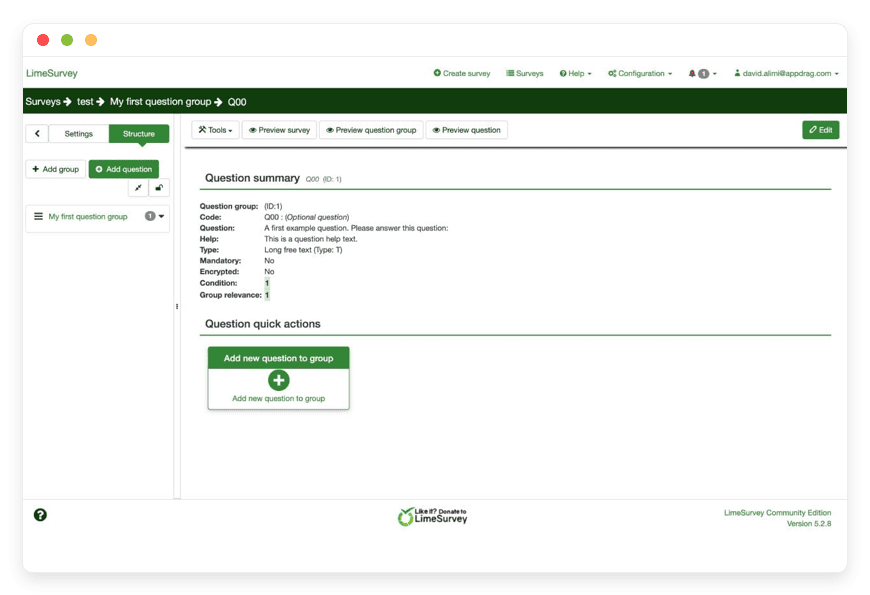
One honest caveat: LimeSurvey’s admin interface is dense, and the setup rewards a little patience. SurveyMonkey’s editor is more polished out of the box, and its template gallery and built-in respondent panel are real advantages when you need them. LimeSurvey matches and exceeds SurveyMonkey on logic and flexibility, in exchange for more setup up front.
Formbricks — for in-product and website surveys
Formbricks is a newer open-source survey platform built for surveys inside your product or website. You add a small snippet, then trigger short surveys on user actions, page visits, or events. It runs standalone link surveys too, but its strength is contextual, in-app feedback with full data ownership.
Formbricks is open source under the AGPL v3 licence, with more than 12,000 GitHub stars and frequent releases. It self-hosts with Docker, and the self-hosted edition has no response cap.
The core idea is timing. You drop a lightweight script into your app, then show a short survey at the moment that matters: right after a cancellation, on a pricing page, or just after a key action. Contextual prompts like these earn higher response rates than an email sent days later. The builder covers rating scales, NPS, open text, multiple choice, and picture choice, with logic jumps between questions.
The use cases are specific and practical. Ask new users one question at the end of onboarding to find where they stall. Show a churn-reason prompt the moment someone cancels, while the reason is fresh. Collect feature requests inside the feature itself, or a satisfaction score right after a purchase. Each survey targets a user segment without a change to your application code.
Responses flow to Slack, Notion, Google Sheets, Airtable, or any endpoint over webhooks, so the data lands where your team already works.
Formbricks is not limited to in-app prompts. It also runs standard link surveys you can share by URL or email, and it can attach user attributes to responses, so feedback arrives with the context of who sent it. The difference from LimeSurvey is depth, not channel.
Setup is a one-time developer task, then the builder is no-code. A developer adds the script once; after that, anyone on the team can create and target surveys from the dashboard without touching code again.
We run Formbricks at the same €9 per month per instance. If you mainly want short, well-targeted prompts inside a product, look at Formbricks for embedded surveys, which we cover in a separate guide.
Formbricks suits product teams, software companies, and websites that want continuous, in-context feedback rather than standalone questionnaires.
The honest caveat here is maturity and scope. Formbricks is younger than LimeSurvey, and its question library is smaller. For a 60-question multilingual research survey, LimeSurvey is the better tool. For a one-question prompt after checkout, Formbricks wins.
SurveyMonkey versus the open-source options — at a glance
The table compares SurveyMonkey’s entry team plan against the two open-source platforms, managed at €9 a month. Figures are list prices in each vendor’s billing currency, checked in June 2026. The pattern holds across every row: per-seat and per-response on one side, flat and unlimited on the other.
| Feature | SurveyMonkey (Team Advantage) | LimeSurvey (managed) | Formbricks (managed) |
|---|---|---|---|
| Pricing model | Per user, 3-seat minimum, billed annually | Flat €9/month per instance | Flat €9/month per instance |
| Entry cost | ~$1,080/year (3 seats) | €108/year | €108/year |
| Response limit | 50,000/year, then $0.15 each | Unlimited | Unlimited (self-hosted) |
| Per-seat fee | Yes | None | None |
| Source code | Closed | Open (GPL v2) | Open (AGPL v3) |
| GitHub stars | — | 3,500+ | 12,000+ |
| Where it runs | Vendor cloud | You pick from 21 regions | You pick from 21 regions |
| Best for | Polished templates, respondent panel | Long, complex, multilingual surveys | In-product and website micro-surveys |
| Switching effort | — | Moderate | Low–moderate |
Over three years, the gap compounds. A three-seat Team Advantage plan with no overage at all is about $3,240. Managed LimeSurvey over the same period is €324. Add any overage on the SurveyMonkey side, or a fourth seat, and the distance widens fast.
Prices are list prices in each vendor’s billing currency as of June 2026 and exclude tax. SurveyMonkey figures come from its pricing page. The open-source figures reflect the managed €9-per-month plan.
What you give up by switching — and what you don’t
Switching to open source is not free of trade-offs, and it helps to name them plainly. SurveyMonkey’s editor is more polished, and its template gallery runs to hundreds of ready-made surveys. Its built-in respondent panel lets you buy responses from a target audience, which the open-source tools do not offer. Its dashboards and email deliverability are handled for you.
Most of these gaps have a plain answer. You build or import a few templates once, then reuse them across projects. If you need bought responses, you can still pair a panel provider with a self-hosted survey. What you gain in return is unlimited responses, no per-seat fee, and data on an instance you control. For teams that run their own audience and their own reporting, that is a trade most make without looking back.
How to pick: three questions to ask yourself
The right choice comes down to survey length, where the surveys live, and how much you want to run the server. Three questions sort it quickly. Answer them honestly and one option usually stands out before you compare another feature list.
- How complex are your surveys? If you run long questionnaires with branching, quotas, and several languages, LimeSurvey is built for exactly that. If your surveys are one to five questions, a lighter tool will do, and you will spend less time in setup.
- Where do the surveys live? Standalone links and email invitations suit LimeSurvey. Surveys embedded in a product or on a website suit Formbricks. A team that needs both can run one of each, at €9 per instance.
- Do you want to run the server? If you have someone in-house who enjoys patching, backups, and on-call, self-hosting either platform is a genuine option and costs only their time. If you would rather not, a managed instance at €9 a month takes that work off your plate.
Frequently asked questions
What is the best open-source alternative to SurveyMonkey?
LimeSurvey is the strongest pick for long, complex, or multilingual surveys, with 28+ question types and no response cap. Formbricks is the better fit for short surveys inside a product or website. Both are open source and run at €9 per month per instance when managed.
Is there a free SurveyMonkey alternative?
Yes. LimeSurvey and Formbricks are both free, open-source survey platforms you can self-host at no licence cost, with no response limit. The cost is the server you run them on, plus patching and backups. Managed by us, that work is included for €9 per month per instance.
Is LimeSurvey really free?
The self-hosted LimeSurvey Community Edition is free under the GPL v2 licence, with no response cap and no per-seat fee. You still need a server to run it, plus patching and backups. Managed by us, that server work is included for €9 per month per instance, so the only running cost is the flat fee.
How much does it cost to self-host LimeSurvey?
The LimeSurvey software is free under the GPL v2 licence. The cost is the server: a production-class VPS at around $24 a month, plus backup and monitoring, and your time for patching and updates. Managed by us at €9 a month, the server work and that time cost are ours.
How much can switching from SurveyMonkey save me?
A three-seat SurveyMonkey team plan starts near $1,080 a year, and overage can push a four-person team past $5,900. Managed LimeSurvey is €108 a year, flat, with unlimited responses. For most teams the saving runs from several hundred to several thousand a year.
How does managed hosting compare to running it on my own VPS?
On your own server the software is free, but you own the patching, certificate renewal, backups, and on-call. On a $24-a-month production-class VPS, that is real time every month, plus the backup and monitoring you add on top. Managed at €9 per month, the server work is ours and your monthly time cost is zero.
What is the difference between LimeSurvey and Formbricks?
LimeSurvey is built for long, complex, multilingual questionnaires, with 28+ question types and quota logic. Formbricks is built for short surveys embedded in a product or website, triggered by user actions. Both are open source, and both run unlimited responses when self-hosted or managed.
Is LimeSurvey open source?
Yes. LimeSurvey is open source under the GPL v2 licence, first released in 2003 and still actively developed by LimeSurvey GmbH and its community. You can run, modify, and extend the self-hosted Community Edition freely, and the source is public on GitHub.
Does LimeSurvey have a response limit?
No. Self-hosted or managed, LimeSurvey has no response cap and no per-response charge. You can collect unlimited responses across unlimited surveys on one instance. SurveyMonkey’s entry team plan, by contrast, caps you at 50,000 responses a year, then charges $0.15 for each extra one.
Does LimeSurvey support multiple languages?
Yes. A single LimeSurvey survey can run in more than 80 languages, with one combined set of results. That removes the duplicate setup most tools force on cross-region research. Respondents pick their language, and you analyse every response together.
Can I run anonymous surveys?
Yes. LimeSurvey controls access with tokens, so you can run a survey as strictly invite-only or fully anonymous. In anonymous mode it records responses without tying them to a respondent’s identity, which suits sensitive research and candid internal feedback.
Can I export my survey data, and in what formats?
Yes. LimeSurvey exports responses to CSV, Excel, PDF, and SPSS with no row limits, at any time. Because the data sits on the instance you control, there is no lock-in and no export tier to buy. You can also export the database directly.
What is Formbricks used for?
Formbricks runs short surveys inside a product or website. You add a small snippet, then trigger prompts on user actions, page visits, or events, like a churn-reason question at cancellation. It also runs standard link surveys. It is open source under the AGPL v3 licence.
Can I embed a survey directly in my product or website?
Yes, with Formbricks. After a developer adds its snippet once, anyone on the team can build and target in-app or on-site surveys from the dashboard. They fire on events you choose, so feedback arrives in context. LimeSurvey, by contrast, is built for standalone link surveys.
Who owns the survey data on a self-hosted platform?
You do. With LimeSurvey or Formbricks on an instance you control, every response is stored on your own instance, not on a vendor’s shared platform. You can export or delete it whenever you want. That ownership is the main reason teams move off hosted survey tools.
Can I choose where my survey data is hosted?
Yes. You pick the region your instance runs in, from 21 datacenter locations across six continents, so the data sits close to your respondents. Your responses stay on the instance you control in that region. You can ask us to move the instance to another region later.
What kind of access do I get to my survey instance?
You get your own isolated instance, with terminal and file-manager access through the dashboard. That lets you install custom templates or plugins, adjust configuration, and export the database directly. Your responses stay on the instance you control, in the region you choose.
Is self-hosting a survey platform secure?
It can be, with the parts that fail quietly handled for you. On a managed instance we apply security updates, keep daily off-site backups, and monitor it, so a missed patch is not your risk. Each instance is isolated, with terminal and file-manager access for you through the dashboard.
Is LimeSurvey a good fit for academic or market research?
Yes. LimeSurvey is widely used by universities and research panels for studies that need branching, quotas, anonymity, and strict logic. It handles long questionnaires, multilingual fielding, and assessment scoring. For most formal research it matches or exceeds what hosted tools offer, without a per-response bill.
Can I move my existing SurveyMonkey surveys over?
You rebuild surveys in the new platform rather than importing them directly, since the formats differ. Most teams recreate active surveys and export their historical SurveyMonkey responses to CSV for the record. LimeSurvey’s question types cover everything SurveyMonkey offers, so the rebuild is usually straightforward.
What happens to my data if I leave?
You export your full response set to CSV, Excel, or SPSS at any time and take it with you. There is no lock-in on the data, because the platform is open source and the responses are yours. We help with the export if you ask.
What to do this week
If a SurveyMonkey renewal is the reason you are reading this, the next step is small. Pick the platform that matches your surveys, run it for a week, and rebuild one real survey to feel the difference. The cost gap is large; the switching cost is mostly an afternoon.
For long or multilingual research, start with LimeSurvey. For in-product feedback, start with Formbricks.
Either way, you can start a 7-day trial with no card and rebuild one survey to test the fit. Export your SurveyMonkey responses to CSV before the renewal date, so your history stays yours whatever you decide.
€9 a month, unlimited responses, no per-seat fee. The math is the easy part. The survey you build this week is what tells you whether it is right.
Sources
SurveyMonkey pricing: https://www.surveymonkey.com/pricing/
LimeSurvey project: https://www.limesurvey.org/
LimeSurvey source and licence: https://github.com/LimeSurvey/LimeSurvey
LimeSurvey manual: https://manual.limesurvey.org/
Formbricks source and licence: https://github.com/formbricks/formbricks





