
Open-source Grammarly alternatives in 2026
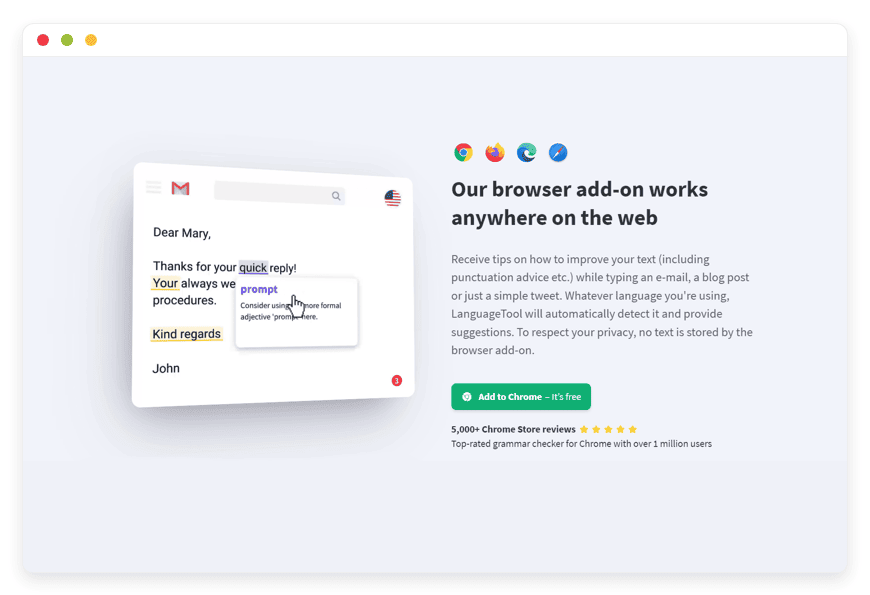
Open-source alternatives to Grammarly in 2026 — LanguageTool for writing checks that stay private
Grammarly charges per seat and checks your text in its own cloud. The leading open-source alternative, LanguageTool, checks grammar, spelling, and style in 25+ languages — and you can run it on your own instance, so drafts never leave your control. DANIAN hosts that instance from €9 a month, flat.
TL;DR
- Grammarly restructured in 2026 to three plans: Free, Pro, and Enterprise. Pro is $12 per seat per month billed annually, or $30 month to month, for teams up to 149 seats.
- The leading open-source alternative is LanguageTool — grammar, spelling, and style in 25+ languages, released under the LGPL, with about 14,100 stars on GitHub.
- Run it yourself and your text is checked on your own instance, not a third-party cloud. That is the reason legal, medical, and finance writers move.
- DANIAN runs a managed LanguageTool instance from €9 a month, flat. One instance serves your whole team, not one seat.
- The honest trade-off: Grammarly's generative rewriting and English tone tools go deeper; LanguageTool leads on correctness, style, languages, and privacy.
Why people are leaving Grammarly in 2026
Two forces push teams off Grammarly: price and where the text goes. Grammarly Pro lists at $12 per seat per month on annual billing and $30 month to month. At ten seats that is $120 a month, or $1,440 a year. Every draft is sent to Grammarly's cloud to be checked.
The per-seat total scales with the team, not with how much anyone writes. Five seats on annual billing is $60 a month; twenty-five seats is $300 a month, or $3,600 a year. List price is a starting point — buyer data shows teams of ten to fifty commonly land at $12 to $15 per seat after negotiation, so the discount is modest and the per-seat structure stays. Month-to-month billing roughly doubles the figure, and first-year promotional rates step up on renewal.
Grammarly changed shape in 2026. The old Premium and Business plans were folded into a single Pro plan for teams of up to 149 seats, with Enterprise reserved for larger organisations that need single sign-on and bring-your-own-key encryption. The company now operates as the Superhuman platform. The per-seat model did not change.
The second force is quieter and harder to ignore. A cloud checker reads everything you type. For most marketing copy that is fine. For a contract clause, a patient note, or a financial memo, sending the text to a third party is the part a reviewer flags. Harper's maintainers, who build a competing checker, put the concern plainly: everything you write with a cloud tool is sent to its servers.
What "alternative" really means here
An alternative to Grammarly comes in three shapes, and only one keeps your text private. You can move to a cheaper cloud tool, which still sends your writing to someone else's servers. You can self-host an open-source checker, which is private but is work to run. Or you can have an open-source checker managed for you — private and hands-off.
The privacy line runs between cloud and self-hosted, not between brands. Grammarly's cloud sends your text out. LanguageTool's own cloud sends your text out too. A self-hosted LanguageTool instance does not — the check happens on a server you control, in a region you pick. That distinction is the whole reason this article exists, and it is the lever that converts a privacy-bound writer.
The mechanics are simple. With a cloud checker, each sentence is sent over the network, checked on the vendor's servers, and the suggestions sent back. With a self-hosted instance, that round trip happens inside your own infrastructure. For regulated writing the difference is not about trusting the vendor — it is about whether the text crossed an external boundary at all.
The self-hosted route then splits again, into do-it-yourself and managed. Do-it-yourself means a production-class VPS at around $24 a month, plus the hours to install a Java service, set up language detection, add a reverse proxy for HTTPS, and keep it all patched. Managed means a host runs that stack and you connect to it. The privacy is identical; the labour is not.
The shortlist: three open-source writing checkers
Three open-source tools cover most writing-check needs, and they are not interchangeable. LanguageTool is the general-purpose, multilingual checker that runs as a server. Vale enforces a style guide inside a documentation pipeline. Harper is a fast, local, English-only checker for individual writers. The right pick depends on what you are checking and who is checking it.
LanguageTool
LanguageTool is the open-source proofreader most writers mean when they say "the Grammarly alternative." It has run since 2005, carries about 14,100 GitHub stars, and is released under the LGPL. It checks spelling, grammar, punctuation, casing, and style across 25+ languages, with six English varieties alone. More than 2,000 organisations use it, including BMW Group, Deutsche Presse-Agentur, Heise, and JetBrains. A checker trusted by news agencies and a carmaker for production writing is not a hobby project.
Under the hood it is mature: more than 80,000 commits from over 200 contributors. It catches the errors a spell-checker misses — subject-verb disagreement, wrong plural forms, misused punctuation, casing mistakes, and redundant or clumsy phrasing — and a stricter "Picky Mode" adds advanced style and typography checks. Its newest AI-based rules and its paraphraser are the exception: they run only in LanguageTool's cloud, not in the open-source server.
It plugs in nearly everywhere you write. There are browser add-ons for Chrome, Edge, Firefox, Safari, and Opera; plugins for Google Docs, Microsoft Word, Apple Pages, and LibreOffice; mail add-ons for Gmail, Apple Mail, and Thunderbird; desktop apps for macOS and Windows; and a documented HTTP API. Critically, it ships as a self-hostable HTTP server, so a whole team's add-ons can point at one instance you control. DANIAN runs that server from €9 a month. Best for: teams and individuals who want a full, multilingual checker they can keep private.
Vale
Vale is a different tool for a different job. It is an open-source, markup-aware prose linter written in Go, built to enforce a style guide rather than to catch everyday grammar. You point it at Markdown, AsciiDoc, or code comments and it applies rule packages — Microsoft's style guide, Google's, write-good, and others — usually inside a continuous-integration pipeline. It is strong for documentation teams keeping terminology and tone consistent across a repository.
It is not an everyday writing assistant, and there is no server to manage or host. Vale runs on the command line and in build pipelines, so it suits engineers and technical writers, not a marketing team checking email in a browser. Best for: documentation pipelines that enforce a written style guide.
Harper
Harper is the newest of the three and the most private by design. Built by Automattic, the company behind WordPress.com, and written in Rust, it runs entirely on your device. It lints in milliseconds, uses a fraction of LanguageTool's memory, and is small enough to run in the browser through WebAssembly. It is available as a browser extension and as plugins for Obsidian, VS Code, and Zed.
The catch is scope. Harper is English-only today, focused on spelling and core grammar, and there is no central server for a team to share — each person runs it locally. That makes it a strong pick for an individual developer or writer who wants fast, on-device checking, and a weaker fit for a multilingual team that wants one managed instance. Best for: individual writers and developers who want fast, local, English checking.
Of the three, only LanguageTool runs as a shared server, which is why it is the one a host can manage for a team. That is the version this article carries forward.
LanguageTool vs Grammarly at a glance
Side by side, the difference is structural, not cosmetic. Grammarly is a closed, per-seat cloud product with deep generative features. A DANIAN-managed LanguageTool instance is open-source, flat-priced per instance, self-hosted, multilingual, and focused on correctness and style. The table sets the two against each other on the dimensions a buyer actually weighs.
| Dimension | Grammarly | LanguageTool, managed by DANIAN |
|---|---|---|
| Pricing model | Per seat | Per instance, flat |
| List price | Pro $12/seat/mo annual ($30 month to month); Enterprise on quote | €9/month per instance |
| Cost for a 10-person team | $120/mo annual ($1,440/yr); $300/mo month to month | €9/month, one shared instance |
| Languages | English-focused; six English varieties | 25+ languages |
| Where your text is checked | Grammarly's cloud | Your own instance, in the region you choose |
| Self-hostable | No | Yes |
| Source code | Closed | Open (LGPL) |
| Generative AI rewriting and tone | Deep | Lighter; correctness and style focus |
| Integrations | Browser, Office, desktop, mobile | Browser, Office, email, desktop, HTTP API |
| Support | Help centre; priority and dedicated on higher tiers | 24/7 email and tickets with a named human |
Grammarly pricing is taken from its published plans page; verify current rates before you budget, since they change.
See managed LanguageTool hosting.
Why teams switch in 2026
Three triggers move a team from Grammarly to a managed LanguageTool instance, and each is concrete. A renewal crosses a seat threshold. A reviewer asks where the text goes. A team writes in more than one language. Any one of the three is usually enough.
The first is arithmetic. A small team adds seats, and the per-seat total climbs faster than the headcount feels like it should. Ten Grammarly Pro seats on monthly billing is $300 a month; on annual billing it is $120. One managed LanguageTool instance is €9 a month no matter how many people connect to it, because the cost is the server, not the seat.
A worked example makes the gap concrete. A twelve-person agency on Grammarly Pro annual pays about $144 per seat per year — roughly $1,728 a year. One managed LanguageTool instance is €9 a month, about €108 a year, and every writer on the team connects to it.
The instance is also cheaper from the very first user. At €9 a month it costs less than one Grammarly Pro seat. The gap then widens with every person you add. The agency keeps a full multilingual checker and stops paying by the head.
The second trigger is a data-flow review. A client questionnaire, an auditor, or an internal policy asks a simple question: where is our text processed? A cloud answer means the draft left the building. A self-hosted instance lets you answer that the check runs on your own server, in a region you chose, with nothing sent to a third party.
The third is language. Grammarly is built around English. A team writing in German, French, Spanish, Portuguese, Dutch, or Polish needs broader coverage, and independent reviewers note that multilingual support is where LanguageTool clearly leads. One instance checks 25+ languages for the whole team.
How DANIAN runs LanguageTool
DANIAN deploys the open-source LanguageTool server, patches it, backs it up daily off-site, and monitors it around the clock, for €9 a month per instance. You point your browser add-ons and editor plugins at your server, and your whole team connects to the same instance. You pick the region. Support is email and portal tickets, answered by a named person.
Setup is specific to LanguageTool, not a generic checklist. We deploy your instance and give you its address. You install the LanguageTool browser add-on and set it to use your server instead of the public cloud. You add the Office and editor plugins your team already writes in. Each colleague points their add-on at the same instance. When a setting needs changing, you email us and a person handles it.
Managed means specific things for a Java service like LanguageTool. We keep the runtime and language packs current, restart the service cleanly after updates, watch memory use and response times, and restore from a daily off-site backup if anything goes wrong. You see a checker that works; you do not deal with the Java process behind it.
Two promises hold on every plan. We will not upgrade your instance's resources or charge you more without your explicit consent. If a card fails, we wait — we do not delete your data. If a heavier multilingual workload needs more memory, we size it up with you first, not behind your back.
Trying it is low-risk, and leaving is too. A 7-day trial lets your team run real writing through an instance before you commit. The price stays €9 a month, flat, with no per-seat creep as you grow. And because LanguageTool is open source, you are never locked in. The same server runs anywhere, so your setup is portable if you ever move on. That is the opposite of a closed cloud tool, where your configuration lives on someone else's platform.
Where Grammarly still wins
An honest comparison names what the open-source path gives up. Grammarly's generative rewriting is deeper and more assertive than LanguageTool's, and for English-only writing its grammar suggestions can edge ahead. Independent reviewers describe Grammarly as the more prescriptive editor and LanguageTool as the more conservative one. If one-click sentence rewriting matters most to you, that gap is real.
There is a second honest point about the engine. The self-hosted LanguageTool server — the one DANIAN runs — delivers correctness, punctuation, and style across languages, but not LanguageTool's newest AI rules or its paraphraser. Those live only in LanguageTool's own cloud, alongside Grammarly's, and both send your text out to work. If you want generative AI rewriting and you are comfortable with cloud processing, Grammarly Pro at $12 a month on annual billing is a reasonable buy for a solo English writer.
Grammarly also bundles tools LanguageTool does not: a plagiarism checker, an AI-text detector, and citation features, aimed at students and content teams. None of those change the privacy question, since they run in the cloud, but they are real reasons some buyers stay. A managed LanguageTool instance is a focused proofreader, not a full writing suite.
The choice comes down to one weighing. If you value generative rewriting above all, Grammarly is the stronger tool. If you value privacy, language coverage, and a flat team price, a managed LanguageTool instance is the better fit.
How to pick: three questions
Three questions settle most decisions between Grammarly and a managed LanguageTool instance. They are about your data, your team, and your editing needs — in that order, because the first one is usually a hard constraint and the others are preferences.
- Where is your text allowed to go? If you draft client contracts, patient notes, or financial data, a self-hosted instance keeps the text on your server. If it genuinely does not matter, any cloud tool will do.
- How many people, in how many languages? Per-seat cloud pricing punishes growing teams, and English-centric tools punish multilingual ones. A flat self-hosted instance that checks 25+ languages answers both at once.
- Do you need correctness, or generative rewriting? For spelling, grammar, punctuation, and style with privacy, choose LanguageTool. For heavy AI rewriting and tone shaping, choose Grammarly and accept the cloud.
See DANIAN pricing if the flat per-instance model fits how your team writes.
Frequently asked questions
What is LanguageTool?
LanguageTool is an open-source writing checker that has run since 2005. It checks spelling, grammar, punctuation, and style across more than 25 languages, under the LGPL licence. It works as a browser add-on, an editor plugin, and a self-hostable server. More than 2,000 organisations use it, including BMW Group and JetBrains.
Is LanguageTool really free and open source?
The LanguageTool core is open source under the LGPL, and the public web version is free for short texts. A paid Premium cloud adds AI-based rules, a higher character limit, and a paraphraser. DANIAN runs the open-source server for you, so you get the engine without the operations, from €9 a month per instance. The code itself stays free to inspect and fork.
What is the best open-source alternative to Grammarly?
For most writers, LanguageTool is the strongest open-source alternative to Grammarly. It is multilingual, checks correctness and style, and runs as a server you can self-host. Vale and Harper suit narrower needs — Vale for documentation style, Harper for fast local English checking. Only LanguageTool fits a whole team on one managed instance.
Are there other open-source Grammarly alternatives besides LanguageTool?
Yes. Vale is an open-source style linter for documentation teams, built to enforce a written style guide inside a code pipeline. Harper is a fast, local, English-only checker for individual writers, built by Automattic. Neither runs as a shared server, so LanguageTool stays the team choice you can manage as one instance.
Is LanguageTool cheaper than Grammarly?
In most cases, yes — once more than one person writes. A managed LanguageTool instance is €9 a month, flat, for the whole team. Grammarly Pro is $12 per seat per month on annual billing, so the cost climbs with each seat. The instance is cheaper from the first user, and the gap widens as you grow.
How much does managed LanguageTool hosting cost?
DANIAN runs a managed LanguageTool instance for €9 a month, flat. That is one instance for your whole team, not a per-seat charge, so the price holds whether two people connect or twenty. A 7-day trial lets you test it first. You pick the region your instance runs in.
What about running LanguageTool on my own VPS?
It is doable on a production-class VPS at around $24 a month, but it is real work. You run a Java service, build fastText for language detection, and add a reverse proxy for HTTPS. LanguageTool's own documentation says self-hosting is for advanced command-line users. DANIAN does that work for €9 a month.
Is Grammarly or LanguageTool better for privacy?
For privacy, a self-hosted LanguageTool instance is the stronger choice. Your text is checked on a server you control, in the region you pick, with nothing sent to a third party. Grammarly checks every draft in its own cloud. LanguageTool's own cloud does too, so the privacy gain comes from self-hosting, not the brand.
What is the difference between LanguageTool's cloud and a self-hosted instance?
Both run the same engine; the difference is where your text is processed. LanguageTool's cloud checks your text on its servers. A self-hosted instance checks it on a server you control, in the region you choose, with nothing sent to a third party. The browser add-on can point at either, so the writing experience is the same.
Does LanguageTool send my text to the cloud?
It depends on how you run it. The public web version and the paid cloud check your text on LanguageTool's servers. A self-hosted instance does not — the check happens on your own server, and the text never leaves it. The browser add-on can point at either, so the writing experience is the same.
Can I use LanguageTool for confidential or sensitive documents?
Yes, with a self-hosted instance. The text is checked on a server you control and is never sent to a third party, which is what matters for contracts, patient notes, or financial memos. Treat it as a correctness and style checker, though — it proofreads your writing, it does not give legal or medical review.
How many languages does LanguageTool support?
LanguageTool supports more than 25 languages, including English, German, French, Spanish, Portuguese, Dutch, and Polish. English alone comes in six varieties, such as US, UK, and Australian. That breadth is its clearest edge over Grammarly, which is built around English. One instance checks every supported language for your whole team.
How accurate is LanguageTool?
LanguageTool is strong on the errors a spell-checker misses: subject-verb agreement, wrong plurals, punctuation, casing, and clumsy phrasing. A stricter Picky Mode adds advanced style and typography checks. For English-only writing, independent reviewers note Grammarly can edge ahead on suggestions. Across many languages, LanguageTool's coverage is the wider of the two.
Does LanguageTool use AI?
In part, and the distinction matters. LanguageTool's cloud has AI-based rules and a paraphraser, but those run only on its servers. The open-source server that DANIAN hosts uses rule-based correctness and style checking, not generative AI. You get reliable proofreading across languages, kept private — not an AI tool that rewrites your drafts.
Does LanguageTool match Grammarly's AI rewriting?
No, and that is the honest gap. LanguageTool is strong on spelling, grammar, punctuation, and style across many languages, but its generative rewriting is lighter than Grammarly's. The self-hosted server does not include LanguageTool's cloud-only AI rules at all. Pick it for correctness and privacy, not for AI drafting.
Can a self-hosted LanguageTool instance replace Grammarly entirely?
For correctness, style, languages, and privacy, yes — a self-hosted instance covers all four. Where it falls short is generative rewriting: Grammarly's one-click tone and sentence rewrites go deeper, and the self-hosted server has no AI rewriting at all. If you lean on AI drafting, keep Grammarly; if you value privacy and languages, switch.
Does LanguageTool work in Google Docs and Microsoft Word?
Yes. LanguageTool has plugins for Google Docs, Microsoft Word, Apple Pages, and LibreOffice, so it checks your writing inside the editors you already use. With a self-hosted instance, each plugin points at your own server instead of the public cloud. Your documents stay where they are; the checker reads them in place.
Does LanguageTool have a browser extension?
Yes. There are LanguageTool add-ons for Chrome, Edge, Firefox, Safari, and Opera, so it checks your writing in webmail, forms, and content tools. Each add-on can be set to use your own instance rather than the public cloud. That keeps the in-browser experience while your text stays on your server.
Can my whole team use one LanguageTool instance?
Yes. LanguageTool runs as a server, so each person points their browser add-on or editor plugin at the same instance. The cost is the instance, not the seat, so a managed instance stays €9 a month whether two people connect or twenty. That is the core saving against per-seat pricing.
What is the best Grammarly alternative for a marketing agency?
For an agency, a managed LanguageTool instance fits well. It checks more than 25 languages, so client work across markets is covered, and the price is €9 a month flat rather than one Grammarly seat per writer. A twelve-person agency pays about €108 a year instead of roughly $1,728 on per-seat billing.
How do I move off Grammarly?
Moving is light because a checker stores nothing you need to migrate. You install the LanguageTool add-ons, set them to use your instance, then uninstall Grammarly. Your documents stay where they are — in Word, Google Docs, or your email — and the new checker reads them in place. Most teams switch in an afternoon.
What to do this week
If your team is on Grammarly and a renewal is near, price your seats, then price one managed LanguageTool instance at €9. The arithmetic is usually one-sided once headcount passes a couple of people. If a client or auditor has asked where your text is processed, a self-hosted instance gives you a clean answer.
Start with one document. Deploy an instance, point a single browser add-on at it, and run a real piece of writing through it in the language you actually use. You will know within an hour whether the correctness and style suggestions meet your bar, and whether keeping the text on your own server is worth the trade against Grammarly's generative features.
Start a 7-day trial and check your first document on an instance of your own.





