
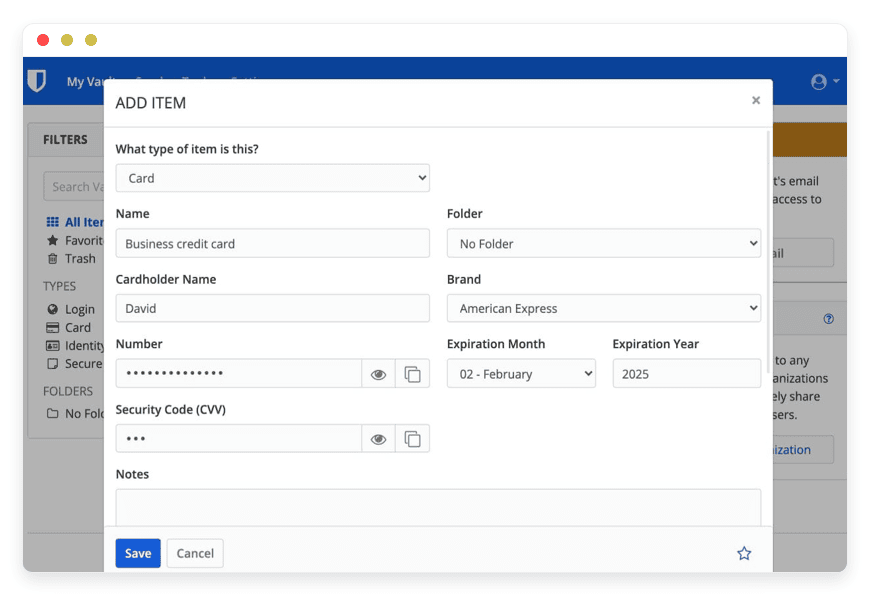
Managed Vaultwarden Hosting: The Lightweight Password Solution
TLDR - Quick Answer
If you need a secure, private way to store credentials without the bloat of heavy enterprise software, Managed Vaultwarden Hosting is your answer. It is the lightweight, Rust-based alternative to the official Bitwarden server, designed to be resource-efficient while keeping full compatibility with official clients.
Here is the immediate value you get when you choose a managed solution:
Full Client Compatibility: It works seamlessly with all official Bitwarden browser extensions, desktop apps, and mobile applications. You do not need custom software.
Unlocked Premium Features: You gain access to organization sharing, file attachments, and TOTP generation—features that are usually restricted to paid tiers in the official SaaS product.
Incredible Efficiency: Written in Rust, it runs fast. It does not require the heavy MSSQL database or high RAM usage of the official server.
Zero Maintenance: DANIAN handles the SSL certificates, database backups, and software updates. You never have to touch a command line or configure a reverse proxy.
Secure Sharing: safely share passwords and notes with family, team members, or clients without sending them over insecure channels like email or chat.
Introduction
We all have a password problem. In the modern digital landscape, the average professional juggles dozens, if not hundreds, of accounts. Writing them on sticky notes is a security risk. Saving them in a browser is convenient but lacks portability and advanced encryption. Reusing the same password across sites is a recipe for disaster. You know you need a password manager.
But here is the friction point: proprietary password managers store your keys on their servers, effectively creating a central honeypot. They often hide the best features behind per-user subscription models that get expensive quickly. The alternative is hosting the official open-source Bitwarden server yourself. However, the official server is built for massive enterprise scale. It is heavy. It requires significant resources (MSSQL, multiple Docker containers) and a fair amount of technical knowledge to maintain.
For many, running the official server is a second job. You spend more time managing Docker containers and updating firewalls than you do actually using the software.
This is where DANIAN steps in as your invisible infrastructure team. We provide a fully managed environment for Vaultwarden. You get the security, privacy, and flexibility of the open-source software without the headache of server administration. We take the "sysadmin" work out of the equation.
What is Vaultwarden?
Vaultwarden is an alternative implementation of the Bitwarden server API, written in Rust. It was originally known as "Bitwarden_RS" before rebranding to avoid confusion with the official brand. Created by Dani Garcia, the project started to solve a specific problem: the official server was too resource-intensive for smaller deployments, home labs, and small-to-medium businesses.
While it is not an official product of Bitwarden, Inc., it maintains strict compatibility with the official upstream Bitwarden clients. This is the magic of Vaultwarden: you can use the highly polished, secure mobile apps and browser extensions you are already used to, but the backend is running on a much lighter, faster engine.
Why is it trending?
Vaultwarden has gained massive popularity in the self-hosted and privacy communities because it democratizes security. It unlocks features that are usually gated behind enterprise subscriptions in the official version. These include Organization support (sharing passwords with family or teams), Duo 2FA, YubiKey support, and emergency access controls.
By rewriting the backend in Rust—a language known for memory safety and speed—Vaultwarden proves that robust security does not require heavy hardware. It allows you to run a full-featured password management suite with a fraction of the RAM required by the C# implementation.
Why Choose Vaultwarden?
When you look into Hosting Vaultwarden, you are choosing efficiency and freedom.
The primary reason users switch to Vaultwarden is resource management. The official server is composed of many different services (Identity, Api, Icons, Notifications, etc.) and requires a heavy database like MSSQL. This makes it difficult to run on modest servers. Vaultwarden consolidates these functions into a single binary and uses lightweight databases like SQLite, MySQL, or PostgreSQL. This makes it faster to backup, easier to migrate, and significantly cheaper to host.
Furthermore, it simplifies the architecture. Instead of managing a complex web of containers, you have a streamlined system. It creates a bridge between professional-grade security tools and accessible software, ensuring that high-level encryption is available to everyone, not just large corporations with dedicated IT departments.
Key Features of Vaultwarden
Vaultwarden is packed with functionality. It mirrors the capabilities of the official API, meaning you do not lose out on features by switching to the lighter backend. In fact, you gain control over features that are often restricted.
Organization Support & Granular Sharing
This is the core feature for teams and families. You can create "Organizations" to share login credentials securely. Within an Organization, you utilize "Collections." Think of Collections like shared folders. You can grant specific users or groups "Read-Only" or "Edit" access to specific Collections.
Benefit: You can share the "Marketing" collection with the marketing team, but keep the "Finance" collection restricted to the CFO.
Advanced Two-Factor Authentication (2FA)
Security is the priority, and a password alone is often not enough. Vaultwarden supports multiple 2FA methods to lock down your vault.
Authenticator Apps: Works with Authy, Google Authenticator, or generic TOTP apps.
Hardware Keys: Full support for YubiKey and FIDO2 WebAuthn devices.
Duo Security: Integrate with Duo for push-notification-based authentication.
Email: Receive a 6-digit code via email for login verification.
Built-in TOTP Generation
You can ditch your separate authenticator app on your phone. Vaultwarden can generate Time-based One-Time Passwords (TOTP) directly within the vault item.
Workflow: When you go to log in to a site, you autofill your username and password. Vaultwarden automatically copies the current 6-digit TOTP code to your clipboard. You simply paste it. This streamlines the login process significantly.
Emergency Access
Life is unpredictable. Vaultwarden allows you to designate trusted contacts who can request access to your vault in an emergency (e.g., medical incapacitation or death).
How it works: You invite a trusted user. If they request access, an email is sent to you. You set a waiting period (e.g., 5 days). If you do not deny the request within that time, access is granted. This is vital for digital legacy planning.
Bitwarden Send
This feature allows you to transmit data securely to people outside of your organization.
Text or File: You can send a password or a file (up to 100MB by default).
Ephemeral: You can set the link to delete itself after 1 hour, 1 day, or even after 1 single access.
Password Protection: You can add a separate password to the link itself. This is infinitely more secure than emailing a PDF or a password.
Encrypted Attachments
It is not just for passwords. You can securely store sensitive files like IDs, software license keys, SSH private keys, or legal documents directly inside a vault item. These attachments are encrypted just like your passwords, ensuring they remain readable only to you.
Admin Page Interface
Vaultwarden includes a specific web-based Admin Page (which we enable for you). This interface allows the server administrator to:
View all registered users.
Delete or de-register users.
Invite new users via email.
Configure global settings like allowing/disallowing public signups.
View system diagnostics and version information.
Breach Reports & Event Logs
Stay informed. The system can check your passwords against known data breaches (via integration with Have I Been Pwned API services). Additionally, for organizations, detailed event logs help you audit who accessed what and when. You can see exactly which user viewed a password, edited an item, or exported a vault, providing a clear trail for security audits.
Solutions per Industry
Vaultwarden is not just a tool for tech enthusiasts. It solves critical operational security problems across a wide variety of industries. Here is how specific sectors utilize Managed Vaultwarden Hosting to protect their data and streamline workflows.
Digital Agencies
The Pain Point: Agencies manage dozens, sometimes hundreds, of client accounts. This includes CMS logins (WordPress, Shopify), hosting control panels, domain registrars, and social media handles. These credentials are often shared via Slack, email, or a spreadsheet, which is a massive security vulnerability. When an employee leaves the agency, changing hundreds of client passwords is a nightmare.
The Solution: With Vaultwarden, an agency creates an Organization. They set up separate Collections for each client (e.g., "Client A," "Client B"). Developers and Account Managers are assigned to "Groups." You grant the "Developers" group access only to the specific client Collections they are working on.
The Result: When a freelancer or employee leaves, you simply remove them from the Organization. They instantly lose access to all client credentials. No need to reset passwords. Secure, segmented, and professional.
DevOps and IT Teams
The Pain Point: Tech teams deal with highly sensitive infrastructure credentials—AWS root keys, database connection strings, SSH keys, and API tokens. These are often "hard-coded" in scripts or shared in private chat channels, leading to "Secret Sprawl."
The Solution: Vaultwarden acts as the central source of truth for secrets. The Command Line Interface (CLI) allows DevOps engineers to programmatically retrieve credentials.
The Result: Instead of typing a password into a deployment script, the script calls the Vaultwarden CLI to fetch the password at runtime. This prevents secrets from being committed to Git repositories. Furthermore, teams can store shared SSH keys as secure Notes or Attachments, ensuring the whole team has access to the latest server keys without emailing files.
Educational Institutions
The Pain Point: Schools and universities have high turnover (students graduating, staff changing). Departments like the Science Faculty or Student Council need access to shared resources, but IT cannot manage individual accounts for every temporary student project.
The Solution: Departments can manage their own Vaultwarden Organizations. Professors can share lab access codes or research database logins with a specific class group. The "Send" feature is particularly useful here.
The Result: An IT administrator can "Send" a secure, time-limited link containing a Wi-Fi password or a software license key to a visiting lecturer. The link expires automatically after 24 hours, ensuring that sensitive data doesn't linger in an inbox forever.
Healthcare and Medical Practices
The Pain Point: Medical practices handle sensitive patient data (PHI) and must adhere to strict privacy standards. Staff often share workstations (nurses stations) and need to access various insurance portals, lab result systems, and scheduling software. Writing passwords on post-it notes under the keyboard is a common violation.
The Solution: Vaultwarden allows for secure, encrypted storage of all portal logins. By using strict password policies (enforced complex passwords), the practice ensures that even if a staff member wants to use "password123," the system can discourage it.
The Result: Nurses and doctors can log in to their personal vault to access shared institutional credentials. The "Event Logs" feature is crucial here, as it provides an audit trail showing exactly who accessed which insurance portal credential and when, assisting in internal compliance audits.
Legal Firms
The Pain Point: Law firms deal with privileged client information. A breach of client confidentiality can be career-ending. Lawyers often need to share sensitive case files or discovery documents with opposing counsel or clients, but email is not secure.
The Solution: Beyond just password management, Legal firms utilize the "Secure Note" and "Attachment" features. Case details, strategy notes, and digital evidence files can be stored in encrypted vaults.
The Result: When a document needs to be sent to a client, the attorney uses Bitwarden Send. They password-protect the link and set it to expire after 1 download. This ensures that even if the client's email is compromised later, the sensitive document is no longer accessible via that link.
Financial Services and Accounting
The Pain Point: Accountants and bookkeepers hold the keys to their clients' bank accounts and tax portals. During tax season, they often receive sensitive tax IDs and financial statements via insecure email attachments.
The Solution: Firms can host Vaultwarden to manage internal access to client bank portals. More importantly, they can teach clients to use the "Send" feature to transmit tax documents securely to the firm.
The Result: Internal risk is minimized by using "Hidden" password visibility settings, where junior staff can autofill a bank login credential into a browser to do their work, without ever actually seeing or copying the plain-text password.
Journalism and Media
The Pain Point: Investigative journalists often communicate with sources who need to remain anonymous. Protecting the digital identity of sources and securing notes from investigations is a matter of physical safety.
The Solution: Journalists can use Vaultwarden to store encrypted notes regarding their investigations. The "Emergency Access" feature is vital here; if a journalist is detained or goes missing, a trusted editor can be granted access to their vault after a set duration to retrieve the investigation data.
The Result: A secure, encrypted digital notebook that is accessible from anywhere in the world, protected by 2FA, ensuring that sensitive stories are never lost or exposed to unauthorized parties.
Real Estate
The Pain Point: Real estate brokerages have many independent contractors (agents) who need access to property portals, MLS listings, and sometimes shared lockbox codes. Access needs to be granted and revoked rapidly as agents join or leave the brokerage.
The Solution: A brokerage creates an Organization where common vendor logins (for signage companies, marketing tools) are stored.
The Result: Agents get immediate access to the tools they need on day one via their mobile app. If an agent moves to a competitor, the broker revokes their access in one click, instantly cutting off access to all proprietary marketing tools and listing data.
Non-Profits and NGOs
The Pain Point: Non-profits often rely on volunteers who bring their own devices (BYOD). Security budgets are low, but the risk of data loss is high, especially for NGOs operating in sensitive regions.
The Solution: Managed Vaultwarden provides an enterprise-grade security tool at a price point accessible to NGOs. It allows for the separation of "Board Member" credentials from "Volunteer" credentials.
The Result: Volunteers can be given access to social media accounts or donor management systems without being given the admin passwords. The "Read-Only" feature ensures a volunteer cannot accidentally change or delete a critical password.
Remote and Distributed Teams
The Pain Point: Fully remote companies have no physical perimeter. Security is entirely defined by identity and access management. Onboarding a new remote employee usually involves an insecurity "dump" of passwords via chat.
The Solution: Vaultwarden becomes part of the onboarding stack. A new employee account is created, and they are added to the "All Staff" group.
The Result: On their first day, the remote employee installs the browser extension, logs in, and immediately has access to the 20+ tools the company uses (Slack, Zoom, Trello, Jira, etc.). No asking "What's the password?" in chat. It is frictionless and secure.
Vaultwarden vs Other Softwares
It is important to understand how Vaultwarden compares to proprietary, closed-source password managers. Many users come to Vaultwarden after becoming frustrated with the limitations or pricing changes of commercial tools. Note that this comparison focuses on the software capabilities, not hosting providers.
| Feature | Vaultwarden | Proprietary Password Managers |
| Source Code | Open Source (AGPLv3) | Closed / Proprietary |
| Client Compatibility | Official Bitwarden Clients | Vendor-Specific Clients |
| Organization Sharing | Included | Usually Paid/Enterprise Tier |
| TOTP Generation | Included | Usually Paid Tier |
| Resource Usage | Extremely Low | N/A (SaaS) |
| Storage Limits | Limited by disk space | Vendor Limits |
| Self-Hostable | Yes | Rarely / Complex |
| 2FA Options | Duo, YubiKey, TOTP (Free) | Often Premium Only |
The key takeaway is that Vaultwarden unlocks the "Enterprise" tier features of the official software without the enterprise cost or infrastructure requirements.
Use Cases and Applications
Beyond standard password storage, Vaultwarden serves several practical, everyday purposes that go beyond just logging into websites.
1. Digital Will & Estate Planning
What happens to your digital life when you are gone? Crypto wallets, photo cloud storage, and email accounts can be lost forever. Use the Emergency Access feature to ensure your spouse or next of kin can access financial accounts and digital assets if you are incapacitated. This acts as a "Digital Will," ensuring continuity for your family.
2. Secure File Transfer
You need to send a copy of your passport or a tax document to a third party. Email is insecure. Use the "Send" feature to transmit the file. You can password-protect the link and set it to delete itself after 1 download. This ensures the file doesn't sit in their insecure inbox for years.
3. Identity Management for Travel
When traveling, carrying physical documents can be risky. You can store high-resolution scans of passport numbers, social security numbers, visas, and driver's license details in "Secure Notes" or as attachments. If you lose your wallet, you can retrieve these details from any browser to prove your identity at a consulate or embassy.
4. Software License Management
Stop searching your email for that Windows product key or that expensive design software license. Create a secure note for each software purchase, attaching the license file and pasting the activation key into the note.
5. Developer Secrets Management
Developers can store environment variables, .env file contents, and API tokens securely. By using the CLI, these can be injected into local development environments without ever writing them to disk in clear text.
How DANIAN Helps
We act as the "Quiet Enabler." You need the software to work, not a lesson in Linux system administration. We handle the mess; you get the glory of a secure, functioning vault.
Fully Managed Infrastructure: We handle the hosting. Our team manages everything from the initial launch to regular updates and performance tuning. Your software is always optimized without you having to lift a finger. You do not need to know what Docker is to use our service.
Backup & Monitoring: Your data is critical. We configure automated daily backups that are stored securely in an off-site location. If you delete something by accident or corrupt your data, we offer a one-click restore. We also monitor uptime 24/7 to ensure your vault is accessible when you need it.
SSL & Firewall: Security is non-negotiable for a password manager. We enforce SSL encryption (HTTPS) by default and protect your environment with custom firewalls. We utilize proactive monitoring to block brute-force attacks and threats before they reach your vault login screen.
Updates: When Dani Garcia and the contributors release a new version or security patch, we apply it. You do not need to watch GitHub releases or run update scripts; we keep you current with the latest security fixes and features.
Guaranteed Performance: Downtime can be detrimental to your business. With our scalable infrastructure, we ensure consistent performance even as your user base grows. Whether you have 5 users or 50, your vault remains snappy and responsive.
7-Day Free Trial: There is no risk to try it out. See if the workflow fits your needs before you commit. We believe the software speaks for itself.
We believe in a simple philosophy: Less Setup, More Security. Affordable from the Start. Real Help When You Need It.
How to Get Started
Getting your own secure password manager running is simple. You are minutes away from total password security.
Visit DANIAN: Go to danian.co and sign up for an account.
Select Vaultwarden: Browse our catalog and click to select Vaultwarden.
Launch: Relax. We spin up the infrastructure, configure the SSL, and secure the database. You will receive your login credentials in moments.
FAQ
1. Can I use the official Bitwarden apps with Vaultwarden?
Yes. Vaultwarden is fully compatible with the official Bitwarden browser extensions (Chrome, Firefox, Edge, Safari), mobile apps (iOS/Android), and desktop clients (Windows, macOS, Linux). You simply change the "Self-hosted environment" URL in the app settings to your DANIAN domain.
2. Is Vaultwarden secure?
Yes. It uses the same encryption implementation as the upstream project. Your data is encrypted on your device (client-side encryption) using your master password before it ever reaches the server. Even we, as the host, cannot see your passwords or read your data.
3. How does pricing work?
Vaultwarden itself is free, open-source software (AGPLv3). At DANIAN, you pay for the hosting service—the servers, storage, bandwidth, backups, and our management team that keeps it running securely.
4. Can I import passwords from LastPass, 1Password, or Chrome?
Absolutely. The web vault interface allows you to import data from virtually every major password manager, including LastPass, 1Password, Dashlane, Chrome, Firefox, and generic CSV files. The transition is usually seamless.
5. What happens if I stop paying for hosting?
We believe in data freedom. We provide tools for you to export your vault data at any time. You are never locked in. You can take your encrypted JSON or CSV export and move it to another host or a local instance whenever you choose.
6. Do you support the Admin Page?
Yes. We enable the Vaultwarden Admin Page for you. This allows you to manage users, invite new members, configure global settings, and view SMTP settings for your instance.
7. Can I use a YubiKey with this?
Yes. Vaultwarden supports YubiKey OTP and FIDO2 WebAuthn. This allows you to use hardware security keys to protect your vault, which is one of the highest levels of security available.
8. Is there a limit on the number of users?
The software itself does not have a hard user limit like the official licensed version. However, your performance will depend on the resources of your hosting plan. For most small to medium businesses, a single instance is more than sufficient.
Conclusion
Vaultwarden represents the best of open-source: efficient, powerful, and community-driven. It gives you the robust security features of a top-tier password manager without the heavy resource requirements, enterprise licensing fees, or artificial limitations.
It allows you to take control of your digital identity. Whether you are a freelancer wanting to secure your client data, a family wanting to share streaming passwords safely, or a business needing to manage team access, Vaultwarden scales to meet the need.
However, the security of your vault depends entirely on the security of the server it runs on. Do not leave that to chance. Do not spend your weekends patching Linux servers or worrying if your backup script ran last night. Let us handle the infrastructure so you can focus on keeping your digital life secure.


