
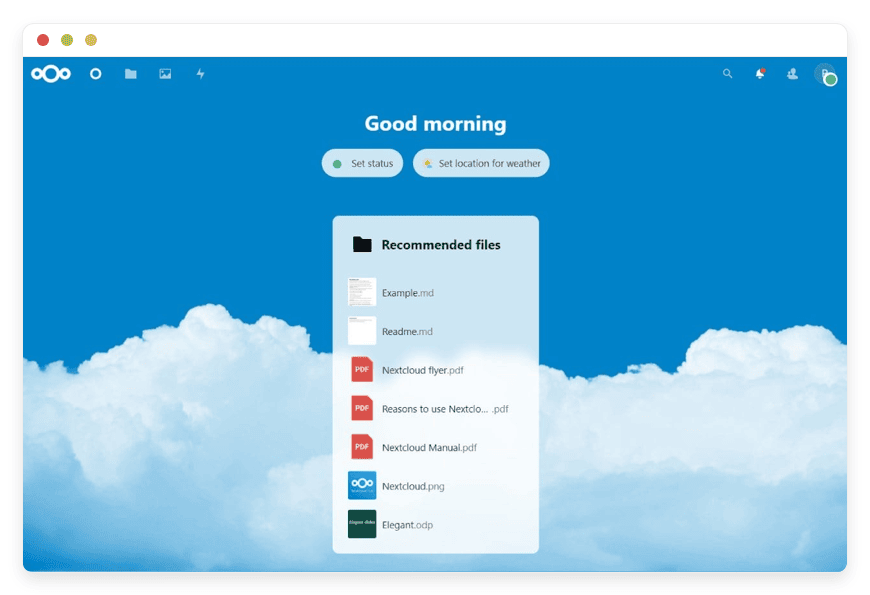
Managed Nextcloud Hosting: The Private Cloud Without the Headache
TLDR - Quick Answer
If you are looking for the productivity of Google Workspace or Microsoft 365 but want to keep your files private, Nextcloud is the answer. However, maintaining the server yourself is time-consuming and technically demanding. Managed Nextcloud Hosting gives you the best of both worlds:
Complete Privacy: You control the environment, not a tech giant.
Zero Maintenance: No Linux command line, database migrations, or security patches to handle.
Instant Access: Get Files, Talk, Groupware, and Office running in minutes.
Cost-Effective: Often cheaper than per-user licensing fees from proprietary competitors.
Scalable: Grow your storage and user count without rebuilding infrastructure.
Introduction
We live in an era where digital privacy is becoming a luxury item. Most organizations and individuals default to public cloud giants because it’s easy. You sign up, you get storage, and you move on. But somewhere in the fine print, you realize you are trading convenience for control. You are handing over the keys to your digital life to corporations that monetize user behavior.
Nextcloud solves this. It is the premier open-source platform that puts you back in the driver's seat. It offers file storage, video conferencing, and document editing in a secure environment that belongs to you. It is the definition of digital sovereignty.
But here is the friction point: running it yourself is a second job. Configuring PHP, managing Apache or Nginx, handling SSL certificates, setting up Redis for caching, and debugging database errors takes time away from your actual work. You want the tool, not the chore of maintaining the toolbox. A single missed security patch on a self-hosted server can render your "secure" cloud vulnerable.
That is where DANIAN comes in. We provide the invisible infrastructure. We ensure your cloud is fast, secure, and always online, so you can focus on collaboration. We handle the dirty work of server administration so you can enjoy the clean interface of your private workspace.
What is Nextcloud?
Nextcloud is a suite of client-server software for creating and using file hosting services. Originally forked from ownCloud by Frank Karlitschek and key contributors, it has evolved far beyond simple file storage. Today, it is a fully functioning content collaboration platform known as Nextcloud Hub.
It is built on a modular architecture, meaning you can extend its functionality with hundreds of apps. While it started as a way to sync files between your desktop and a server, it now powers millions of instances worldwide, serving everything from small families to massive government agencies in the European Union.
It operates on a standardized stack—typically Linux, Apache/Nginx, MySQL/MariaDB, and PHP. This robust foundation ensures stability, but it also implies a level of complexity in setup that deters many non-technical users. Nextcloud Hub brings together four key products: Files, Talk, Groupware, and Office, creating a seamless ecosystem that rivals any proprietary suite on the market.
Why is it Trending?
The surge in interest for Nextcloud comes from a growing distrust of "free" services. Users are realizing that if they aren't paying for the product, their data is the product. Nextcloud is trending because it offers a feature-complete alternative to Big Tech ecosystems without the surveillance capitalism business model.
Furthermore, with the recent introduction of Nextcloud Assistant, it now integrates ethical AI tools directly into your workflow. This allows for smart prioritization, content generation, and context-aware assistance without leaking your data to third-party AI trainers. It represents the future of AI: powerful, helpful, but private.
Why Choose Nextcloud?
The decision to move to Nextcloud Managed solutions usually stems from a specific need: autonomy. When you use proprietary SaaS platforms, you are renting space in someone else's house. They can change the locks, raise the rent, or scan your belongings whenever they want. They can discontinue features you rely on or change their terms of service overnight.
Choosing Nextcloud means choosing an ecosystem where the code is transparent. You aren't relying on "security through obscurity." Thousands of developers audit the code, ensuring that backdoors don't exist and vulnerabilities are patched rapidly.
The Power of Integration
Unlike disjointed tools where you use Zoom for calls, Dropbox for files, and Trello for tasks, Nextcloud integrates these into a single interface. When you use Hosting Nextcloud services, you get a unified dashboard. A chat message in Talk can instantly become a task in Deck, which links to a file in your storage. This seamless flow reduces context switching and boosts actual productivity. You aren't constantly Alt-Tabbing between applications; everything lives in one cohesive browser tab.
Key Features of Nextcloud
Nextcloud is vast. To understand why a managed solution is valuable, you need to understand exactly what you are getting access to. It is not just a hard drive in the cloud; it is a comprehensive workspace designed to replace almost every office subscription you currently pay for.
Nextcloud Files: Intelligent Storage
This is the core. It offers universal access to your data, but it is smarter than your average folder tree.
Versioning: Accidentally saved over a critical document? Nextcloud keeps versions. You can roll back to a previous state with one click. This takes the fear out of editing.
Federation: This is a unique feature. You can share folders not just with users on your server, but with users on other Nextcloud servers. It connects isolated clouds into a secure network. You maintain control over your data while collaborating across organizational boundaries.
File Drop: You can create a secure link where clients can upload files to you, without them needing an account. This is perfect for receiving large deliverables from freelancers or clients.
Smart Picker: Integrated globally across the Hub, the Smart Picker lets you insert content from any app (like a Jira ticket, a GitHub issue, or a deck card) directly into a chat or document.
Tags and Automations: You can tag files manually or automatically. Combined with Nextcloud Flow, you can set retention policies (e.g., "Delete files in the 'Temporary' folder after 7 days") to keep your storage tidy.
Nextcloud Talk: Private Communication
Privacy-first communication that eliminates the need for external video conferencing tools.
Video & Audio: High-definition video calls that run through your browser or mobile app. Since it uses WebRTC, there is no heavy software to install.
Screen Sharing & Whiteboard: Essential for team presentations. The built-in whiteboard allows teams to sketch out ideas in real-time during a call.
Lobby & Moderation: You can create a waiting room for guests, mute participants, and manage permissions, making it suitable for webinars or client presentations.
Persistent Chat: Chat rooms that replace tools like Slack or Microsoft Teams. The chat history stays on your server, searchable and secure. You can bridge these chats to other networks like Matrix, bridging the gap between different platforms.
Nextcloud Groupware: The Organizational Backbone
Your organizational backbone that keeps your team in sync.
Calendar: Syncs with your phone (CalDAV) and allows for shared team calendars. You can schedule meetings and attach video rooms from Talk directly to the invite. It handles time zones automatically, making international collaboration easier.
Contacts: A complete address book that syncs everywhere (CardDAV). You can create circles (custom groups) to easily share files or setup meetings with specific project teams.
Mail: A built-in mail client that connects to your existing email server (IMAP/SMTP). It features a unified inbox and smart machine-learning features that can predict the importance of incoming mail.
Nextcloud Office: Real-Time Collaboration
Collaborate in real-time without sending attachments back and forth.
Document Editing: Powered by engines like Collabora Online or ONLYOFFICE, this allows multiple users to edit .docx, .xlsx, and .pptx files simultaneously in the browser. You can see cursor movements and changes in real-time.
WYSIWYG: You see exactly what the printed document will look like. It handles complex formatting, massive spreadsheets, and presentation slides.
Templates: Create and store corporate templates for consistent branding across all documents created by your team.
Nextcloud Flow: Automation without Code
Automate the boring stuff so you can focus on high-value work.
Triggers: Set rules like "If a file is uploaded to Folder A, convert it to PDF and email it to Person B."
Approvals: Set up approval workflows. For example, an expense report uploaded by an employee might require a digital "Approved" tag from a manager before it is moved to the "Accounting" folder.
Security and Access Control
Nextcloud is designed for a zero-trust environment.
End-to-End Encryption (E2EE): For the most sensitive folders, you can enable E2EE. This means the server itself cannot read the files; only the user with the key can.
Brute Force Protection: The system automatically throttles login attempts to prevent attackers from guessing passwords.
Two-Factor Authentication (2FA): Support for TOTP apps, YubiKeys (WebAuthn), and backup codes is built-in.
Suspicious Login Detection: Using machine learning, Nextcloud can alert you or block logins if they come from unusual locations or devices.
Solutions per Industry
Different sectors use Managed Nextcloud Hosting to solve very specific pain points. While the tool is universal, the application changes depending on the regulatory and operational needs of the user. Here is how distinct industries apply the software.
Legal and Financial Agencies
For law firms, accountants, and wealth management advisors, client confidentiality is the currency of the trade. Emailing sensitive PDF contracts, tax returns, or financial statements is risky. Email is easily intercepted, and once an attachment is sent, you lose control over it.
The Problem: Clients struggle with complex encrypted email portals, and staff often revert to insecure methods to "just get it done."
The Solution: Agencies use Nextcloud to create secure client portals. Instead of attaching a file to an email, they send a password-protected link with an expiration date. The client logs in (or uses a public link with 2FA), views the document, and uploads their signature or requested documents via File Drop. The data never sits on an unencrypted email server. It stays within the agency's controlled environment. Furthermore, the audit log tracks exactly who accessed the file and when, providing a paper trail for compliance.
Healthcare and Medical Research
Medical professionals and researchers deal with massive datasets—specifically high-resolution imaging (MRI, CT scans) and genomic data—that require absolute privacy.
The Problem: Public clouds often compress images (ruining diagnostic quality) or are not permissible due to strict data residency regulations. Moving terabytes of research data is slow and expensive.
The Solution: Managed Nextcloud allows for a dedicated environment where specific medical file viewers (DICOM viewers) can be integrated directly into the browser. Researchers can collaborate on datasets without downloading them to local machines, reducing the risk of data leaks from lost laptops. The granular permissions allow a lead researcher to grant "view only" access to a dataset for peer review while keeping the raw data write-protected.
Education and Academia
Universities and schools often struggle with budget constraints and the ethical dilemma of exposing student data to data-mining corporations.
The Problem: Remote learning tools are often fragmented. Schools pay for Zoom, Google Drive, and a separate LMS, creating a disjointed experience for students.
The Solution: Nextcloud provides a unified remote learning hub. Professors upload course materials to shared folders. Students submit assignments via File Drop. Research teams use Groupware to coordinate grants and deadlines. Because Nextcloud has no per-user licensing fees in the traditional sense, scaling to thousands of students is significantly more affordable than commercial alternatives. Additionally, the university retains intellectual property rights over the research data stored on the platform, which is not always guaranteed with public SaaS free tiers.
Creative Studios and Marketing Agencies
Designers, video editors, and sound engineers deal with massive file sizes. Trying to sync 4GB video files over standard cloud storage can be slow, and version control is a nightmare.
The Problem: Clients want to see progress, but sending WeTransfer links creates a mess of duplicate files. Feedback is often lost in email chains.
The Solution: Studios use the Nextcloud desktop client to sync active projects. The virtual drive feature allows editors to see all files without downloading them until needed, saving local disk space. Nextcloud Talk serves as the "war room" for creative reviews. A designer can share a folder of assets, the client can comment directly on the files, and the chat history keeps the feedback loop tight. The "Activity" stream shows exactly when a client has viewed a proof, eliminating the "I didn't get it" excuse.
Government and Public Sector
Government agencies are under increasing pressure to ensure "Digital Sovereignty"—the idea that state data should not rely on foreign infrastructure or software.
The Problem: Relying on foreign-owned cloud providers creates a strategic vulnerability. Data residency laws often mandate that citizen data must physically remain within the country's borders.
The Solution: Managed Nextcloud Hosting provides a compliant pathway. Agencies can use an open-source stack that is free from backdoors. Inter-agency collaboration is handled via Federation; the Department of Transportation can share a secure folder with the Department of Urban Planning without merging their servers. They remain distinct entities but can collaborate seamlessly. This compartmentalization is vital for security clearance levels.
Non-Profits and NGOs
Non-governmental organizations often operate in hostile environments where data security can be a matter of physical safety for their field workers.
The Problem: NGOs operate on shoestring budgets but face nation-state level security threats. They need tools that are secure by default but don't cost a fortune in monthly seat licenses.
The Solution: Nextcloud offers a cost-stabilized platform. Whether you have 50 volunteers or 500, the infrastructure cost remains relatively flat compared to per-seat SaaS models. Features like "Remote Wipe" allow admins to erase data from a field worker's stolen device instantly. The offline capabilities of the mobile app allow workers to input data in remote areas with no internet, syncing automatically once they reach a connection.
Construction and Engineering
This industry relies on blueprints (CAD files), permits, and tight timelines involving dozens of subcontractors.
The Problem: Physical plans get damaged. Emailing CAD files is impossible due to size. Subcontractors need access to specific project files but shouldn't see the company's entire internal drive.
The Solution: Nextcloud serves as the central repository for the job site. Site managers use tablets to access the latest blueprints via the Nextcloud app. If a change order is issued, the file is updated centrally, and everyone on site has the new version instantly—preventing costly building errors based on old plans. Using "Circles" or group permissions, the general contractor can give the plumbing team access only to the plumbing folder, ensuring operational security.
Nextcloud vs Other Software
It is important to compare Nextcloud to its actual software rivals, the proprietary giants. The comparison isn't just about features; it's about philosophy and business models.
| Feature | Nextcloud | Proprietary SaaS (Google/MS) |
| Source Code | 100% Open Source | Closed / Proprietary |
| Hosting Location | You Choose (available with DANIAN Managed) | Their Data Centers (Fixed) |
| Privacy / Telemetry | No Tracking / No Scanning | High Telemetry / Data Scanning |
| AI Integration | Local / Ethical AI (Optional) | Integrated / Often Training on User Data |
| App Ecosystem | Community Driven (Open) | Vendor Controlled (Walled Garden) |
| Cost Model | Flat Infrastructure Fee | Per User / Per Month |
| Extensibility | High (Custom Apps/Themes) | Low (Fixed Interface) |
| Data Portability | Full Export / Standard Formats | Vendor Lock-in Tactics |
Use Cases and Applications
Beyond the standard office replacement, Hosting Nextcloud opens up creative possibilities for various scenarios due to its app ecosystem.
The Digital Family Home:
Families use Nextcloud to back up photos from every phone automatically. No more "storage full" warnings on your iPhone. It becomes a private social network where you share albums with grandparents without posting to Facebook. You can also track family budgets and shared grocery lists using the Tasks app.Project Management Board:
Using the "Deck" app, teams create Kanban boards (similar to Trello). You can drag and drop cards, assign users, and set due dates. Since it is integrated, you can attach files directly from your Nextcloud storage to the cards. It is perfect for agile development teams or marketing content calendars.Password Management:
With the "Passwords" app, Nextcloud becomes a secure vault for your credentials. It syncs across devices, meaning you don't need to pay for a separate LastPass or 1Password subscription. The database is encrypted, and you hold the keys.The Journalist's Secure Drop:
Investigative journalists use Nextcloud's "File Drop" feature to create a safe, anonymous way for whistleblowers to submit documents. Because the system is under the journalist's control, sources can trust that the platform provider isn't scanning the uploads for keywords.Music and Media Streaming:
With the "Music" or "Multimedia" apps, you can stream your own library of MP3s and videos to any device. It acts like a personal Spotify, free from licensing restrictions or disappearing albums.
How DANIAN Helps
We are the "Quiet Enabler." Our philosophy is that the best infrastructure is the kind you never notice. You should not have to worry about whether your PHP version is compatible with the latest Nextcloud release or if your caching is optimized. You should just log in and work.
Here is what we handle for you:
Fully Managed: We take care of the entire lifecycle. From the moment you click "Start," we handle the initial configuration, database tuning, and environment setup. Your software is optimized for speed and reliability from day one.
Backup & Monitoring: We don't believe in "oops." We configure automated daily backups that are stored securely off-site. If you delete something critical, or if a rogue app update causes issues, we have your back with one-click restoration capability.
SSL & Firewall: Security is not an add-on; it is the default. We implement custom firewalls and manage SSL certificates to ensure your connection is always encrypted. We monitor for threats so you sleep soundly.
Updates: Nextcloud releases updates frequently. We apply security patches and version upgrades seamlessly. You get the new features without the risk of breaking your installation.
24/7 Monitoring: Issues are often detected and resolved before you even notice them. Our systems watch your instance for performance anomalies, ensuring uptime is maintained.
Guaranteed Performance: Downtime kills productivity. Our infrastructure is built to scale. Whether you have 5 users or 500, we ensure consistent performance. We don't throttle your connection just because you are using the service heavily.
7-Day Free Trial: We are confident in our platform. There is no risk to try it out.
Less Setup, More Development. Affordable from the Start. Real Help When You Need It.
How to Get Started
Getting your private cloud running takes less time than making a cup of coffee.
Visit DANIAN: Go to our sign-up page.
Select Nextcloud: Choose Nextcloud from our catalog of open-source applications.
Launch: Sit back. We spin up the environment, configure the database, and secure the connections.
Login: You receive your admin credentials via email. You can log in and start creating users immediately.
FAQ
Q: Is Nextcloud compatible with Microsoft Office files?
A: Yes. Nextcloud integrates with solutions like Collabora Online and ONLYOFFICE, allowing you to open, edit, and save Word, Excel, and PowerPoint files directly in the browser with perfect formatting. You can even co-edit these files with users who don't have Nextcloud accounts via public links.
Q: How is this different from hosting it myself on a VPS?
A: Hosting it yourself requires you to be a system administrator. You have to manage the Linux OS, the web server, the database, caching, and security updates. With Managed Nextcloud Hosting, we handle all the technical maintenance. You get the benefits of open-source software with the convenience of a SaaS product.
Q: Can I access my files on my phone?
A: Absolutely. Nextcloud has excellent mobile apps for iOS and Android. They allow for automatic photo uploads, file browsing, offline access, and even managing your calendar and contacts. The experience is comparable to, if not better than, Google Drive or OneDrive mobile apps.
Q: Is my data safe from ransomware?
A: Nextcloud includes a Ransomware Protection app that can detect and block suspicious file modifications (like rapid encryption of multiple files). Combined with our automated backups, your data is extremely resilient against attacks.
Q: Can I migrate my data from Google Drive or Dropbox?
A: Yes, Nextcloud offers built-in migration tools that make it straightforward to import your calendar, contacts, and files from Google, OneDrive, and Dropbox. You simply connect your account, and Nextcloud pulls the data over for you.
Q: Does Nextcloud support Two-Factor Authentication (2FA)?
A: Yes, it supports multiple 2FA methods, including TOTP apps (Google Authenticator), WebAuthn (hardware keys like YubiKey), and backup codes. We highly recommend enabling this for all users.
Q: What happens if I outgrow my storage?
A: With DANIAN, scaling is simple. You can upgrade your plan to increase storage capacity without any downtime or data migration.
Conclusion
Nextcloud represents a shift in how we think about digital collaboration. It proves that you don't have to sacrifice convenience to gain privacy. You can have the slick interface, the mobile apps, and the real-time editing, all while maintaining absolute authority over your information.
For businesses, it offers a way to escape the rising costs and data lock-in of proprietary vendors. For individuals, it offers peace of mind.
Self-hosting is a noble pursuit, but it is resource-intensive. Managed Nextcloud Hosting removes the barrier to entry. It allows you to deploy a world-class productivity suite instantly, backed by a team of experts ensuring it stays running.
Don't let your data be a product for someone else. Take control today.


