
Managed MediaWiki Hosting: Fast, Secure & Ready to Launch
TLDR - Quick Answer
MediaWiki is a free, highly scalable wiki application originally built to power Wikipedia. It serves as a central knowledge base, documentation platform, and collaboration hub for thousands of organizations worldwide. Opting for Managed MediaWiki Hosting gives you the full power of this platform without the headache of server administration, database maintenance, or security patching.
The Immediate Value of Managed Hosting:
Instant Setup: Get running immediately without configuring databases or web servers.
Zero Maintenance: Routine updates, security patches, and background optimizations happen automatically.
Built-in Backups: Your entire knowledge base is saved daily and is easily restorable.
Optimized Performance: Pre-configured caching ensures pages load fast, even as your wiki grows.
Cost Efficiency: Avoid hiring a dedicated system administrator just to keep your documentation online.
Introduction
Every growing team eventually hits a wall when sharing information. Important procedures get buried in chat threads. Documentation becomes outdated. Onboarding new members turns into a repetitive chore. MediaWiki solves this by giving you a centralized, searchable platform where knowledge actually lives and grows.
But running it yourself is a second job.
Configuring PHP environments, securing databases, managing extensions, and keeping the software updated requires constant attention. When your team needs to write great documentation, wrestling with server errors and missing dependencies is a massive distraction. You want to write content, not manage infrastructure.
That is where DANIAN steps in. We act as your invisible infrastructure. We handle the technical mess so you can focus entirely on building your knowledge base.
What is MediaWiki?
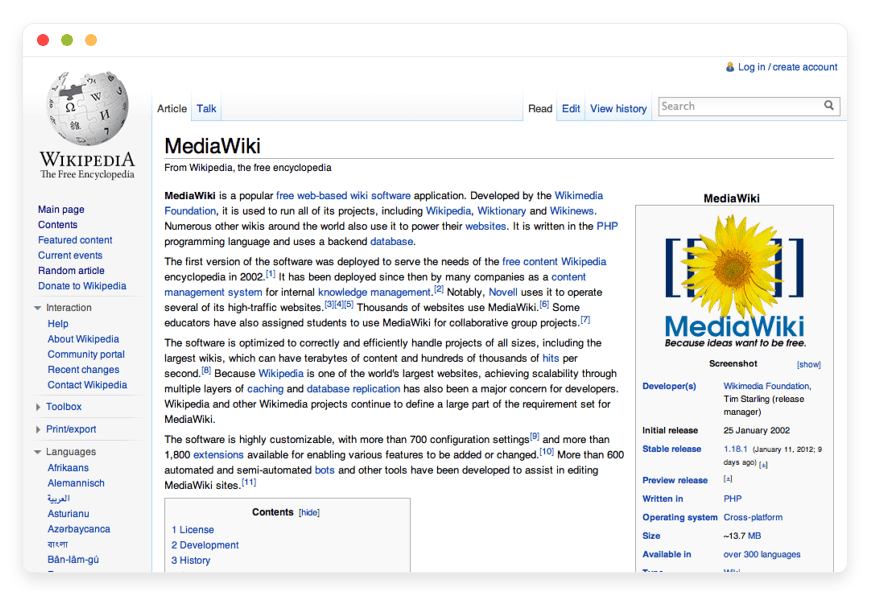
MediaWiki is a free, server-based software application licensed under the GNU General Public License (GPL). It was initially created in 2002 by Magnus Manske specifically for Wikipedia. Later, Lee Daniel Crocker rewrote it to improve scalability. Today, it operates tens of thousands of websites and helps organizations collect, organize, and share knowledge.
The software is written in PHP. It uses a database system, typically MySQL or MariaDB, to store content. MediaWiki is engineered to handle massive amounts of traffic and huge volumes of data. It uses a unique formatting language called "wikitext." This language allows users to format pages easily without needing to know HTML or CSS. The Wikimedia Foundation continues to support its core development alongside a massive community of volunteer programmers.
Why is it trending?
As teams scale, the limits of standard document editors become obvious. Organizations are returning to MediaWiki because it offers a proven, structured way to build a vast repository of interlinked information. Instead of relying on rigid folder structures, MediaWiki relies on hyperlinking and categories. This makes knowledge discovery organic and highly efficient. A single search query can pull up years of historical project data instantly.
Why Choose MediaWiki?
When evaluating documentation tools, the market is flooded with costly, proprietary subscriptions. Choosing MediaWiki gives you open-source freedom. You dictate exactly how your knowledge is structured, organized, and shared. You are never restricted by artificial paywalls.
When you choose Hosting MediaWiki with a managed provider, you get the reliability of a paid tool without the arbitrary limitations. MediaWiki replaces expensive internal tools by offering unlimited users, unlimited pages, and deep customization through extensions. You avoid paying per-seat licenses. You save thousands of dollars as your team expands. Your knowledge base grows without punishing your budget.
Key Features of MediaWiki
MediaWiki is not just a simple text editor. It is a comprehensive platform designed for large-scale information management. Here is a deep dive into the specific features that make it the standard for wikis worldwide.
Comprehensive Version Control and Revision History
Every single edit made on MediaWiki is saved to the database. It never overwrites the previous version permanently. This creates a complete, transparent history of how a document has evolved over time. For workflow efficiency, this means your team can edit fearlessly. If someone makes a mistake, deletes important information, or adds incorrect data, you can revert to a previous version with a single click. It completely eliminates the fear of losing critical documentation. You can even compare two different versions side-by-side to see exact changes highlighted in red and green.Wikitext Formatting and Visual Editor
MediaWiki uses a native markup language called wikitext. This syntax is specifically designed for fast writing. Writers do not have to break their flow to click through formatting menus. They can simply use standard keystrokes to bold text, create headers, and insert links. For teams that prefer a graphical interface, MediaWiki also supports a Visual Editor extension. This provides a familiar word-processor experience. It lowers the barrier to entry, allowing non-technical staff to contribute easily.Massive Scalability and Performance
MediaWiki was built to serve Wikipedia, a site that receives billions of hits per month. Out of the box, it is structured to handle massive amounts of text and media. For large wikis, it supports advanced caching mechanisms like Memcached and integrates seamlessly with proxy servers. As your internal documentation grows from a hundred pages to a hundred thousand pages, your workflow remains uninterrupted. The search function and page load times stay lightning fast.Namespaces for Content Separation
MediaWiki uses a concept called "Namespaces" to separate different types of content. The main namespace holds your actual articles or documentation. However, you also have specific namespaces for User profiles, Help guides, Templates, and System messages. This workflow benefit is massive. It ensures your core search results are not cluttered with draft pages or user notes. Everything has a logical, organized home.Talk Pages for Editorial Collaboration
Behind every single article in MediaWiki is a hidden "Talk" page. This is a dedicated space for users to discuss the article itself. If a team member disagrees with a procedure listed in a document, they do not edit the document to argue. They go to the Talk page to leave a comment. This workflow benefit keeps your main documentation clean and professional. It preserves editorial discussions and historical context safely behind the scenes.Advanced Link Management and Categorization
Unlike traditional file systems where a document lives in only one folder, MediaWiki allows dynamic categorization. You can assign a single page to multiple categories. You can create complex, nested hierarchies. Furthermore, when you rename a page, MediaWiki can automatically update redirects. Internal links never break. This workflow benefit ensures your team spends less time organizing files and more time using the information.Transclusion and Templates
MediaWiki has a powerful feature called transclusion. This allows you to create a "Template" page and insert it into hundreds of other pages automatically. If your company updates its standard legal disclaimer, you do not need to edit 500 individual pages. You simply edit the master Template once. The change propagates instantly across your entire wiki. This workflow benefit saves hundreds of hours of manual administrative work.Watchlists and Automated Notifications
Users need to know when important guidelines change. MediaWiki includes a built-in Watchlist feature. A user can click the "Watch" star on any page. Whenever another user edits that page, the system alerts the watcher. You can also configure email notifications for these changes. This workflow benefit ensures that team leaders instantly know when someone modifies critical operating procedures.Unrivaled Extensibility
The core software is intentionally lean. However, the MediaWiki community has developed thousands of free extensions. You can transform a standard wiki into a highly structured database using Semantic MediaWiki. You can add custom authentication methods to integrate with your company's existing login systems. This modular approach means you only add the features you actually need. It keeps your workspace clean, fast, and efficient.Deep Localisation and Multilingual Support
MediaWiki is a global project. Internationalisation is a core principle, not an afterthought. The platform supports over 300 languages. It fully supports right-to-left reading formats. You can easily set up a multilingual wiki where interface elements adapt to the user's preferred language. This workflow benefit ensures that global offices can collaborate on the exact same platform without facing translation barriers.
Solutions per Industry
MediaWiki is highly adaptable. It solves distinct pain points across fundamentally different business models. Here is how various industries utilize Managed MediaWiki Hosting to streamline their operations.
eCommerce Stores
In the eCommerce sector, customer support teams face high-pressure environments. They need immediate access to product specifications, return policies, and troubleshooting guides. A managed MediaWiki setup serves as the perfect internal knowledge base. When a customer calls with a complex question about a specific product variation, the support agent uses the search function to find the exact internal document instantly. They can navigate through categories related to shipping regions or warranty terms. This drastically reduces call resolution times. It ensures all agents provide consistent, accurate information based on the latest revisions.
Digital Agencies
Agencies juggle multiple clients, project guidelines, brand assets, and technical workflows. Storing this across different chat channels creates absolute chaos. MediaWiki allows an agency to create dedicated portals for each client or internal department. New hires can access a centralized onboarding wiki that outlines company procedures, coding standards, and project histories. Because MediaWiki tracks all revisions, agency managers can see exactly who updated a client's brand guideline and when. This ensures absolute accountability and prevents miscommunication.
Education and Universities
Universities and research institutions generate massive amounts of collaborative data. MediaWiki provides a familiar, academic-friendly environment for students and professors. They build research databases, share course materials, and document lab procedures. By utilizing categories and sub-pages, an entire faculty can map out curriculum standards logically. Because there are no per-user fees, an institution can grant edit access to thousands of students instantly. They do not have to worry about ballooning software costs during enrollment periods.
Game Development Studios
Modern video games require massive amounts of world-building. Writers, level designers, and programmers need to stay aligned on lore, character arcs, and geography. Game studios use MediaWiki to track these intricate details. The internal linking system makes it easy to map out complex fictional universes without losing track of minor details. A programmer can click a link on a character page and instantly see the required 3D asset dimensions. This cross-department visibility accelerates the development pipeline drastically.
Manufacturing and Hardware
Manufacturing companies rely heavily on Standard Operating Procedures (SOPs). Factories must document every machine process step-by-step to maintain safety and efficiency. MediaWiki houses these manuals perfectly. If a machine requires routine maintenance, technicians pull up the exact SOP on the factory floor. They view schematics uploaded to the wiki and follow the approved guidelines. If a safety protocol changes, managers update the wiki once. All technicians see the updated protocol immediately, minimizing workplace hazards.
Software Engineering Teams
Engineering teams need strict documentation for their codebases. MediaWiki serves as an excellent repository for Architecture Decision Records (ADRs) and API documentation. Developers write wikitext quickly without leaving their keyboards. They use extension tags to format raw code snippets beautifully. When a senior developer leaves the company, their technical knowledge remains preserved in the wiki. This makes onboarding junior developers much faster and reduces code-breaking errors during product updates.
Law Firms and Legal Teams
Law firms manage mountains of procedural paperwork and case references. While client files live in specific legal software, internal firm procedures require a different tool. Law firms use MediaWiki to document formatting standards for court filings, internal HR policies, and local jurisdictional quirks. Paralegals can search the wiki to find the exact template required for a specific motion. The revision history ensures that no one accidentally deletes an important procedural step.
Non-Profit Organizations
Non-profits often operate with high volunteer turnover. Training new volunteers constantly drains resources. A managed MediaWiki provides a permanent, easily accessible training manual. Organizations document grant writing histories, field operation guides, and event planning checklists. Volunteers read the wiki to understand their specific roles before arriving on-site. The organization saves valuable time and ensures that operations run smoothly regardless of who is working that day.
Real Estate Brokerages
Large brokerages manage hundreds of properties and dozens of agents. They need a central hub for property management protocols, tenant onboarding procedures, and local zoning laws. MediaWiki allows a brokerage to categorize information by neighborhood or property type. New real estate agents can review the firm's specific closing procedures online. If a local regulation changes, the broker-in-charge updates the wiki. Everyone in the office is immediately on the same page.
Media and Publishing Houses
Magazines and digital publishers must maintain strict editorial standards. They use MediaWiki to house their official style guides, publication schedules, and contributor manuals. Editors create pages detailing exactly how to format headlines, credit images, and structure interviews. Freelancers are given read-only access to these pages. This drastically reduces the time editors spend correcting basic formatting errors. It streamlines the entire publication workflow.
MediaWiki vs Other Softwares
How does MediaWiki stack up against popular proprietary alternatives? Here is a clear breakdown comparing software functionality.
| Feature | MediaWiki | Confluence | Notion | SharePoint |
| Pricing Model | Free software, unlimited users | Per-user monthly fee | Per-user monthly fee | Bundled subscription |
| Hosting Method | Self-hosted or Managed | Cloud only | Cloud only | Cloud/Complex Local |
| History Tracking | Complete, permanent revision history | Limited by plan tier | Limited by plan tier | Limited history |
| Formatting | Wikitext & Visual Editor | Block-based editor | Block-based editor | Word-style editor |
| Extensibility | Thousands of free extensions | Paid marketplace apps | Closed integrations | Complex enterprise apps |
| Best For | Large, structured knowledge bases | Corporate project tracking | Personal/Small team notes | Corporate file storage |
Use Cases and Applications
MediaWiki is incredibly versatile. Here are five practical ways organizations deploy the software to solve daily challenges.
1. The Corporate Intranet
Many companies still rely on static, hard-to-update company portals. They replace these outdated systems with a living wiki. Employees find HR policies, holiday schedules, and IT request procedures easily. Because it uses a familiar search bar, employees actually use the system. Administrators can restrict editing to specific departments, ensuring that the HR team controls policy pages while the IT team controls technical guides.
2. Public Product Documentation
Software companies use MediaWiki to build comprehensive public manuals. Users browse highly interlinked documentation to find answers independently. Because the system is built for reading efficiency, customers find technical specs fast. Community members can even suggest edits or corrections on discussion pages. This community involvement drastically reduces the daily burden on your internal support team.
3. Community Fan Wikis
MediaWiki is the undisputed king of fan wikis. Communities built around television shows, books, or hobbies use it to document every conceivable detail. The category system allows fans to organize episodes, characters, and locations perfectly. Because the software handles traffic spikes well, the site remains online even when a new television episode drops and thousands of fans search for information simultaneously.
4. IT Infrastructure Mapping
IT departments manage complex networks of servers, routers, and software licenses. They use MediaWiki to map out this infrastructure. A page dedicated to a specific server lists its IP address, installed software, and maintenance schedule. Network engineers link these pages together to visualize dependencies. If a server goes down, the team checks the wiki to see exactly which applications are affected instantly.
5. Historical Archives and Archiving
Historical societies and local museums use MediaWiki to digitize their records. They create pages for historical figures, significant events, and artifacts. They upload scanned photographs and attach them directly to the relevant articles. The public can browse these archives easily from anywhere in the world. The search function allows researchers to find specific historical connections that would take weeks to find in a physical library.
How DANIAN Helps
Managing a wiki should not require a degree in server administration. You want to write documentation, not configure database connections. We handle the hosting. Our team manages everything from initial setup to regular updates, security patches, and performance monitoring. Your software is always optimized without you having to lift a finger.
Fully Managed: We handle the hosting. Our team manages everything from initial setup to regular updates, security patches, and performance monitoring. Your software is always optimized without you having to lift a finger.
Backup & Monitoring: Automated daily backups, stored securely. Configured automatically, stored securely, one-click restore. You never have to worry about losing your important documentation.
SSL & Firewall: Secure by default. With cybersecurity threats on the rise, we take security seriously. From automated updates to proactive monitoring and custom firewalls, we make sure your environment is secure 24/7.
Updates: Security patches and new versions applied without your intervention. You always run the latest, safest version of the software.
24/7 monitoring: Issues detected and often resolved before you notice. Our systems watch your application constantly.
Guaranteed Performance: Downtime can be detrimental to your business. With our scalable infrastructure, we ensure consistent performance even as your user base grows.
7-Day Free Trial: No risk. Less Setup, More Development. Affordable from the Start. Real Help When You Need It.
How to Get Started
Getting your wiki online is incredibly simple. You do not need to touch a command line or configure a server.
Step 1: Visit the DANIAN website and sign up for an account.
Step 2: Select MediaWiki from our application catalog.
Step 3: Relax while DANIAN automatically launches your software.
FAQ
Is MediaWiki completely free to use?
The software itself is licensed under the GPL and is entirely free of charge. You do not pay for the software itself, user licenses, or page limits. You only pay for the hosting infrastructure required to keep it online and functioning securely.
Do I need to know how to code to use MediaWiki?
No. While MediaWiki uses a markup language called wikitext, it is very easy to learn. There are plenty of cheat sheets available. You can also install a Visual Editor extension that works just like a standard word processor, making it accessible for everyone.
Can I make my wiki completely private?
Yes. While MediaWiki was designed primarily for open content like Wikipedia, it can easily be configured to restrict read and write access. A managed host configures these settings to ensure your internal company wiki remains completely private and accessible only to authorized staff.
How do I install extensions?
On a traditional self-hosted setup, installing extensions requires downloading files and modifying a configuration file directly on the server. With a managed hosting environment, you bypass this technical hurdle entirely. Many common extensions are pre-installed or easily activated from a dashboard.
What happens if someone accidentally deletes an important page?
MediaWiki stores every single edit in its database permanently. If a page is modified incorrectly, vandalized, or deleted, an administrator simply views the page history. They can restore the document to its exact previous state with a single click. No data is truly lost.
How does MediaWiki handle images and multimedia files?
MediaWiki manages images and multimedia files natively. It stores them in the file system and links them directly to your database. You can easily upload files, embed them in pages, resize them automatically, and categorize them just like text documents.
Will my wiki slow down if we add thousands of pages?
No. MediaWiki is engineered specifically for massive scale. Because it was built to run Wikipedia, its database structure and caching capabilities handle thousands of pages effortlessly. A managed hosting provider ensures your server has the correct caching layers enabled for maximum speed.
Can I export my data later if I need to?
Yes. MediaWiki includes built-in export tools. You can export your pages, complete with their entire revision histories, as XML files. You can also generate full database backups. You are never trapped in the ecosystem and can move your files whenever you choose.
Conclusion
MediaWiki remains the absolute gold standard for robust, scalable information management. Whether you are building an internal company wiki, mapping out project documentation, or creating a public knowledge base, it provides unparalleled structure and history tracking. The flexibility of open-source software gives you total control over your documentation.
Do not let technical hurdles stop you from organizing your team's knowledge. Managing servers is a waste of your valuable time.
Experience the power of fully managed open-source software and get your wiki online today without the hassle.


