
Managed LanguageTool Hosting: The Private, Open-Source Writing Assistant
Writing is the primary interface between your ideas and the rest of the world. Whether you are coding technical documentation, drafting sensitive legal contracts, or simply sending a company-wide newsletter, a single typo can undermine your authority. It disrupts the reader's flow and casts doubt on your attention to detail.
To fix this, millions of people turn to browser extensions and cloud-based assistants that check their writing in real-time. These tools are incredibly useful, but they come with a hidden cost that is becoming impossible to ignore: privacy.
Most popular grammar checking tools operate on a SaaS (Software as a Service) model. To check your text, they must send every single keystroke to their proprietary cloud servers. If you are working on sensitive source code, confidential legal agreements, medical records, or proprietary business strategies, you are effectively broadcasting that data to a third party. You have no control over where that data is stored, who sees it, or if it is used to train future AI models.
This is where Managed LanguageTool Hosting changes the game. It offers the intelligence of a premium proofreader with the absolute privacy of open-source software.
TL;DR: Quick Answer
If you need advanced proofreading but cannot risk sending sensitive data to public cloud servers, LanguageTool is your only viable solution. However, the server requirements for the advanced features are heavy. Here is why you need a managed solution:
Total Privacy: Your text is processed on a private server, not a public cloud. No one reads your drafts but you.
30+ Languages: Superior support for English, German, Spanish, French, and many others, including specific regional dialects.
N-Gram Data Support: We host the massive multi-gigabyte datasets required for context-aware checking (e.g., distinguishing "there" from "their").
Team Consistency: Create shared dictionaries and style guides to keep your brand voice unified across all employees.
API Access: Connect your internal CMS, chat apps, or IDEs directly to your hosted backend via a simple API.
Zero Maintenance: We handle the complex Java environment, n-gram data downloads, and updates so you just write.
Introduction
We have all been there. You hit "send" on an important email to a client, only to spot a glaring grammatical error two seconds later. It is frustrating. It looks unprofessional.
In the past, the solution was simple: install a spell-checker. But modern writing requires more than just spell-checking. It requires style analysis, tone detection, and context-aware corrections. The tools that offer this level of sophistication are almost exclusively cloud-based.
For the privacy-conscious developer, the law firm dealing with NDAs, or the government agency handling citizen data, "cloud-based" is a non-starter. You cannot pipe confidential text through a black-box API owned by a tech giant.
LanguageTool offers a powerful alternative. It is open-source, highly accurate, and supports over 30 languages. The best part? You can run the server yourself, meaning your data never leaves your infrastructure. It is the gold standard for privacy-first proofreading.
But here is the reality check: running a LanguageTool server capable of advanced analysis is not simple. It is a Java-based application that creates a significant load on system resources. To get the "smart" features—the ones that understand context—you need to manage and index terabytes of "n-gram" data. You need to configure HTTPS for secure browser communication. You need to keep the rulesets updated.
It is a second job that you do not need.
DANIAN provides the invisible infrastructure. We provide fully managed LanguageTool hosting that gives you the privacy and power of a dedicated server without the command-line headaches. You get the API endpoint; we handle the heavy lifting.
What is LanguageTool?
LanguageTool is an open-source proofreading software designed to check for grammar, style, and spelling errors. Unlike simple spell-checkers that only look for typos based on a dictionary list, LanguageTool analyzes the context of sentences to find complex errors.
Originally started by Daniel Naber as a diploma thesis in 2003, it has evolved into a robust platform used by millions. While many modern tools rely entirely on "black box" machine learning, LanguageTool uses a hybrid approach. It combines thousands of hand-written rules (created by language experts) with statistical data (n-grams) and machine learning to understand how language is actually used.
This hybrid approach makes it incredibly transparent. If LanguageTool flags an error, you can often see exactly which rule was triggered. This is vital for academic and technical writing where "hallucinated" corrections from pure AI models can be dangerous.
Why is it Trending?
We are seeing a massive shift toward privacy-first tools. As AI integration grows, companies are realizing that "free" tools often train on user data. Every document you check with a free cloud tool potentially feeds their model. LanguageTool has become the standard for organizations that need rigorous checking but demand strict data sovereignty. It is not just about correcting typos anymore; it is about protecting intellectual property from being ingested by third-party AI.
Why Choose Managed LanguageTool Hosting?
When you opt for Hosting LanguageTool through a managed provider, you unlock the software's full potential without the technical debt.
The core value proposition is simple: Control. When you use the public version of many writing tools, you are subject to their rate limits, their privacy policies, and their downtime. By using a managed instance, you control the API. You can connect your browser extensions, your Word plugins, and your internal tools to your own private backend. This ensures that every keystroke is analyzed securely within your own environment.
Furthermore, the "open source" version of LanguageTool is often misunderstood. Many users try to run the basic .jar file and find it lacks intelligence. That is because the intelligence lives in the "n-gram" data—massive datasets of word sequences that tell the software which words usually go together. These datasets are huge (8GB+ for English alone) and difficult to configure. A managed host like DANIAN includes these by default, giving you the "Premium-level" intelligence in your own private instance.
Key Features of LanguageTool
LanguageTool is feature-rich, designed not just for casual writers but for professionals who need precision. Here is a deep dive into what makes it the superior choice for serious writing.
Multi-Language Mastery & Dialect Support
Most tools focus heavily on English and treat other languages as an afterthought, often using poor machine translation layers to check grammar. LanguageTool is different. It relies on community-maintained rule sets for over 30 languages.
It provides high-level support for German, Spanish, French, Dutch, Portuguese, and Polish. But it goes deeper. It supports specific regional locales.
English: Distinguishes between US, UK, Canadian, Australian, New Zealand, and South African English. It knows that "colour" is correct in London but an error in New York.
German: Supports Germany, Austria, and Switzerland (Swiss High German), respecting the subtle differences in spelling and grammar rules (like the "ß" usage).
Portuguese: Distinct rule sets for Portugal and Brazil.
This nuance is critical for international businesses communicating with local markets.
The Power of N-Grams
This is the technical secret sauce. An "n-gram" is a contiguous sequence of n items from a given sample of text. LanguageTool uses massive databases of these sequences to determine probability.
Context Awareness: A simple spell checker sees "I saw there dog." and thinks it is fine because "there" is a correctly spelled word. LanguageTool's n-gram data knows that the sequence "saw there dog" has a near-zero probability in English, while "saw their dog" is highly probable. It flags the error based on context, not just spelling.
Confusion Detection: It excels at catching homophones—words that sound the same but mean different things (e.g., two/to/too, know/no).
"Picky" Mode and Style Checks
Grammar is just the baseline. LanguageTool offers a "Picky" mode that acts like a stern editor. It moves beyond "correct vs. incorrect" into "good vs. bad" writing.
Redundancy: It flags phrases like "collaborate together" (collaborate implies together) or "future plans" (plans are always for the future).
Passive Voice: It identifies overuse of passive voice, which can make writing sound weak or evasive, and suggests active alternatives.
Wordiness: It suggests concise alternatives for bloated phrases. For example, changing "in order to" to simply "to."
Typography and Professional Formatting
Professional writing adheres to typographic standards that most people ignore. LanguageTool enforces them.
Smart Quotes: It ensures you are using curly quotes (“ ”) instead of straight quotes (" ") if that is your style preference.
Dashes: It detects the difference between a hyphen (-), an en-dash (–), and an em-dash (—), ensuring they are used correctly for ranges or parenthetical statements.
Spacing: It catches double spaces after periods, spaces before punctuation, and non-breaking space usage in numbers (e.g., "10 kg" vs "10kg").
Team Style Guides & Personal Dictionaries
For businesses, consistency is key. You can define a Style Guide that is applied across your organization.
Ignored Words: Every industry has jargon. A standard spell-checker will red-line technical terms, acronyms, or project names (e.g., "DevOps", "Kubernetes", "SaaS"). You can add these to a global dictionary so they are ignored for everyone.
Forbidden Words: If your brand guidelines say "Use 'clients', never 'customers'", you can add a rule that flags "customer" and suggests "client".
Tone Policing: If your brand voice is formal, you can flag slang or overly casual contractions.
Extensive Integrations
A grammar checker is only useful if it works where you write. LanguageTool integrates everywhere, and with a managed host, you can point all these integrations to your private URL:
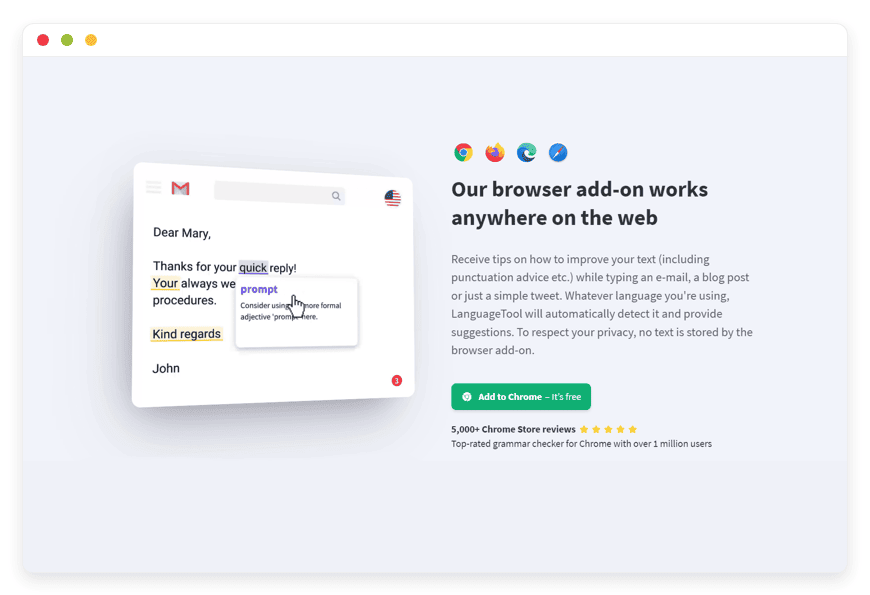
Web Browsers: Chrome, Firefox, Edge, Safari extensions.
Office Suites: Google Docs (via extension), Microsoft Word (via add-in), LibreOffice.
Email Clients: Thunderbird, Apple Mail, Gmail.
Desktop Apps: Native applications for Windows and macOS that provide a system-wide checking shortcut.
Text Editors & IDEs: Plugins for VS Code, Obsidian, Sublime Text, Vim, and Emacs.
Rule-Based Transparency
Unlike "black box" AI models where you never know why a change was suggested, LanguageTool is largely rule-based. This means you can inspect the XML rules source code to understand the logic. For developers and linguists, this allows for the creation of highly specific custom rules using simple XML syntax to catch errors unique to your specific domain.
Solutions per Industry
The need for accurate, private writing spans almost every sector. Here is how specific industries utilize Managed LanguageTool Hosting to solve their unique challenges.
Legal and Compliance
The Pain Point: Lawyers draft contracts where a single misplaced comma or ambiguous phrase can result in millions of dollars in liability (the famous "Oxford Comma" court cases are proof). Furthermore, client privilege is paramount; drafting a merger agreement on a public cloud editor is a security violation.
The Solution: Managed LanguageTool Hosting allows law firms to implement a strict, private proofreading layer. Custom rules can be added to enforce specific legal citation styles (like Bluebook) or to flag vague terminology. The data never leaves the firm's control, satisfying client confidentiality agreements.
Healthcare and Medical
The Pain Point: Medical professionals write thousands of patient notes, referral letters, and research papers. Misspellings in drug names or dosages can be fatal. However, patient data (names, conditions) is protected by strict regulations.
The Solution: By hosting LanguageTool privately, hospitals and clinics can integrate spell-checking directly into their Electronic Health Record (EHR) systems via API. The text is checked for clarity and accuracy without patient data ever traversing the public internet or being stored on third-party servers, ensuring compliance with data privacy standards.
Government and Public Sector
The Pain Point: Government agencies are often mandated by law to use "Plain Language" to ensure accessibility for all citizens. Bureaucratic writing is notoriously difficult to read. Additionally, government data usually requires "data residency"—it cannot leave the country or government-approved infrastructure.
The Solution: Agencies can use LanguageTool's "Plain English" rules to automatically flag complex words and suggest simpler alternatives (e.g., changing "utilize" to "use"). Because it is self-hosted, it meets strict government security clearance requirements regarding data sovereignty.
Publishing and Media
The Pain Point: Editorial teams need to produce high volumes of content with perfect accuracy. Managing style consistency across dozens of freelancers is a nightmare. Human editors spend too much time fixing basic typos instead of focusing on structure and narrative.
The Solution: Media houses can connect all writers to a central LanguageTool instance with a shared Style Guide. If the publication uses "e-mail" instead of "email" or specific capitalization for headlines, LanguageTool enforces it automatically. This automates the "first pass" of editing, speeding up the production cycle and reducing editorial fatigue.
Software Development and Technical Writing
The Pain Point: Developers write code, but they also write commit messages, release notes, and documentation (READMEs, Wikis). Typos in documentation erode user trust—if the docs are sloppy, users assume the code is sloppy too.
The Solution: Tech teams integrate LanguageTool into their CI/CD pipelines or IDEs (like VS Code). Before a documentation pull request is merged, LanguageTool scans the Markdown files. It ensures that technical terms are capitalized correctly and that the instructions are grammatically sound.
Education and Academia
The Pain Point: Universities face two issues: plagiarism and the struggle of non-native English speakers writing complex theses. Existing tools are expensive for students and often retain rights to the uploaded papers.
The Solution: A university can host a campus-wide LanguageTool instance. It provides students with a high-quality writing assistant that helps them learn (by explaining errors) rather than just fixing them. It levels the playing field for international students and ensures that unpublished research data remains within the university network.
Marketing and SEO Agencies
The Pain Point: Agencies manage content for dozens of clients, each with a different "voice." One client might want "friendly and casual," while another demands "professional and distant." Mixing these up is a fireable offense.
The Solution: Agencies can spin up separate profiles or dictionaries for each client. LanguageTool ensures that the specific keywords required for SEO are spelled correctly and that the tone remains consistent across blog posts, social media captions, and whitepapers.
Customer Support
The Pain Point: Support agents often handle multiple chats simultaneously. In the rush, their grammar slips, or they use localized slang that confuses international customers.
The Solution: Integrating the LanguageTool API into helpdesk software (like Zammad or Helpscout) acts as a real-time sanity check. It helps agents draft professional, clear, and error-free responses instantly, improving Customer Satisfaction (CSAT) scores and reducing miscommunication.
LanguageTool vs. Proprietary Alternatives
It is important to understand where LanguageTool sits in the ecosystem compared to closed-source alternatives. The primary difference is the philosophy of ownership.
| Feature | LanguageTool | Proprietary Alternatives |
| Source Code | Open Source (LGPL) | Closed Source |
| Hosting Model | Self-Hosted or Managed | Cloud Only (SaaS) |
| Privacy | Full Control | Data sent to vendor |
| Data Usage | Zero training on your data | Often used to train AI |
| Languages | 30+ High-Quality | Mostly English focused |
| Custom Rules | Fully Custom XML/Java Rules | Limited / None |
| API Limits | Defined by your server capacity | Strict usage caps |
| Offline Capable | Yes | No |
| Correction Logic | Explainable (Rule-based + AI) | Black Box AI |
Use Cases and Applications
Beyond the standard "check my email" scenario, a managed LanguageTool instance enables powerful automation workflows.
1. The "Clean Code" Documentation Pipeline
Modern software documentation often lives alongside code in Git repositories. You can set up a GitHub Action or GitLab Runner that triggers a LanguageTool scan every time a developer pushes changes to the /docs folder. If the grammar score drops below a certain threshold, the build fails. This ensures that no broken English ever makes it to your public documentation site.
2. Automated CMS Sanitization
If you run a WordPress, Ghost, or Drupal site with many contributors, you can use the LanguageTool API to scan posts before they are published. A plugin can be configured to prevent the "Publish" button from working if there are spelling errors in the headline, forcing writers to polish their work.
3. Chat Application Integration
For teams using Rocket.Chat or Mattermost (self-hosted alternatives to Slack), you can build a bot that passes messages through your LanguageTool instance. While you might not want to grammar-check every chat message, you can add a "slash command" (e.g., /check [text]) that allows employees to quickly verify a sentence before pasting it into an important client email.
4. OCR Correction
Organizations digitizing old paper records using OCR (Optical Character Recognition) often end up with text full of errors (e.g., "rn" read as "m"). LanguageTool is excellent at post-processing OCR text. By running the digitized text through your managed instance, you can automatically detect and highlight these scanning artifacts, significantly speeding up the manual review process.
How DANIAN Helps
You want the privacy of LanguageTool, but you do not want the burden of system administration. LanguageTool is a Java-based application. In the world of server management, Java apps are known for being memory-hungry and requiring specific environment tuning.
Furthermore, the real power of LanguageTool comes from the n-gram data. These are massive files (dozens of gigabytes) that must be downloaded, indexed, and mounted correctly for the server to access them fast. If you try to run this on a small VPS without optimization, it will crash or run incredibly slowly.
DANIAN acts as your invisible infrastructure team. We handle the mess; you get the glory.
Fully Managed: We handle the hosting. Our team manages everything from the initial launch to Java environment configuration. Your software is always optimized without you having to lift a finger.
Pre-Loaded Intelligence: We pre-configure the server with the massive n-gram datasets required for advanced context checking. You don't have to spend hours downloading and configuring these data dumps.
Guaranteed Performance: Processing grammar checks requires significant RAM and CPU power. With our scalable infrastructure, we ensure consistent performance, so your checking happens in milliseconds, not seconds.
Backup & Monitoring: We implement automated daily backups, stored securely. If you mess up a configuration or a custom dictionary, we can restore it with one click. We also monitor the service 24/7 to catch issues before you notice them.
SSL & Firewall: Security is our baseline. From automated SSL certificate updates to custom firewalls, we make sure your proofreading environment is secure 24/7.
Seamless Updates: When LanguageTool releases a new version or new language rules, we apply the updates. You always have the latest grammar capabilities without manual intervention.
7-Day Free Trial: We believe in the product. You can spin up a server and test the speed and privacy risk-free.
How to Get Started
Getting your private proofreading server running takes less time than correcting a bad paragraph.
Visit DANIAN: Go to danian.co and sign up for an account.
Select LanguageTool: Find LanguageTool in our extensive application catalog.
Launch: Click to start. We automate the provisioning, SSL setup, and n-gram configuration.
Connect:
Open your LanguageTool Browser Extension settings.
Select "Other Server" / "Personal Server".
Paste your new DANIAN URL (e.g., https://customappname.danian.cloud/v2).
Start writing securely.
FAQ
Q: Can I use the official browser plugins with my hosted server?
A: Yes, absolutely. The official Chrome, Firefox, Edge, and Safari extensions allow you to switch from the default cloud server to your own "Personal Server" URL. You just enter your DANIAN endpoint, and the extension works exactly the same, but with added privacy.
Q: Why do I need a managed host instead of running it on my laptop?
A: To get the full benefit of LanguageTool (especially the premium-style checks), you need the n-gram data. This data is massive (dozens of GBs) and requires high RAM usage. Running this locally will significantly slow down your computer and drain your battery. A server offloads this processing power.
Q: Is there a limit to how much text I can check?
A: Unlike the public free versions which have character limits per check (often 10,000 characters), your hosted version is limited only by the server resources. You can check much larger documents or entire book chapters efficiently.
Q: Does this include the Premium features?
A: "Premium" is a marketing term for the SaaS version. The open-source version, when equipped with n-gram data (which we provide), includes the vast majority of advanced grammar, style, and confusion rules. It is significantly more powerful than the basic free web version.
Q: Can I add my own words to the dictionary?
A: Yes. You can manage a custom_dictionary.txt file or use the API to add words. This persists across restarts and applies to everyone using your server instance.
Q: How do I handle updates?
A: You don't. DANIAN handles the updates for you, ensuring you always have the latest rules and security patches applied automatically.
Conclusion
LanguageTool is more than just a spell-checker; it is a communication safeguard. In a world where data privacy is shrinking, having the ability to host your own powerful writing assistant is a significant strategic advantage. It ensures your ideas remain yours, your team speaks with one voice, and your writing is flawless.
Whether you are a developer protecting source code comments, a lawyer protecting client secrets, or an agency protecting brand integrity, managed hosting is the bridge between security and convenience.
Don't let technical hurdles stop you from owning your writing infrastructure. Let us handle the servers while you focus on the words.


