
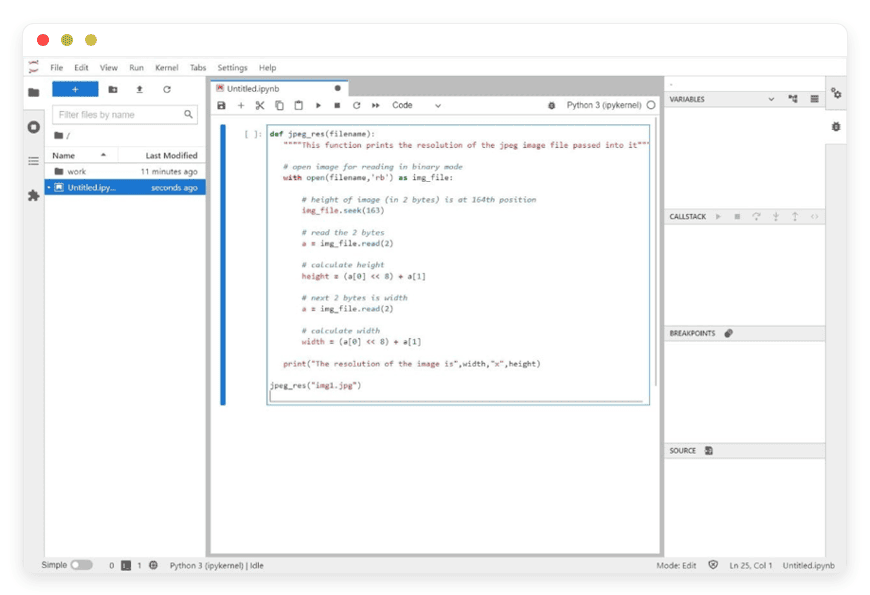
Managed Jupyter Hub Hosting: Share Notebooks Faster
TLDR - Quick Answer
Jupyter Hub is an open-source tool that brings the power of Jupyter Notebooks to groups of users. It gives your team a shared workspace for coding, data science, and machine learning.
Choosing Managed Jupyter Hub Hosting provides massive immediate value:
Instant Access: Your team logs in via a web browser and starts coding right away.
Central Workspace: Everyone works in the same system with the exact same tools.
Zero Setup Time: You skip the hard work of configuring servers and proxies.
High Security: User spaces remain strictly private and secure by default.
Reduced Costs: You stop paying high fees for paid proprietary cloud notebooks.
Introduction
Data science teams need shared environments to do their best work. When your team works on local machines, progress slows down. Code breaks because of different software versions. Sharing large data files becomes a massive headache. You waste hours trying to match laptop setups instead of writing useful code.
You need a central system where your team can log in and work instantly. Jupyter Hub solves this problem perfectly. It hosts notebooks in the cloud for multiple users at the exact same time. Everyone shares the same computing power. Everyone uses the same Python packages.
But running it yourself is a second job. Setting up the web proxy takes deep network knowledge. Connecting the central database requires advanced skills. Patching security flaws takes weeks of focused work. You have to monitor the system constantly just to keep it online. Your actual job is to analyze data, not fix broken servers.
Enter DANIAN. We provide the invisible servers your team needs to succeed. We handle the hard technical parts so you can focus on building great models.
What is Jupyter Hub?
Jupyter Hub is a multi-user version of the highly popular Jupyter Notebook. It serves notebooks, raw code, and massive datasets to groups of users over the open web. Project Jupyter created this tool specifically to help large teams collaborate better. They released the code under the open-source BSD 3-Clause license.
At its core, the software runs on Python. It requires Python 3.8 or newer to function properly. The system uses a central hub to manage all user logins. Once a user logs in successfully, the hub starts a personal server just for them. A dynamic web proxy then connects the user to their private workspace automatically.
You can use the classic Jupyter Notebook interface. Or, you can use the modern JupyterLab interface. The choice belongs completely to you and your team.
Why is it trending?
Data science and machine learning are growing incredibly fast. Teams need better ways to work together on complex problems. Managing individual software setups for dozens of people is entirely too hard. Jupyter Hub is trending because it makes shared computing wonderfully easy.
You set up the tools one single time. Then, your whole team logs in and uses them. This simple shift saves hundreds of hours. It stops software conflicts dead in their tracks. It makes remote work feel like everyone is in the same room.
Why Choose Jupyter Hub?
When you look for a shared coding space, you face many choices. Many large tech companies sell locked-down notebook services. These proprietary tools are often rigid, slow, and highly expensive.
Jupyter Hub offers pure open-source freedom. You build your workspace exactly how you want it to look and feel. You pick the specific Python packages your team needs. You define the exact rules for user access. You connect it to your own private data sources without asking any third party for permission.
Hosting Jupyter Hub is the single best way to unite your data team. It replaces expensive, paid platforms with a flexible, community-driven tool. You get the exact same computing power as big tech companies. But you stay in total control of your daily setup. Your team gets a standard, reliable space. Your monthly budgets stay low. Your critical projects move much faster.
Key Features of Jupyter Hub
Jupyter Hub is built for massive flexibility. It handles the very hard tasks of managing users. At the same time, it keeps things remarkably simple for the daily coder. Here is a deep dive into the core features that make it so powerful.
Pluggable Authenticators
You do not need to create new, confusing passwords for your team. The software uses "Authenticators" to handle all user logins. You can plug in external login systems easily. Your team can sign in using their GitHub accounts, Google accounts, or standard company credentials. The system supports standard protocols like OAuth safely.
Workflow Benefit: Your team logs in quickly with accounts they already have. You save hours of time by not resetting lost passwords. Onboarding a new team member takes seconds instead of days.
Flexible Spawners
When a user logs in, the system must start a fresh server for them. Jupyter Hub uses "Spawners" to do this heavy lifting. A spawner acts like a virtual factory. It builds an isolated, private workspace for each person. These private workspaces keep everyone's code and data strictly separated.
Workflow Benefit: One bad line of code cannot crash the system for another user. Everyone gets a clean, dedicated space to write and test code. You never have to worry about users overwriting each other's important files.
Dynamic HTTP Proxy
Routing web traffic for dozens of users is tricky. Jupyter Hub solves this with a highly configurable HTTP proxy. This proxy sits between the open internet and the private user workspaces. It uses fast Node.js code to direct web traffic to the right place instantly. It updates its own routing table on the fly as users log in and out.
Workflow Benefit: Users get a smooth, incredibly fast web experience. The proxy handles the heavy network lifting so connections stay completely stable. You never see broken pages or crossed wires.
Role-Based Access Control (RBAC)
Not everyone needs the exact same access level. The software features a highly robust RBAC system. You can create custom roles with highly specific permissions. You can define exactly who can view system logs. You can decide who can start new servers. You can dictate who manages other users.
Workflow Benefit: You keep your entire system incredibly safe. New users can only touch their own work. Admins can oversee the whole project without risking data leaks. You tailor the system to your exact company hierarchy.
REST API Integration
The software is not just a visual tool for humans. It includes a complete, fully documented REST API. You can use this API to control the system with simple code scripts. You can start servers, add new users, or check system health without touching the web dashboard.
Workflow Benefit: You can connect Jupyter Hub to your other daily business tools. You automate routine, boring tasks. You save countless hours of manual work by letting scripts do the heavy lifting.
Persistent Database Storage
The system needs to remember who is registered and what is currently running. It uses a traditional database to store this state. By default, it uses a simple SQLite database. But it fully supports advanced databases like PostgreSQL via SQLAlchemy.
Workflow Benefit: Your system state is always safe. If the hub restarts, it remembers exactly who was logged in. No user loses their access or their critical configuration settings.
External Service Integration
Sometimes you need background tasks running all the time. The software allows you to run "Services" alongside the main hub. These are separate processes managed by the core system. You can run custom Python scripts, data culling bots, or metric collectors.
Workflow Benefit: You keep your main system fast and clean. Background tasks run safely on their own. You can build advanced automations that monitor your specific business metrics constantly.
Detailed Event Logging
Knowing what happens on your server is critical. The system logs every major action. It tracks when users log in. It records when servers start and stop. It integrates smoothly with tools like Prometheus to track active users and deep memory limits.
Workflow Benefit: You spot unusual behavior instantly. You understand exactly when your team is most active. You can plan for the future by seeing exactly how much computing power your team truly needs.
Customizable UI Templates
The default web pages look great, but you might want your own branding. The software uses simple Jinja2 templates for all its HTML pages. You can change the colors. You can add your company logo. You can rewrite the text on the login page completely.
Workflow Benefit: Your team feels at home. They log into a page that looks like your company, not a generic tool. You build trust with external clients who use your system.
Multiple Interface Support
Different coders like different visual tools. The system does not force you into one box. You can offer the classic Jupyter Notebook view. You can offer the highly modern JupyterLab view. You can even configure it to offer RStudio for your strict statistics experts.
Workflow Benefit: Everyone uses the tool they love most. You do not force your team to learn a new interface. They stay happy, highly productive, and focused purely on the math.
Solutions per Industry
Different industries face vastly different problems. A shared coding space solves very specific pain points for different teams. Here is exactly how this software helps specific industries succeed daily.
Education and Bootcamps
Schools and coding bootcamps need to teach, not troubleshoot. When students use their own personal laptops, chaos reigns. Half the class fails to install the right software versions. Teachers waste the entire first week just fixing basic Python paths on different operating systems.
With this system, teachers set up the perfect environment one single time. Students log in via a standard web browser and start learning immediately. They all have the exact same version of Python. They all have the exact same machine learning libraries. Teachers can focus purely on grading code instead of fixing broken local setups. The classroom becomes a place of rapid learning, not endless frustration.
Data Science Agencies
Agencies often juggle multiple diverse clients at the exact same time. Each client project needs entirely different tools. Each client provides vastly different datasets. Mixing these different projects on a single local laptop causes massive disaster. Files get lost. Code packages conflict and break.
Agencies use this system to build secure, totally separate spaces for each client project. Data scientists can switch between distinct client environments quickly and safely. They share their complex findings by simply sending a secure link to their internal team. Work stays perfectly organized. Most importantly, sensitive client data remains strictly separated at all times.
Financial Research
Financial teams process massive, heavy datasets to find hidden market trends. They need incredibly powerful tools that can handle heavy math without freezing or crashing. They also need strict, absolute privacy for their secret trading formulas.
This system gives financial analysts a highly powerful, extremely secure place to build predictive models. They can run complex Python scripts in a perfectly safe space. Since the software supports strict Role-Based Access Control, sensitive financial models stay hidden. Unauthorized users can never see the secret math that drives the company revenue.
Medical and Bioinformatics Research
Medical researchers handle some of the largest datasets on earth. Sequencing a single genome creates massive files. Moving these gigantic files from a central server to a local laptop takes hours or even days. It slows down critical research completely.
This software flips the model entirely. Instead of moving the massive data to the researcher, it brings the researcher to the data. Scientists log into the hub where the data already lives safely. They run their complex genetic models directly next to the data source. Research moves drastically faster. Cures and medical breakthroughs happen without waiting for slow file downloads.
Retail and eCommerce Analytics
Large online stores generate millions of data points every single day. They track every click, every cart addition, and every final purchase. Making sense of this massive web traffic is very hard. Marketing teams need to know exactly what products to push and when.
Data teams in retail use this system to build daily predictive models. They share live, interactive notebooks with the main marketing team. The marketing team can adjust simple sliders in the notebook to see different future sales predictions. They use these shared insights to plan massive seasonal sales perfectly. They stop guessing and start using real math to sell more goods.
Marketing and SEO Agencies
Digital marketing runs on sheer data. SEO experts need to scrape thousands of search results. They need to analyze vast amounts of text using advanced Natural Language Processing. Doing this on a standard office computer is impossible. The computer freezes instantly under the heavy load.
By using a central hub, SEO teams run their heavy scraping scripts on powerful remote servers. Multiple team members can look at the freshly scraped data at the exact same time. They clean the messy text data together. They build smart content strategies based on solid facts, not just simple gut feelings.
Manufacturing and Supply Chain
Modern factories are packed with smart sensors. These sensors track machine heat, precise vibration, and strict output speed. This generates a constant, heavy stream of raw numbers. Factory managers need to know exactly when a machine might break down before it actually happens.
Supply chain analysts use this system to crunch that endless sensor data. They build complex Python models that predict exact machine failure dates. They share these visual notebooks with the factory floor managers. Maintenance teams fix the machines right before they break. This saves the factory millions of dollars in halted production time.
Government and Public Policy
City planners and government workers handle massive census datasets. They analyze heavy traffic patterns, complex housing markets, and local crime rates. They must present this dense data clearly to mayors and local voting citizens.
Public policy teams use the system to build clear, highly visual data stories. They clean the messy public records in shared notebooks. They create interactive, colorful maps that show exact traffic problems. They share these simple maps with city leaders easily. Complex math turns into simple, actionable public policy decisions quickly.
Jupyter Hub vs Other Softwares
How does this open-source tool compare to proprietary, locked-down options? Here is a clear, definitive breakdown of the differences.
| Feature | Jupyter Hub | Google Colab | Databricks |
Cost Model | Free open-source software | Paid per user monthly | Expensive compute fees |
| Customization | Full control over packages | Very limited control | Locked into their system |
| Interface | Standard JupyterLab | Custom modified UI | Custom modified UI |
| Extensions | Open plugin system | Restricted plugins | Restricted plugins |
Offline Code | Runs anywhere | Web-only access | Web-only access |
Use Cases and Applications
Teams around the entire world use this specific tool for their daily, critical tasks. Here are highly practical ways you can use it right now.
Machine Learning Training
Train complex, deep models in a shared space. Your team can run heavy deep learning scripts, check the visual output, and adjust parameters together. You do not need to email massive model files back and forth. Everyone sees the exact same training results instantly.
Interactive Data Dashboards
Turn boring, static numbers into beautiful visual stories. You can load giant historical datasets and create interactive graphs. Your whole team can explore these graphs. They can zoom in on specific dates and find hidden business trends easily.
Automated Daily Reporting
Write Python scripts that fetch fresh new data every single morning. The central system can run these scripts automatically. It processes the raw numbers, generates clean charts, and creates fresh daily reports. Your team starts their day with perfect data already waiting for them.
Shared Research Environments
Scientists must share their exact testing methods. By sharing a central workspace, one scientist can verify another person's work instantly. The raw code and the massive data live in the exact same place. Reproducible research becomes incredibly easy.
Massive Data Cleaning
Raw data is always messy. It has missing values and broken formatting. Teams can divide a massive dataset into chunks. Multiple people can log in and write code to clean their specific chunk. The massive cleaning job gets done perfectly in half the usual time.
How DANIAN Helps
Less Setup, More Development. Affordable from the Start. Real Help When You Need It.
We act as your quiet, dedicated enabler. We handle the messy, frustrating parts of running servers so you get the complete glory of a perfect workspace. Here is exactly how we help your team win.
Fully Managed
We handle the hosting. Our team manages everything from initial setup to regular updates, security patches, and performance monitoring. Your software is always optimized without you having to lift a single finger. You simply log in and start coding.
Backup & Monitoring
You never want to lose highly important code. Automated daily backups are configured automatically, stored securely, and available for one-click restore. If you make a terrible mistake, you click a button and get your perfect work back instantly.
SSL & Firewall
Secure by default. With cybersecurity threats on the rise, we take security seriously. From automated updates to proactive monitoring and custom firewalls, we make sure your environment is secure 24/7. Your data stays completely locked down.
Updates
Software changes incredibly fast. Security patches and new versions are applied without your intervention. You always run the latest, safest version of the core system. You never have to read boring release notes or run manual upgrade scripts again.
24/7 Monitoring
We watch the system closely so you can sleep perfectly. Issues are detected and often resolved before you notice anything is wrong. Your workspace is always ready when you need to write code.
Guaranteed Performance
Downtime can be detrimental to your business. With our scalable infrastructure, we ensure consistent performance even as your user base grows. Your heavy notebooks load fast, every single time. Your math scripts run without any slow lag.
7-Day Free Trial
We remove all the financial risk. You can test the platform completely free for seven full days. You see exactly how well it works for your data team before you spend a single dime.
How to Get Started
Getting your entire data team online takes just a few short minutes.
Step 1: Visit our website and sign up for a simple account.
Step 2: Select Jupyter Hub directly from our visual application catalog.
Step 3: Relax entirely while DANIAN launches your software in the quiet background.
FAQ
Is the main software completely free?
Yes. The software itself is open-source and free under the BSD 3-Clause license. You only pay for the managed hosting services we provide to keep it running smoothly.
What specific versions of Python does it actually support?
It requires Python 3.8 or newer to run the core background hub. However, the private user workspaces can run various older or newer versions of Python depending entirely on your specific project needs.
Can I strictly use JupyterLab instead of the older classic notebook?
Yes. The system supports the highly modern JupyterLab interface fully. You can easily set it as the default visual view for all your logged-in users.
What exactly is a Spawner in this system?
A Spawner is the specific part of the software that starts a private server for a user after they log in successfully. It builds an isolated, safe workspace so users do not step on each other's code.
What exactly is an Authenticator?
An Authenticator checks user identities quickly. It connects the central system to login providers like GitHub, Google, or your standard internal user database.
Can I easily restrict what certain users can do?
Yes. The software includes highly strict Role-Based Access Control (RBAC). You can give highly specific permissions to individual users, groups, or automated background services easily.
Do I need to manage the complex HTTP proxy myself?
No. When you use our fully managed service, we handle the dynamic HTTP proxy for you completely. Web traffic routes perfectly without any manual effort from you.
Can I point my own custom domain to the workspace?
Yes. You can easily connect your own custom domain name. Your team logs into a URL that matches your exact company brand perfectly.
Is there a strict limit to how many users I can add?
The open-source software itself has no hard user limits. The only limit is the actual computing power of the server you choose to run it on. You upgrade the server as your team grows.
How do I add completely new Python packages for my team?
You add them to the core environment configuration. Once added, every single user gets instant access to the exact same new package the next time they start their private server.
Conclusion
Jupyter Hub is the single best way to share complex notebooks across your entire data team. It stops the massive daily headache of broken local laptop setups. It gives everyone a clean, highly secure space to write code and analyze heavy data safely.
Running it yourself takes entirely too much time and deep technical effort. You should spend your valuable time writing amazing code, not fixing broken web servers. Let us do the heavy technical lifting for you in the background.
Experience the power of fully managed open-source.


