
Managed Guacamole Hosting: Secure Remote Access Without The Headache
TLDR - Quick Answer
Apache Guacamole is a completely clientless remote desktop gateway. It supports standard connection protocols like VNC, RDP, and SSH. You do not need to install plugins or any client software on your devices. Thanks to HTML5 technology, once Guacamole is running, all you need is a standard web browser to access your machines.
Choosing a managed solution provides immense immediate value for your business:
Instant Browser Access: Reach your remote servers and desktops from any device, anywhere in the world.
Zero Client Software: Stop forcing your users to install complex VPNs or frustrating desktop applications.
Centralized Control: Manage all your connections, user accounts, and security permissions from one simple dashboard.
Done-For-You Infrastructure: Skip the manual database setups, proxy configurations, and constant security patching.
Introduction
Allowing secure access to remote machines is a common and critical challenge. Your IT team needs to access servers to fix late-night issues. Your staff needs to reach their office desktops from their personal home computers. Historically, solving this problem meant giving everyone a VPN connection and asking them to install specific software.
This traditional approach creates constant friction. Users forget their VPN passwords. Desktop software versions conflict with older operating systems. Managing who has access to what becomes a tedious daily chore. Every time a user gets a new laptop, your support team has to configure their remote access tools all over again.
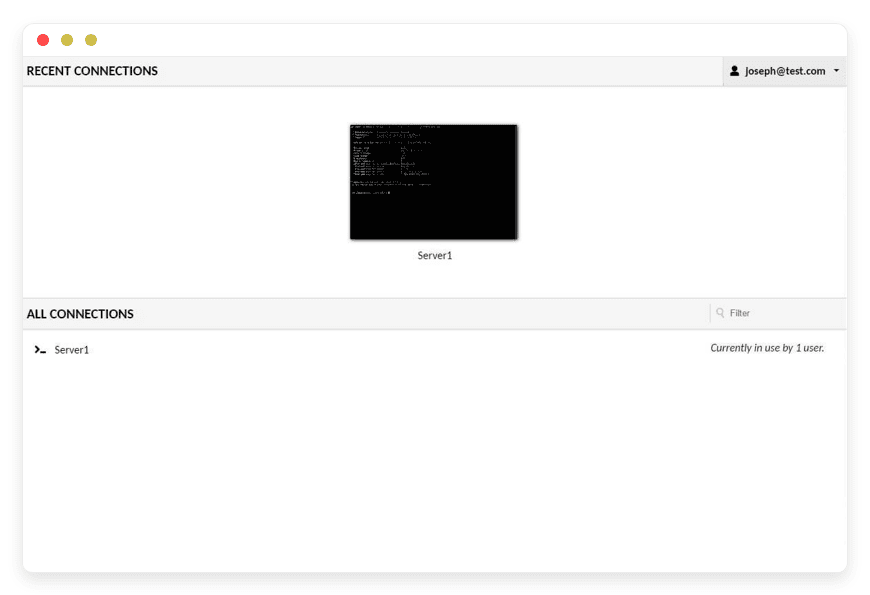
Apache Guacamole solves this problem perfectly. It streams the remote desktop directly into any modern web browser. Users simply log into a secure webpage and click on the specific machine they need to use. The experience is incredibly fast, responsive, and completely frictionless.
But running it yourself is a second job.
To get this software running properly, you must configure a Java web server. You need to set up a relational database for user authentication. You have to compile and run the native proxy daemon that handles the actual graphical protocols. Then, you must secure everything behind a reverse proxy with valid, auto-renewing SSL certificates. Maintaining this complex stack takes you away from your actual work.
DANIAN operates as your invisible infrastructure. We handle the messy configuration, the automated security updates, and the ongoing server maintenance. You get a perfect, ready-to-use remote access gateway.
What is Apache Guacamole?
Apache Guacamole is an open-source, clientless remote desktop gateway. Created and actively maintained by the Apache Software Foundation, it allows users to access remote machines securely through a standard web browser.
The software acts as a middleman between your human users and your physical infrastructure. It translates standard remote desktop protocols into a lightweight HTML5 visual stream. Because all the heavy computational lifting happens on the server, the client device only needs a modern browser. It works flawlessly on desktop computers, thin clients, tablets, and even mobile phones.
The internal architecture relies on two completely separate main components. First, the web application provides the user interface. This is typically served via Apache Tomcat. Second, the backend daemon, known as guacd, handles the raw connections to your remote machines. This daemon is written in C for maximum speed. It speaks the complex protocols and passes optimized data back to the web application. This clean separation makes the software incredibly stable and fast under heavy loads.
Why is it trending?
The massive global shift toward remote work exposed the dangerous limits of traditional VPNs. Giving a user full network access just so they can use one specific desktop is risky. It opens your entire network to malware that might exist on their home computer.
Guacamole limits access strictly to the defined machines. It adds an essential layer of network security while drastically improving the daily user experience. You no longer have to troubleshoot client-side software on personal laptops. If the user's web browser works, their remote access works perfectly.
Why Choose Guacamole?
Choosing this specific open-source tool gives you absolute freedom. Proprietary remote access software often charges a strict fee per user or per concurrent connection. These costs scale aggressively as your team grows or as you add more servers. Guacamole has no artificial limits. You can create as many users, connections, and groups as your hardware can handle.
When you focus on Hosting Guacamole, you replace expensive, restrictive platforms with a system you entirely control. You define the specific authentication methods. You set the exact permission levels for every single employee. You can even record the sessions for security audits. You never have to worry about sudden price hikes or hidden fees from commercial vendors. It provides a highly professional access portal that respects your budget and speeds up your workflow.
Key Features of Guacamole
Apache Guacamole is packed with advanced features designed to make remote access smooth, secure, and incredibly fast. It replaces several standalone tools with one unified web interface. Here is a deep dive into what makes this software so powerful for modern teams.
True Clientless HTML5 Rendering
You never have to ask a user to install software or browser plugins again. The entire remote desktop experience happens inside the web browser using a standard HTML5 Canvas. The visual rendering is highly optimized to use minimal bandwidth. It feels just like sitting in front of the actual physical machine. This feature drastically reduces IT support tickets related to client installations, operating system compatibility, and complex network issues. The user simply opens a tab and starts working.
High-Performance RDP Integration
The RDP support goes far beyond just showing a static screen. Guacamole provides a rich, native Windows experience. It supports remote audio playback, meaning you can hear system alerts or training videos clearly. It maps your local keyboard natively. It even supports dynamic screen resizing. If you resize your browser window or move it to a larger monitor, the remote Windows desktop will adjust its internal resolution automatically to fit perfectly. You never have to deal with annoying scrollbars.
Built-In File Transfer Workflows
Transferring files is usually a massive pain with remote access tools. Guacamole makes it incredibly simple and intuitive. When using an RDP or SSH connection, you can drag and drop files right into your web browser window to upload them to the remote server. To download files, you place them in a specific shared virtual folder on the remote machine. Guacamole intercepts those files and sends them directly to your browser as standard downloads. It completely removes the need for separate, confusing FTP clients.
Secure Virtual Printing
Printing a document from a remote session is traditionally complex and prone to driver errors. Guacamole solves this elegantly with virtual printing. It provides a virtual printer device over RDP. When a user prints a document on the remote machine, Guacamole intercepts the print job. It converts the document to a standard PDF file using an internal Ghostscript process. It then sends that PDF to the user's web browser as a download. The user can then easily print it on their local physical printer without any complex driver setups.
Native SSH and Terminal Support
Guacamole is not just for graphical desktops. It fully supports standard SSH and Telnet protocols for fast command-line access. The HTML5 terminal emulator is fast and accurate. It perfectly renders terminal colors, fonts, and complex text interfaces. It supports standard copy and paste functions. You can manage a modern Windows Server and a headless Linux terminal side-by-side in the exact same web interface. You do not need to switch between different terminal applications.
Comprehensive Session Recording
Security compliance and team accountability are vital for modern businesses. Guacamole can record any graphical or terminal session. These recordings are not heavy video files; they are saved in a highly compressed raw data format directly on the server. The software includes a built-in playback tool, or you can convert the raw data into standard video files. You can review exactly what terminal commands were typed or what mouse actions were taken during a specific session. This is the perfect tool for troubleshooting user errors or performing security audits.
Advanced User Management and Connection Groups
You are not limited to a simple flat list of servers. Guacamole allows you to organize your connections into deep folder structures. You can create different connection groups for different departments or clients. You can assign specific users or specific user groups to these folders. You can even configure a connection group to act as a load balancer. When a user clicks the group, Guacamole automatically connects them to the least busy server in that specific cluster.
Built-In Multi-Factor Authentication (MFA)
Protecting remote access requires more than just a strong password. Guacamole offers native support for strict Multi-Factor Authentication. You can easily enforce Time-based One-Time Passwords (TOTP) using standard apps like Google Authenticator, Microsoft Authenticator, or Authy. It also supports Duo Security push notifications. This guarantees that even if a password is stolen, attackers will not compromise your network or access your remote machines.
Extensive Single Sign-On (SSO) Support
You do not have to create separate user accounts inside Guacamole if you do not want to. The software integrates directly with the identity providers you already use every day. It supports LDAP and Active Directory for seamless internal user management. It also supports modern Single Sign-On protocols like SAML, OpenID Connect, and CAS. This means your users can log in using their existing Google Workspace, Microsoft Entra, or Okta credentials. When they leave the company, disabling their main account instantly revokes their remote access.
Solutions per Industry
Apache Guacamole is incredibly versatile. It adapts seamlessly to various professional environments and workflows. It solves specific, complex access problems across completely different fields. Here are several industries that benefit massively from a managed gateway.
IT Support and Managed Service Providers (MSPs)
IT professionals waste hours every week managing different VPN configurations and tracking down the correct remote access clients for dozens of different clients. Guacamole acts as a unified, central command center. An IT team can list every single client server, core switch, and executive desktop in a single dashboard.
When a critical server issue happens at 2 AM, the technician logs into the Guacamole portal, clicks the required client server, and instantly gets a fast SSH or RDP session. There is no switching contexts, typing different VPN passwords, or loading heavy desktop apps. Furthermore, the built-in session recording provides clear, undeniable proof to the client showing exactly what the technician fixed during the billed hours.
Higher Education and Universities
Schools and universities often maintain dedicated computer labs packed with expensive, specialized software for engineering, design, or architecture students. During remote learning periods or late-night studying sessions, students cannot physically access these lab machines.
Guacamole allows universities to publish these physical lab computers online safely. A student can log into the main university web portal from their cheap personal laptop, click a button, and get a full-screen RDP session into a powerful lab computer. They can use the specialized software exactly as if they were sitting in the physical classroom. The school does not need to distribute complex VPN profiles to thousands of personal student laptops.
Call Centers and Customer Support Teams
Modern call centers often employ a fully remote or hybrid workforce. Support agents need access to core internal CRM systems, billing platforms, and sensitive customer databases. Issuing a standard VPN to a remote agent is dangerous. It means the sensitive customer data actually travels to the agent's personal home computer, creating a massive data leak risk.
Guacamole keeps the data completely secure. The agent uses their browser to connect to a virtual desktop hosted in the corporate network. The agent only sees a visual picture of the data. They cannot easily copy the database files to their personal hard drive. This setup instantly secures remote access while keeping the business compliant with strict data handling rules.
Manufacturing and Industrial Plants
Factory floors run on complex machinery monitored by central servers. Floor managers and technicians need constant access to standard operating procedures, inventory dashboards, and machine control panels. Placing expensive computer terminals all over a dusty, heavy-duty factory floor is costly and prone to hardware failure.
With Guacamole, a manufacturing plant can deploy incredibly cheap, rugged tablets or basic thin clients across the floor. These devices only need a web browser. They connect back to the secure central server via Guacamole. If a tablet breaks, the company replaces it instantly with no software configuration required. The worker just opens the browser, logs in, and gets right back to work.
Accounting Firms and Financial Auditors
During tax season or financial audits, accountants handle incredibly sensitive financial records. They often need to access client bookkeeping software hosted on the client's internal servers. Traveling to the client's physical office is slow. Dealing with third-party remote desktop tools often triggers security warnings from the client's IT department.
Guacamole provides a clean, professional solution. The accounting firm can set up secure connections directly to the required financial servers. The auditors simply log into the web portal and perform their work. The files never leave the secure network environment. The firm can enforce strict multi-factor authentication, ensuring only authorized auditors can view the financial data.
Software Development and Design Agencies
Agencies often build, test, and maintain software for dozens of different clients at the same time. Each client has their own specific hosting environment, database servers, and staging areas. Keeping track of passwords, SSH keys, and firewall access rules for a large team of developers is a massive security nightmare.
Guacamole lets the agency centralize all client access. The agency administrators create a secure connection to the client's staging server inside the Guacamole dashboard. The developers then log into Guacamole to access the terminal or the database interface. The agency can easily grant or revoke a developer's access to specific projects with one click. They never have to hand over the actual raw SSH keys or root passwords to the individual developers.
Guacamole vs Other Softwares
How does Apache Guacamole stack up against common, commercially available remote access software? The differences in structure, cost, and control are massive.
| Feature | Apache Guacamole | Proprietary Alternatives (TeamViewer, AnyDesk) |
Pricing Model | 100% Free Open-Source Software | Expensive recurring per-user or per-connection licenses |
Client Software | None required (Runs entirely in an HTML5 Browser) | Requires heavy local application installation |
Core Protocol Support | Native, standard RDP, VNC, SSH, Telnet | Locked into proprietary, closed vendor protocols |
User Access Limits | Completely Unlimited | Strictly capped by your chosen subscription tier |
Infrastructure Control | You control the server completely | Traffic is routed through external vendor networks |
Session Recording | Built-in and stored securely on your local server | Feature availability varies, often costs extra |
Use Cases and Applications
The extreme flexibility of this software opens up numerous practical applications for your daily IT operations. It adapts to almost any network access challenge.
Secure Server Administration Without Open Ports
Systems administrators can secure their infrastructure dramatically by closing standard remote access ports to the public internet. They block port 3389 for RDP and port 22 for SSH. They configure all their servers to only accept direct connections from the internal IP address of the Guacamole server. The admin then accesses the servers strictly through the secure web interface. This drastically reduces the network attack surface and instantly stops automated bot attacks from scanning your remote ports.
Remote Workforce Enablement on Personal Devices
Businesses can transition employees to remote work instantly without massive hardware budgets. Instead of buying new corporate laptops with pre-configured VPNs for every employee, the staff can use their own home computers safely. They simply open their regular web browser, log into the gateway, and connect directly to their physical office desktop via RDP. They get their exact office environment, their bookmarks, and their software. The company data remains safely inside the office network.
Safe Legacy Software Access
Many businesses still rely on ancient, critical software that only runs on outdated operating systems like Windows XP or Windows 7. Upgrading the software is impossible. Exposing these outdated, unpatched machines to the main network or the internet is incredibly dangerous. By placing the legacy machine on a strictly isolated network segment and accessing it solely through a Guacamole VNC connection, users can still operate the old software daily. The machine stays isolated and safe.
Temporary Third-Party Vendor Access
Sometimes you need to give external vendors, consultants, or independent contractors temporary access to your systems to perform maintenance. Giving them full VPN access to your entire network is a massive security risk. With Guacamole, you can create a specific, limited user account that only has access to one specific server. You can enforce MFA, record their entire session for proof of work, and easily delete their account the exact moment their contract ends.
Centralized Bastion Host Replacement
Many networks use a complex "bastion host" or "jump box" setup. A developer SSHes into a bastion server, and from there, they SSH again into the final target server. This is clumsy and hard to track. Guacamole replaces the traditional bastion host entirely. The web interface acts as the secure entry point. The developer clicks the target server in the dashboard, and Guacamole handles the internal routing automatically. It is faster, cleaner, and vastly easier to audit.
How DANIAN Helps
Running Apache Guacamole transforms your workflow, but setting it up manually is completely exhausting. You have to install Tomcat, set up a database like PostgreSQL or MariaDB, compile the guacd daemon from C source code, configure reverse proxies like Nginx, and handle automatic SSL certificate renewals. When things break or perform slowly, you are completely on your own.
DANIAN is your quiet enabler. We handle the mess; you get the glory.
Fully Managed
We handle the hosting entirely. Our expert team manages everything from the initial complex database setup to regular server updates, OS security patches, and application performance monitoring. Your remote desktop gateway is always optimized without you having to lift a single finger.Backup & Monitoring
Disasters happen, but you will be fully ready. Your entire system configuration, including all users, connection profiles, and security settings, is backed up automatically every single day. These backups are configured automatically and stored securely, allowing for a fast, one-click restore if you ever make a configuration mistake.SSL & Firewall
Secure by default. With cybersecurity threats on the rise, we take security seriously. From automated updates to proactive monitoring and custom firewalls, we make sure your environment is secure 24/7. Your gateway is locked down and protected.Automated Updates
The Apache Guacamole project releases critical security patches, bug fixes, and exciting new features regularly. These exact updates are applied smoothly without your intervention, keeping your system safe, modern, and perfectly functional.24/7 Monitoring
Our robust systems watch your gateway around the clock. Hardware and software issues are detected early and often resolved rapidly before you even notice them, ensuring your remote access never drops when you need it most.Guaranteed Performance
Downtime can be detrimental to your business operations. With our scalable infrastructure, we ensure consistent, snappy performance even as your total user base grows and simultaneous remote connections increase.7-Day Free Trial
There is absolutely no risk. Less setup, more development. Affordable from the start. Real help when you need it.
How to Get Started
Getting your managed gateway running is incredibly fast. You do not need to read complex technical manuals or compile open-source code.
Step 1: Visit danian.co and sign up for a quick account.
Step 2: Select Guacamole from our extensive software catalog.
Step 3: Relax while DANIAN automatically provisions your server hardware, configures the relational database, and launches your software.
FAQ
What exactly is guacd and why is it important?
The guacd daemon is the core native proxy that runs quietly on the Guacamole server. The Java web application does not actually speak remote protocols directly because it is too slow. Instead, the web app tells guacd to connect to your machines using RDP, VNC, or SSH. guacd then translates those complex protocols into the fast HTML5 stream your browser understands.
Is Apache Guacamole completely free to use?
Yes, the software itself is open-source and entirely free to use under the Apache license. There are no hidden software license fees or per-user access costs. You only pay for the underlying infrastructure and the Managed Guacamole Hosting services that keep the system running smoothly.
Does Guacamole support my specific international keyboard layout?
Yes, it handles keyboard input intelligently. For RDP connections, the actual keyboard layout is determined by the remote Windows machine. You just tell Guacamole which layout to request in the connection settings. For VNC, the software sends raw keyboard scancodes, meaning it naturally matches whatever physical keyboard keys you are pressing.
Can I easily copy and paste text between my local computer and the remote server?
Absolutely. Modern web browsers allow Guacamole to integrate directly with your local system clipboard. You can copy text on your computer and paste it into the remote server smoothly. If your specific browser security settings block this automatic integration, Guacamole provides a built-in clipboard tool accessible via a hidden menu (Ctrl+Alt+Shift) to manually transfer text.
Why does my remote RDP session look stretched or blurry on my screen?
This visual issue usually happens if the remote screen resolution does not exactly match your current browser window size. Guacamole natively supports dynamic resolution changes for RDP. You simply need to ensure your remote Windows server allows dynamic display resizing, and Guacamole will automatically snap the picture to the perfect, crisp resolution when you resize your window.
How do I transfer files to my remote Linux machine using this portal?
For Linux machines, Guacamole supports robust SFTP integration layered directly over your standard SSH connection. Once you configure the SFTP settings for that specific server, you simply drag a file from your local computer and drop it into the active browser window. The file will upload directly to the remote server instantly.
Does Guacamole support audio playback from the remote server?
Yes, it does. If you connect to a machine via the standard RDP protocol, Guacamole can capture the remote audio feed and play it directly through your local web browser speakers. This is a great feature for monitoring audible system alerts or playing training media.
Which databases are supported for managing users and connections?
While Guacamole includes a basic XML file configuration for simple setups, a true production environment requires a real database. It fully supports MySQL, MariaDB, PostgreSQL, and Microsoft SQL Server. Using a database enables the advanced web-based administration interface where you manage users visually.
Can I use Guacamole inside an iframe on my own company portal?
Yes, you can embed the Guacamole interface into your own custom web applications using an iframe. You will need to adjust the server configuration slightly to allow framing, as it is blocked by default for security reasons to prevent clickjacking attacks. It provides an excellent way to add remote access to your existing company dashboard.
Conclusion
Apache Guacamole is the definitive, modern solution for secure remote access. It completely eliminates the need for clunky VPN networks, expensive proprietary software licenses, and annoying desktop client installations. By bringing RDP, VNC, and SSH connections directly into any standard web browser, it creates a seamless, incredibly fast, and secure experience for both network administrators and everyday staff users.
However, building and maintaining the backend infrastructure to support this powerful tool is a heavy operational burden. Managing databases, proxies, and updates takes time you do not have. Let DANIAN handle the technical heavy lifting so you can focus entirely on managing your actual servers and growing your business.
Experience the power of fully managed open-source software.


